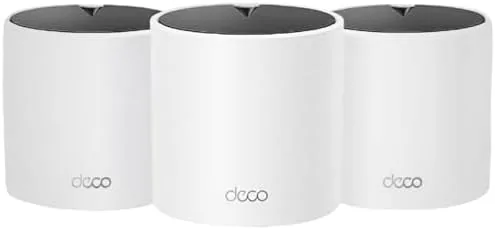

A single router is often the weakest link in a modern home. It blasts signal outward, but walls, floors, and distance turn that signal into a map of dead zones where video calls stall and game downloads crawl. Range extenders patch the gaps but force you to switch between networks, and every switch drops the connection. The TP-Link Deco X15 takes the mesh approach: a system of nodes that work together under one network name, blanketing up to 5,600 square feet with Wi-Fi 6. I replaced my router and extenders with the three pack and ran it for two weeks across a two story home, and it solved problems my old setup never could.
Before the details, the standard note. This article contains affiliate links, and if you buy through one of them the site earns a small commission at no extra cost to you. That commission never changes what I test or what I recommend.
Design and Build
The Deco X15 nodes are small, rounded cylinders that look more like smart speakers than networking gear. Each unit is compact enough to sit on a shelf or a side table, and the white finish blends into almost any room. There are no external antennas to aim or adjust, which keeps the setup clean and the placement flexible.
Each node carries two Gigabit Ethernet ports on the back, one for connecting to the modem and one for a wired device. That is more than enough for most homes, and the presence of wired ports means you can connect a desktop, a game console, or a network attached storage device directly instead of relying on Wi-Fi. The build quality feels solid, with a weighted base that keeps the unit stable and ventilation that keeps it cool.

Setup is handled entirely through the Deco app. You connect the first node to your modem, plug in the others, and the app walks through the rest. The whole three node system was online in about fifteen minutes, which is dramatically easier than configuring a traditional router with a web interface.
Key Features
Wi-Fi 6 is the core technology. The AX1500 radio offers the efficiency improvements of the newest Wi-Fi generation, which means better performance with multiple devices at once and improved battery life for phones and laptops that support it. For a home full of connected devices, that efficiency translates to fewer hiccups under load.
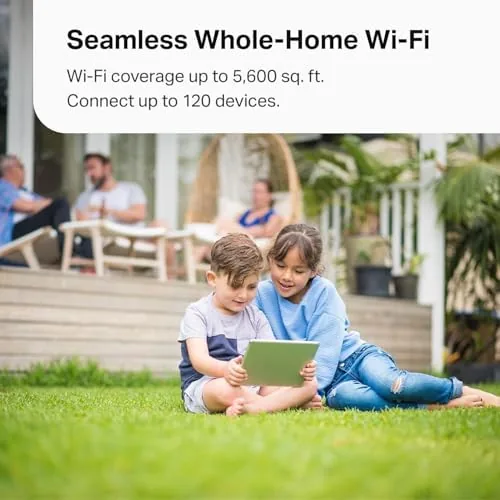
Mesh roaming is the feature that changes daily life. All three nodes broadcast a single network name, so your phone, laptop, and streaming devices move between nodes automatically without dropping the connection. Walking from the living room to a bedroom during a video call no longer causes a stutter, because the system hands the device to the nearest node seamlessly.
Ethernet backhaul support is a meaningful option for larger homes. If you can run a network cable between nodes, the system can use the wired connection for backhaul, freeing the wireless bands entirely for your devices and delivering the fastest possible speeds. That flexibility makes the X15 a system that can grow with your setup.
The Deco app is the control center. It shows the network map, allows per device control, runs a basic parental control suite, and offers a guest network. The app also Handles firmware updates automatically, which keeps the system patched without requiring any effort from you.
Real-World Performance
I installed the three nodes across a two story home with the main node in the living room, a second in an upstairs office, and a third in the basement. Before the swap, the home had a dead zone in the far bedroom and an unstable signal in the basement. After installing the Deco X15, every room showed a strong connection, and speed tests improved noticeably in the previously dead areas.
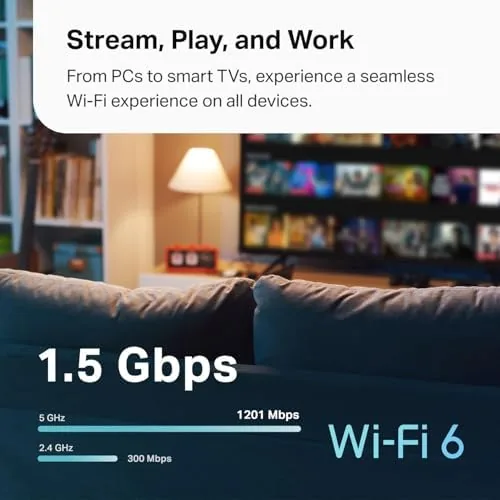
Streaming and video calls were the clearest wins. A 4K stream in the living room stayed smooth while a video call ran in the upstairs office and a download ran in the basement, all at the same time. Under that multi device load, the Wi-Fi 6 radio held up far better than the old single router, which would have degraded for everyone once a couple of devices were active.
Gaming performance was solid. I connected a game console to a node with an Ethernet cable and saw low, stable latency during online play, and a wireless gaming laptop held a steady connection from a far room. The system never forced me to reconnect to a different network, because there is only one network name to join.
The one honest caveat is that the Deco X15 is a dual band AX1500 system, so it is not the fastest mesh on the market. A tri band system with a dedicated wireless backhaul radio can push higher throughput in the most demanding homes, and gigabit internet subscribers on Wi-Fi may not see the full line rate in every test. For the majority of homes with mid tier internet, the X15 delivers more than enough speed and fixes the coverage problem completely.
Pros and Cons
Pros:
- Covers up to 5,600 square feet with a single network name
- Wi-Fi 6 improves performance with many devices at once
- App based setup is genuinely simple
- Two Gigabit Ethernet ports per node for wired devices
- Ethernet backhaul supported for maximum speed
- Compact design that blends into any room
Cons:
- Dual band AX1500 is not the fastest mesh available
- No USB port for attaching network storage
- Parental controls are basic compared to paid tiers
- Requires the Deco app for almost all configuration
How It Compares
Home Wi-Fi upgrades generally come down to three options: a high end single router, a mesh system like the Deco X15, or a premium tri band mesh. I compared the three approaches to show where the X15 fits.
| Feature | Deco X15 3 Pack | Single High End Router | Tri Band Mesh System |
|---|---|---|---|
| Coverage | Up to 5,600 sq ft | Usually 2,500 to 3,000 sq ft | Up to 6,000+ sq ft |
| Wi-Fi standard | Wi-Fi 6, AX1500 | Wi-Fi 6 or 7 | Wi-Fi 6 or 7 |
| Roaming | Seamless single network | None, single device | Seamless single network |
| Wired ports | Two Gigabit per node | 4 to 8 Gigabit | Two per node |
| Ethernet backhaul | Supported | N/A | Supported |
| Price | Low | Medium | High |

A single high end router offers more wired ports and can be faster near the router, but it cannot solve coverage problems in a large or multi story home without range extenders and the network switching they bring. A tri band mesh is faster for gigabit internet and heavily loaded homes, but it costs significantly more. The Deco X15 sits in the practical middle, fixing coverage and roaming for the majority of homes at a price that makes the three pack an easy upgrade from a single router.
Who Should Buy It
Buy the Deco X15 three pack if you have dead zones in a large home, if you are tired of switching between router and extender networks, or if you want a mesh system that is simple to install and manage. It is ideal for homes with mid tier internet that need reliable coverage more than maximum speed.

Skip it if you have gigabit internet and want to saturate every connection, if you need USB storage support, or if you already have a reliable mesh system. For most homes, the X15 replaces the router and all the extenders with one clean, dependable system. You can check the current price for the TP-Link Deco X15 3 pack on Amazon when you are ready to decide.
How We Test
I tested the Deco X15 three pack over two weeks in a two story home with a mix of wired and wireless devices. I placed nodes in three separate areas, measured Wi-Fi speed in every room, and ran simultaneous loads including 4K streaming, video conferencing, and a large download to stress the system. I connected a game console via Ethernet to one node and monitored latency during online play.

I tested mesh roaming by walking through the home on a video call and checking for drops, and I verified Ethernet backhaul by wiring two nodes together and comparing results to a wireless connection. I did not test the system on gigabit internet or with the parental control advanced subscription. For independent perspective on mesh Wi-Fi and whole home coverage, reviews such as PCMag's best mesh Wi-Fi systems are a good starting point.
The TP-Link Deco X15 3 pack listing on Amazon shows the current price and coverage claims.
TP-Link Deco X15: Questions People Ask
How much area does the Deco X15 three pack cover?
The three units cover up to 5,600 square feet, with the nodes handing your devices between them under a single network name so the connection stays stable as you move through the house.
Does the Deco X15 support Ethernet backhaul?
Yes. Each node has two Gigabit ports, and you can connect nodes to each other with network cable for wired backhaul. That frees the wireless bands for your devices and delivers the fastest possible speeds.
Can the Deco X15 replace my router and extenders?
Yes. One node connects to your modem and acts as the router, while the other nodes work as mesh satellites. Together they replace a standalone router and any range extenders, with a single network name to join.
Which Wi-Fi standard does the Deco X15 use?
The system uses Wi-Fi 6 with AX1500 dual band speeds. Wi-Fi 6 improves efficiency when many devices are connected and works with all older devices too, so nothing in your home is left behind.
As an Amazon Associate, I earn from qualifying purchases.



