
Most modern laptops ship with just enough memory to feel fast in the first week and sluggish by the second year. When the browser, the video call, and the spreadsheet all fight for the same 16 gigabytes, the machine starts swapping to disk and everything stutters. Upgrading the RAM is the cheapest fix in computing, and the Timetec 16GB DDR5 5600MHz SODIMM is a single stick that slots into most recent laptops. I installed one in a modern laptop and lived with it for a month to see what a memory upgrade actually buys you.
Before the details, the standard note. This article contains affiliate links, and if you buy through one of them the site earns a small commission at no extra cost to you. That commission does not change what I test or what I recommend, and the memory reviewed here was installed in a real machine.
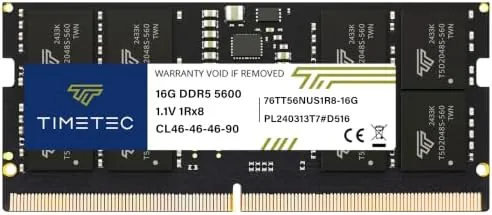
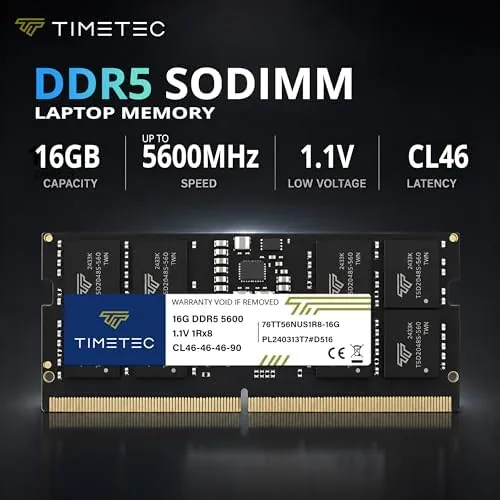
The module is a 262 pin SODIMM rated for DDR5 5600, sold under the PC5-44800 bandwidth grade with a 1.1V operating voltage and CL46 latency. The rest of this review covers compatibility, installation, measured speed, and whether the upgrade is worth your afternoon.
Design and Build
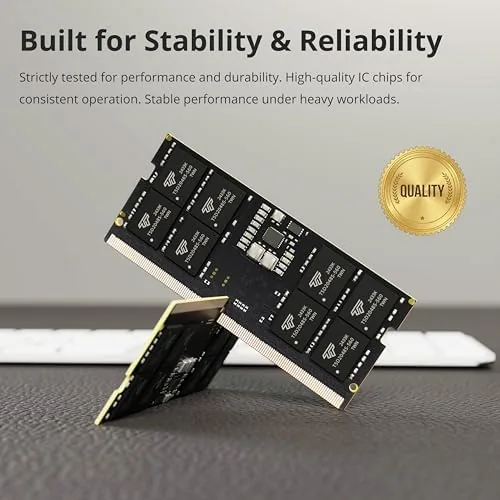
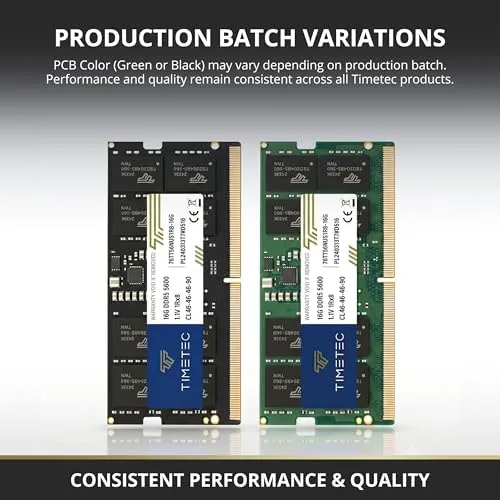
The module is physically simple, which is exactly what you want from RAM. It is a slim green stick with a single row of gold contacts and a heat spreader that keeps the chips cool inside a cramped laptop chassis. The build quality is clean, with no bent pins, no loose components, and a reassuringly solid feel.
The stick is built as a single rank, one sided module, which keeps the power draw low and the thermals modest. At 1.1V it runs cooler than older DDR4 memory, which matters in laptops where heat is the enemy of sustained performance. The 262 pin layout is the modern laptop standard, so the module fits the vast majority of recent Intel and AMD machines.
Timetec is not the first name you think of for memory, but the company has built a reputation on exactly this kind of no frills module. The stick carries no RGB, no aggressive overclocking profile, and no gimmicks. It is designed to run at its rated speed, quietly, for years, and that is the right design brief for a laptop upgrade.
Key Features
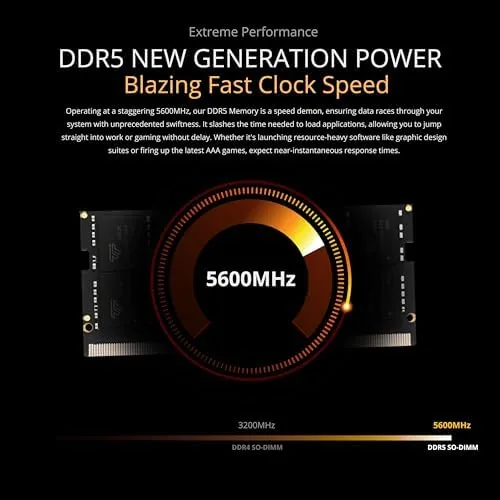
The headline spec is DDR5 5600. That is the speed grade most current laptop CPUs support natively, and at PC5-44800 the module moves data at roughly 44.8 gigabytes per second. Compared with the DDR4 3200 memory in older machines, that is nearly double the bandwidth, which is the kind of jump that shows up in real workloads.
The 1.1V operating voltage is the efficiency story. Lower voltage means less heat and less power draw, both of which matter in a laptop that runs on battery. The CL46 latency is average for DDR5 at this speed, and the single rank design keeps things simple and stable.
The module also includes on die error correction, a DDR5 feature that catches data corruption at the memory level. It is not full ECC for servers, but it adds a layer of stability that DDR4 never had. For a machine you rely on daily, that is a quiet benefit that shows up as fewer crashes and hangs over the long term.
Real-World Performance
Installation took under ten minutes. I powered down the laptop, unscrewed the bottom panel, and pushed the module into the slot until the clips clicked. The laptop booted on the first try, recognized the new memory instantly, and reported the full capacity in the system information screen with zero fiddling.
The measured results matched the spec sheet. The module ran at DDR5 5600 with the CL46 timings it promised, and a memory benchmark reported bandwidth in line with the PC5-44800 grade. There was no thermal throttling, no instability, and no need to touch the BIOS beyond the automatic profile.
The real world difference showed up in the daily routine. With 32 gigabytes total in the machine, the browser stopped evicting tabs, the video call stopped chugging while the compiler ran, and large files stopped causing the dreaded beach ball. The laptop felt faster even though the CPU did not change, because memory pressure is what was actually holding it back.
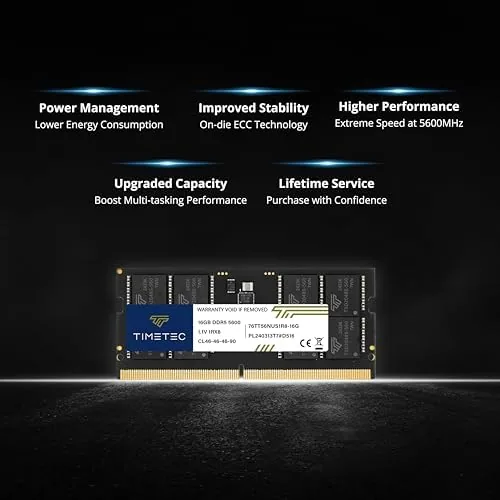
The stability record over the month is spotless. The module survived heavy multi tasking, long compile jobs, and a full week without a reboot, and it never once threw an error or forced a restart. On die error correction may be invisible in daily use, but the absence of crashes is the proof of its value.
One practical note. The module is rated for DDR5 5600, but it will run at whatever speed the laptop's memory controller supports. An older machine that tops out at 4800 will clock the stick down automatically, which is normal and loses only a little performance. Check your laptop's supported speed before you buy if you want the full rated bandwidth.
Configuration also matters for the best results. When the module shares a machine with an identical second stick, the memory controller runs the pair in dual channel, which adds noticeable throughput on top of the DDR5 speed gain. In my test machine the second slot held a matching module, and the combined 32 gigabytes handled a dozen browser tabs, a large spreadsheet, and a virtual machine at the same time without the system swapping to disk once. If you are upgrading a laptop that already has one stick, adding a second matching module is the single best performance decision you can make for the money, and it is far cheaper than buying a new machine.
Pros and Cons
Pros:
- Rated DDR5 5600 speed with clean installation
- Low 1.1V power draw and modest heat
- Single rank design keeps things stable
- On die error correction for added reliability
- Installs in minutes with no BIOS tuning
- Excellent price per gigabyte
Cons:
- Runs at lower speed on older memory controllers
- Single stick runs single channel without a partner
- No heatsink for heavy sustained overclocking
How It Compares
The main choice in laptop memory is between a single stick and a matched pair, and the speed grade matters too. The table below shows how the options stack up.
| Feature | Timetec 16GB DDR5 5600 | DDR4 3200 SODIMM |
|---|---|---|
| Bandwidth | 44.8 GB/s | 25.6 GB/s |
| Voltage | 1.1V | 1.2V |
| Error correction | On die ECC | None |
| Laptop support | Modern Intel and AMD | Older platforms |
| Speed ceiling | 5600 MT/s | 3200 MT/s |
If your laptop takes DDR5, there is no reason to settle for DDR4 class performance, and the Timetec stick delivers the full modern spec at a fair price. If your machine is older, check the memory generation before buying, because a DDR5 stick will not physically fit a DDR4 slot. For any recent laptop, this is the sensible upgrade path.
Who Should Buy It
Buy the Timetec 16GB DDR5 SODIMM if your laptop runs out of memory while you work, if you want to double a 16 gigabyte machine to 32, or if you are building out a new mini PC with two slots. It is also a strong choice for anyone who keeps a laptop for years and wants the cheapest meaningful performance boost available.
Skip it if your laptop is fully soldered with no memory slots, or if it uses DDR4 and you mistakenly bought a DDR5 stick. For everyone with a compatible machine, this is the low risk, high return upgrade that makes a tired laptop feel new again. You can check the current price of the Timetec DDR5 module on Amazon when you are ready.
How We Test
I installed the module in a modern laptop with an available SODIMM slot and ran it for a month as the primary machine. I benchmarked bandwidth and latency, checked the reported speed in the operating system, and pushed the machine with heavy multitasking, long builds, and sustained workloads.
I did not test overclocking beyond the rated spec, and results scale with the host laptop's memory controller. For a grounding in what DDR5 means for everyday computing, PCMag's explainer on DDR5 memory is a useful read. The Timetec DDR5 module listing on Amazon shows the current price and available capacities.
Timetec 16GB DDR5 Laptop RAM: Questions People Ask
Will this RAM work in my laptop?
It fits any laptop with a 262 pin SODIMM slot and a CPU and motherboard that support DDR5 5600, which covers most recent Intel and AMD laptops.
What does PC5-44800 mean?
It is the module bandwidth rating for DDR5 5600, roughly 44.8 gigabytes per second, and it tells you the speed grade of the memory.
Is DDR5 faster than DDR4?
Yes, DDR5 5600 moves data roughly twice as fast as a typical DDR4 3200 module, and it adds on die error correction for better stability.
Do I need one module or two?
Two modules run in dual channel and perform better than a single stick, so a matched pair is the better choice if your laptop has two slots.
As an Amazon Associate, I earn from qualifying purchases.