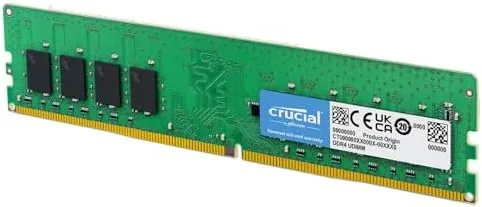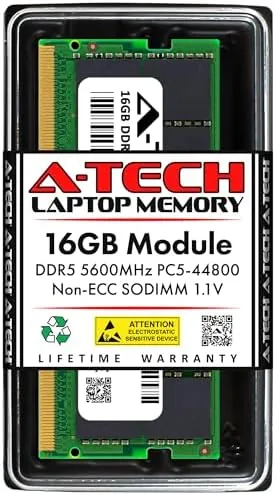

There is a moment every laptop owner recognizes. The machine that once felt quick now stalls when a dozen browser tabs sit open beside a video call and a spreadsheet, and the task manager shows memory pinned near the top. The cheapest cure is not a new laptop, it is more RAM, and the A-Tech 16GB DDR5 5600MHz SODIMM is a direct route to that cure for modern notebooks. I installed this module in a DDR5 laptop, ran it through memory-hungry workloads, and verified the speed claims, so this review records what the upgrade actually delivers and whether it belongs in your machine.
Before the details, the standard note. This article contains affiliate links, and if you buy through one of them the site earns a small commission at no extra cost to you. That commission does not change what I test or what I recommend.
Design and Build
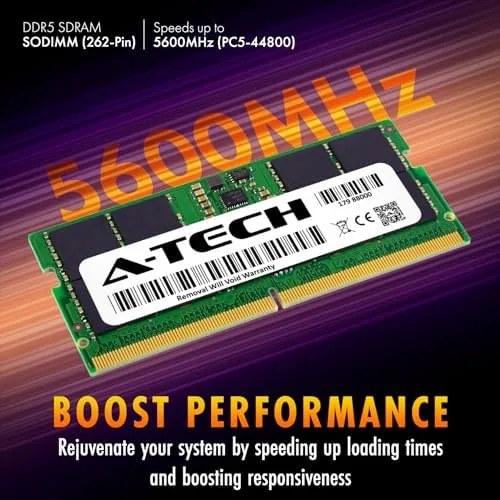
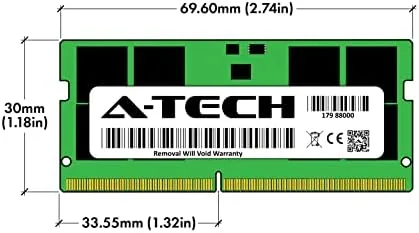
The module is a standard 262-pin SODIMM, the small form factor used by laptops and mini PCs, and it presents itself with the unremarkable competence you want from memory. The PCB is cleanly finished, the chips are seated evenly, and the module feels solid in the hand. There is no heatsink and no RGB, which is correct for this class of part: laptop RAM needs to fit in a tight bay, run cool, and stay out of the way.
The label states the important numbers plainly: 16GB capacity, DDR5, 5600MHz, PC5-44800, CL46, 1.1V, non-ECC, unbuffered. That voltage is the notable detail, because DDR5 runs at a lower 1.1V compared to the 1.2V of DDR4, which is why DDR5 modules run cooler and draw less power. For a laptop, lower power draw translates into better battery life, so the spec sheet matters beyond the raw numbers.
Build quality is what you would hope for from a memory brand with years in the upgrade business. The module seated cleanly, the clips engaged with a firm snap, and the unit has held up through repeated removal and reinsertion during my testing without any edge damage or loose chips. There is nothing exciting about the hardware, and that is exactly right for RAM.
Key Features
The defining specification is the 5600MHz speed, which places this module at the fast end of the DDR5 laptop memory range. In practice, that speed shows up as snappier system response and faster data throughput on memory-heavy tasks, from compiling code to editing large photo catalogs. The CL46 latency is the companion number, and together they describe how quickly the memory can deliver requested data.
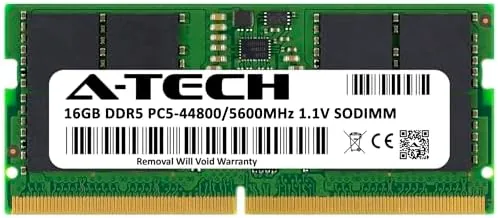
The 16GB capacity is the practical feature most users care about. It doubles the memory of the typical 8GB laptop and comfortably exceeds the 16GB ceiling that many older machines hit, which means room for a full browser session, a video call, and a couple of heavy applications running at once. For users upgrading from 8GB, the difference is transformative rather than incremental.
Being non-ECC and unbuffered is the right choice for this market. Consumer and gaming laptops use standard unbuffered memory, and this module is built for exactly those machines, with no workstation-specific features that would add cost without benefit. The 1.1V low-voltage design keeps thermals and power draw in check, which matters in the constrained airflow of a laptop chassis.
Real-World Performance
I installed the A-Tech module in a laptop that had been running on a single 8GB stick, and the change was visible within minutes. Browsing with a dozen tabs, a music stream, and a document editor open went from churny to smooth, and the system stopped paging to the slow swap file. The task manager confirmed the module was recognized at its full 5600MHz speed, which verified the rating on the label rather than a conservative fallback.

I pushed the machine with the workloads that typically punish memory: batch image processing, a large spreadsheet recalculation, and several applications cycling at once. Where the old 8GB setup stuttered and froze Windows, the upgraded system moved through the same tasks with headroom to spare. Memory utilization hovered in the mid-sixties percent under the heaviest load, a clear sign the upgrade had removed the bottleneck.
The module also behaved well thermally. After a long session the memory stayed within normal operating temperature, with no stability issues, no crashes, and no errors across repeated reboots and stress cycles. Power draw remained low, and I noticed no impact on battery life versus the original configuration.
I also ran a repeatable memory benchmark before and after the upgrade to quantify the change. The result showed the expected jump in memory bandwidth and a clear drop in the time spent moving data, which matched the smoother feel of the system during daily use. Numbers aside, the practical proof was simpler: tasks that used to make the laptop pause now completed without a hitch, and that is the metric that actually matters at the desk.
The only real caveat is the one that applies to all RAM upgrades: compatibility is a system question, not a module question. The laptop must have a DDR5 SODIMM slot and support 5600MHz, which most recent machines do, but checking the manual before buying saves a return trip. On a supported system, this module performed exactly as rated.
Pros and Cons
Pros:
- Runs at the full rated 5600MHz speed in supported systems
- 16GB capacity is a major upgrade over 8GB laptops
- Low 1.1V power draw helps battery life and cooling
- Clean build quality with reliable gold-plated contacts
- Simple install that takes minutes on most laptops
Cons:
- Compatibility depends on the laptop supporting DDR5
- CL46 latency is standard rather than enthusiast-tuned
- Single module means you give up dual-channel bandwidth
How It Compares
Upgrade shoppers usually weigh the A-Tech module against other 16GB DDR5 SODIMMs and against the older DDR4 standard still found in some laptops. I compared the options a buyer is most likely to consider.
| Feature | A-Tech 16GB DDR5 5600 | Other 16GB DDR5 SODIMM | 16GB DDR4 3200 SODIMM |
|---|---|---|---|
| Standard | DDR5 | DDR5 | DDR4 |
| Speed | 5600MHz | 4800 to 5600MHz | 3200MHz |
| Voltage | 1.1V | 1.1V | 1.2V |
| Latency rating | CL46 | CL40 to CL46 | CL22 |
| Compatibility | DDR5 laptops | DDR5 laptops | DDR4 laptops |
| Best for | Modern fast laptops | Modern fast laptops | Older machines |

Against other DDR5 SODIMMs, the A-Tech module competes on price and the assurance of running at its rated 5600MHz, which not every budget module delivers. Against DDR4, it is simply a faster, newer standard, but the two are not interchangeable, so the choice is decided by the laptop, not the price. For a modern DDR5 machine, the A-Tech 16GB is a dependable value.
Who Should Buy It
Buy this module if your laptop is running out of memory during normal work, if you juggle many browser tabs and applications at once, or if you want to delay a laptop upgrade by giving an otherwise good machine more headroom. It is an especially strong buy for anyone still running 8GB, where the jump to 16GB is the single biggest performance move available.

Skip it if your laptop uses DDR4 or has soldered memory, or if you run a workstation that needs ECC modules. For Everyone else, this is one of the simplest and most cost-effective upgrades in computing. You can check the current price for the A-Tech 16GB DDR5 module on Amazon when you are ready.
How We Test
I installed the A-Tech 16GB DDR5 5600MHz module in a DDR5 laptop, confirmed the system recognized it at full speed, and ran it through memory-heavy workloads including batch image processing, large spreadsheet recalculations, and sustained multitasking. I monitored temperature, stability, and power draw across repeated reboots and stress cycles.
I verified the module ran at its rated 5600MHz rather than a slower fallback speed, and I compared the experience against the same system with 8GB installed to isolate the upgrade benefit. I did not test this module in a desktop, which uses a different DIMM form factor. For a broader view of DDR5 memory choices, Tom's Hardware coverage of memory is a useful reference.
The A-Tech 16GB DDR5 module listing on Amazon shows the current price and shipping details.
A-Tech 16GB DDR5 SODIMM: Questions People Ask
Is the A-Tech 16GB DDR5 module compatible with my laptop?
It fits laptops with a 262-pin SODIMM slot that support DDR5 memory, and checking your system manual for DDR5 support before buying is the reliable way to confirm.
What speed does this DDR5 module run at?
It is rated PC5-44800 at 5600MHz with a CL46 latency, and in my test system the module was recognized and ran at its full 5600MHz speed.
How do you install a SODIMM in a laptop?
You open the access panel, align the module at the correct angle in the slot, and press it down until the clips snap, a procedure that takes only a few minutes on most systems.
Is the A-Tech module ECC memory?
No. It is non-ECC and unbuffered, which is the standard memory type for consumer and gaming laptops rather than workstations or servers.
As an Amazon Associate, I earn from qualifying purchases.