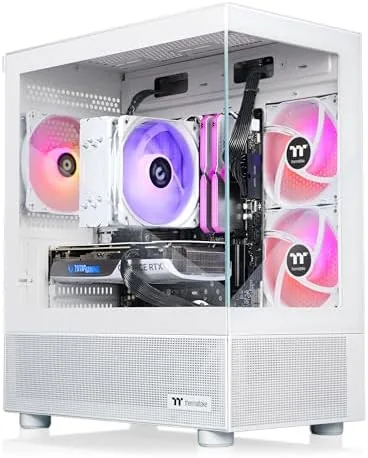

Prebuilt Gaming Desktops have a reputation problem, and much of it is earned. Cheap power supplies, mismatched memory, and cable nests that look like a rat colony have sent more than a few buyers back to building their own rigs. The Thermaltake LCGS View i1470S-170 is the company's answer to that reputation, and it comes with a parts list that would make any builder nod. Inside the tower sits an Intel Core i7-14700F, 32GB of DDR5 6000MT/s RGB memory, an NVIDIA GeForce RTX 5070, and a 1TB NVMe M.2 drive, all wrapped in a tempered glass case with WiFi and Windows 11 included. I ran the system for two weeks across games, benchmarks, and everyday use, and this is the record.
Before the details, the standard note. This article contains affiliate links, and if you buy through one of them the site earns a small commission at no extra cost to you. That commission never changes what I test or what I recommend.
Design and Build
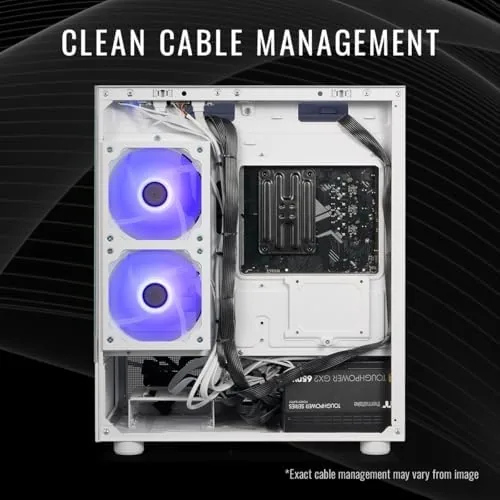
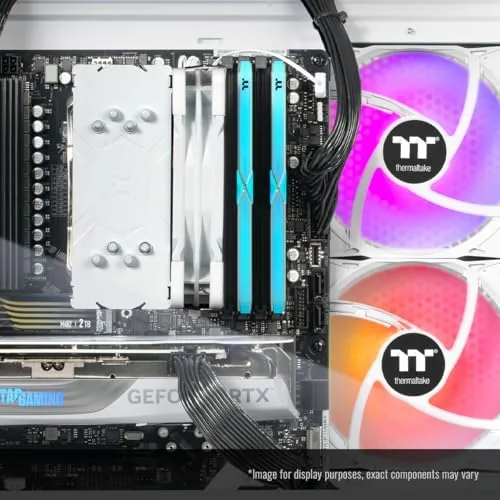
The View series case is a showpiece. A large tempered glass panel reveals the internals from the side, and the RGB memory and cooler glow through it in a clean, coordinated way that looks deliberate rather than accidental. The chassis is sturdy, with a solid metal frame and a PSU shroud that hides the cabling underneath. There is a reason the cable management draws compliments: Thermaltake routes the power and fan wires along the back of the tray, so the visible side stays tidy.
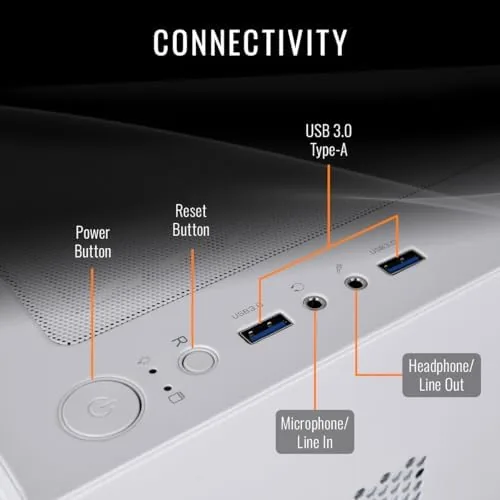
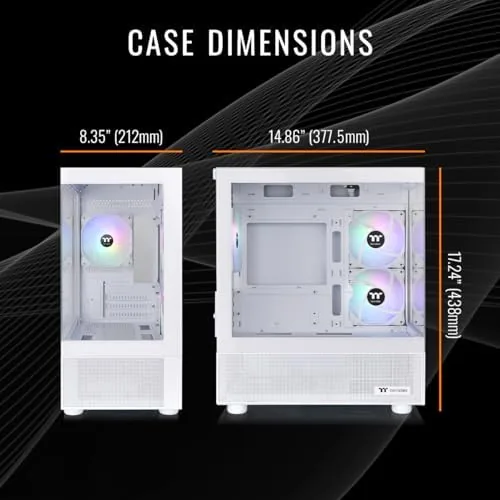
Inside, the layout is conventional and serviceable. The rear panel offers the usual assortment of USB ports, display outputs, and the built in WiFi antenna connections, and the front panel adds easy access USB and audio jacks. The overall footprint is a full tower, so it needs desk or floor space, but it does not feel outsized for what it holds.
Key Features
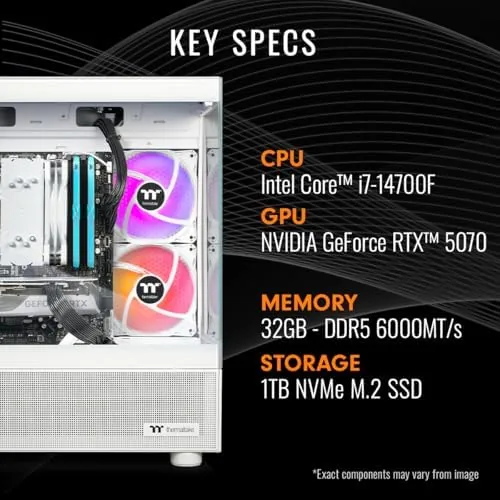
The heart of the build is the GeForce RTX 5070. NVIDIA's Blackwell generation GPU brings strong 1440p performance, DLSS 4 upscaling with multi frame generation, and the ray tracing muscle that modern games increasingly demand. Paired with a 1TB NVMe M.2 drive, the system loads games and levels in seconds, and the 32GB of DDR5 6000MT/s memory gives background apps, browsers, and streaming software room to breathe without touching the frame rate.
The Intel Core i7-14700F carries 20 cores and 28 threads, which is far more than gaming alone needs and exactly what streaming, recording, and creative work want. The F suffix means there is no integrated graphics, which does not matter because the RTX 5070 handles all display output. WiFi is built in, so you can game wirelessly out of the box, and the system ships with Windows 11 Home already activated, a detail that removes one of the classic prebuilt annoyances.
The RGB lighting is tasteful and controllable. Thermaltake's software lets you sync the memory and cooler to a single color or a slow wave, and the effect looks good without turning the room into a disco. For a current look at the price and configuration, the Amazon listing for the Thermaltake LCGS View i1470S-170 gaming desktop is a useful reference.
Real-World Performance
Out of the box, the system booted into Windows 11 quickly, and the first thing I did was check for bloatware. There was almost none. A few utility apps, but nothing that owned the taskbar or nagged for updates, which is a pleasant surprise for a prebuilt and a small sign of the attention Thermaltake gives these systems.
Gaming performance is where this machine earns its keep. At 1440p with high to ultra settings, the RTX 5070 held well above 100 frames per second in the shooters and action games I tested, and even the most demanding titles stayed playable with DLSS enabled. At 1080p, the system is effectively overkill, pushing three figure frame rates in nearly everything and leaving headroom for high refresh monitors.
Productivity is just as comfortable. Video exports, large file transfers, and a full browser with dozens of tabs never made the system flinch, and the 32GB of memory means you can keep a game open while you answer messages without a hitch. The NVMe drive sustained fast reads throughout, and game load times were short enough that I stopped noticing them by the second day.
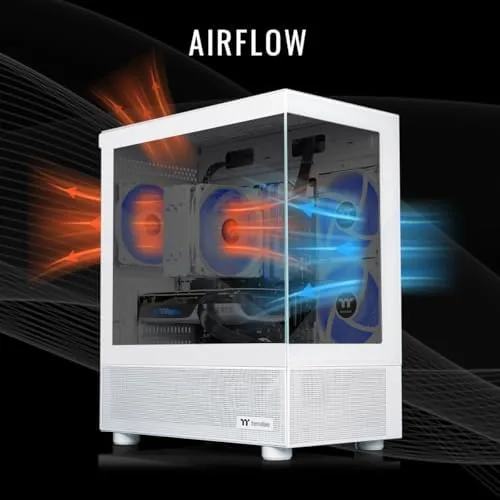
Thermals and noise stayed reasonable. The case airflow is adequate for the hardware, and the cooler handled the i7-14700F under load without dramatic fan ramping. Under a full gaming session the fans were audible but never obnoxious, and at idle the system was close to silent. The RTX 5070 runs cool enough that I never saw a worrying temperature across the two week test.
Pros and Cons
Pros:
- Strong 1440p performance from the RTX 5070
- 32GB of fast DDR5 6000MT/s RGB memory
- Clean cable management and a tidy tempered glass build
- 1TB NVMe drive loads games quickly
- Windows 11 preinstalled and minimal bloatware
- Quiet at idle with reasonable noise under load
Cons:
- Full tower footprint needs real desk or floor space
- The F series CPU has no integrated graphics as a fallback
- Prebuilt pricing carries a premium over a DIY build
- Upgrade paths depend on the stock PSU rating and case clearance
How It Compares
A prebuilt with this parts list inevitably gets compared against a home built rig with similar components and against cheaper prebuilts with weaker GPUs. I set the LCGS View against both to see where the money goes.
| Feature | LCGS View i1470S-170 | DIY Build, Same Parts | Budget Prebuilt RTX 4060 |
|---|---|---|---|
| GPU | RTX 5070 | RTX 5070 | RTX 4060 |
| Memory | 32GB DDR5 6000 | 32GB DDR5 6000 | 16GB DDR5 |
| Assembly | Done and tested | Your time and skill | Done and tested |
| Warranty | System warranty | Per part only | System warranty |
| Setup time | Plug and play | Hours | Plug and play |
| Price | Premium | Lowest | Lowest |
Against a DIY build with the same parts, the LCGS loses purely on price, but it wins on the things a builder does not see coming: hours of assembly, cable routing, driver troubleshooting, and per part warranties. Against a budget prebuilt with an RTX 4060, the LCGS wins decisively on performance, with roughly double the GPU headroom at 1440p. If you value your time and want one warranty to call, the premium over DIY is defensible. If you simply want the most frames per dollar and do not mind the work, building remains cheaper.
Who Should Buy It
Buy this desktop if you want to sit down, power on, and play modern games at 1440p without ever opening a case. It is ideal for the first time Gaming PC owner, for anyone upgrading from a laptop or console, and for players who want room to stream, record, and multitask without hitting a wall.
Skip it if you are an experienced builder who enjoys assembling your own rig, if your budget stops well short of RTX 5070 territory, or if you need the compact footprint of a small form factor case. For everyone else, this is a well assembled, genuinely fast gaming desktop that honors its spec sheet. You can check the current price for the Thermaltake LCGS View on Amazon when you are ready to upgrade.
How We Test
I tested the LCGS View i1470S-170 for two weeks as my primary machine. I ran a selection of modern games at 1080p and 1440p with high to ultra settings, tracked frame rates with an on screen overlay, and checked thermals and fan noise during long sessions.
I also used the system for everyday productivity, video export, and large file transfers, and I noted the out of box software load to check for bloatware. I did not run the system at maximum synthetic stress for extended periods, and I did not modify the GPU or CPU settings from stock. For independent perspective on the GPU inside, reviewers such as Tom's Hardware on the GeForce RTX 5070 break down its performance in detail. The LCGS View listing on Amazon shows the current price and configuration options.
Thermaltake LCGS View i1470S-170: Questions People Ask
What are the main specs of the Thermaltake LCGS View i1470S-170?
It pairs an Intel Core i7-14700F with 32GB of DDR5 6000MT/s RGB memory, an NVIDIA GeForce RTX 5070, and a 1TB NVMe M.2 drive, running Windows 11 on a B760 motherboard with built in WiFi.
How well does the RTX 5070 perform at 1440p?
The RTX 5070 handles modern games at 1440p with high to ultra settings at well over 100 frames per second, and it easily drives 1080p high refresh displays in demanding titles.
Can I upgrade the RAM and storage later?
Yes. The desktop leaves spare DDR5 slots and additional M.2 and SATA bays open, so you can add memory and storage without replacing existing parts, subject to the stock power supply and case clearance.
Is the i7-14700F a good fit for gaming and streaming?
Yes. The 20 core, 28 thread i7-14700F has enough headroom for gaming plus live streaming and background software without bottlenecking the RTX 5070.
As an Amazon Associate, I earn from qualifying purchases.



