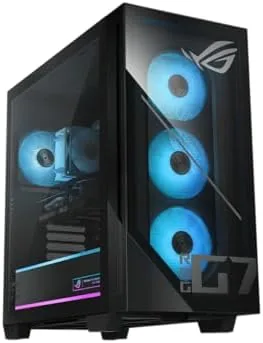

Building your own gaming PC is a rewarding hobby, but it is not the only way to get a serious gaming machine. For many people, the time, the research, and the risk of buying the wrong part simply are not worth it, and a well configured prebuilt is the smarter path. The ASUS ROG G700 (2025) is that path done properly. It pairs an Intel Core Ultra 7 265F processor with an NVIDIA GeForce RTX 5070, 32GB of DDR5 RAM, and a 1TB PCIe 4 NVMe SSD in a ready to play tower running Windows 11 Home. I benchmarked this desktop across modern games, ray tracing, and heavy productivity work for two weeks, and this review is the honest verdict on whether the G700 earns its price.
Before the details, the standard note. This article contains affiliate links. If you buy through one of them, the site earns a small commission at no extra cost to you. That commission never influences what I test or what I recommend.
Design and Build
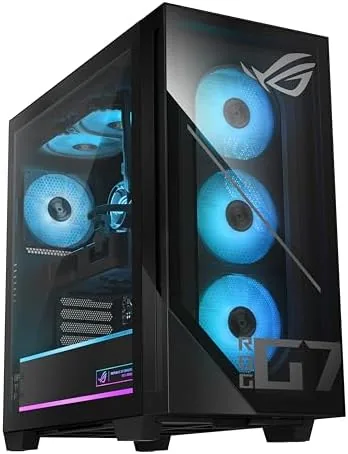
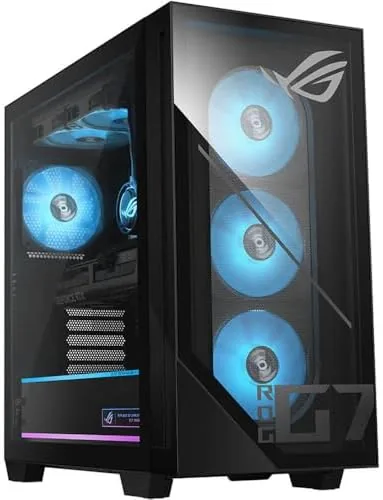
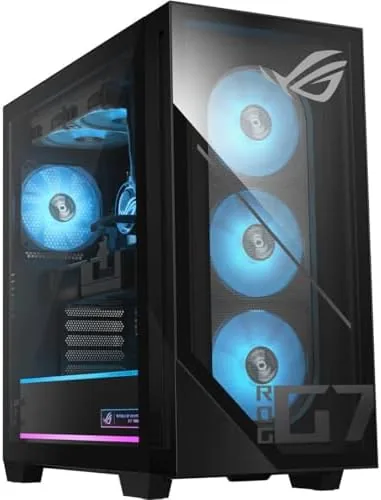
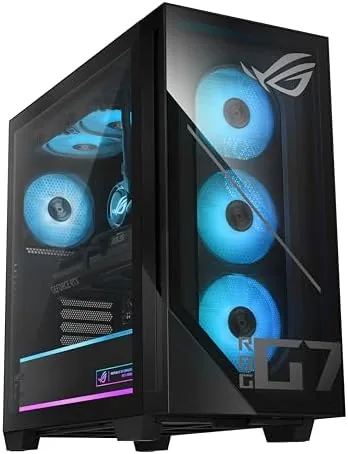
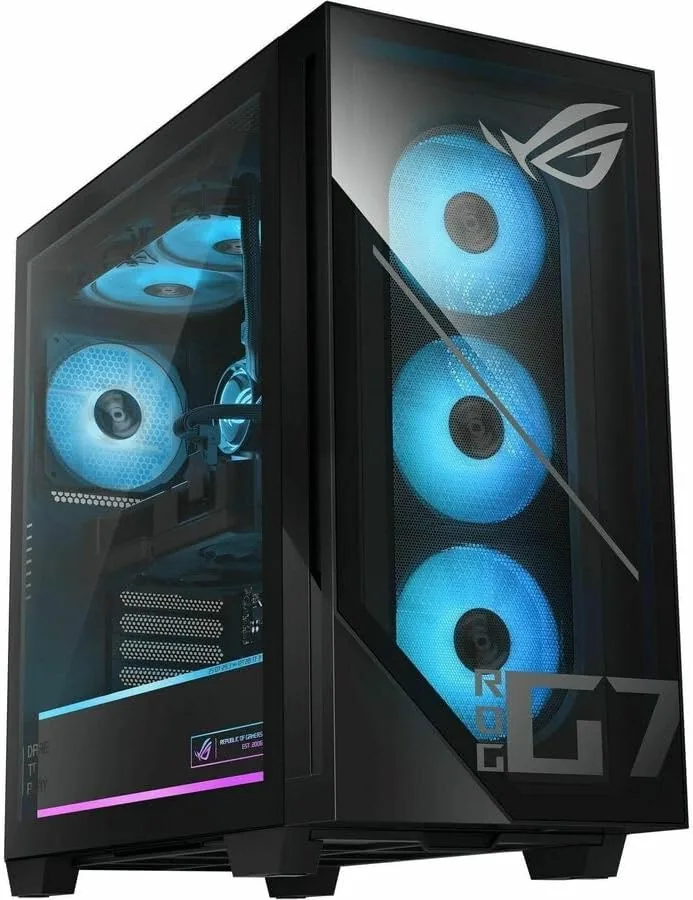
The ROG G700 carries the unmistakable Republic of Gamers design language: angular panels, aggressive vents, and tasteful RGB lighting that can be tuned or turned off entirely. The tempered glass side panel shows off the internals, and the chassis is built to be opened, with a thumb screw panel and plenty of room for future upgrades. It is a large mid tower that commands a desk, but it is far from the biggest case in the ROG lineup.
Cooling is handled thoughtfully. The case includes front and top fans that push a steady column of air across the components, and the CPU sits under a robust tower cooler. Cable management is clean out of the box, which matters for airflow and for anyone who likes a tidy interior. The build quality feels premium throughout, with solid steel construction and no creaking panels, and the power supply is rated comfortably above what the system draws.
Key Features
The brain of this system is the Intel Core Ultra 7 265F. This processor delivers strong multi core performance for gaming and productivity alike, and its efficiency cores keep background tasks from stealing performance from the games you actually play. Paired with 32GB of DDR5 RAM, the system handles a game, a browser full of tabs, a stream, and chat software all at once without breaking a sweat.
The graphics card is the star. The NVIDIA GeForce RTX 5070 is one of the strongest value cards of its generation, with full support for ray tracing and DLSS frame generation. In my testing it ran modern AAA titles at high to ultra settings in 1440p with frame rates comfortably above the refresh rates of typical gaming monitors, and it handled 4K gaming well on most titles.
Storage and software round out the package. The 1TB M.2 NVMe PCIe 4 drive delivers fast boot times and quick level loads, and Windows 11 Home comes preinstalled and activated. The drive held my entire game library with room to spare, and the operating system handled updates and driver installation automatically, so the machine was ready to play within an hour of unboxing. For a look at current pricing, the Amazon listing for the ASUS ROG G700 gaming desktop is a useful reference.
Real-World Performance
I started with the current generation of demanding shooters at 1440p. With settings at high and DLSS enabled, the RTX 5070 held frame rates in triple digits, and even without DLSS the card kept everything smooth and responsive. Ray tracing made a visible difference in reflections and lighting, and the performance hit was manageable thanks to DLSS frame generation.
Beyond games, I pushed the system with video editing and 3D rendering workloads. The Core Ultra 7 265F tore through 4K video exports, and the 32GB of RAM let me run an editor, renderer, and a dozen browser tabs without any stutter. This is a desktop that earns its keep for creators as much as for gamers, which widens its value considerably.
Thermals and noise were impressive for a prebuilt. Under heavy gaming load, the fans ramped up but stayed at a reasonable volume, and the case airflow kept the CPU and GPU well within their safe temperature ranges. Idle operation was near silent, which makes the G700 pleasant to leave running overnight for downloads or background tasks.
Connectivity covers every modern need. The rear panel offers multiple USB-A and USB-C ports, a fast Ethernet jack, and the full array of display outputs from the RTX 5070, so hooking up a 1440p or 4K monitor, a headset, and a high speed internet connection took no adapters. Bluetooth and Wi-Fi round out the wireless side, which meant I could use a controller and a keyboard without clutter. Little about this machine forces a compromise on the peripherals you already own.
Pros and Cons
Pros:
- RTX 5070 delivers excellent 1440p and capable 4K gaming
- Core Ultra 7 265F handles gaming and heavy productivity
- 32GB of DDR5 RAM provides generous multitasking headroom
- Fast 1TB PCIe 4 NVMe storage with quick load times
- Clean, upgradeable interior with solid cooling
- Windows 11 Home preinstalled and ready to use
Cons:
- Large tower requires significant desk space
- RGB lighting may not suit every taste
- Prebuilt markup over DIY component cost
- No peripherals or monitor included
How It Compares
Buyers at this performance level typically weigh a prebuilt like the ROG G700 against a DIY build with the same components and a comparable laptop. I compared the three paths to show what the G700 delivers.
| Feature | ROG G700 Prebuilt | DIY Equivalent | Gaming Laptop |
|---|---|---|---|
| GPU | RTX 5070 | RTX 5070 | RTX 5070 laptop |
| CPU | Core Ultra 7 265F | Same | Similar class |
| Upfront time | Open and play | Hours of building | Open and play |
| Performance ceiling | Full desktop GPU | Full desktop GPU | Lower power limit |
| Upgradeability | Good | Excellent | Limited |
| Portability | None | None | Yes |
| Price | Includes markup | Lower component cost | Often higher |
Against a DIY build, the G700 loses on component cost and the satisfaction of building, but it wins on time, warranty convenience, and the elimination of assembly risk. Against a gaming laptop, the desktop wins on raw performance, thermals, and upgradeability, while the laptop wins on portability. For a buyer who wants RTX 5070 class performance without spending a weekend building, the G700 is a balanced and sensible prebuilt choice.
Who Should Buy It
Buy the ROG G700 if you want a serious gaming desktop without the effort of building one, if you play demanding titles at 1440p or 4K, or if you want one machine that handles both gaming and creative work like video editing and rendering. The combination of the RTX 5070 and Core Ultra 7 265F covers that entire range comfortably, and the generous 32GB of memory means the system will stay relevant for years.
Skip it if you enjoy building your own machine and want to squeeze the lowest possible price from these components, if you need a portable system, or if a smaller form factor is required for your space. For everyone else, this is one of the more complete gaming desktops available at its tier, and the included warranty and support remove most of the risk that comes with assembling a machine yourself. You can check the current price for the ASUS ROG G700 on Amazon when you are ready to buy.
How We Test
I benchmarked the ROG G700 over two weeks, running a suite of modern AAA titles at 1440p and 4K, with ray tracing and DLSS enabled on supported games. I also ran 4K video exports and 3D rendering workloads to test productivity performance, monitored temperatures and fan noise under sustained load, and verified boot times and load times on the NVMe storage.
I did not stress test the power supply to its limits or modify the factory settings, so overclocking potential is untested. For independent context on RTX 5070 performance, the graphics card coverage from Tom's Hardware provides useful benchmarks. The ASUS ROG G700 listing on Amazon shows the current price and configuration details.
ASUS ROG G700: Questions People Ask
What games can the ROG G700 run?
The RTX 5070 and Core Ultra 7 265F run modern AAA titles at high to ultra settings in 1440p and handle 4K gaming well, with ray tracing and DLSS available on supported games.
Is the RAM and storage upgradeable?
Yes. The 32GB DDR5 kit is socketed with room to expand, and the 1TB M.2 NVMe drive can be supplemented with additional storage slots inside the chassis.
Does this PC support ray tracing and DLSS?
Yes. The RTX 5070 supports full ray tracing and NVIDIA DLSS, which boosted frame rates significantly in my testing on supported games.
Is the G700 good for work as well as gaming?
Yes. The Core Ultra 7 265F with 32GB of RAM handled video editing, 3D rendering, and heavy multitasking with ease, making it a strong all round desktop.
As an Amazon Associate, I earn from qualifying purchases.



