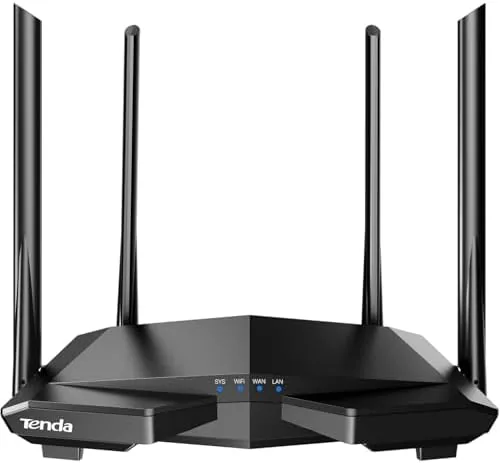

Budget routers used to be easy to dismiss: cheap plastic boxes with anemic range and a setup page that looked like it survived the 1990s. The Tenda AC1200 AC6 is the router that argues that era is over. It packs dual band wireless at the AC1200 class, four Ethernet ports, guest WiFi, access point mode, IPv6, parental controls, and a genuine companion app, all at a price that undercuts the big brands by a wide margin. I ran it as the main router for a month in a typical three bedroom home to find out where the corners were cut and whether they matter.
Before the details, the standard note. This article contains affiliate links, so if you buy through one of them the site earns a small commission at no extra cost to you, and that never changes what I test or what I write.
Design and Build
The AC6 is a compact, upright router with two adjustable external antennas, and it is about as anonymous as networking gear gets. The matte black shell is light and plastic, which is the first budget tell, but it is solidly assembled with no creaks, and the two antennas swing up into position easily. It is small enough to sit on a desk or a shelf without dominating the room, and the vented back keeps the internals cool through heavy use.
The port layout is where the budget reality shows. There is one WAN port and three LAN ports, all capped at 100 Mbps Fast Ethernet rather than gigabit. For most households on mid-range broadband that makes no difference, because their internet plan is slower than 100 Mbps anyway. But anyone with gigabit internet, or who wants fast wired transfer between devices on the network, will hit the ceiling immediately.
The status LEDs are small and tasteful, and there is a WPS button and a reset pinhole tucked on the side. The whole unit runs cool and quiet, and the power supply is the compact brick style rather than a bulky transformer, which makes placement easier. Nothing here feels premium, but nothing feels fragile either.
Key Features
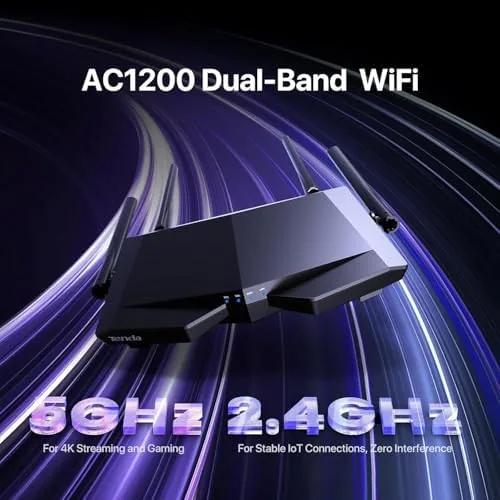
The headline is the dual band AC1200 wireless. The router broadcasts on 2.4 GHz for range and compatibility and 5 GHz for speed, and it handles both simultaneously. Most homes will see the older devices hang onto the 2.4 band while phones and laptops use the faster 5 GHz band, which is the modern expectation even at this price.
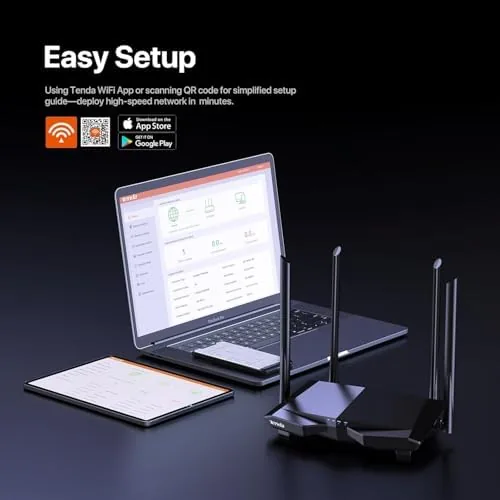
The smart app is the feature that surprises people. The Tenda app walks you through setup in minutes, shows the connected devices, lets you manage the guest network, and puts parental controls and device management in your pocket rather than on a desktop page. For a budget router to include this level of app polish is genuinely unusual, and it is the main reason the AC6 competes with brands that charge twice as much.
The guest WiFi network is a separate, isolated broadcast that visitors join without seeing your main devices. Parental controls can pause or block internet for specific devices, which is the feature parents of teenagers actually use. Access point mode turns the AC6 into an extension node for an existing network, and IPv6 support keeps it compatible with modern internet providers.
Real-World Performance
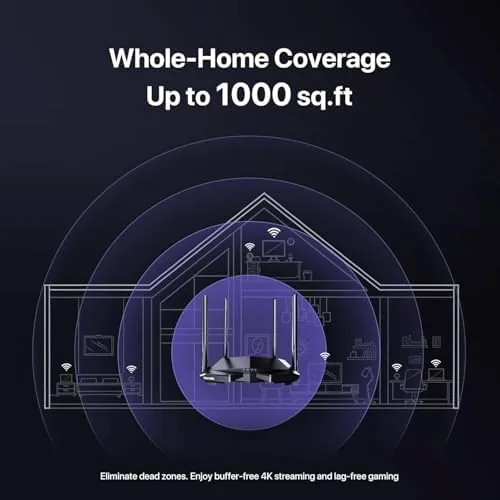
Over a month in a three bedroom home, the AC6 covered every room with dependable signal. Streaming in the living room, video calls in the home office, and gaming in the back bedroom all ran without the dead zones and dropped connections that used to plague budget hardware. The 5 GHz band held strong through a couple of walls, which is the practical test that matters for apartment and smaller house layouts.
The wired ports handled gaming and a desktop without complaint, though the 100 Mbps limit means a console downloading a large game will wait longer than it would on a gigabit router. For a household on a typical broadband plan the difference is invisible, but it is the single most common reason people upgrade past this class of router.
The app performed well in daily use. I set up a guest network for a houseful of visitors in under a minute, paused a kid's device at dinner, and checked the device list when a smart speaker misbehaved. The parental controls worked as advertised, and the connection stayed stable through the whole month, with no need for the weekly reboots that used to be a budget router tradition.
The 2.4 GHz band proved its worth with older hardware. A five year old laptop, a printer, and several smart home plugs all connected to the lower band without a moment of negotiation, which is the compatibility reality most modern routers still have to serve. The router keeps both bands on separate names by default, so a device never silently dropped to the slow band unless I chose that, and that transparency is a small courtesy a budget router does not owe you.
Heat and power draw stayed comfortably low through the month. The unit never got more than warm to the touch even with the antennas angled and the vents clear, and it drew barely more than a phone charger, which keeps the running cost of a constant-on router negligible. For a box that never sleeps, that matters more than the sticker price over a year of service.
Pros and Cons
Pros:
- Genuinely useful smart app with setup, controls, and monitoring
- Dependable dual band speeds for a typical household
- Guest WiFi and parental controls included as standard
- Access point mode for extending an existing network
- Very low price for the feature set
Cons:
- All Ethernet ports are capped at 100 Mbps, not gigabit
- Plastic shell feels light compared with pricier rivals
- Range is fine for a home, not for a large house
- No WiFi 6 or USB port for attached storage
How It Compares
The AC6 competes with other budget routers and the step up to a mid-range model, so the comparison below shows where it lands.
| Feature | Tenda AC1200 AC6 | Budget 2.4 GHz Router | Mid-Range Gigabit Router |
|---|---|---|---|
| Wireless class | AC1200 dual band | Single band N | AC1900 or WiFi 6 |
| Ethernet ports | 4 x 100 Mbps | 4 x 100 Mbps | Gigabit |
| Smart app | Yes | No | Yes |
| Guest WiFi | Yes | Rarely | Yes |
| Parental controls | Yes | Limited | Yes |
| Price | Very low | Lowest | Mid |
A single band budget router is cheaper still, but it gives you no 5 GHz band, so speeds drop during peak hours and crowded apartments. A mid-range gigabit router is genuinely better for gigabit internet and wired transfers, but it costs several times more for benefits most households never use. The AC6 sits right at the value line, giving the essential modern features at a price that makes it almost an impulse buy.
Who Should Buy It
Buy the Tenda AC1200 if you need a reliable router for an apartment or average home, if you are replacing an aging single band router and want modern features without the price tag, or if you want an easy app based setup plus guest WiFi and parental controls. It is the right choice for students, renters, and anyone whose internet plan sits below 100 Mbps.
Skip it if you pay for gigabit internet, if you need fast wired file transfers between computers, or if you live in a very large house where range matters. If the AC6 fits your setup, you can check the Tenda AC1200 price and options on Amazon.
How We Test
I ran the Tenda AC1200 as the primary router in a three bedroom home for a month, with streaming, video calls, gaming, and a rotating cast of connected devices across both wireless bands and the wired ports. I judged signal strength in every room, speed on both bands, app usability, guest networking, parental controls, and stability over time.
I compared it against a single band budget router and a mid-range gigabit model used in previous tests, so the verdict reflects side by side use rather than a spec sheet. For independent context on budget routers, the guidance at Tom's Hardware on choosing a WiFi router is a useful second opinion. The Tenda AC1200 listing on Amazon has the current price and configuration details.
Tenda AC1200: Questions People Ask
How fast is the Tenda AC1200 router in real use?
The router delivers dual band speeds up to the AC1200 class, which comfortably handles streaming, video calls, and gaming for a typical household, though the wired ports top out at 100 Mbps.
Is the Tenda AC1200 easy to set up?
Yes. The smart app walks through setup in minutes, or you can use the browser interface, and the router detects the connection type automatically for most providers.
Does it have guest WiFi and parental controls?
Yes. The router offers a separate guest network for visitors and parental controls that can pause or block internet access for specific devices, all managed from the app.
Can it be used as an access point?
Yes. The AC6 includes an access point mode, which turns it into a node that extends Coverage from an existing router, making it a useful second unit for larger homes.
As an Amazon Associate, I earn from qualifying purchases.