 Wireless Headset in black on a desk" width="1200" height="800" loading="lazy" style="height:auto">
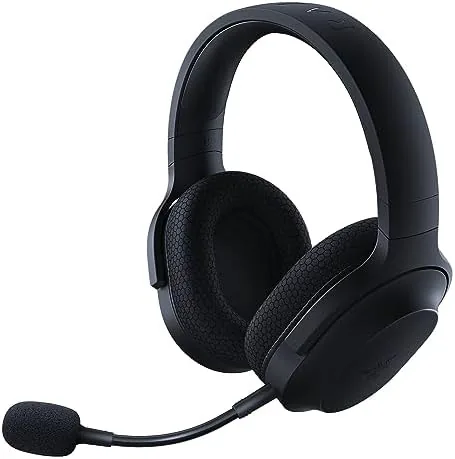
Gaming headsets face a simple problem. A headset that works brilliantly on a desktop PC often becomes dead weight the moment you pick up a Nintendo Switch or answer a call on your phone. The Razer Barracuda X was designed to sidestep that entire dilemma with a low weight build, a removable microphone, and two wireless connection paths in a single package. It pairs a 2.4GHz USB-C dongle with standard Bluetooth, then backs both with 40mm drivers and a Battery Razer rates at 50 hours. This review records several weeks of gaming, commuting, and video calls with the black version of the headset.
Before the details, the standard note. This article contains affiliate links, and if you buy through one of them the site earns a small commission at no extra cost to you. That commission never changes what I test or what I recommend, and every product here is judged the same way I would judge one bought with my own money.
Design and Build
The first thing you notice about the Barracuda X is how little it weighs. At roughly 250 grams, it is one of the lightest wireless gaming headsets I have used, and that weight difference shows up within the first hour of play. The plastic construction feels solid rather than premium, which is exactly what you expect at this price point, and the matte finish resists fingerprints well.
The ear cups swivel flat and fold inward, which turns the headset into a surprisingly compact package for a travel bag. The headband uses a soft inner cushion rather than the suspended strap design Razer uses on its premium models, and the memory foam ear cushions are covered in a breathable fabric that stays comfortable across long sessions. The adjustable metal sliders feel sturdy, and the whole frame has enough flex that I never worried about it cracking during packing.
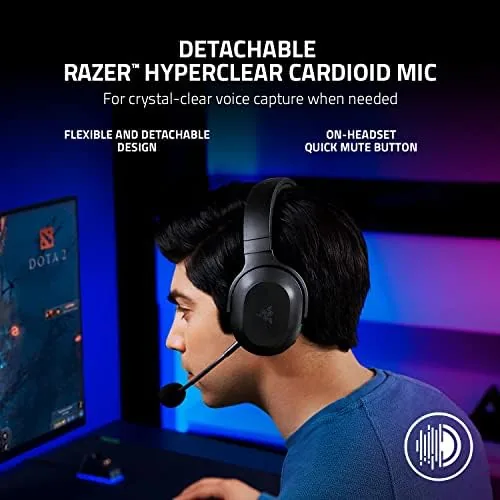
The controls live on the left ear cup. You get a power switch, a volume wheel, a mute button, and a USB-C charging port. The detachable HyperClear microphone pops out of the same ear cup, and the headset recognizes when it is removed and switches to the internal mics automatically. That is a small touch, but it makes the headset genuinely usable for music and calls without the boom arm in place.
Key Features
The dual connectivity is the headline feature here. The 2.4GHz USB-C dongle provides low latency audio for PC, PlayStation, and the Nintendo Switch in docked mode, while Bluetooth covers your phone, tablet, and handheld Switch. Razer has implemented a simultaneous connection system that deserves attention.
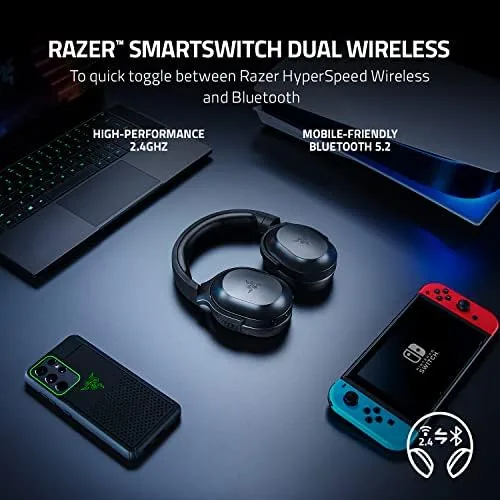
You can keep the dongle plugged into your PC and stay connected to your phone over Bluetooth at the same time. If a call comes in, the headset pauses the game audio and routes the call through your phone automatically. When the call ends, game sound returns. That sort of multi-device behavior is rare even in far more expensive headsets, and it makes the Barracuda X feel far more capable than its price suggests.
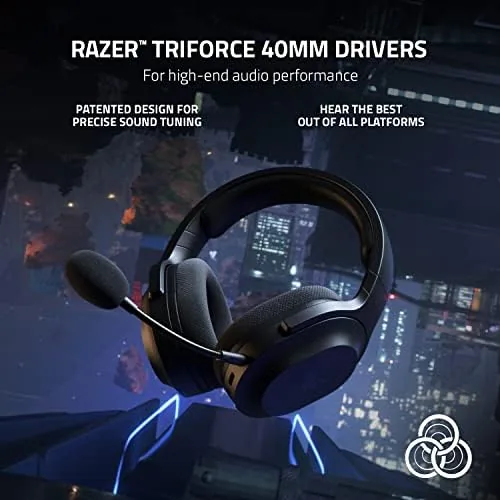
The 40mm dynamic drivers handle the audio duties, and they are tuned for gaming first. The sound signature is warm and energetic with a comfortable mid range for footsteps and environmental cues. The battery is the other headline number: Razer claims up to 50 hours on the 2.4GHz connection, and that figure held up remarkably well in my use, comfortably spanning several weeks of daily play before I reached for the charging cable.
Real-World Performance
I used the Barracuda X as my primary headset for roughly three weeks across a desk, a living room console, and several commutes. On the PC, the 2.4GHz connection delivered the reliable, low latency experience I wanted for competitive shooters. Footsteps in Valorant were consistent and directional, and I never experienced a dropped audio connection or a noticeable sync issue during play.
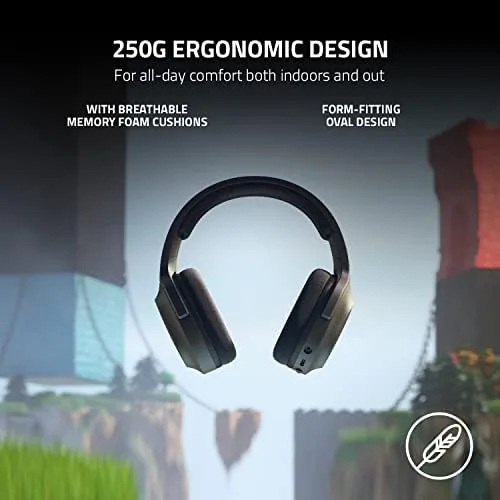
Comfort was the standout through those long sessions. The low weight and the clamp force, which is on the lighter side, meant I could wear the headset for four and five hour stretches without the pressure points that appear on heavier models. People with larger heads may want to note the lighter clamp, since the headset will stay in place less aggressively, but for most users it is a comfortable fit.
Switching to Bluetooth and the Switch handheld was seamless. The pairing process is quick, and moving between the dongle and Bluetooth requires nothing more than pressing the power button through its modes. Call quality over Bluetooth was clear on both ends, and the automatic pause when a call arrives worked exactly as advertised. Battery life genuinely impressed me. Over my testing window I charged the headset once, and the 50 hour claim is one of the rare specs that translates to real life without asterisks.
The one audio weakness is the lack of any active noise cancelling. The over-ear cushions block a decent amount of noise passively, but on a loud bus or next to a roaring fan the background sound is present. If you need silence rather than isolation, this is not the headset for you, and Razer leaves ANC to its more expensive models.
Pros and Cons
Pros:
- Very light at about 250 grams, comfortable for hours
- Dual 2.4GHz and Bluetooth with simultaneous device mixing
- Genuine 50 hour battery life in everyday use
- Detachable mic with automatic mic switching
- Works across PC, PlayStation, Switch, and mobile
Cons:
- No active noise cancelling
- Plastic build will not match premium rivals
- Sound signature favors gaming over music detail
How It Compares
The Barracuda X competes in the crowded mid range of wireless gaming headsets, and it squares off most directly against the SteelSeries Arctis 1 Wireless and the Logitech G435. Each of those three takes a different approach to the same multi-platform idea.
| Feature | Razer Barracuda X | SteelSeries Arctis 1 | Logitech G435 |
|---|---|---|---|
| Wireless | 2.4GHz + Bluetooth | 2.4GHz only | 2.4GHz + Bluetooth |
| Detachable mic | Yes | Yes | No |
| Battery life | Up to 50 hours | Up to 20 hours | Up to 18 hours |
| Weight | About 250 g | About 255 g | About 165 g |
| Noise cancelling | No | No | No |
Against the Arctis 1, the Barracuda X wins on battery life and adds Bluetooth, which makes it the more flexible daily driver. Against the G435, it loses the extreme lightness of the Logitech model but gains the detachable mic that matters for chat. If you value one headset that follows you everywhere without compromise, the Barracuda X is the most complete of the three.
Who Should Buy It
Buy the Barracuda X if you play across more than one platform and hate maintaining separate headsets for each. It is an especially good fit for Nintendo Switch owners who want the same headset in handheld and docked modes, and for anyone who mixes gaming with phone calls throughout the day. The simultaneous connection feature alone justifies it for people who live in a Discord call and a phone call at the same time.
Students and commuters will appreciate the light weight and the foldable build, and the long battery means you can go a full work week between charges. If your main priority is competitive audio fidelity or true noise cancellation, spend more elsewhere. For a single affordable headset that covers every device you own, the Razer Barracuda X on Amazon is a strong pick.
How We Test
I tested the Barracuda X as my main gaming headset for three weeks, using the 2.4GHz dongle across PC games including Valorant and Elden Ring, and Bluetooth across a phone and a Nintendo Switch. I measured battery life through full charge cycles, timed the USB-C recharging, and made calls in noisy environments to judge the microphone honestly.
I also stress tested comfort across four hour sessions and carried the headset in a backpack to confirm the foldable design held up in transit. For an independent technical take on where the Barracuda X sits in the market, TechRadar's review of the Razer Barracuda X is worth reading before you decide. The Barracuda X listing on Amazon shows current pricing and bundle options.
Razer Barracuda X: Questions People Ask
Is the Razer Barracuda X good for PC and console gaming?
Yes, the 2.4GHz USB-C dongle works with PC, PlayStation, and docked Nintendo Switch, delivering low latency audio without the hassle of cables.
How long does the Razer Barracuda X battery last?
Razer rates the headset at up to 50 hours on a single charge over the 2.4GHz connection, and that figure held up across roughly three weeks of mixed use in my testing.
Does the Razer Barracuda X work with a phone or Nintendo Switch?
Yes, it connects to phones and the handheld Switch over Bluetooth, and you can stay connected to a PC through the dongle and your phone at the same time.
Does the Barracuda X have active noise cancelling?
No, the headset has no active noise cancelling. The over-ear cushions provide passive isolation, but loud surroundings will still be audible.
As an Amazon Associate, I earn from qualifying purchases.