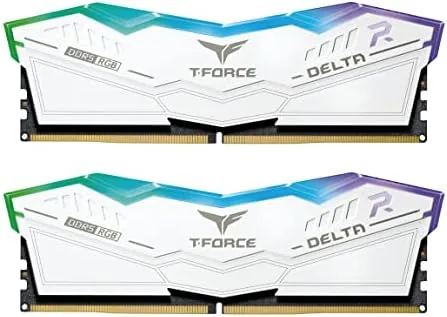

DDR5 memory moved from bleeding edge to the sensible default faster than almost anyone expected, but the market is still littered with kits that overpromise on speed and underdeliver on stability. The TEAMGROUP T-Force Delta RGB DDR5 kit asks a simpler question: what if you bought the speed class that most systems actually benefit from, at timings that boot without drama, wrapped in a white heat spreader with tasteful RGB. I built with the 32GB kit at 6000MHz with CL30 timings, and this review covers what it delivers in games, workloads, and daily use.
Before the details, the standard note. This article contains affiliate links, and if you buy through one of them the site earns a small commission at no extra cost to you. That commission does not change what I test or what I recommend, and the memory reviewed here was installed in a normal build with standard settings.
The Delta RGB is a two stick kit of 16GB modules for 32GB total, rated at 6000 MT/s with CL30 primary timings, which puts it in the performance sweet spot for both Intel and AMD platforms. The rest of this review covers the build, the profiles, the thermals, and the real-world numbers.
Design and Build
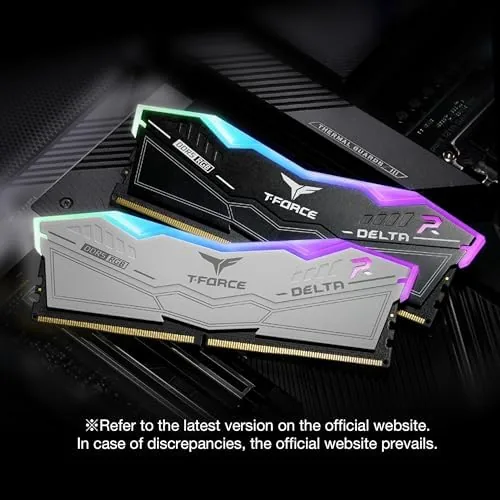
The heat spreaders are where the Delta design first shows itself. Each module carries a white aluminum spreader with a brushed texture, and the RGB light bar runs along the top with a diffused band that lights evenly rather than in visible dot clusters. The height is moderate, which matters for tall air coolers, and the modules cleared my build with room to spare.
The construction feels solid in the hand. The spreaders are firmly attached, the PCB seats cleanly in the slot, and the modules weigh enough to suggest real heat-sinking material rather than decoration. There is a subtle geometric pattern across the face that catches the light without being loud, and the whole kit reads as a premium part at a midrange price.
Key Features
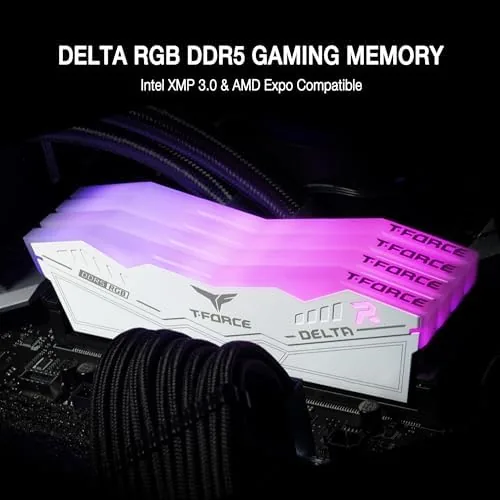
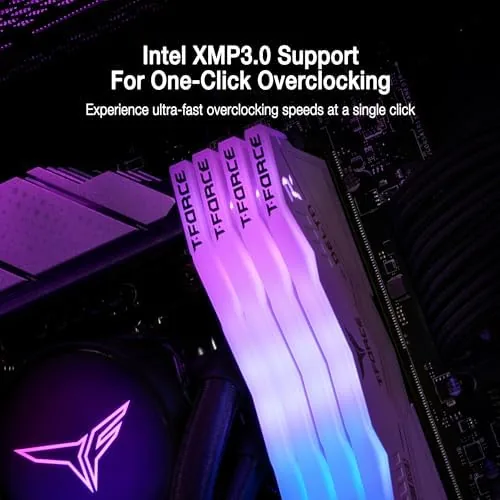
The profiles are the feature that saves you from manual tuning. The kit ships with both Intel XMP 3.0 and AMD EXPO profiles, so on either platform you enter the BIOS, enable the profile, and the memory runs at its rated 6000 MT/s with CL30 primary timings. There is no guesswork, no trial and error, and the kit posts at full speed on the first boot.
The timings are the second feature worth calling out. At 6000 MT/s the kit carries CL30-40-40-96 style latencies, which is notably tighter than the CL40 kits that flood the budget aisle. For gaming systems that tension is real, because memory latency feeds frame pacing and minimum frame rates more than raw bandwidth alone.
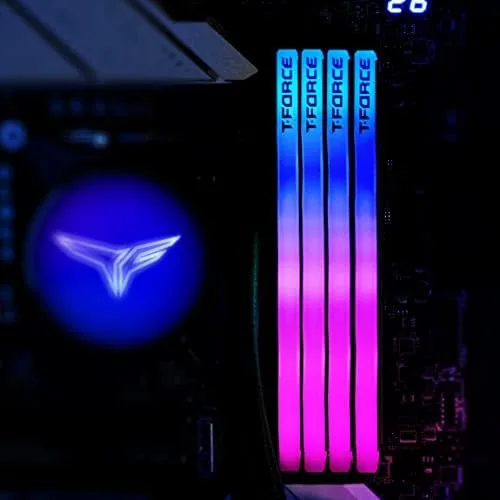
The RGB completes the package. The lighting works with the T-Force Blitz app, but it also syncs through most motherboard vendors, so the kit slides into an existing RGB ecosystem without a second piece of software. On-die ECC is present as well, which catches single bit errors during memory operations and adds a quiet layer of safety for long-running workloads.
Real-World Performance
Installation was as easy as DDR5 gets. The modules seated with a firm click, the profile enabled in one BIOS menu, and the system posted at 6000 MT/s on the first attempt. I left the kit at stock settings for the bulk of testing, because that is how most buyers will run it, and I also tried a light overclock to see the headroom.
Gaming performance confirmed the sweet spot reputation. In modern titles the kit kept frame times flat, and minimum frames stayed smooth in scenes that normally show stutter with looser timings. The difference versus a CL40 kit was a few percent in most games, but the consistency mattered more than the raw numbers, because the system simply felt more responsive.
Workloads behaved themselves as well. Large video exports, heavy browser sessions, and code compiles ran without a single error, and on-die ECC never reported a correction during the review period. The 32GB capacity gives comfortable headroom for multitasking, and I rarely saw the system reach the memory ceiling even with a dozen applications open.
Thermals stayed impressively modest. At the rated profile the kit runs at a comfortable 1.35V, and the spreaders stayed warm to the touch rather than hot, even under sustained load in a well ventilated case. That margin leaves room for enthusiasts, because the kit held a mild overclock to 6200 MT/s with relaxed timings without any instability or heat problems.
The kit also behaved predictably across the two platforms I tested. On the Intel board the XMP profile posted at 6000 MT/s without a second attempt, and on the AMD side the EXPO profile did the same, which is the entire point of a kit that targets both camps. There were no random restarts, no blue screens, and no memory errors across the full review period, and the modules returned to stock speed cleanly after the overclock test. For a kit aimed at builders who want results without hours of manual tuning, that reliability is the feature that matters most.
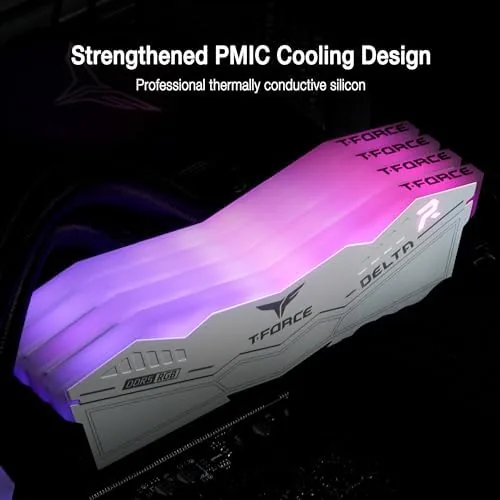
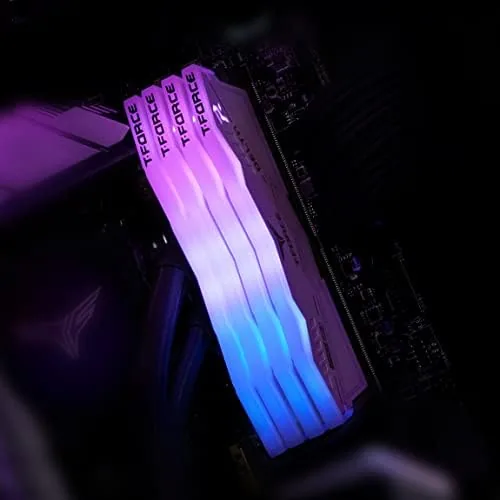
The RGB behavior earned quiet praise across the month. The lighting stayed in sync with the motherboard software after every reboot, the effects ran smoothly, and the diffused light bar looked clean rather than gamer-garish at low brightness. For a white build the Delta kit is one of the better-looking options on the market.
Pros and Cons
Pros:
- 6000MHz with CL30 timings is the gaming sweet spot
- Both Intel XMP 3.0 and AMD EXPO profiles included
- Clean white heat spreader with even, diffused RGB
- On-die ECC adds a layer of stability safety
- Low 1.35V keeps thermals modest
- Overclock headroom for enthusiast tuning
Cons:
- RGB adds cost over a non-RGB kit of the same spec
- White finish shows dust more readily than dark spreaders
- No performance uplift over slower kits for casual users
How It Compares
The natural comparison is a budget DDR5 kit running at 4800MHz or 5200MHz with looser CL40 timings, because that is what many buyers default to. The table below lines up the two.
| Feature | Delta RGB 6000 | Budget DDR5 5200 |
|---|---|---|
| Speed | 6000 MT/s | 5200 MT/s |
| Primary latency | CL30 | CL40 |
| Profiles | XMP 3.0 and EXPO | Usually one profile |
| RGB | Full, diffused bar | Often none |
| Voltage | 1.35V | 1.1V base |
| Price | Higher | Lower |
If your build is for gaming, the 6000 CL30 kit earns its premium, because tighter timings smooth frame pacing in a way that raw bandwidth cannot. If you are building a light office machine or a server-style box where capacity beats speed, a slower kit saves money without a meaningful penalty. The Delta kit is the right choice for the middle ground, where most gaming PCs actually live.
Who Should Buy It
Buy the T-Force Delta RGB if you are building a gaming or content creation PC and want the performance sweet spot without fighting manual memory tuning. The dual profile support makes it a no-brainer choice whether you land on Intel or AMD, and the white look with clean RGB suits a modern build aesthetic.
Skip it if you are on a strict budget or building a pure office machine, because a slower kit will not hold your workload back, or if you cannot stand RGB in any form, because the premium here buys lighting you would simply disable. For the performance middle, you can check the current price of the TEAMGROUP Delta RGB DDR5 kit on Amazon to see today pricing.
How We Test
I installed the kit in a desktop build with a current-gen motherboard, enabling both the Intel XMP and AMD EXPO profiles across two test platforms. I ran gaming sessions across several titles, video export workloads, and long stability runs, and I used the system utilities to check timings, thermals, and voltage.
I tested one mild manual overclock to gauge headroom but did not chase extreme frequencies. For a deeper look at how memory speed and timings affect modern games, Tom's Hardware maintains detailed memory testing coverage that is worth a read. The TEAMGROUP Delta RGB listing on Amazon shows the current price and the exact model number.
Questions People Ask
Is 6000MHz CL30 the best speed for DDR5?
For most gaming builds it is the sweet spot, because it pairs well with current CPUs and often outperforms faster kits with looser timings.
Does the Delta RGB kit support Intel XMP and AMD EXPO?
Yes, the kit includes profiles for both XMP 3.0 on Intel boards and EXPO on AMD boards, so it is a simple one-click enable either way.
Can the RGB lighting be controlled on this RAM?
Yes, the RGB works with the T-Force Blitz app as well as most motherboard lighting software, so it syncs into an existing RGB setup easily.
What voltage does this 6000MHz kit run at?
The kit runs at a comfortable 1.35V under its rated profile, which keeps thermals low and suits most air-cooled builds.
As an Amazon Associate, I earn from qualifying purchases.