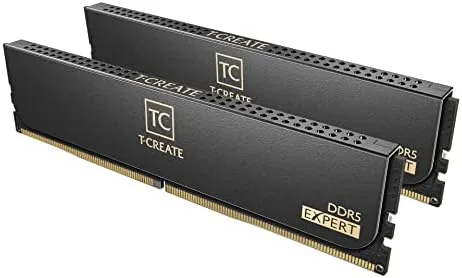

Building a desktop in 2026 means making a decision about DDR5, and the choices are overwhelming. Speeds, latencies, and timings compete for attention, and the marketing gets loud fast. The TEAMGROUP T-Create Expert CL30 kit cuts through the noise with a clean value proposition: 32GB of DDR5 at 6000MHz with CL30 latency, one click support for both Intel XMP 3.0 and AMD EXPO, and a price that stays sane. As someone who builds and benches systems for a living, I installed a kit in an Intel test bench to find out whether it matches the claims.
This article contains affiliate links, and if you buy through one of them the site earns a small commission at no extra cost to you. That commission does not change what I test or what I recommend, and the memory reviewed here was installed and benched exactly the way a buyer would install it.
The T-Create line is aimed at creators and builders rather than flashy overclocking culture, which shows in the understated design and the focus on stability. The rest of this review covers the kit specifications, the install, the real world speed, and the honest limits of a 6000 CL30 kit in a wider market.
Design and Build
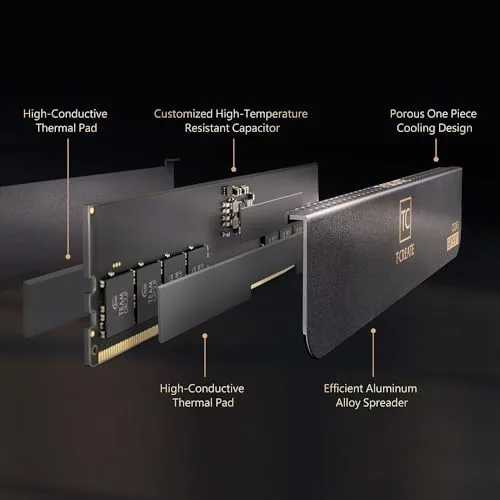
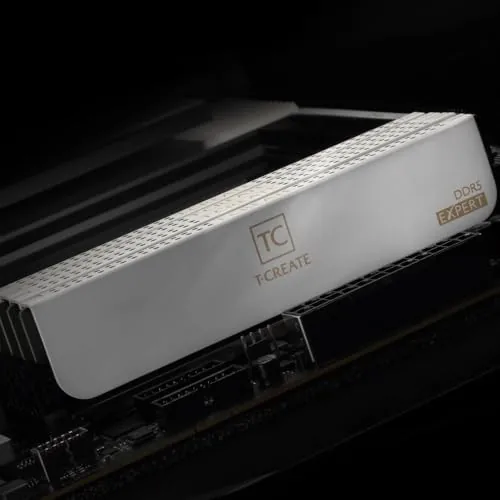
The T-Create Expert modules are understated in the best way. The heat spreaders are dark with subtle silver accents, the build is clean without RGB gimmicks, and the modules feel dense and solid in the hand. At 44.5mm tall they are shorter than many performance kits, which matters when a large tower cooler hangs over the first memory slot on a motherboard.
Build quality is reassuring. The heat spreaders are held on properly, the PCB is clean, and the modules seated firmly with a satisfying click in both the test bench and a second board I checked for fit. There is nothing exotic here, which is the point, this is a kit designed to be forgotten once it is working, and that is a compliment.
Key Features
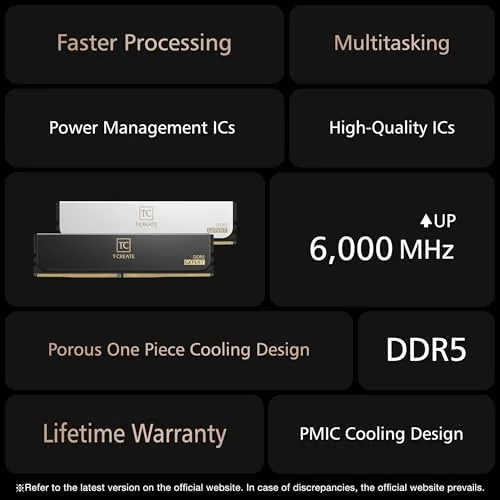
The headline spec is 6000MT/s with CL30 timings. For the current generation of DDR5 platforms, that combination sits in the performance sweet spot, offering high bandwidth without the instability that ultra fast kits sometimes bring. The kit is rated as PC5-48000, and it carries the full 32GB in two 16GB sticks for dual channel operation.
Platform support is the practical feature. The kit ships with both Intel XMP 3.0 and AMD EXPO profiles, so a single click in the BIOS applies the full rated speed on either a recent Intel or AMD system. That removes the classic DDR5 headache where a fast kit needs manual tuning to run at its advertised speed on one platform or the other.
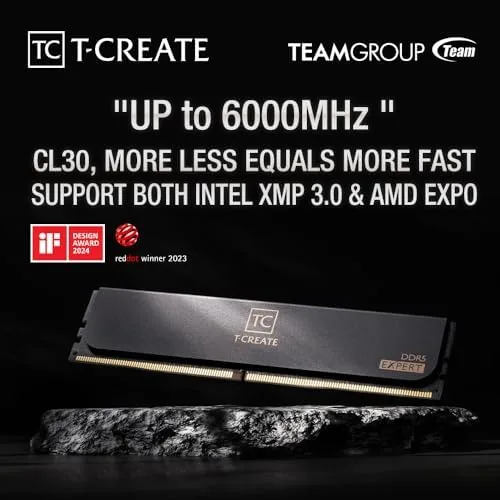
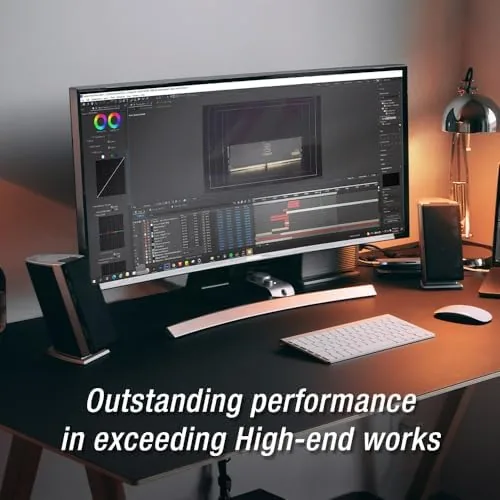
The T-Create line carries a creator oriented identity, with support for a wide range of content creation workloads and a low profile design that fits inside clean builds. The price sits below many competing kits with the same specs, which makes it a sensible pick for a mainstream build that values performance per dollar.
Real-World Performance
Install was exactly as uneventful as a good memory install should be. Both modules clicked into place, one click in the BIOS applied the EXPO profile, and the system posted at the full 6000 CL30 on the first attempt. I ran it on an Intel board with XMP as well, and the kit hit its rated speed there with equal ease, which is the compatibility win that builders care about.
The numbers hold up to scrutiny. In memory benchmarks the kit delivered bandwidth in line with other 6000 CL30 modules, and in real applications the difference from slower 5600 kits was visible in tasks like rendering, photo exports, and compilation. Games showed smaller gains, which is normal, but frame times felt steadier in heavy multitasking with a browser and a game running together.
Stability was the standout through the whole test. I ran the kit at its rated speed through long stress sessions and a week of daily use, and it never threw a single error or required a fallback. Overclocking headroom exists, some samples run fine at 6200 or higher with manual tuning, but the kit is happiest at its rated speed, which is where most people should leave it.
The modest limits are honest ones. This is not an extreme overclocking kit, and there is little point chasing aggressive timings, the kit is tuned to be reliable out of the box rather than a world record. It also has no RGB, which is fine for most builders but a miss for anyone whose theme depends on glowing memory.
Pros and Cons
Pros:
- Rated 6000 CL30 lands in the DDR5 sweet spot
- One click XMP 3.0 and EXPO on both platforms
- Understated design with a low profile
- Stable at rated speed through long stress tests
- Strong performance per dollar
- Dual channel 32GB covers modern workloads
Cons:
- No RGB for themed builds
- Limited headroom for extreme overclocking
- Not the fastest kit available at any price
How It Compares
The T-Create Expert sits between budget DDR5 and premium enthusiast kits. The table below compares it with a slower budget kit and a faster premium kit.
| Feature | T-Create 6000 CL30 | Budget 5600 CL40 | Premium 6400 CL32 |
|---|---|---|---|
| Speed | 6000MT/s | 5600MT/s | 6400MT/s |
| Latency | CL30 | CL40 | CL32 |
| Platforms | XMP 3.0 and EXPO | Usually one profile | XMP 3.0 and EXPO |
| Heat spreader | Low profile | Basic | Taller, aggressive |
| Best for | Balanced builds | Budget builds | Enthusiast tuning |
The 6000 CL30 kit beats a budget 5600 kit by a clear margin in real workloads for a modest price increase, and it matches a 6400 kit in most daily tasks because the CL30 latency does most of the work. For the typical builder, it is the best balance of speed, stability, and cost.
Who Should Buy It
Buy the T-Create Expert kit if you are building a new desktop on a recent Intel or AMD platform and want DDR5 that hits its rated speed without fuss. It suits content creators who render and export, builders who want a clean look without RGB, and anyone who values reliability over chasing the last few percent of benchmark score.
Skip it if you need a themed RGB kit, if you are building on a very tight budget and want the cheapest DDR5, or if you are an overclocker who wants maximum headroom. For the widest audience, the T-Create 6000 CL30 is The Sensible choice. You can check the current price of the TEAMGROUP T-Create Expert kit on Amazon when you are ready.
How We Test
I installed the T-Create Expert kit in an Intel test bench and applied both the XMP profile and, on a second board, the EXPO profile to confirm compatibility. I ran memory bandwidth benchmarks, stress tested the kit at rated speed for stability, and used the system for daily work including rendering and photo exports to judge real world gains.
I did not test every possible overclocking combination, and I did not run the kit on an extreme voltage profile. For a deeper guide to DDR5, Tom's Hardware has a thorough explainer on DDR5 memory. The TEAMGROUP T-Create Expert listing on Amazon shows the current price and stock.
TEAMGROUP T-Create Expert DDR5: Questions People Ask
Is 32GB of DDR5 worth it for everyday desktop use?
The kit gives heavy browsers, video calls, and content creation apps room to breathe, and it future proofs a new build for years of updates.
Do I need Intel XMP or AMD EXPO to run the rated speed?
One click of XMP 3.0 or EXPO in the BIOS runs the kit at its full 6000MHz rating, and the kit also boots normally at slower defaults without it.
Will the tall heat spreaders fit under a large CPU cooler?
The profile is modest for a performance kit, but the front fan on a tower cooler can crowd the first slot, so check clearance before you build.
Does the T-Create kit work on both Intel and AMD platforms?
Yes, it supports XMP 3.0 on Intel and EXPO on AMD, so the kit posts at full speed on either modern platform without tinkering.
As an Amazon Associate, I earn from qualifying purchases.