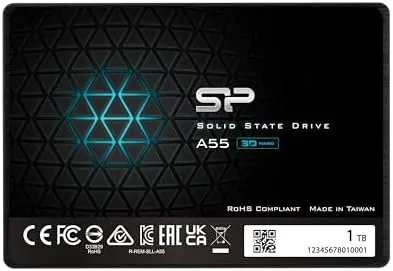

There is no single upgrade that changes the feel of an old computer quite like swapping a mechanical hard drive for a solid state drive. The Silicon Power A55 1TB is exactly the kind of drive people reach for when they want that change without spending NVMe money. It is a SATA III 2.5 inch drive built on 3D NAND with an SLC cache, and it sells at a price that makes it a natural choice for breathing life into an aging desktop or laptop. I installed one in a spare PC and used it as the system drive for a month to see whether the budget price shows up anywhere that matters.
Before the details, the standard note. This article contains affiliate links, and if you buy through one of them the site earns a small commission at no extra cost to you. That commission does not change what I test or recommend.
The A55 is a straightforward SATA drive: no heatsink, no RGB, no drama. It is a 7mm 2.5 inch SSD that slots into almost anything with a SATA port. The rest of this review covers the install, real world performance, endurance, and who this drive is for.
Design and Build
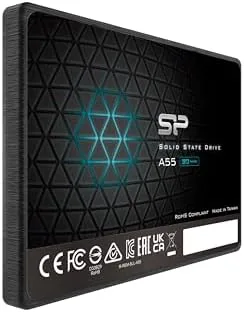
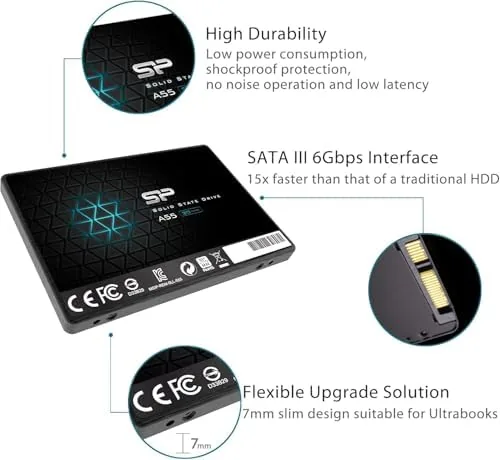
The A55 is a standard 2.5 inch drive at 7mm thick, which means it fits modern laptops, slim desktops, and drive caddies without clearance problems. The casing is a simple aluminum enclosure that does the job without fuss. It is light, runs cool, and has no moving parts, so it produces no noise at all. For anyone coming from a spinning hard drive, the silence alone is a noticeable improvement.
Installation is as easy as storage gets. In a desktop, you screw the drive into a bay and connect a SATA data cable and power lead. In a laptop, it slides into the drive slot. The drive does not need any driver installation, and it formats quickly under Windows, macOS, or Linux. I had the A55 recognized and ready to use within minutes of powering on the machine.
Key Features
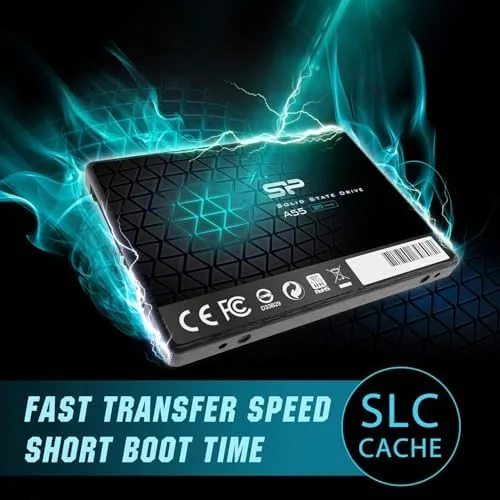
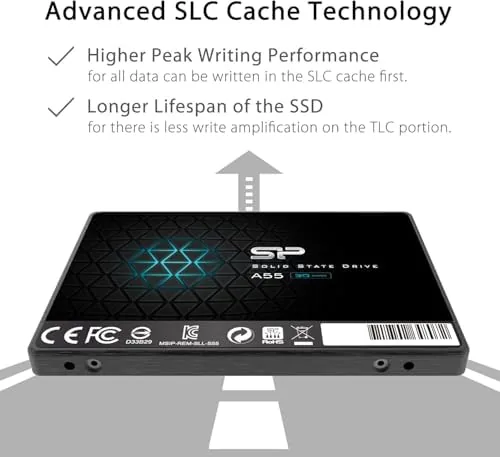
The headline feature is the 3D NAND flash with an SLC cache. In plain terms, the drive uses a portion of its capacity as a fast cache tier for writes, so everyday file copies and software installs run noticeably quicker than older SSDs without that design. For booting, loading applications, and general desktop use, the A55 feels instant.
The 1TB capacity is the second draw. A terabyte holds a Windows installation, a full software suite, and a large game library without needing to juggle files. SATA III throughput of up to around 560MB per second read is the ceiling for the interface, and the drive reaches close to that in sequential transfers, which is all the connection allows. For the price, that is a fair trade.
The drive also carries a rated endurance that covers years of normal use. The included 2.5 inch to 3.5 inch bracket makes desktop installation painless, and the multi year warranty gives a reasonable safety net. There is nothing exotic here, which is the point: this is a dependable drive that does exactly what it promises.
Real-World Performance
I installed the A55 as the boot drive in a test PC and timed the experience. Cold boot to a usable desktop came up in a handful of seconds, versus close to a minute with the old mechanical drive the machine had. Applications opened as soon as I clicked them, and the whole machine felt years newer. That transformation is the real value of an SSD, and the A55 delivers it fully.
File transfers are solid for a SATA drive. Copying a large video file hit the interface ceiling, and moving a folder full of mixed small files was handled without the drive choking. The SLC cache kept write speeds respectable even under sustained copies, and the drive stayed cool throughout. I pushed it with repeated large writes to stress the cache, and it recovered quickly without feeling hot.
Gaming on the drive worked exactly as expected. Games installed from Steam loaded noticeably faster than from a hard drive, and large open world titles streamed their environments without stutter. An SSD will not make a weak graphics card faster, but it removes the loading and texture pop that plague mechanical drives in modern games.
The limits are honest. This is a SATA drive, so it tops out at around 560MB per second where an NVMe drive can push several gigabytes per second. If your PC has an NVMe slot, a modern M.2 drive is faster. But the A55 does not claim to be an NVMe drive, and for the machines that still rely on SATA, it delivers everything the connection can offer.
Reliability through the month was uneventful in the best way. The drive reported healthy attributes, never dropped from the bus, and handled dozens of power cycles and reboots without complaint. I ran it through a Windows install, a large Steam library transfer, and daily file syncing, and it kept pace throughout. The quiet is worth repeating: coming from a drive with spinning platters, the absence of that constant mechanical hum changes how the whole desk feels.
For anyone who has never upgraded a computer before, the A55 is an approachable first project. The drive is cheap enough to experiment with, forgiving to install, and immediately visible in its results. A family desktop that felt sluggish for years becomes responsive after an afternoon of work, which is the outcome that keeps storage upgrades one of the most recommended computer purchases in any hardware forum.
Pros and Cons
Pros:
- Boots and loads software with a night and day difference from hard drives
- SLC cache keeps everyday writes brisk
- 1TB capacity holds an OS, software, and a game library
- 7mm form factor fits laptops and desktops
- Runs silent and stays cool
- Multi year warranty at a budget price
Cons:
- SATA speeds cannot match NVMe throughput
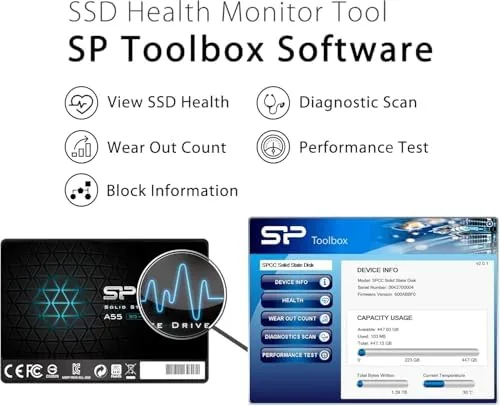
- No hardware encryption or management software
- Not the fastest drive in its class under sustained heavy writes
How It Compares
The A55 competes with other budget SATA SSDs and with entry NVMe drives. The table below lines it up against a typical NVMe M.2 drive and the mechanical hard drive it replaces.
| Feature | Silicon Power A55 | Budget NVMe SSD | Mechanical Hard Drive |
|---|---|---|---|
| Interface | SATA III | NVMe PCIe | SATA |
| Sequential speed | Up to ~560MB/s | Several GB/s | Up to ~150MB/s |
| Boot time | Seconds | Seconds | Up to a minute |
| Noise | Silent | Silent | Audible spinning |
| Form factor | 2.5 inch 7mm | M.2 2280 | 3.5 or 2.5 inch |
| Price | Budget | Higher | Lowest per GB |
The A55 is the right choice for machines with only a SATA port or for anyone who wants the biggest capacity for the smallest budget. An NVMe drive is faster where it is supported, but you will pay more per gigabyte. Compared with the hard drive it replaces, the A55 is a different class of experience entirely.
Who Should Buy It
Buy the A55 if you are upgrading an older laptop or desktop that only supports SATA, or if you want maximum storage for your money. It is ideal for a secondary drive for games and files, for a student machine, or for giving a family PC a second life. You can check the current price of the Silicon Power A55 1TB on Amazon to see the latest deals.
Skip it if your machine has a spare NVMe slot and you are willing to pay a little more for faster transfer speeds, or if you edit video and need maximum write throughput. For everyone else, the A55 is one of the simplest, cheapest upgrades you can make, and it changes the way an older computer feels more than almost anything else you could buy.
How We Test
I installed the A55 as the boot drive in a test PC and ran it for a month. I timed boots and application launches, copied large and small file sets, stressed the SLC cache with repeated writes, installed and played games, and monitored temperature and noise. I compared results against a mechanical drive and a budget NVMe drive in the same machine.
For a broader look at how SSDs compare today, Tom's Hardware maintains a regularly updated guide to the best SSDs that places drives like this in context. The Silicon Power A55 listing on Amazon shows the current price and capacity options.
Silicon Power A55 1TB SSD: Questions People Ask
Is the Silicon Power A55 fast enough for everyday use?
Yes, the drive boots Windows, loads software, and transfers files with speed that feels instant compared with a mechanical hard drive, even at SATA speeds.
Does the A55 fit in a laptop?
Yes, the 7mm 2.5 inch form factor fits most laptops and desktops, and the included bracket handles thicker desktop bays.
How long will the 1TB A55 last?
The drive carries a rated endurance suitable for years of typical home use, and Silicon Power backs it with a multi year warranty.
Can I use the A55 as a second drive?
Yes, you can run it alongside an NVMe system drive for games and files, or use it as the only drive in a fresh build.
As an Amazon Associate, I earn from qualifying purchases.