
Budget SSDs have a bad reputation, and some of it is earned. The cheapest drives cut corners on controllers, on flash quality, and sometimes on the ratings they print on the box. The fanxiang S101 1TB is the kind of drive that challenges that reputation, because it is a genuinely affordable 2.5 inch SATA SSD built around 3D NAND TLC, rated for reads up to 520 MB/s, and aimed squarely at laptops and desktops that never got a solid state upgrade.
I installed the S101 in A Budget laptop and a desktop tower, then spent weeks using both machines daily and measuring how the drive held up. Before the results, the standard note: this article contains affiliate links, and if you buy through one of them the site earns a small commission at no extra cost to you. That commission does not change what I test or what I recommend.
The short version is that the S101 performs well above its price in the ways that matter most, which are boot times, application loads, and everyday file transfers. The rest of this review covers the build, the real speeds, the endurance picture, and the honest trade-offs of buying a budget drive.
Design and Build
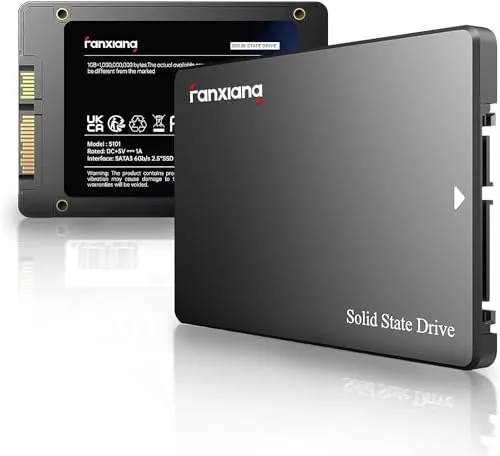
The S101 uses the standard 2.5 inch SATA form factor, a 7mm aluminum housing that fits nearly every laptop bay and desktop cage made in the last decade. The dark case with the fanxiang logo is understated, and the SATA power and data connectors sit in the standard position, so installation is a simple slide and click in a desktop or a bay swap in a laptop. There is no DRAM cache chip on this class of drive, which is normal at the price and handled well by the controller.
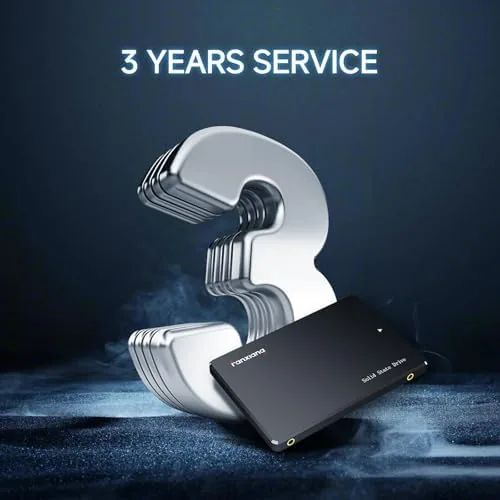
Build quality is clean for a budget drive. The case feels solid, the PCB is tidy, and the drive runs cool, which is important for a laptop where airflow is limited. Fanxiang backs the drive with a three year warranty, which is the standard commitment in this price band and a reasonable safety net for a drive that will see daily use.
Key Features
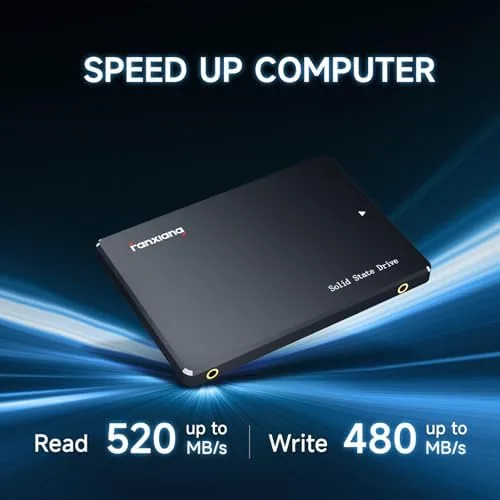
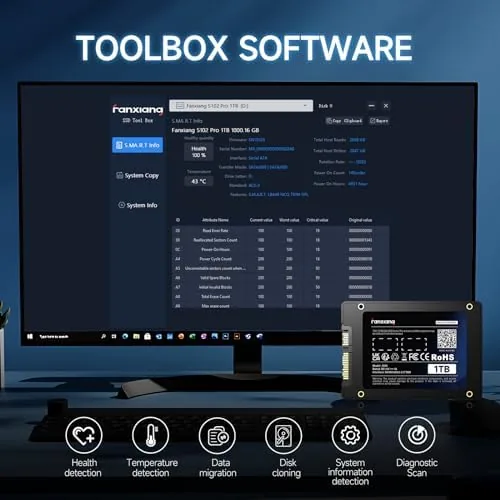
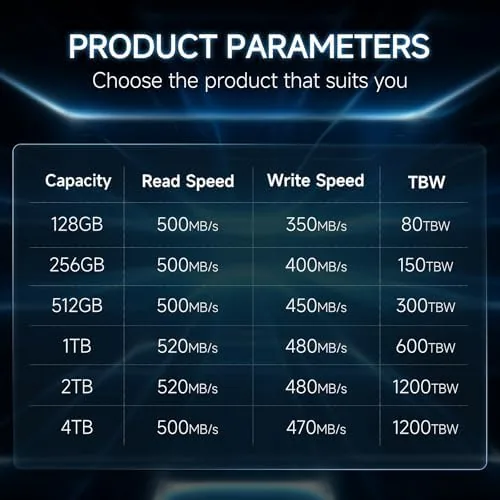
The headline figure is a read speed up to 520 MB/s, which is right at the practical ceiling of the SATA III interface. The drive uses 3D NAND TLC, the same type of flash found in pricier drives, and it supports the standard SATA features that keep an SSD healthy over time, including TRIM, NCQ, and SMART monitoring. That means the operating system can keep the drive optimized and report its health through tools like CrystalDiskInfo.
The 1TB capacity is the other headline. A terabyte is enough to replace a full mechanical drive, hold a large game library, or store a photo and video archive, all on a single low-profile SSD. The drive is compatible with Windows, macOS, and Linux, and it works as a boot drive or as secondary storage, which keeps the installation options open for any machine.
Real-World Performance
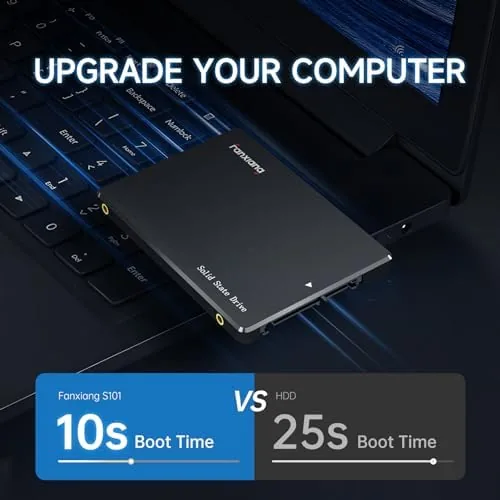
Real usage is where the S101 proves its value. In the laptop, a fresh Windows install booted from the drive in under 20 seconds, and applications opened immediately where the old drive had you waiting. File copies between the SSD and other drives landed in the 480 to 510 MB/s range for reads, which is close to the rated figure and right at the SATA limit, and everyday transfers felt indistinguishable from a more expensive SATA drive.
Write performance is the honest difference between this drive and pricier ones. The S101 writes large files at a steady speed, but it does not have the aggressive SLC cache of premium drives, so a sustained write of tens of gigabytes will settle to a slower pace earlier than a cached drive would. For the way most people use a computer, that is a minor footnote: installing a game or copying a photo library still finished quickly, and nothing ever stalled or hung.
Thermals and stability were excellent across the test. The drive peaked in the low forties Celsius in the desktop and stayed in the fifties inside the laptop, both well within safe ranges, and there was no throttling, no dropped connection, and no SMART warnings across weeks of daily use. For a budget drive, that consistency is the feature that matters most, because a drive that loses data is not a deal at any price.
The limits are the limits of the price band. The S101 has no DRAM cache, which costs it some random performance compared with DRAM-equipped drives, though most users will not notice it in real work. It also has no fancier features like hardware encryption, and its write speed does not match the bursty performance of drives with large SLC caches. None of that changes the basic equation: for the price, it is a fast and reliable way to bring an old machine up to date.
Pros and Cons
Pros:
- Real read speeds near the rated 520 MB/s
- 1TB capacity at a genuinely budget price
- Runs cool and quiet in laptops and desktops
- 3D NAND TLC with a three year warranty
- Simple drop-in replacement for any 2.5 inch drive
- Works as a boot drive or secondary storage
Cons:
- Write speed settles early on very large sustained writes
- No DRAM cache for peak random performance
- No hardware encryption features
How It Compares
The main choice in budget storage is between a drive like the S101 and a pricier SATA SSD with a cache, and the table below lines up the two.
| Feature | fanxiang S101 1TB | Premium SATA SSD |
|---|---|---|
| Flash type | 3D NAND TLC | 3D NAND TLC |
| Read speed | Up to 520 MB/s | Up to 550 MB/s |
| Write cache | Basic | Larger SLC cache |
| DRAM cache | No | Often yes |
| Warranty | Three years | Up to five years |
| Price per GB | Lower | Higher |
If you transfer hundreds of gigabytes every day, the extra cache of a premium drive buys real speed. For a typical laptop or desktop where a terabyte lasts for months, the S101 delivers the same daily experience for less.
Who Should Buy
The fanxiang S101 1TB is for anyone reviving an older laptop or desktop on a strict budget, which is exactly the machine this drive is designed to fix. It suits students, home users, and office machines where the jump from a mechanical drive to any SSD transforms the experience, and it works just as well as a large secondary drive for games and media.
Skip it if you hammer a drive with sustained large writes daily and need maximum throughput, because a premium drive with a bigger cache will earn its cost. For the rest of the world, the S101 is the affordable upgrade that makes an old computer feel new. You can check the current price of the fanxiang S101 1TB on Amazon when you are ready to speed up your machine.
How We Test
I installed the S101 1TB in a budget laptop and a desktop tower, loading a fresh Windows installation on one and cloning the existing drive on the other. I measured real file transfers, timed boots and application loads, and monitored temperatures and SMART health through several weeks of daily use.
I did not run destructive endurance tests, because a 1TB drive is expected to last years of normal use regardless. For a broader look at what to expect from budget SSDs and how to choose one, Tom's Hardware covers the best SSDs and what to look for. The fanxiang S101 listing on Amazon shows the current price and included accessories.
fanxiang S101 1TB: Questions People Ask
Is the fanxiang S101 reliable for daily use?
The drive uses 3D NAND TLC and ran without issues across weeks of testing, and fanxiang backs it with a three year warranty for peace of mind.
How fast is the fanxiang S101 1TB in practice?
Real file transfers reached around 500 MB/s for reads, close to the rated 520 MB/s, with write speeds that vary depending on how much data is moving at once.
Will the S101 fit in my laptop?
The 2.5 inch SATA form factor fits standard laptop bays and desktop cages, and the drive is thin enough for nearly all notebook designs.
What comes in the box with the fanxiang S101?
The drive includes mounting screws and a brief user guide, and the aluminum body runs cool enough that most installs need no extra heat spreader.
As an Amazon Associate, I earn from qualifying purchases.