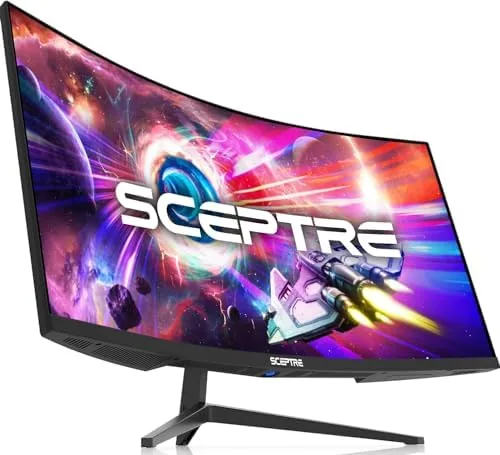

An ultrawide monitor changes how you think about a desk. Where a standard display forces you to juggle windows, a 34-inch curved panel lets you park two full documents side by side and still have room left over. The Sceptre 34-Inch Curved Ultrawide WQHD monitor goes a step further, pairing that 3440 by 1440 canvas with an R1500 curve and up to 165Hz refresh, a combination that is equally interesting to spreadsheet workers and game players.
I spent weeks with the C345B-QUT168 on my desk, splitting time between eight-hour work sessions, photo editing, and a healthy dose of gaming. The question was whether a Budget ultrawide can deliver the productivity boost and the smooth motion without the premium price tag of the big-name panels.
Before the details, a note on this review. It contains affiliate links, and if you buy through one of them the site earns a small commission at no extra cost to you. That never changes what I recommend.
Design and Build
The Sceptre 34 makes an immediate impression when it arrives, because it is large, a 34-inch panel in machine black with slim bezels on three sides and a modest chin along the bottom. The R1500 curve is gentle but noticeable, wrapping the screen around your field of view without the extreme bend found on more aggressive ultrawide designs.
The build is mostly plastic, as expected at this price, but the panel feels rigid and the stand holds everything firmly. The stand offers tilt adjustment, and you can angle the screen comfortably for different desk heights and chair positions. There is no height adjustment, which is a common budget compromise, and users who need a precise eye-level position will want an aftermarket arm. Happily, the monitor has standard VESA mounting holes for exactly that.
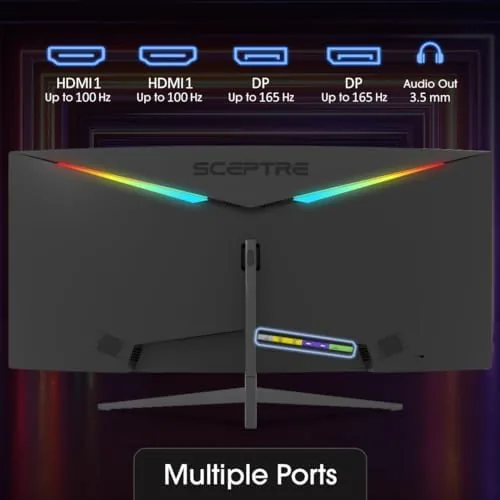
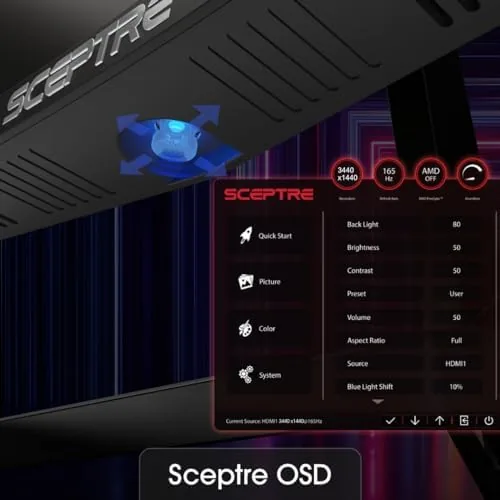
The port layout covers modern needs. Two DisplayPort inputs sit alongside the video connections, giving you multiple ways to hit the high refresh rate, and there are built-in speakers for the convenience of a single-cable desk setup. The controls are a small set of buttons on the bottom edge that drive an on-screen menu, serviceable if not elegant.
Key Features
The centerpiece is the 3440 by 1440 WQHD resolution. That is roughly 30 percent more pixels than a standard 1440p screen, spread across a wider canvas, which translates directly into productivity. I ran three windows side by side without crowding, kept a reference document open next to my main work, and never once felt the squeeze that a 27-inch panel forces.
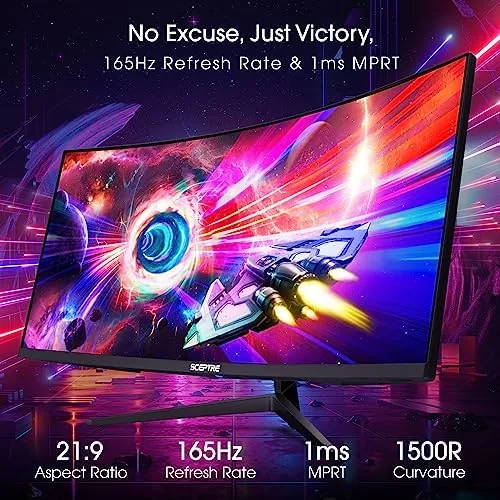
The 165Hz refresh rate, reachable over DisplayPort, is the feature that lifts this monitor beyond a pure office tool. Motion is fluid, scrolling is silky, and games run with the kind of smoothness that makes 60Hz panels feel dated by comparison. The 1ms response time rounds out the gaming story, keeping fast-moving scenes clean without obvious ghosting.
The R1500 curvature adds a layer of immersion that is hard to describe until you sit in front of it. The edges of the screen angle toward you rather than away, which reduces the head-turning that flat ultrawides require and makes the whole experience feel more natural.
Color coverage is listed at 99 percent sRGB, and in my work the panel delivered vibrant, consistent colors. For photo editing and everyday design work, the coverage is genuinely useful, even if this is not a reference-grade display for professional color-critical printing. Blue light reduction options round out the set for long sessions.
Real-World Performance
In the office, the Sceptre 34 is a genuine productivity upgrade. Working with a code editor, a browser, and a chat window open simultaneously stopped being a balancing act, and long spreadsheets stretched across the curve without awkward breaks. Text rendering at 3440 by 1440 is crisp, and the panel's brightness held up well in a normally lit room.
Photo editing was a pleasant surprise. The sRGB coverage produced accurate, natural colors in my images, and the wide canvas meant I could keep the edit window, the histogram, and the preview all on screen at once. Shadows and highlights retained detail, and the curve made it easy to view the edges of a large image without leaning.
Gaming on the Sceptre 34 shows why high refresh matters. Driving the panel at 165Hz over DisplayPort, games felt immediate and fluid, with fast camera swings staying readable and smooth. The 1ms response kept motion crisp, and the curve made racing and flight games noticeably more immersive, pulling the action around me rather than keeping it flat.
The built-in speakers are best treated as a convenience rather than a feature. They handle dialogue and casual listening acceptably, but they lack bass and get muddy at higher volume, so anyone who cares about audio will plug in headphones or desktop speakers. The panel also carries no height adjustment, which I compensated for with a monitor arm, and I noticed the stand is otherwise sturdy and wobble-free.
The monitor also proved flexible across the different ways I used it. Flipping between a three-window productivity layout, a full-screen game, and a photo editing session took no configuration at all, since the panel simply handled each without recalibration. The 3440 by 1440 resolution gives it room to breathe for spreadsheets with many columns, and the wide canvas made video editing timelines feel less cramped. That versatility is the practical payoff of an ultrawide, and the Sceptre 34 delivers it without the premium hardware tax of the flagship brands.
Pros and Cons
Pros:
- Room-filling ultrawide canvas at a budget price
- Sharp 3440 by 1440 text and image detail
- Fluid 165Hz refresh for work and gaming
- Useful 99 percent sRGB color coverage
- Gentle R1500 curve that improves immersion
- Dual DisplayPort inputs for flexible connection
Cons:
- No height adjustment on the stand
- Built-in speakers are basic
- Menus are controlled by small buttons rather than a joystick
- Not a professional calibration-grade panel
How It Compares
Most shoppers choose between a standard 27-inch 1440p monitor and a premium ultrawide. The table below shows where the Sceptre 34 lands.
| Feature | Sceptre 34 Ultrawide | 27-Inch 1440p | Premium Ultrawide |
|---|---|---|---|
| Resolution | 3440x1440 | 2560x1440 | 3440x1440 or 5120x2160 |
| Curve | R1500 | Flat | R1000 to R1800 |
| Refresh rate | Up to 165Hz | 144 to 165Hz | 165 to 240Hz |
| Productivity space | Excellent | Good | Excellent |
| Price | Budget | Moderate | Premium |
A 27-inch 1440p monitor is cheaper and still fast, but it gives up the extra width that makes this screen special. A premium ultrawide adds height adjustment, better speakers, and faster refresh, but it costs significantly more. The Sceptre 34 captures the core ultrawide experience at a fraction of the price, which is why budget ultrawide picks from sources like PCMag's ultrawide monitor guide continue to value panels in this class.
Who Should Buy It
Buy the Sceptre 34 if your work involves juggling multiple documents, spreadsheets, or code windows, and you want to end the daily alt-tab dance. It is also a strong choice for gamers who want a wide, immersive canvas at high refresh without spending premium money, especially those playing racing, flight, and strategy titles that reward the curve.
Photo editors and designers will appreciate the sRGB coverage and the room to keep tools open beside the image, though professionals with strict color requirements will still want a calibrated reference display. If this sounds like your desk, you can check the current Sceptre 34-inch ultrawide price on Amazon.
Skip it if you cannot adjust the fixed-height stand to your liking, or if you need reference-grade color accuracy. A monitor arm solves the first issue cheaply, and a premium panel solves the second.
How We Test

I tested the Sceptre 34 for several weeks as my primary work and gaming display. I worked through full days of document editing, code, and spreadsheets at the native 3440 by 1440 resolution, and I edited a library of photographs while judging color and detail on the panel.
I gamed across racing, first-person, and strategy titles over DisplayPort, confirming the 165Hz refresh with the panel's own settings and checking motion clarity and input feel. I verified the sRGB coverage through practical image work rather than a colorimeter, and I tested the built-in speakers, menu controls, and stand behavior in normal daily use. I did not measure brightness or color gamut with laboratory instruments, so those judgments reflect real-world viewing rather than certified measurements.
The Sceptre 34-inch ultrawide listing on Amazon shows the current price, refresh options, and package contents, which is worth confirming before you order.
Questions People Ask
Does the Sceptre 34-inch ultrawide support 165Hz on both ports?
You get the full refresh rate over DisplayPort, which is the recommended connection for hitting 165Hz at the native 3440 by 1440 resolution.
Is this monitor good for photo editing?
With 99% sRGB coverage the panel is solid for everyday color work, though it is not calibrated for professional print work out of the box.
How does the R1500 curve feel for work?
The gentle curve wraps around your field of view, making multi-window work more immersive, while staying subtle enough not to distort straight lines in spreadsheets.
Does the monitor include built-in speakers?
Yes, the monitor has built-in speakers that are fine for casual listening, though a dedicated set of speakers or headphones is still the better option for serious use.
As an Amazon Associate, I earn from qualifying purchases.



