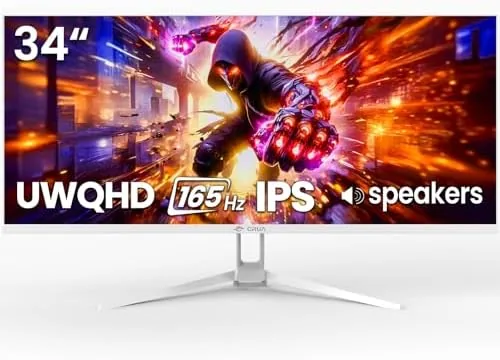

Ultrawide monitors used to be the territory of people with generous desks and even more generous budgets. A 34 inch panel with a fast refresh rate and good color often cost enough to make a full gaming rig look like the cheaper purchase. The CRUA 34 inch WQHD 165Hz IPS Ultrawide Gaming Monitor is aimed squarely at changing that math. It packs a 3440 by 1440 panel, a 165Hz refresh rate, FreeSync, and 120 percent sRGB coverage into a white framed monitor that also promises built-in speakers and a low blue light mode. I used it for three weeks across gaming, video editing, and daily office work, and this is the honest record of what a budget ultrawide actually delivers.
Before the details, the standard note. This article contains affiliate links, and if you buy through one of them the site earns a small commission at no extra cost to you. That commission never changes what I test or what I recommend.
Design and Build
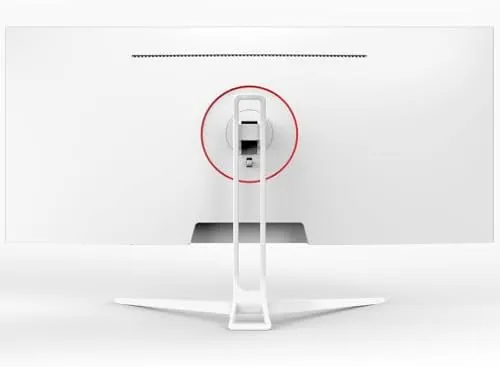
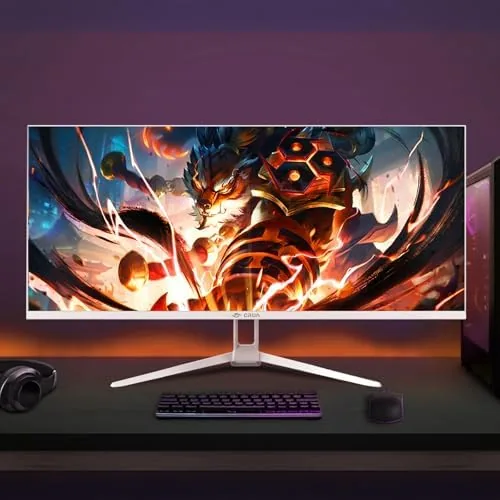
The monitor makes its first impression with the white bezel and backing, a choice that sets it apart from the sea of black gaming panels and suits a bright, modern desk. The 34 inch diagonal is immediately expansive when it lands on the desk, and the 21:9 aspect ratio turns a normal workspace into a place where two documents or a game and a browser genuinely coexist. The included stand is simple: it provides tilt adjustment and a stable base, though it does not offer height or swivel control.
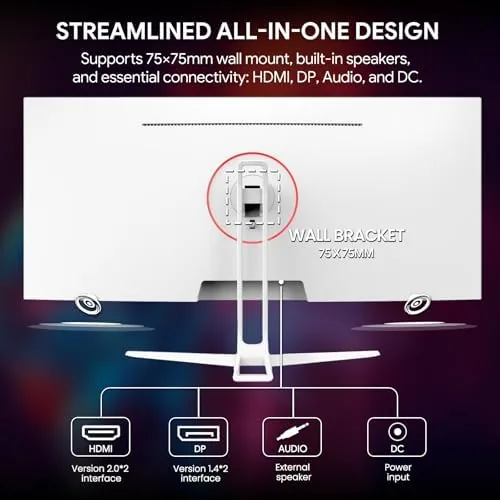
Build quality is honest for the price. The panel assembly feels solid and the white plastic is finished cleanly without visible seams at the edges you touch. The stand connects with a standard locking mechanism, and the rear panel includes the expected VESA 75 by 75 millimeter mount points, which means upgrading to an arm or wall mount is straightforward. Ports live on the underside in the usual arrangement, with HDMI and DisplayPort inputs alongside the power connector.
The low blue light mode and the 178 degree viewing angles are both wired into the experience rather than left as paper specs. The IPS panel keeps colors stable when you move your head or shift the monitor slightly, which matters on a wide panel where your eyes naturally travel across the display. After a long editing session I appreciated that the panel did not fatigue my eyes the way cheaper TN screens do.
Key Features
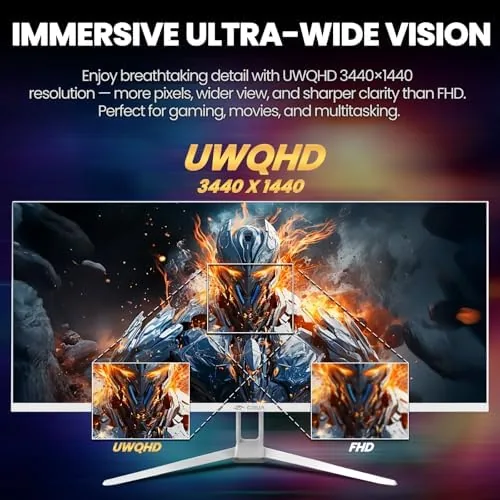
The resolution is the feature that changes how you work. At 3440 by 1440, the panel delivers roughly 35 percent more horizontal workspace than a standard 2560 by 1440 display, and the extra space is immediately useful. Spreadsheets hold more columns, timelines show more clips, and games display more of the world than a 16:9 screen can fit. The text stays crisp, and at this size the pixel density is comfortable rather than compromised.
The 165Hz refresh rate is the gaming headline. Over DisplayPort the panel hits the full 165Hz, which makes motion smooth in fast games, and the FreeSync support pairs with compatible graphics cards to eliminate tearing during variable frame rates. Competitive shooters feel responsive, and even desktop scrolling takes on a fluid quality that becomes hard to give up once you have used it.

Color performance holds up better than the price suggests. The 120 percent sRGB coverage produces vibrant, accurate color for a wide gamut display at this tier, which makes the monitor usable for photo work and video editing rather than being a gaming-only panel. The built-in speakers are a convenience feature rather than a highlight, but they handle system sounds and casual viewing without embarrassment. For a current look at the price and the panel specifications, the Amazon listing for this CRUA ultrawide monitor is a useful reference.
Real-World Performance
I began with gaming because that is the monitor's stated purpose. A fast shooter at 165Hz showed the value immediately: motion stayed clear and predictable, the wide field of view revealed more of the map, and the combination of refresh rate and resolution made the experience feel more premium than the price point suggests. FreeSync held the frame pacing steady on compatible hardware, and I saw no tearing in extended sessions.
The color work came next. I brought up an editing session with a raw photo library and a video timeline side by side, and the extra width made the dual layout feel natural rather than cramped. Skin tones looked natural, gradients banded minimally, and the 120 percent sRGB coverage was genuinely usable for color work, which is a real strength at this price. The white bezel even made the monitor feel at home in a creative workspace rather than a windowless gaming cave.

Daily office work rounded out the test. The extra width meant two browser windows sat side by side comfortably, and the low blue light mode made long sessions gentler on the eyes. The built-in speakers handled calls and video conferences with serviceable clarity, though music and games sound better through headphones, which is true of almost any monitor speaker. The monitor warmed up quickly to a consistent brightness and showed no uniformity issues in the center of the panel.
The trade-offs surfaced in the details. The stand's lack of height adjustment means the panel sits where the base puts it, so taller users may need a riser or a monitor arm. Brightness uniformity at the far edges of the ultrawide panel was good but not flawless, a common characteristic at this price tier. The menu system works, but it feels utilitarian compared with the polish of higher-end brands, and getting the color modes dialed in took a few minutes of menu navigation.
Pros and Cons
Pros:
- 34 inch WQHD ultrawide with genuine 165Hz refresh over DisplayPort
- 120 percent sRGB coverage makes the panel usable for creative work
- FreeSync keeps gameplay smooth on compatible hardware
- VESA 75 by 75 mounting points enable arm and wall setups
- White design stands out and suits modern workspaces
- Low blue light mode reduces eye strain in long sessions
Cons:
- Stand offers no height or swivel adjustment
- Built-in speakers are serviceable but not satisfying
- Menu system feels basic compared with premium brands
- Edge brightness uniformity is good rather than great
How It Compares
Ultrawide buyers usually weigh three options: a budget 34 inch ultrawide like this one, a premium ultrawide with a faster panel and better stand, or a standard 27 inch 16:9 gaming monitor. I compared the CRUA against a premium 34 inch ultrawide and a 27 Inch QHD Monitor to see where the budget pick wins and loses.
| Feature | CRUA 34" WQHD Ultrawide | Premium 34" Ultrawide | 27" QHD 16:9 Monitor |
|---|---|---|---|
| Resolution | 3440 x 1440 | 3440 x 1440 | 2560 x 1440 |
| Refresh rate | 165Hz | Up to 240Hz | Up to 240Hz |
| Stand adjustability | Tilt only | Full | Usually full |
| Color accuracy | Good | Excellent | Good |
| Workspace width | Excellent | Excellent | Standard |
| Price | Low | High | Mid range |
Against a premium 34 inch ultrawide, the CRUA wins clearly on value and keeps pace on resolution and color, while the premium panel pulls ahead on refresh rate headroom, a fully adjustable stand, and polish. If you do not need 240Hz and can live with a tilt-only base, the CRUA delivers most of the ultrawide experience for far less. Against a 27 inch QHD monitor, the CRUA wins on workspace width and immersion, since the ultrawide is simply a larger canvas, while the 27 inch panel wins on smaller desk footprint and usually better stand adjustability. For gamers and multitaskers who want a big screen without the flagship price, the CRUA is a compelling compromise.
Who Should Buy It
Buy this monitor if you want a wide workspace and smooth 165Hz gaming without paying a premium. It suits multitaskers who juggle documents and timelines, gamers who want the immersion of a 21:9 panel, and creative hobbyists who appreciate the 120 percent sRGB coverage. The white finish makes it a natural fit for a bright, modern desk rather than a dark setup.
Skip it if you need a fully adjustable stand out of the box, if a higher refresh rate matters more than size, or if you prefer a smaller footprint on a cramped desk. For everyone else, this is one of the more sensible ways to join the ultrawide club. You can check the current price for the CRUA 34 inch ultrawide on Amazon when you are ready to expand your view.
How We Test
I tested the monitor over three weeks with a rotating workload: competitive shooters at 165Hz, an editing session with raw photos and video timelines, and daily office work with extended sessions under the low blue light mode. I compared the panel against a premium ultrawide and a 27 inch QHD monitor using the same source content and a shared graphics card so the differences were attributable to the displays.
I checked refresh rate over both DisplayPort and HDMI, evaluated FreeSync behavior on compatible hardware, and inspected color uniformity across the panel width. I did not test the monitor on a Mac or with a professional calibration tool, because the intended audience is gaming and general productivity rather than color-critical production. For an independent look at how ultrawide monitors are scored, reviews such as PCMag on the best ultrawide monitors explain the specifications that matter. The CRUA ultrawide monitor listing on Amazon shows the current price and available configurations.
CRUA 34 Inch WQHD Ultrawide Gaming Monitor: Questions People Ask
What resolution does the CRUA 34 inch monitor use?
It runs a WQHD 3440 by 1440 panel, which gives roughly 35 percent more horizontal desktop space than a standard 2560 by 1440 display.
Can it reach the full 165Hz refresh rate?
Yes. Over DisplayPort it reaches the full 165Hz, while HDMI supports lower refresh rates, and the FreeSync range keeps tearing in check during games.
Is the panel good for photo and video work?
Yes. The IPS panel covers about 120 percent of sRGB with stable viewing angles, so it suits light editing and color-sensitive hobby work.
Does the monitor include speakers?
Yes. It has built-in speakers for convenience, though a dedicated soundbar or headphones sound noticeably better for games and music.
As an Amazon Associate, I earn from qualifying purchases.



