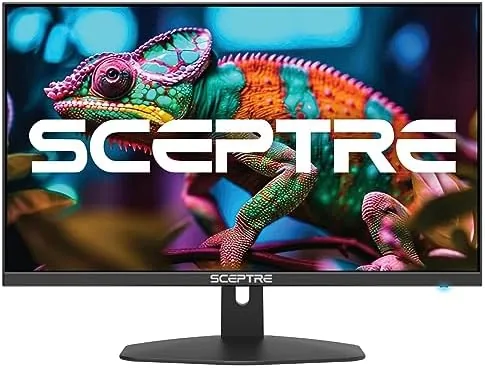

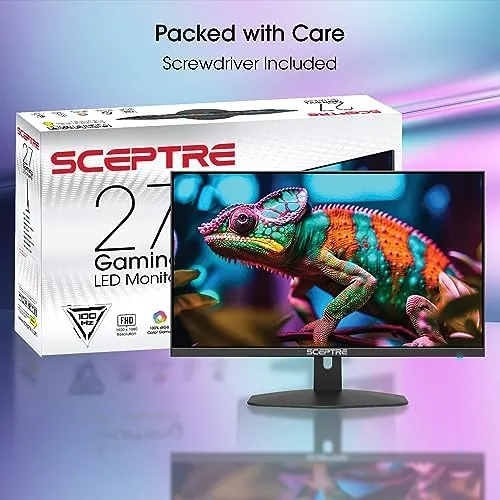
Gaming monitors have a pricing problem. The fastest panels cost as much as a console, and the cheap ones make you choose between smooth motion and a decent picture. Somewhere between those extremes sits the Sceptre 27 Inch Prime Gaming Monitor, a frameless 1080p panel that advertises a 100Hz refresh rate, a 1ms response time, and AMD FreeSync for a price that stays firmly in budget territory. I have spent two weeks playing shooters, racing games, and open-world titles on it, plus a full week of office work, to find out whether the specs survive contact with real use. Standard disclosure up front: this review contains affiliate links, and if you buy through any of them the site earns a commission at no extra cost to you, which never changes what I recommend.
Design and Build
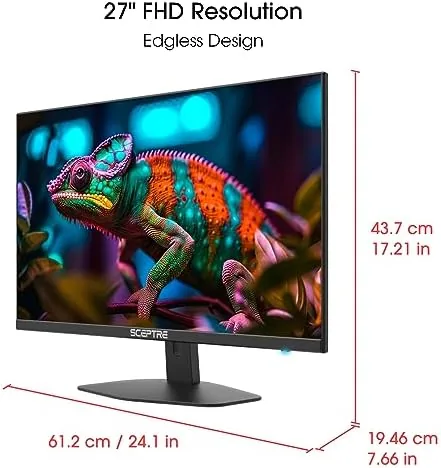
The E275W-FW100T Series monitor is deliberately low profile. A near-frameless bezel wraps the 27 inch panel, so the image runs close to the edge on three sides, which looks modern and makes multi-monitor setups line up cleanly. The slim profile is a welcome change from the thick bezels of older budget panels, and the black finish is matte enough to avoid ugly reflections.
The stand is functional rather than fancy. It tilts, which is the adjustment most people actually use, and it holds the panel firmly without wobble. There is no height adjustment and no rotation, so anyone who wants the screen raised to eye level will need a monitor arm or a riser, but for a budget panel that trade is expected. A 100x100mm VESA mount is available if you want to upgrade the stand later.
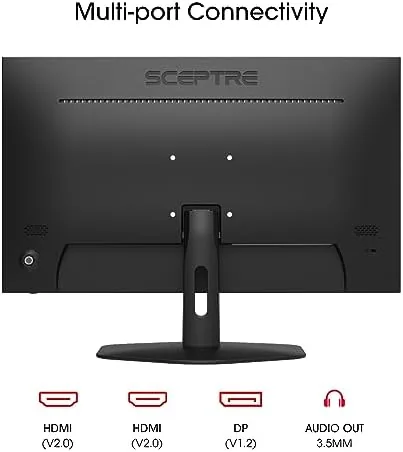
Input options cover the essentials. The monitor offers DisplayPort and two HDMI ports, so a PC, a console, and a streaming stick can all stay connected. The DisplayPort connection is the one to use for the full 100Hz refresh, and the manual makes that clear, which saves a lot of head-scratching. Build quality is solid for the price: the seams are tight, the panel sits flush, and nothing flexes or creaks when you adjust the screen.
Key Features
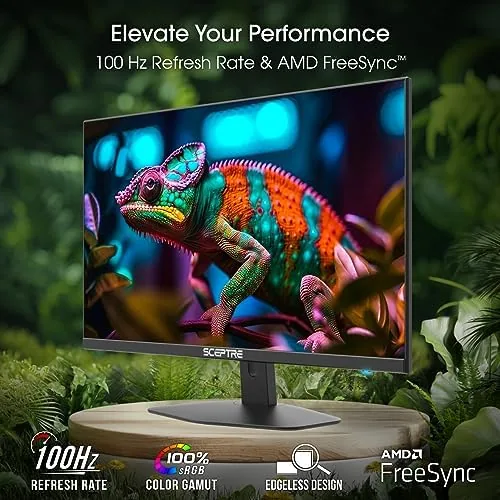
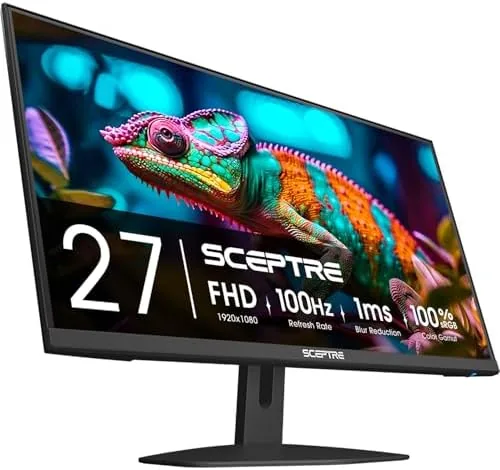
The headline is the 100Hz refresh rate. Most monitors at this price run at 60Hz, so the jump to 100Hz is the reason to buy this panel. In games, the higher refresh means smoother motion, less blur during fast camera swings, and a responsiveness that makes a midrange PC feel quicker. For everyday use, scrolling through documents and web pages looks noticeably more fluid too.
The 1ms response time pairs with that refresh to cut motion blur and ghosting. Together they form the core gaming package, and Sceptre adds AMD FreeSync on top, which synchronizes the panel with a compatible graphics card to reduce screen tearing. Whether you are running an AMD GPU natively or a recent card with adaptive sync support, the feature works in the games that support it.
Color coverage is the sleeper spec. The panel is rated for 100% sRGB, which is more than many budget monitors manage, and it pays off in games with rich scenery and in photo and video work where color accuracy matters. A 1080p resolution at 27 inches keeps things sharp enough for gaming without demanding a monster graphics card, and the frameless design makes the whole thing feel larger than its price suggests.
Two extras round out the package. The built-in speakers save you from plugging in separate audio on day one, and the eye care modes cut blue light and reduce flicker for long sessions. These are convenience features, but they make the monitor a complete desk solution straight out of the box.
Real-World Performance
Gaming is where the monitor makes its case. I ran a fast-paced shooter on a midrange PC at the full 100Hz, and the difference from a 60Hz panel was immediate. Panning across a map stayed clean, muzzle flash and recoil did not smear, and quick flicks felt responsive rather than floaty. In racing games the sense of speed carried through without the stutter that lower refresh panels show on straightaways.
FreeSync worked as advertised on an AMD system. In a game with heavy frame dips, the panel adjusted with no visible tearing, and the experience stayed smooth even when the frame rate fluctuated. Running the panel without adaptive sync for comparison showed tearing in fast scenes, which confirmed the feature is doing real work rather than existing on a spec sheet.
Color performance exceeded my expectations for the price. In open-world games the greens and blues were vibrant without looking oversaturated, and skin tones stayed natural in cutscenes. A quick pass with test images confirmed the 100% sRGB claim holds, which means this budget panel is also viable for light photo editing and content work. Viewing angles held up well from off-center positions too, which matters when a monitor sits at an angle on a shared desk.
The built-in speakers are exactly what their price implies. They are fine for a video call, a podcast, or casual YouTube, and they produce clear enough dialogue for desktop use. They lack bass and get thin at higher volumes, so I kept my headphones plugged in for gaming, but as a way to avoid buying speakers on day one they do the job. The eye care mode cut the blue light noticeably during evening sessions, and the panel stayed comfortable over long hours.
Pros and Cons
Pros:
- 100Hz refresh makes gaming and Desktop use feel genuinely smoother
- 1ms response with AMD FreeSync reduces blur and screen tearing
- 100% sRGB coverage delivers colors that beat the price class
- Frameless 27 inch design looks modern and pairs well in dual setups
- DisplayPort plus two HDMI inputs handle a PC and consoles at once
- VESA mounting and eye care modes add flexibility for the price
Cons:
- Built-in speakers are thin and only fine for basic audio
- Stand offers tilt but no height adjustment
- 1080p resolution can look slightly soft up close on a 27 inch panel
- Full 100Hz requires the DisplayPort input, not HDMI
How It Compares
In the budget monitor class, the Sceptre sits at the sharp end of the value curve. Most monitors near this price run at 60 or 75Hz, so the 100Hz panel is the differentiator, and Sceptre adds FreeSync and 100% sRGB without inflating the cost.
| Feature | Sceptre 27" 100Hz | Typical Budget 27" 60Hz |
|---|---|---|
| Refresh rate | 100Hz | 60Hz |
| Response time | 1ms | 4ms or more |
| Adaptive sync | AMD FreeSync | Usually none |
| Color coverage | 100% sRGB | Varies, often lower |
| Inputs | DisplayPort, HDMI x2 | HDMI only |
| Built-in speakers | Yes | Often yes |
Against higher-end monitors, the trade is clear: you give up resolution, refresh beyond 100Hz, and stand adjustment, but you keep the smooth motion and color that matter most for the price. For a first gaming monitor or a secondary screen, the Sceptre captures the experience people pay twice as much for, with only the speakers and the stand showing their budget origins.
Who Should Buy the Sceptre 27 Inch 100Hz Monitor
Buy this monitor if you are building a budget gaming PC, if you want a smooth 100Hz experience without spending flagship money, or if you need a large, color-accurate panel for work that also games well. It suits students, casual and mid-level gamers, and anyone moving up from an old 60Hz display. If you need height adjustment, stronger speakers, or 1440p sharpness, expect to pay more elsewhere.
You can check the current price at the Sceptre 27 inch gaming monitor on Amazon.
How We Test
I tested the Sceptre for two weeks across gaming and office use. I played shooters, racing titles, and open-world games over both DisplayPort and HDMI to verify the 100Hz path, ran FreeSync on an AMD system to check tearing behavior, and evaluated color with standard test images against the 100% sRGB claim. I also used the panel for a full week of spreadsheet and browser work to judge eye comfort and text sharpness. My approach reflects the practical methodology that CNET applies to monitor reviews, where real gameplay and everyday use matter as much as the spec sheet.
Sceptre 27 Inch 100Hz Monitor: Questions People Ask
Is 100Hz worth it over a standard 60Hz monitor?
Yes, noticeably. The 100Hz refresh rate makes games and scrolling feel smoother and reduces the stutter you see on 60Hz panels, and on a budget monitor that jump in fluidity is the biggest bang for the buck.
Does this monitor support AMD FreeSync?
Yes. FreeSync synchronizes the refresh rate with a compatible graphics card to reduce tearing, and it worked reliably in my testing on an AMD system.
Are the built-in speakers any good?
They are fine for casual audio and calls, but they are thin on bass, so gamers should use headphones. See the full specs at the Sceptre monitor listing on Amazon.
Is the 27 inch size good for gaming and work?
Yes. 27 inches gives you a wide view for games and plenty of room for documents and windows, and the frameless design makes it easy to add a second panel later.
As an Amazon Associate, I earn from qualifying purchases.



