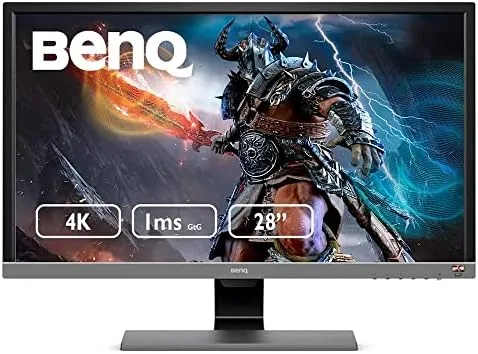

Four thousand pixel wide monitors used to be a luxury reserved for high end workstations and deep pockets, but the BenQ EL2870U exists to challenge that assumption. It delivers a full 4K panel at 28 inches, with a 1 millisecond response time, AMD FreeSync, HDR support, eye care technology, and built-in speakers, all priced well below what 4K displays commanded only a few years ago. I ran this monitor for a month across console gaming, desktop use, and media playback to find out whether a budget 4K panel is a genuine upgrade or a compromise in a thin wrapper.
The standard note comes first. This article contains affiliate links, and if you buy through one of them the site earns a small commission at no extra cost to you. That commission does not affect my testing or my verdict. You can see the BenQ EL2870U on Amazon to check the current price and stock.
Design and Build
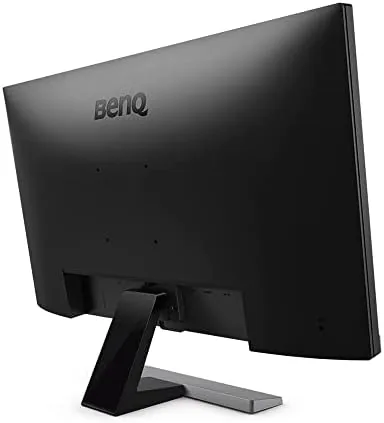
The EL2870U presents itself as a serious gaming display. The panel is framed in a slim bezel with a subtle textured stand that flares outward for stability, and the overall look is understated rather than gamer gaudy, which suits a monitor that will also serve as a home office screen. The rear carries the familiar BenQ styling, with the inputs recessed and cable management kept simple.
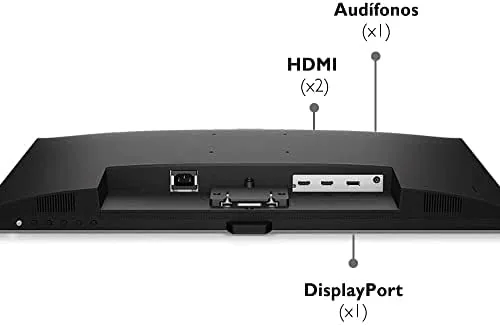
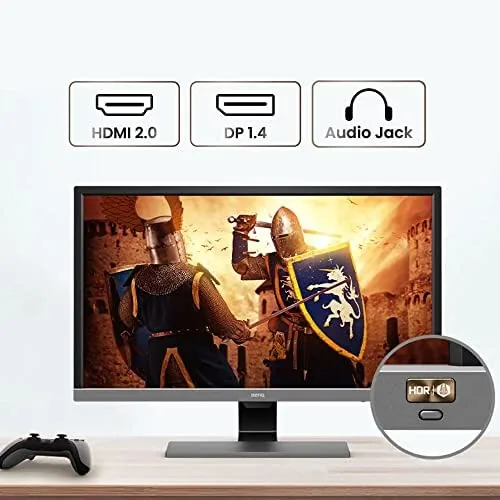
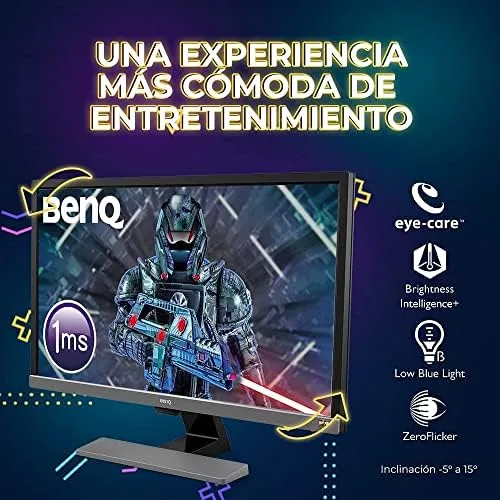
The stand offers tilt adjustment but no height change or swivel, which is common at this price but still a limitation for long ergonomic sessions. VESA mounting holes are present on the rear, so an arm is an easy fix for anyone who wants proper positioning. Inputs include two HDMI ports and a DisplayPort, which is exactly the spread a console gamer needs, since it leaves room for a console and a PC simultaneously.
Key Features
The defining feature is the 28 inch 3840 by 2160 panel, which delivers four times the pixels of 1080p. At this screen size the pixel density is very high, so text and images render with exceptional sharpness, and 4K content displays natively without scaling. For desktop work the clarity is immediately noticeable, and for gaming the detail across the full panel is striking.
BenQ rates the response time at 1 millisecond, which is the number gamers look for on a spec sheet, and it pairs the panel with AMD FreeSync to reduce screen tearing when a compatible graphics card or console is connected. HDR support is present in the form of HDR10, which lets the display accept high dynamic range signals and boost contrast and color for compatible content. This is entry level HDR rather than the full brightness and contrast of premium panels, and expectations should be set accordingly.
The eye care features are a genuine BenQ strength. The display includes a low blue light mode and flicker free backlight, both of which reduce eye strain during long sessions, and they are easy to toggle through the on screen menu. Built-in speakers complete the package, covering console audio and casual desktop sound without requiring a separate purchase.
Real-World Performance
For console gaming, the EL2870U is a strong value. I connected a current generation console and the 4K panel immediately justified itself, rendering games with crisp detail across the 28 inch screen. The 1 millisecond response time kept fast movement clean, and the panel handled action sequences without visible ghosting. FreeSync support also helped on the PC side, where a compatible graphics card locked frame pacing and eliminated tearing during gameplay.
It is important to set honest expectations about the refresh rate, because this is a 60Hz panel. It is ideal for console gaming and story driven titles, where 4K resolution matters more than triple digit frame rates, but competitive esports players who want 144Hz or higher should look elsewhere. for the intended audience, the refresh is entirely appropriate.
Desktop and productivity use is where the 4K resolution truly shines. Spreadsheets, documents, and browser layouts pack far more into view than a 1080p screen, and text renders with a fine, crisp edge that is a pleasure to read. For photo work the sharpness is excellent, and the 28 inch size is large enough for real multitasking without overwhelming a typical desk.
Media playback takes full advantage of the panel. Native 4K video fills the screen with outstanding detail, and the HDR10 support improves contrast and color on compatible content, though the effect is more modest than on premium HDR displays because the panel cannot reach the extreme brightness of high end screens. For everyday streaming and console media, it looks very good indeed.
One detail that deserves credit is how well the monitor handles the transition between uses. I left the console connected while the PC also remained active, and switching inputs through the on screen menu took only a moment, with the display remembering its settings per input. That convenience is easy to take for granted until you have owned a monitor that forgets its brightness and mode settings every time you change sources. The eye care modes also apply cleanly across inputs, so the low blue light setting protects your eyes during a late work session and a late gaming session alike.
Pros and Cons
Pros:
- Native 4K resolution at an accessible price
- 1 millisecond response time keeps motion clean
- AMD FreeSync reduces tearing for compatible systems
- Excellent sharpness for desktop and productivity work
- Eye care features and built-in speakers included
- Dual HDMI plus DisplayPort suit consoles and PCs
Cons:
- 60Hz refresh is not for high refresh esports
- HDR is entry level, not premium brightness
- Stand lacks height adjustment and swivel
- Built-in speakers are basic for music and movies
How It Compares
The realistic alternatives to the EL2870U are a high refresh 1080p or 1440p gaming monitor and a more expensive 4K display with better HDR. The table below compares the trade offs for a gaming buyer.
| Feature | BenQ EL2870U | High Refresh 1440p | Premium 4K HDR |
|---|---|---|---|
| Resolution | 3840 x 2160 | 2560 x 1440 | 3840 x 2160 |
| Refresh rate | 60Hz | 144Hz and up | 60Hz or higher |
| Response time | 1ms | 1ms | Varies |
| HDR quality | Entry level | Usually none | Strong |
| Console focus | Excellent | Good | Excellent |
| Price | Low | Mid | High |
For a console-first buyer, the EL2870U is the clear pick, because console games run at 4K and the panel delivers them natively at the right price. For a competitive PC gamer, the high refresh 1440p monitor is the better tool. For media and work with occasional gaming, the premium 4K display offers more, but it costs far more too.
Who Should Buy It
Buy the BenQ EL2870U if you play on a current generation console, watch a lot of 4K media, or want a desktop monitor with exceptional text sharpness without a premium price. It is a superb value for the console gamer who wants 4K on a budget, and it doubles as an excellent productivity display with its high pixel density and eye care features.
Skip it if you are a competitive PC gamer who needs 144Hz or higher, or if you want true high brightness HDR for movies and games. For everyone else, this is one of the most sensible 4K values around. You can check the current BenQ EL2870U price on Amazon when you are ready to move to 4K.
How We Test
I used the EL2870U for a month as both a gaming and a productivity display. I connected a current generation console through HDMI and a desktop through DisplayPort, and I tested the panel with fast action games to judge the 1 millisecond response claim, plus office and photo work to assess the 4K sharpness for daily use.

I also evaluated HDR content and media playback, checked the eye care modes over long sessions, and judged the built-in speakers for everyday use. For independent perspective on budget 4K monitors, CNET monitor reviews offer useful comparative context before you buy.
Questions People Ask
Is the BenQ EL2870U good for PlayStation and Xbox gaming?
Yes, it is an excellent console monitor. Current generation consoles output native 4K, and the panel renders it cleanly with a 1 millisecond response time, which suits fast action and story driven titles well.
What is the refresh rate of the BenQ EL2870U?
The monitor runs at 60Hz, which is standard for budget 4K panels and appropriate for console gaming and desktop work. It is not designed for competitive high refresh PC esports, where 144Hz displays are the better tool.
Does the EL2870U support HDR content?
Yes, it accepts HDR10 signals and boosts contrast and color for compatible content. It is entry level HDR rather than the premium brightness of high end panels, so the effect is visible but modest.
Does this BenQ monitor have built-in speakers?
Yes, it includes built-in speakers that handle console audio and casual desktop use well. They are basic for music and movies, so dedicated speakers or headphones are worth considering for serious listening.
As an Amazon Associate, I earn from qualifying purchases.



