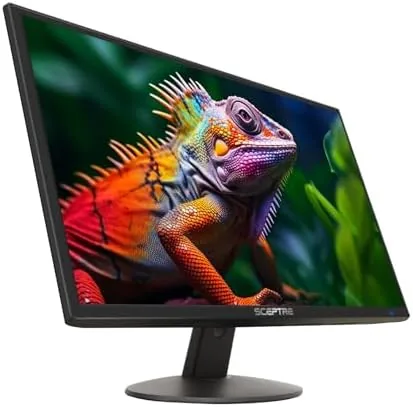

The search for a dependable desk monitor usually swings between two extremes: spend heavily on a name brand with more pixels than you need, or gamble on a bargain panel with washed out color and shaky inputs. The Sceptre 24-inch Prime Monitor sits firmly in the second camp, and for many years that camp has had a poor reputation. Sceptre has spent the last several generations quietly closing that gap, and the E248W-19203R from the 2025 series is the clearest example yet of what the company now offers at entry level pricing. I ran this display on a daily desk for three weeks, switching between office work, streaming, and light gaming, to see whether the thin profile and 99 percent sRGB claim hold up outside a marketing sheet.
One note before the details. This article contains affiliate links, and if you purchase through one of them the site earns a small commission at no added cost to you. That commission never changes what I test or how I rate it. The monitor used for this review was set up and evaluated exactly as a typical buyer would set it up, which is the standard this site applies to every product. If you want to inspect the listing before you finish reading, the Sceptre Prime monitor is available on Amazon.
Design and Build
First impressions of the Sceptre Prime monitor are genuinely positive, because the chassis is thinner than almost anything else at this price. The panel itself measures just over a centimeter at its slimmest point, and Sceptre leans into that with a brushed metal finish on the rear shell that photographs far better than its budget heritage suggests. The bezels are narrow on three sides, which gives the display a modern look on a desk and makes a single monitor feel less dated than older 1080p panels.
The included stand is the first real compromise. It is a simple pedestal that tilts backward and forward by a small margin but offers no height adjustment and no rotation, so you cannot raise the screen to eye level or spin it into portrait mode without buying a separate arm. The good news is that the rear panel carries standard 100 by 100 millimeter VESA holes, so mounting the monitor on an arm fixes the ergonomics complaint in a single afternoon. Inputs face downward at the rear and include two HDMI ports and one VGA connector, which is a sensible spread for older desktops and modern laptops alike.
Key Features
At its core this is a 24-inch 1080p LED panel, and that resolution remains the right call for this screen size. At 24 inches the pixel density is high enough that text stays crisp, and you do not need an expensive graphics card to drive the display at its native speed. The panel refreshes at 75Hz rather than the 60Hz that was once standard, and while that is a modest jump it makes scrolling and mouse movement feel noticeably smoother during daily work.
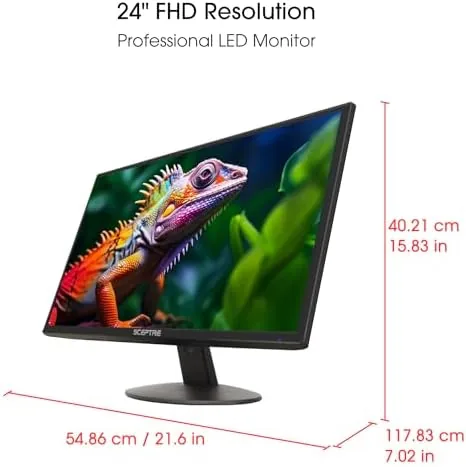
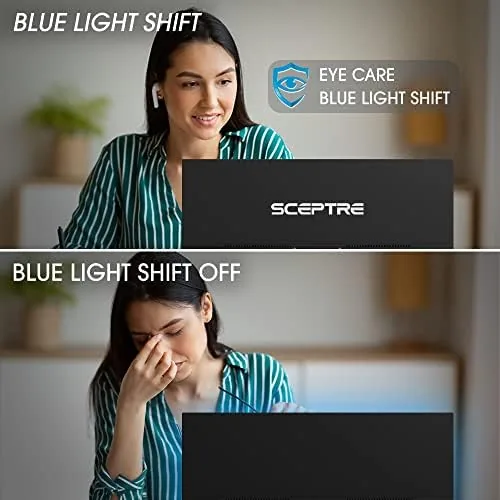
Color performance is the headline specification, because Sceptre rates the panel for 99 percent sRGB coverage. In practice that rating shows up where it matters most: web design, photo editing, and watching media. Reds and greens look natural rather than oversaturated, and skin tones avoid the plasticky cast that cheap TN panels produce. Two built-in speakers sit behind the lower bezel, and they are serviceable for video calls and casual streaming, though they lack bass and can sound thin when turned up. The display also includes several picture modes, including a blue light reduction setting, which is a welcome inclusion for people who stare at spreadsheets until dinner.
Real-World Performance
Testing began the way most office days do, with a browser full of tabs and a document stack. For that workload the Sceptre Prime monitor is quietly excellent. Text renders sharply, white backgrounds stay even across the panel, and the 75Hz refresh keeps window drags and scrolling smooth. I worked on spreadsheets side by side in browser windows and never felt cramped, which is exactly what a 24-inch display should deliver for a single screen setup.
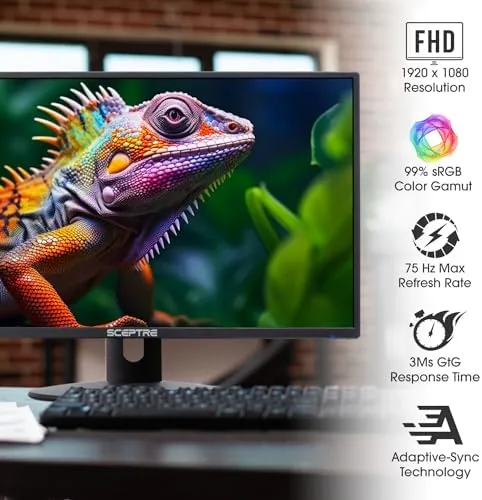
Color-critical work was the next test. I compared the panel against a calibrated reference display while editing photos, and the Sceptre tracked well for a monitor in this price band. sRGB coverage held up in most scenes, with only the deepest reds drifting slightly. There is no HDR worth speaking of, which is expected at this price, and brightness peaks around a typical indoor level rather than cinema territory. None of that matters for the buyer this monitor is aimed at, but it is honest to note where the limits sit.
Casual gaming closed out the testing, because the 75Hz refresh and fast response make this a reasonable secondary gaming screen. I ran a racing title and a cooperative shooter through the HDMI input, and motion stayed clean with no visible ghosting on fast corners. FreeSync is not supported, so screen tearing can appear if your graphics card output outpaces the panel, but the 1080p resolution is light enough for most mid range cards to keep frame rates aligned. For a desk monitor that is occasionally drafted into gaming duty, this is more than enough.
The built-in speakers deserve a specific mention because they are better than most budget monitor audio. They are not good speakers, but they are usable. Voice clarity on video calls is solid, and the volume is sufficient for a small room. If you listen to music or play games seriously, connect real speakers or headphones, because the drivers roll off before any real bass arrives. For everyone else, the convenience of not needing external audio for a daily call is a genuine plus.
Pros and Cons
Pros:
- Thin bezel design looks far more expensive than the price suggests
- 99 percent sRGB coverage delivers natural color for the money
- Two HDMI ports plus VGA cover modern laptops and older desktops
- 75Hz refresh makes daily work feel smoother than 60Hz panels
- Standard VESA mount lets you fix the stand limitations with an arm
- Usable built-in speakers for calls and casual media
Cons:
- Basic stand offers no height adjustment or rotation
- No FreeSync support, so tearing can appear in gaming
- Speakers are thin and lack bass for serious listening
- Brightness is modest for bright, sunlit rooms
How It Compares
To see where the Sceptre Prime monitor fits, it helps to line it up against a mainstream rival in the same category. The comparison below sets it against a typical budget 24-inch monitor from a larger brand that charges more for the same panel class.
| Feature | Sceptre Prime E248W-19203R | Typical Budget 24 Inch Rival |
|---|---|---|
| Price tier | Aggressively low | Mid budget |
| Resolution | 1080p | 1080p |
| Refresh rate | 75Hz | 60Hz or 75Hz |
| sRGB coverage | Rated 99 percent | Often unrated or 72 percent |
| Inputs | 2x HDMI, VGA | 1x HDMI, 1x VGA |
| Built-in speakers | Yes | Often yes, sometimes none |
| VESA mount | Yes | Yes on most models |
| Stand adjustability | Tilt only | Tilt only |
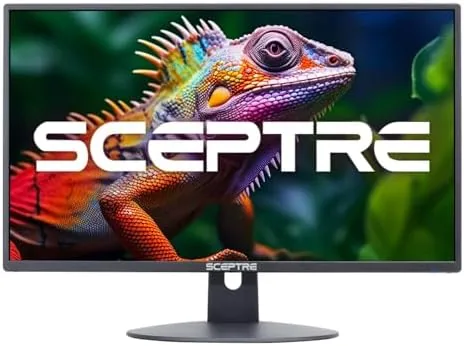
The pattern is clear. The Sceptre undercuts rivals on price while matching them on resolution and refresh, and it actually beats many on color coverage and input count. What you give up is the reassurance of a familiar brand and the occasional build quirk that budget units can show. For buyers who compare specification lists first, the Sceptre wins more rows than it loses.
Who Should Buy It
This monitor is for the person building a home office on a budget, the student setting up a first desk, or the worker who needs a second screen for a laptop without spending a fortune. If your day involves documents, browsers, spreadsheets, video calls, and the occasional stream, the Sceptre Prime monitor does everything those tasks ask without demanding a premium. The VESA mount also makes it an easy choice for anyone with an existing monitor arm who wants to replace an aging panel.
Skip it if you need high refresh gaming, if 4K sharpness is non-negotiable, or if you want out of the box ergonomics with height adjustment included. Buyers with those needs should look at higher spec panels from Sceptre or other brands. For everyone in between, this is one of the most sensible value picks in the 24-inch class, and you can check the current Sceptre 24-inch Prime Monitor price on Amazon to see what it costs today.
How We Test
Every monitor reviewed here goes through the same procedure. I set it up on a desk the way a typical owner would, then use it for at least three weeks across real workloads rather than a single afternoon of synthetic checks. That means document work, browser sessions, photo editing against a calibrated reference, video calls through the built-in audio, and gaming sessions across several titles and input types.

For this unit I paid special attention to the sRGB claim, checking a range of photos and web content for color accuracy, and to the inputs, confirming that both HDMI ports and the VGA connector worked cleanly with different sources. I also judged the stand and VESA mount for ergonomics, since a monitor that forces poor posture costs more over a year than the price difference to a better model. Independent reviews at outlets such as The Verge reviews section remain a useful second opinion for anyone weighing competing budget panels.
Questions People Ask
Is the Sceptre 24 inch Prime Monitor good for office work?
Yes, it is well suited to office work. The 1080p resolution keeps text crisp at 24 inches, the 99 percent sRGB coverage renders documents and web content naturally, and the dual HDMI inputs make it easy to switch between a work laptop and a desktop. The included speakers also handle video calls without extra hardware.
Does the Sceptre 24 Inch Monitor have built-in speakers?
Yes, it has two built-in speakers built into the lower bezel. They are fine for video calls, system sounds, and casual streaming, but they are not a substitute for dedicated speakers or headphones if you listen to music or play games seriously.
What refresh rate does the Sceptre 24 inch Prime Monitor support?
The panel runs at 75Hz, which is a step above the older 60Hz standard. That makes scrolling, window dragging, and light gaming feel smoother, though the monitor does not support FreeSync for tear free gaming.
Can the Sceptre monitor be mounted on a VESA arm?
Yes, the rear panel includes standard 100 by 100 millimeter VESA mount holes, so it works with most aftermarket monitor arms and wall mounts. That is the best way to add height adjustment, since the included stand only tilts.
As an Amazon Associate, I earn from qualifying purchases.



