 15.6 Inch Portable Monitor on a desk" width="1200" height="800" loading="lazy" style="height:auto">
My review process is unchanged by the price of the product. The monitor was provided for evaluation, my opinions are my own, and if you buy through the links in this article I may earn a small commission at no extra cost to you. A budget panel gets judged on the same standards as an expensive one, just with realistic expectations.
Design and Build
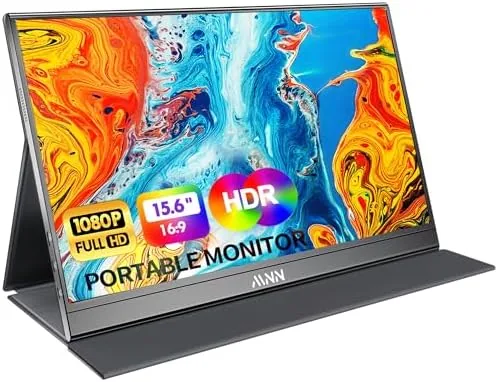
The MNN is almost impossibly thin for a display with an integrated stand and speakers. At 0.76 centimeters thick and 694 grams, it is lighter than most laptops and thin enough to slide into the sleeve compartment of a bag without adding bulk. The front is a slim bezel around a 15.6 inch screen, and the back is a brushed finish with a kickstand that folds out and locks into a few positions, giving the panel a stable base on a desk or a hotel table.
The build is plastic throughout, which is expected at this price, but the panel feels solid enough in the hand and the hinge of the kickstand is firm rather than floppy. The ports are the practical set you want on a travel display: a USB C port for single cable connection, a mini HDMI input, and a power input for when the panel runs on external power. The controls are a small set of buttons on the edge that handle power and the on screen display, which covers brightness, contrast, and the low blue light mode.
Key Features
The single cable USB C connection is the feature that makes a portable monitor worth carrying. With a modern laptop that supports USB C video, one cable runs the display, carries the video signal, and draws power, so you pull the monitor out of the bag, plug in one wire, and you have a second screen with no adapter. That is the whole point of the category, and the MNN delivers it cleanly, powering itself from the laptop or from the included power source over HDMI.
The 15.6 inch IPS panel runs at 1080p and 60 Hz, with HDR support that stretches the dynamic range on compatible content. IPS means the viewing angles stay good when the panel is propped at an angle, and the colors are accurate enough for office work and photo review. The low blue light mode is a genuinely useful travel feature, cutting the harshness for long evenings of work without a noticeable color cast in my testing.
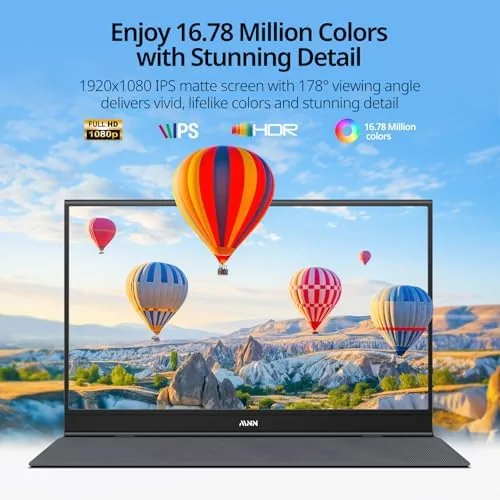
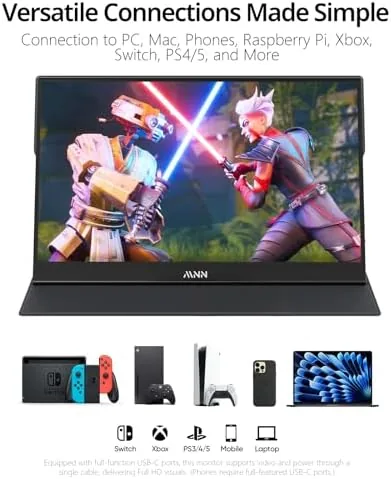
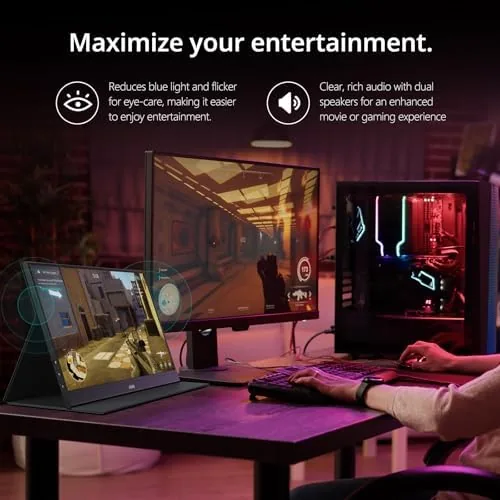
Two more details round out the package. A pair of built in speakers handles the audio, which is fine for video calls and casual viewing even if it will not replace a soundbar, and the panel works with phones that support USB C video output, so it doubles as a larger screen for reviewing footage or presenting slides on the go. The kickstand folds out into a portrait orientation too, which suits document review and coding.
Real-World Performance
In daily use, the MNN did its job without drama. Plugged into a work laptop over USB C, it appeared as a second display instantly, extended the desktop without any driver fuss, and ran all day on the single cable, which is the test every portable monitor lives or dies by. The 1080p panel looked crisp for spreadsheets, documents, and web work, and the matte finish cut reflections on the bright lights of a shared office better than I expected.
The Switch test was the fun one. Over the HDMI input with the panel powered from a USB wall adapter, the MNN ran games like a small dedicated TV, and the 60 Hz panel handled casual and action titles with no visible tearing or lag. The built in speakers were adequate for a hotel room session, and the low blue light mode made the evening sessions noticeably easier on the eyes. Phone mirroring worked as advertised on a USB C phone, giving a full screen view of photos and video for review.
The honest limitations are the ones you expect at this price. The 60 Hz refresh rate is fine for general use but will not satisfy competitive PC gaming, where a 120 Hz panel is the difference. The built in speakers are thin and small, adequate for voice but weak for music. And the brightness, while usable in a room, struggles in direct sunlight, which is a constraint of the price rather than a flaw. None of these stop the MNN from doing the job it is built for.
Pros and Cons
- Pros: True single cable USB C connection with power
- Pros: Very light and thin at 694 grams and 0.76 centimeters
- Pros: Crisp 1080p IPS panel with good viewing angles
- Pros: HDMI input covers consoles, cameras, and older laptops
- Pros: Folding stand with portrait orientation support
- Cons: 60 Hz panel limits competitive gaming
- Cons: Built in speakers are thin and weak
- Cons: Brightness struggles in direct sunlight
How It Compares
The MNN competes with other budget and mid range portable panels, and the differences come down to refresh rate, ports, and extras. The table below lines up the options.
| Monitor | Panel | Connection | Weight | Speakers | Extras |
|---|---|---|---|---|---|
| MNN 15.6 FHD 60Hz | 1080p IPS | USB C, mini HDMI | 694 g | Built in | Stand, low blue light |
| Budget 15.6 1080p Panel | 1080p IPS or TN | USB C, mini HDMI | Around 700 g | Built in or none | Varies |
| High Refresh 144Hz Panel | 1080p IPS | USB C, HDMI | Around 800 g | Built in | Gaming features |
| 4K Portable Panel | 4K IPS | USB C, mini HDMI | Heavier | Built in | Higher resolution |
Against a bare budget panel, the MNN offers the useful extras, a real stand, speakers, and portrait support, at essentially the same price. Against a high refresh gaming panel, it loses the 120 Hz and 144 Hz advantage but costs less and weighs less, which matters if the monitor is a travel companion first. And against a 4K panel, it gives up resolution for lightness and price. For most laptop owners the MNN is the balanced pick.
Who Should Buy It
Buy the MNN portable monitor if you want a reliable second screen for travel, a display for the office desk that does not take over your whole desk, or a small screen for phone mirroring and Switch play on the road. It is a strong choice for remote workers, students, and photographers who review images on a laptop that is one screen short. Skip it if you are a competitive gamer who needs a high refresh panel, because the 60 Hz limit is real, and skip it if you need a bright screen for outdoor use. For the daily work and travel routine, this is the sensible buy.
If the MNN fits your setup, you can check the current price at the link below.
Check the MNN portable monitor price on Amazon
How We Test
I tested the MNN as a traveler would, rather than in a studio. Over two weeks I used it as a second screen at an office desk, on a hotel table over a long weekend, and on a couch with a laptop, always starting with the single USB C connection to see if it ran on one cable. I played Switch games over HDMI with external power to check the panel for tearing and lag, mirrored a USB C phone to review photos, and worked for evenings with the low blue light mode active. I weighed the panel, measured its thickness, and packed it in a laptop bag to confirm the travel claim, and I checked the speakers against a basic voice call and a music track.
For a wider view of the category, Tom's Hardware has covered the portable monitor market extensively, and their roundups are a useful comparison point before you settle on a panel.
Read the Tom's Hardware guide to the best portable monitors
Questions People Ask
Does it work with a single USB C cable?
Yes, a USB C cable carrying video and power runs the display from most laptops, while HDMI needs a separate power source. In my testing the single cable connection was reliable and ran all day.
Can I use it with a phone?
Modern phones with USB C video output mirror to the panel, which makes the monitor handy for reviewing footage or showing slides on the go. Check that your phone supports video output over USB C before you rely on it.
Is it good for gaming?
At 1080p and 60 Hz it suits Switch play and casual titles, but competitive PC gaming will want a faster refresh panel. The HDMI input makes it a simple travel screen for a console.
How heavy is it for travel?
At about 694 grams and 0.76 centimeters thick it slips into a laptop bag without adding meaningful weight. The folding stand is stable on a desk or a hotel table, which makes it a true travel companion.
Buy the MNN portable monitor on Amazon
After two weeks of real use, the MNN portable monitor does exactly what a travel display should. The single cable USB C connection works every time, the panel is crisp and easy on the eyes, the stand and speakers cover the practical needs, and the whole thing weighs almost nothing in a bag. It is not a high refresh gaming screen and it will not beat a full monitor, but for turning a laptop into a proper workstation anywhere, it is hard to beat at this price.
As an Amazon Associate, I earn from qualifying purchases.



