
A dependable 1080p display should not cost more than a weekend of groceries, and the Amazon Basics 24 inch monitor exists to prove that point. It arrives under a name people trust for practical buys, with a spec sheet that covers the essentials, and at a price that makes premium models feel like overkill. As someone who spends eight hours a day staring at a screen, I wanted to know whether this budget workhorse holds up under real office pressure or whether the low price shows up in the pixels. I ran it as my primary desk display for two straight weeks, and this review records what worked, what did not, and who should reach for it.
Before the details, the standard note. This article contains affiliate links, and if you buy through one of them the site earns a small commission at no extra cost to you. That commission does not change what I test or what I recommend.
Design and Build
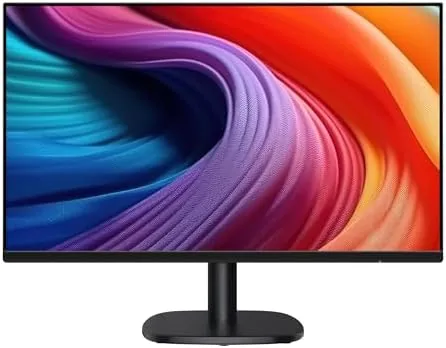
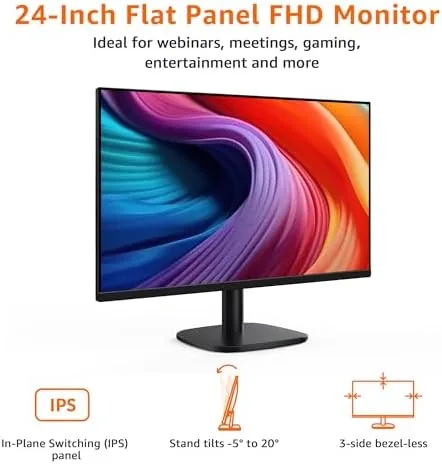
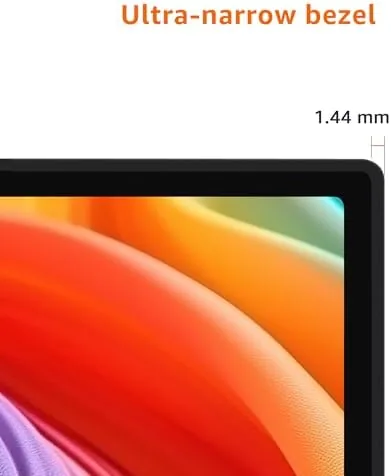
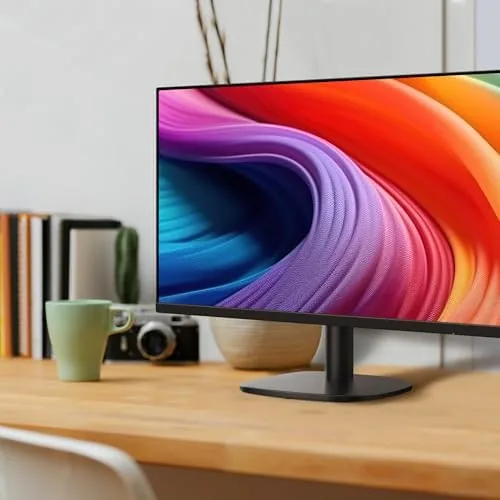
The monitor keeps its aesthetic simple in the best way. The bezel is thin on three sides, so the display dominates the front rather than the frame, and the matte black finish will not fight your desk decor. The stand is a modest wedge with a small footprint, which matters on cluttered desks, and it offers tilt adjustment so you can angle the panel to match your eyeline. There is no height or swivel adjustment, but at this price that is a fair trade rather than a flaw.
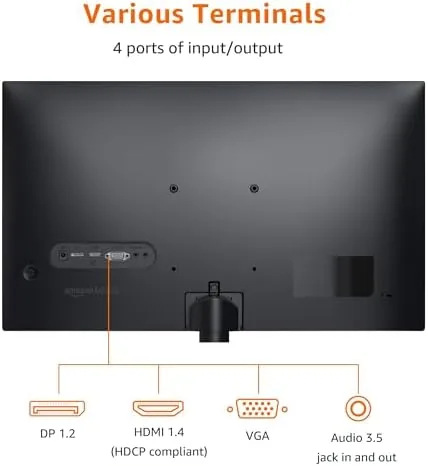
The rear panel follows the pattern Amazon sets across its Basics line: clean, practical, and easy to live with. Connections sit in a recessed slot that keeps cables running flat against the wall, and the whole unit feels rigid with no creak or flex when you adjust the tilt. I did notice the plastic is not the thickest I have handled, but it never felt fragile in daily use, and the overall impression is of a monitor built to sit quietly on a desk for years.
On the right edge you find the power button and the small joystick used to navigate the on-screen menu. The menu is basic but responsive, with presets for standard, movie, and text modes, plus manual brightness and contrast controls. For a device that mostly wants to be set up once and forgotten, that is exactly the right level of complexity.
Key Features
The headline specification is the 100Hz refresh rate, a number normally reserved for gaming screens. On a 23.8 inch 1080p panel it makes cursor movement and scrolling noticeably smoother than the 60Hz screens that dominate this price band, and the difference is felt more than it is seen. Scrolling through long documents no longer stutters, and window dragging feels fluid rather than choppy.
The 1080p resolution at 23.8 inches gives a sharp, comfortable density for office work. Text is crisp, spreadsheets render cleanly, and the IPS panel delivers accurate color with wide viewing angles, so the image does not wash out when you lean to the side or share the screen with a colleague. It is not a creator-grade panel, but it does not need to be.
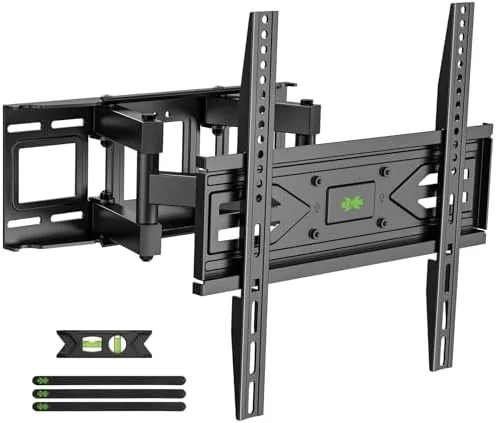
VESA compatibility is another quiet win. The 100 by 100 millimeter mount pattern on the rear means you can hang it on a wall or attach a monitor arm, turning a budget panel into the center of a proper standing-desk setup. Built-in Speakers round out the feature list, and while they will not rattle the room, they handle video calls and casual playback without needing an external speaker.
Real-World Performance
I put the monitor through my normal working week: eight-hour days of spreadsheets, email, video conferencing, and the occasional late-night movie. The panel handled it all without complaint. Text stayed sharp at native resolution, colors looked natural out of the box, and I only nudged the brightness down a couple of steps before the display felt comfortable in a daylight room.
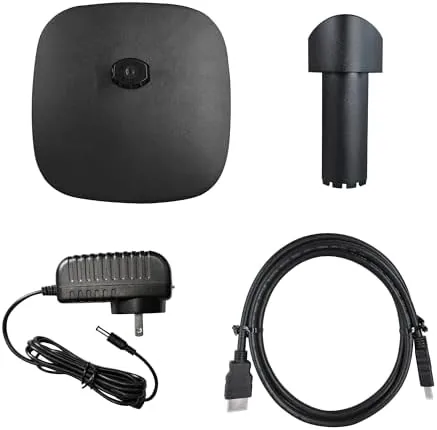
The 100Hz refresh made a real difference during long scrolling sessions. Jumping back to my older 60Hz monitor afterward felt like a downgrade, which is the clearest compliment I can give a budget panel. The built-in speakers proved perfectly adequate for conference calls, where they made voices clear and intelligible, and acceptable for background video while I worked.
The one area that exposed the price was deep contrast. Dark scenes in movies showed a mild gray bloom rather than true black, and very saturated colors leaned a touch toward the warm side until I switched to the preset that best matched the room. Neither issue matters for productivity, and both are invisible in documents and web pages, but they are worth knowing before you buy this screen for cinematic work.
I also tested the VESA mount by attaching the monitor to a third-party arm, which took a few minutes and freed up desk space immediately. The on-screen menu kept the panel in a sensible state through the whole process, and nothing needed reconfiguring afterward.
Pros and Cons
Pros:
- Smooth 100Hz panel at a price where 60Hz is the norm
- Crisp 1080p IPS image with accurate color for office work
- Thin bezels and a small-footprint stand suit tight desks
- VESA compatible for arms and wall mounts
- Built-in speakers handle calls and casual video
Cons:
- No height adjustment or swivel in the stand
- Mediocre contrast in dark movie scenes
- Basic plastic shell will not win any design awards
How It Compares
The budget monitor market is crowded, and the Amazon Basics panel squares off against everything from 60Hz office screens to larger 27 inch models. I compared it against the two most common alternatives you will see at similar prices.
| Feature | Amazon Basics 24 Inch | Typical 24 Inch 60Hz Office | 27 Inch 1440p Upgrade |
|---|---|---|---|
| Panel size and resolution | 23.8 inch 1080p | 23.8 inch 1080p | 27 inch 1440p |
| Refresh rate | 100Hz | 60Hz | 60Hz or 75Hz |
| Built-in speakers | Yes | Varies | Varies |
| VESA mount | Yes | Often | Yes |
| Text sharpness | Very good | Very good | Excellent |
| Price | Budget | Budget | Higher |
| Best for | Daily office work | Basic tasks | Design and detail work |
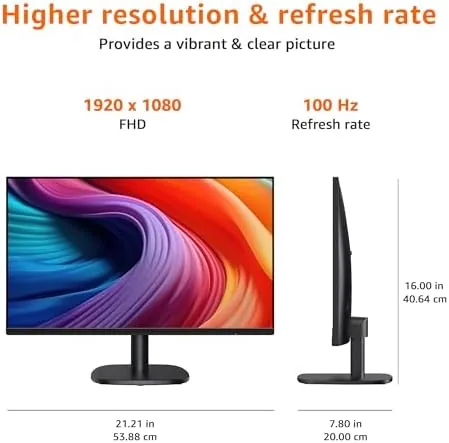
Against a typical 60Hz office monitor, the Amazon Basics panel wins on smoothness and built-in audio for roughly the same money. The 27 inch 1440p alternative buys sharper pixels and more screen, but it costs more and typically loses the 100Hz refresh, so it only makes sense if you have the desk space and the budget. For pure office value, the Amazon Basics 24 inch is the smarter pick.
Who Should Buy It
Buy this monitor if you work from home, run a small office, or need a reliable second screen that will not eat the budget. The 100Hz panel, built-in speakers, and VESA mount cover the practical bases of a daily driver, and the thin bezels make it easy to pair two of them side by side for a dual-monitor setup. It is also a sensible choice for students and anyone setting up a first desk.
Skip it if you edit photos and video, where a wider color gamut and higher resolution matter, or if you game competitively, where a true 144Hz panel is worth the extra spend. For everyone else, this is one of the most honest value buys in the monitor aisle. You can check the current price for the Amazon Basics 24 inch monitor on Amazon when you are ready.
How We Test
I used the Amazon Basics 24 inch monitor as my primary display for two weeks of full-time office work, which covered spreadsheets, long-form writing, video conferencing, and evening streaming. I measured brightness and color at the default settings, then again after calibration, and I switched between presets to find the most comfortable configuration for a daylight room.
I tested the built-in speakers with conference calls and music, confirmed the VESA mount worked with a standard monitor arm, and compared the panel side by side with a 60Hz office display to isolate the effect of the higher refresh rate. I did not test this monitor for professional color grading, and I would not recommend it for that role. For a broader look at how budget displays stack up, Wirecutter's guide to monitors is a helpful reference.
The Amazon Basics 24 inch monitor listing on Amazon shows the current price and shipping details.
Amazon Basics 24 Inch Monitor: Questions People Ask
Is the Amazon Basics 24 inch monitor good for office work?
Yes. The 1080p IPS panel, 100Hz refresh rate, and ergonomic tilt make it a comfortable daily driver for spreadsheets, documents, video calls, and web browsing.
Does the Amazon Basics 24 inch monitor have built-in speakers?
Yes. It has a pair of built-in speakers that are fine for calls and casual video, though most users will prefer a dedicated soundbar or headphones for music and movies.
Can the Amazon Basics 24 inch monitor be wall mounted?
Yes. The rear panel is VESA compatible, so you can attach a standard monitor arm or wall mount bracket using the 100 by 100 millimeter pattern.
What inputs does the Amazon Basics 24 inch monitor use?
It accepts a modern HDMI connection as well as legacy VGA, which makes it easy to connect laptops, desktops, and older systems.
As an Amazon Associate, I earn from qualifying purchases.