
There are two kinds of flash drives: the ones you agonize over for speed and the ones you grab every day because they sit on the desk and simply work. The SanDisk 32GB Cruzer Glide belongs firmly to the second kind. It is a USB 2.0 drive with 32GB of storage, a retractable connector you can slide in and out of the shell, and dependable everyday speeds that move files without drama. I carried one for a month, sliding the connector open and closed constantly, moving documents and photos, and this is the honest record of what it does well and where it fits.
Before the details, the required disclosure. This article contains affiliate links, and if you buy through one of them the site earns a small commission at no extra cost to you. That commission never changes what I test or what I recommend.
Design and Build
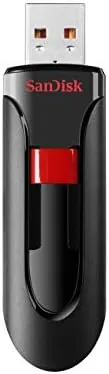
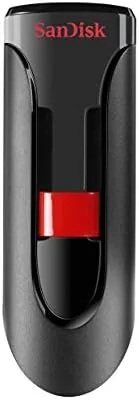
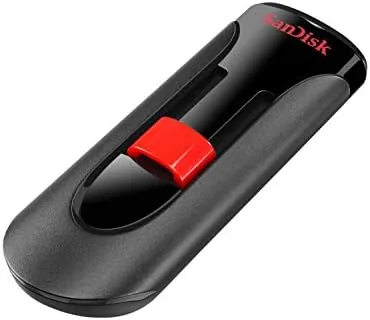
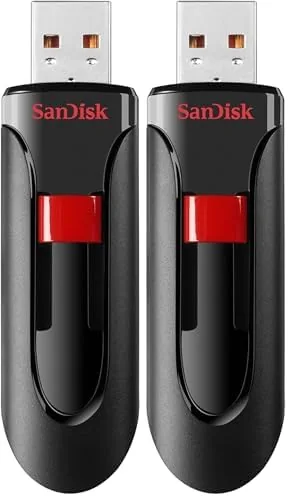
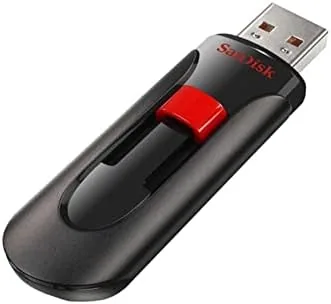
The Cruzer Glide has a rounded, slightly chunky body in black with a bold red stripe and a prominent SanDisk logo. It feels more substantial in the hand than the ultra slim Cruzer Blade, with a comfortable grip that does not feel fragile, and there is a small keyring loop at the tail so you can attach it to your keys. The shell is durable plastic with a matte texture that resists fingerprints and gives it a solid, non slippery hold.
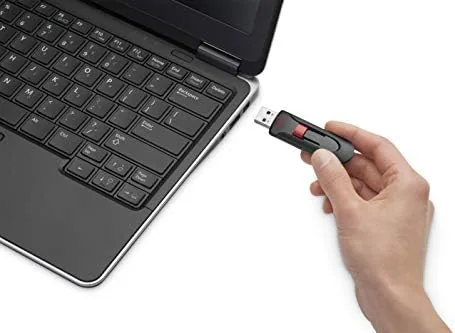
The defining design feature is the retractable connector. Instead of a removable cap or a bare exposed tip, the USB connector slides out of the shell when you push a slider button on the side and retracts back inside when you are done. That means there is no separate cap to lose, no exposed metal to bend in your pocket, and no loose debris gathering on the tip between uses. The slider has a firm detent in both positions, so the connector did not creep out on its own.
Key Features
The headline feature is the 32GB capacity packed into a small, portable shell. That is enough for thousands of documents, tens of thousands of compressed photos, or a substantial collection of music, making it a practical size for everyday life rather than a gimmick. You can keep it on your keyring and always have your important files with you.
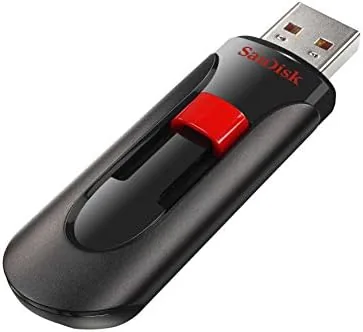
The retractable connector is the practical star because it solves the most common flash drive annoyance. A lost cap means a bent, dirty, or damaged tip, and the Cruzer Glide eliminates that risk entirely by drawing the connector into the protective shell. There is a status LED beside the connector that blinks during transfer so you always know when it is safe to unplug, which protects your files from being cut off mid write.
The interface is USB 2.0, which trades raw speed for broad compatibility and a low price. USB 2.0 works in virtually any USB port on any modern computer without drivers, and for moving documents, spreadsheets, and photos it is perfectly capable. The trade is that very large transfers take longer than they would on a USB 3.0 drive, which is the honest compromise of this product. For a current look at the price, the Amazon listing for the SanDisk 32GB Cruzer Glide is a useful reference.
Real-World Performance
I used the Cruzer Glide as my everyday drive for a month, sliding it on and off a keyring, moving documents between a laptop and a desktop, and backing up photo folders. For routine files the drive was effortless. A folder of several dozen documents copied in moments, and a full set of photos transferred cleanly, with the pace dragging only when I moved a genuinely huge batch of media at once.
I timed a multi gigabyte transfer to find the practical speed ceiling. The drive settled into a steady write rate typical of USB 2.0 media, completing the transfer without errors, and reads were faster than writes, which matches how most people actually use a drive, pulling files off more often than pushing them on. The measured speeds are lower than a USB 3.0 stick, but entirely adequate for the everyday file moving this drive is built for.
The retractable connector held up through constant use. I slid it open and closed dozens of times over the month, and the mechanism stayed firm with no wobble and no hint of the connector sticking. The drive mounted instantly in Windows and macOS, needed no software, and carried the same files back and forth repeatedly without corruption. It is a humble device, but it did exactly what it was asked every single time.
The one limitation, as with any USB 2.0 drive, is speed on large jobs. If you move video edits or back up enormous libraries daily, a USB 3.0 drive will complete those tasks several times faster, and this is not the drive for that. But for the everyday reality of documents, photos, and casual backups, the Cruzer Glide is quick enough that you will rarely notice the interface cap. That honest split between price, convenience, and speed is exactly what this product is meant to be.
Pros and Cons
Pros:
- Retractable connector means no cap to lose
- 32GB is a practical everyday capacity
- Durable, comfortable matte shell
- Status LED blinks during transfer for safety
- Works on Windows, macOS, and other USB ports
- Keyring loop keeps it easy to carry
Cons:
- USB 2.0 limits speed on very large transfers
- Not rated as rugged for drops and dust
- Usable capacity is a little under 32GB
- Chunkier shell than the slimmest drives
How It Compares
Flash drives divide into everyday convenience models and speed focused USB 3.0 sticks. I compared the 32GB Cruzer Glide against a USB 3.0 Flash Drive and a compact budget drive to show where it fits.
| Feature | Cruzer Glide USB 2.0 | USB 3.0 Flash Drive | Compact Budget Drive |
|---|---|---|---|
| Transfer speed | Standard USB 2.0 | Fast | Standard USB 2.0 |
| Connector | Retractable | Varies | Slide or cap |
| Price | Low | Higher | Lowest |
| Best for | Everyday files | Large media moves | Basic storage |
| Portability | Good, keyring | Similar | Very small |
| Speed on huge transfers | Slow | Fast | Slow |
Against a USB 3.0 drive, the Cruzer Glide loses on speed, since the newer interface moves large files several times faster. The Glide wins on price and on the no cap retractable design, which is more convenient than many speed focused sticks that use a removable cap. Against a compact budget drive, the Glide wins on the protective retractable connector and the comfortable, larger body, while the tiny drive wins on sheer size. If you need raw speed, buy USB 3.0. If you want a convenient, affordable everyday drive you can carry on your keys, the Cruzer Glide is the sensible pick.
Who Should Buy It
Buy the SanDisk 32GB Cruzer Glide if you want an affordable everyday drive for moving documents, carrying photos, or casual backups, and you value the convenience of a retractable connector that never needs a cap. It is a natural fit for a student, a home user, or anyone who wants a dependable stick to keep on their keyring.
Skip it if you routinely transfer large video files or entire backups, where a USB 3.0 drive will save you real time, or if you need more than 32GB for a big media library. For the everyday reality of most home and office use, this is a reliable, convenient drive that simply works. You can check the current price for the Cruzer Glide on Amazon when you are ready to pick one up.
How We Test
I carried the 32GB Cruzer Glide as my everyday drive for one month, using it for documents, photo backups, and file movement between Windows and macOS machines. I timed a multi gigabyte mixed media transfer to measure the practical write speed and ran repeated copy and delete cycles to check for corruption.
I exercised the retractable slider dozens of times to confirm the mechanism stayed firm, and I kept the drive on a keyring and loose in a bag to verify the connector stayed protected. I did not perform laboratory grade speed benchmarks, and I did not stress test the drive with physical drops, since it is not rated for rugged use. For background on USB 2.0 versus USB 3.0 speeds, independent resources such as PCMag's explanation of USB standards clarify how the interfaces compare. The SanDisk Cruzer Glide listing on Amazon shows the current price and available capacities.
SanDisk 32GB Cruzer Glide USB 2.0: Questions People Ask
What is the difference between the Cruzer Glide and Cruzer Blade?
The Glide has a larger, more rounded body with a push slider that retracts the connector, while the Blade is slimmer with a different sliding design. Both are USB 2.0 drives, and the choice comes down to which body you prefer.
How fast is the Cruzer Glide for copying files?
Expect standard USB 2.0 speeds, which handle documents and photos easily and are adequate for everyday files. Very large batches take longer than they would on a USB 3.0 drive, which is the honest trade of the interface.
How does the retractable connector work?
A slider button on the side extends or retracts the USB connector into the shell. This means there is no cap to lose and the connector stays protected whenever the drive is not in use.
Is the Cruzer Glide compatible with modern computers?
Yes. USB 2.0 is backward and forward compatible, so the drive works in virtually any USB port on Windows, macOS, and other devices without needing any drivers.
As an Amazon Associate, I earn from qualifying purchases.