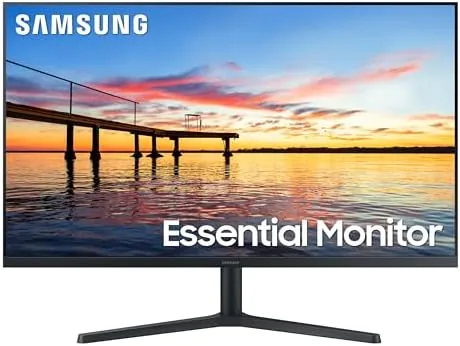

There is a quiet revolution happening in office displays, and it has nothing to do with pixel counts. For years the standard work monitor was a 24 inch panel with a thick bezel, a 60Hz refresh rate, and a faint hum of acceptance that this was simply what a desk looked like. That baseline is shifting, and the Samsung 32 inch flat monitor is a good example of why. It pairs a near borderless Full HD panel with a 75Hz refresh rate, AMD FreeSync, and a suite of eye comfort features, all at a price that sits comfortably in the mainstream. This review covers whether that combination actually changes your daily experience or just looks good on a spec sheet.
Before the details, the standard note. This article contains affiliate links, and if you buy through one of them the site earns a small commission at no extra cost to you. That commission does not change what I test or what I recommend, and every product here is treated the same way I would treat one bought with my own money.
Design and Build
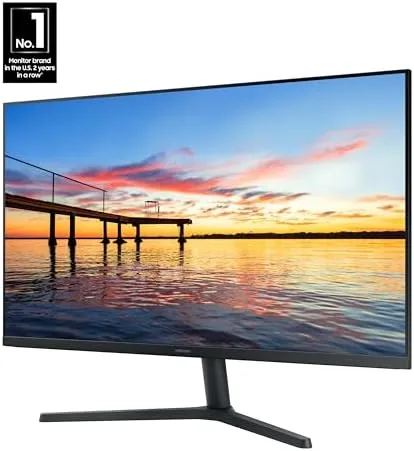
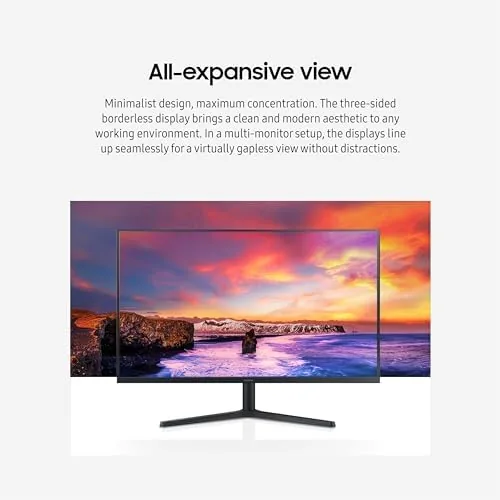
The first impression is the frame, or rather the lack of one. The bezel is thin enough that the panel appears to float on the desk, and in a multi monitor setup the gap between screens shrinks to nearly nothing. For anyone who has spent years looking at chunky plastic borders, the difference is immediate and pleasant. The stand is simple and functional, offering tilt adjustment and a stable base that does not wobble when you type.
Connections live on the rear panel: one HDMI port, one DisplayPort, and a headphone jack. There is no speaker worth discussing, so plan for external audio if sound matters to you, and there is no height adjustment in the stand, so a monitor arm is the solution for exact placement. The VESA mounting holes on the back make that arm upgrade straightforward.
Key Features
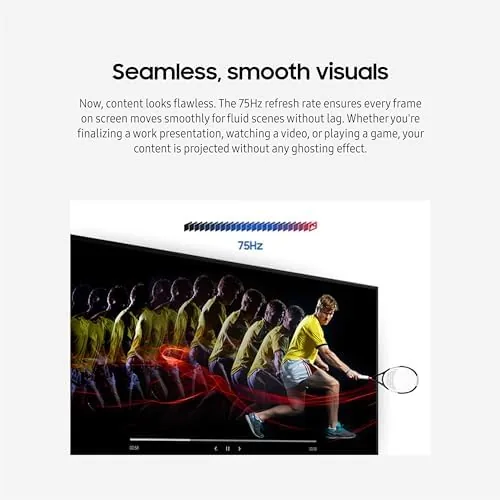
The 75Hz refresh rate is the quiet hero of this monitor. A standard display refreshes sixty times per second, and moving your cursor across a desktop at that rate produces a subtle stutter that most people have simply learned to ignore. At 75Hz that stutter smooths out, and the effect is most visible in scrolling long documents and dragging windows between screens. It is a small number on paper and a real change in daily use.
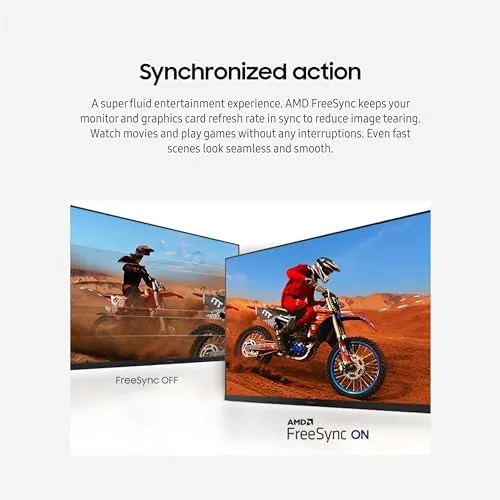
AMD FreeSync handles the other side of the motion story. When the frame rate drops during video or light gaming, FreeSync keeps the display in sync with the source and prevents the tearing that appears on mismatched screens. Combined with the Game Mode preset, which tweaks response time and contrast, the monitor punches above its price for casual play.
Eye care rounds out the feature set. A Flicker Free backlight removes the high frequency flicker that causes fatigue in sensitive users, and a dedicated blue light setting cuts the harsh tint that keeps you awake past midnight. Both are standard features now, but they are well implemented here and easy to reach through the on screen menu.
Real-World Performance
I used this monitor as my primary display for a full work week, which meant eight hours a day of documents, spreadsheets, video calls, and the occasional late night scroll. The size is the first thing you notice. A 32 inch panel at 1080p offers generous space, and while the pixel density is not what you get from a 1440p panel, the text is clean and readable at a normal viewing distance.
The 75Hz refresh became apparent within minutes. Scrolling through a long spreadsheet felt fluid where it used to feel sticky, and switching between applications lost the slight smear I had accepted as normal. FreeSync never visibly engaged during office work, which is the point: it waits in the background and only matters when the frame rate drops.
For casual gaming the monitor held its own. I played a session of a racing title at medium settings, and the combination of Game Mode and FreeSync delivered smooth motion with no visible tearing. This is not a competitive esports panel, and the response time will not satisfy a hardcore player, but for an evening of play on a shared family computer it is more than adequate.
The 32 inch canvas also changes how you arrange your workspace. With a single large panel I could keep a document, a reference window, and a messaging app open side by side without the cramped feeling of three windows on a small screen. The borderless frame made the transition feel seamless, and the extra refresh rate kept everything moving smoothly. It is the kind of upgrade that does not announce itself on a spec sheet but shows up in how little you think about your monitor during the day, which is, in the end, the highest compliment an office display can earn.
Brightness and viewing angles were both adequate for a desk sitting in front of a window. The panel got bright enough to keep content readable in daytime, and the wide viewing angle meant colors stayed stable when I leaned back or angled the screen. There is minor washout from the far side, which is normal for a panel in this class, but nothing that interferes with real work.
Colors are the honest limitation. The panel is a standard IPS-class or VA implementation depending on the region, and it reproduces everyday content well, but it is not calibrated for creative work. Photo editors and designers will want a monitor with wider color coverage, while anyone doing office tasks, browsing, and light media will find the image pleasant and accurate enough.
Pros and Cons
Pros:
- Near borderless design that looks premium on any desk
- 75Hz refresh makes everyday scrolling noticeably smoother
- FreeSync and Game Mode cover casual gaming well
- Flicker Free and blue light settings reduce eye strain
- VESA mount ready for arm or wall installation
Cons:
- 1080p resolution on 32 inches means modest pixel density
- No height adjustment in the included stand
- Color accuracy is not suitable for professional editing
How It Compares
Set against the standard 24 inch 60Hz office monitor, this Samsung model wins on size, refresh rate, and looks. Against a higher resolution 1440p productivity panel, it loses on sharpness but wins on price and on the smoothness of the 75Hz refresh. The right choice depends entirely on what sits on your desk today.
| Feature | Samsung 32-Inch 75Hz | 24-Inch 60Hz Office | 32-Inch 1440p |
|---|---|---|---|
| Panel size | 32 inches | 24 inches | 32 inches |
| Refresh rate | 75Hz | 60Hz | Usually 60 to 144Hz |
| Resolution | Full HD | Full HD | Quad HD |
| Borderless design | Yes | Thick bezel | Model dependent |
| FreeSync | Yes | No | Often yes |
If you are coming from an aging office monitor, this is a large and visible upgrade. If you already run a high resolution panel, the appeal is narrower. For the majority of Home and office users, the blend of size, smoothness, and price makes it an easy recommendation.
Who Should Buy It
Buy this monitor if you spend your day in documents and browsers, if you want a single large screen instead of two cramped ones, or if you want a budget display that also handles occasional gaming without tearing. It fits neatly on a home office desk and disappears visually when the borderless panel is on.
Skip it if you edit photos professionally, if you need a 1440p or 4K canvas for dense work, or if competitive gaming is your main hobby, because those tasks need a different class of panel. For everyone else, this is one of the better mainstream upgrades available. You can check the current price of this Samsung monitor on Amazon if it looks like the right size for your desk.
How We Test
I tested this monitor as a primary display for a full working week, which is the only honest way to judge a product built for long sessions. I logged display settings, checked the on screen menu for ease of use, ran FreeSync with a variable frame rate source, and verified the blue light and Flicker Free modes through extended use.
I also tested the response in casual gaming, the stability of the stand during typing, and the quality of the image across brightness levels. For reference on what to expect from modern budget panels, independent coverage such as TechRadar monitor guides is a useful companion when comparing models.
The Samsung 32 inch monitor listing on Amazon shows the current price, connection details, and customer photos of the borderless design in real setups.
Questions People Ask
Is the 75Hz refresh rate noticeable for office work?
Yes, scrolling and window movement feel measurably smoother than 60Hz, and the difference is immediately obvious when you move a window across the desktop.
Does this monitor support gaming consoles?
It connects over HDMI, so a console works fine, and the Game Mode plus FreeSync makes it a reasonable budget screen for casual play.
What does the eye care feature actually do?
Flicker Free backlighting and a blue light reduction setting lower strain during long sessions, and the toggle is easy to reach in the on screen menu.
Can the monitor be wall mounted?
Yes, the rear panel includes standard VESA mounting holes, so you can attach an arm or a wall bracket without adapters.
As an Amazon Associate, I earn from qualifying purchases.



