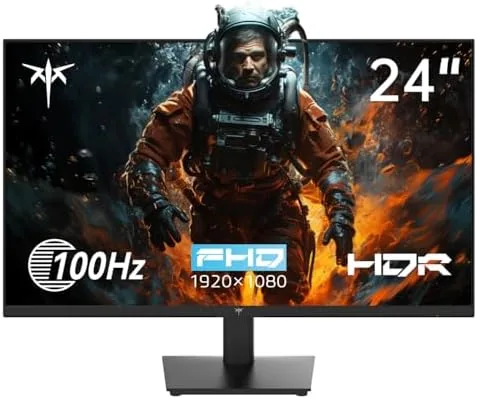

The budget monitor market is crowded with 24 inch 1080p panels that all look identical on paper. Most of them refresh at 60Hz, which is fine for spreadsheets but feels sluggish when you scroll a long document or drag windows around a desktop. The KTC 24 Inch 1080P monitor tries something slightly different: it keeps the sensible 24 inch size and adds a 100Hz refresh rate, along with HDR10, FreeSync, and a frameless look, at a price that stays firmly in budget territory. I used this monitor as my daily work screen for weeks, and the refresh rate made more difference than I expected.
Before the details, a standard note. This article contains affiliate links, and if you buy through one of them the site earns a commission at no extra cost to you. That commission does not change what I test or recommend, and the monitor in this review was used the way you would use yours.
KTC is a brand that has built its reputation on budget gaming monitors, and this 24 inch model carries that DNA into an office friendly package. It offers a 100Hz refresh rate over HDMI, 1080p resolution at a size that is comfortable for long sessions, and eye care features for people who stare at screens all day. This review covers the design, the panel quality, the refresh rate in practice, connectivity, and the real value of the eye care features.
Design and Build
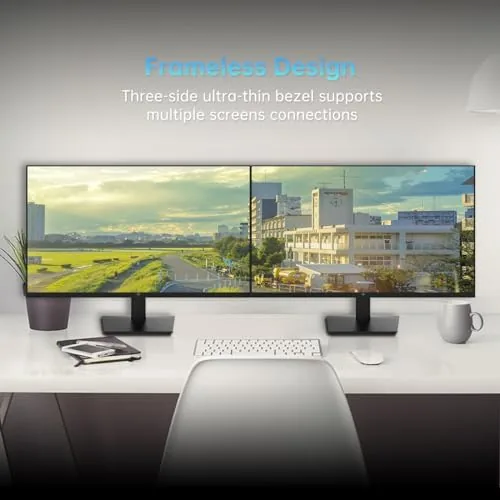
The monitor has a clean, modern look with a frameless three side bezel that makes it feel bigger than 24 inches. The bottom bezel is slim too, which keeps the whole front tidy on a desk. The stand is a simple Y shape with a tilt adjustment, and the panel is thin enough that the overall footprint is modest. The build is plastic, as expected at this price, but it is solid with no creaks or wobble at the desk.
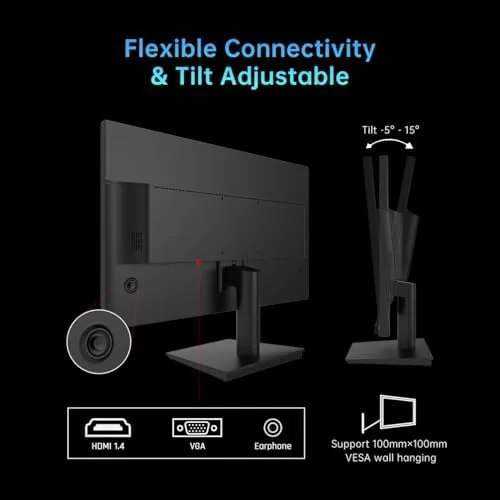
The port selection is practical for a budget work monitor. There is one HDMI port and one VGA port, which covers modern and older machines, and a headphone jack for private listening. There is no DisplayPort, which is fine at 1080p 100Hz since HDMI carries that easily. The 100Hz refresh rate is available over HDMI, and the monitor negotiates the mode automatically with most systems.
VESA mounting is supported with a standard 75 by 75 millimeter pattern, which makes the monitor easy to put on an arm. That is a useful feature for people building a clean multi monitor setup, and it is not always present on budget panels. The tilt adjustment covers a reasonable range, though there is no height or swivel adjustment, which is typical at this price.
Key Features
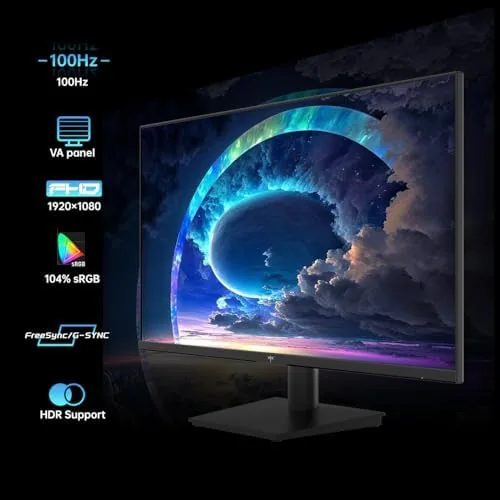
The 100Hz refresh rate is the headline feature. At this price, most 24 Inch Monitors run at 60Hz, and the jump to 100Hz makes scrolling, cursor movement, and window dragging feel noticeably smoother. It is not a gaming panel's 144Hz or 240Hz, but for Everyday Work it removes the judder that makes 60Hz panels feel dated.
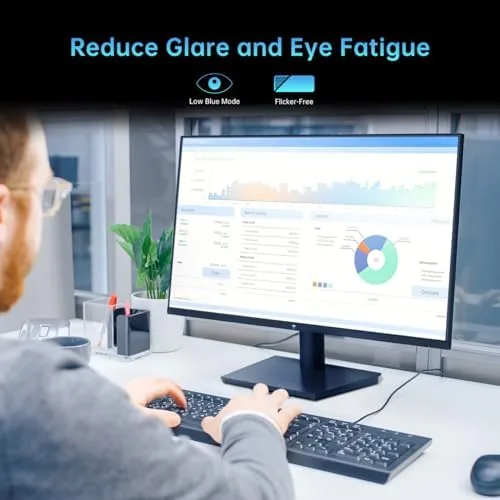
The eye care features are the second focus. The monitor offers low blue light and flicker free modes designed to reduce eye strain during long sessions, which is a real consideration for anyone who spends a full workday in front of a screen. The modes are toggleable from the on screen display, and they work by adjusting the backlight and color temperature.
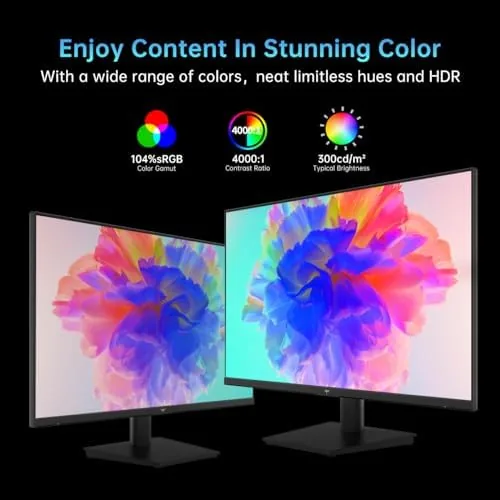
HDR10 support and FreeSync round out the feature set. HDR10 on a budget 1080p panel is a checkbox more than a visual revolution, but it improves contrast in supported content, and FreeSync reduces screen tearing when the monitor is used for light gaming with a compatible graphics card. The frameless design and the practical port selection complete a package aimed squarely at value.
Real-World Performance
The refresh rate is the part I noticed constantly. Moving between windows, scrolling through long pages, and even moving the cursor felt smoother than on a standard 60Hz office monitor, and after a week I could feel the difference when I switched back to a 60Hz panel. For a monitor that is priced as a budget work screen, this is a genuine quality of life improvement that you experience every minute of use.
The panel itself is a 24 inch 1080p IPS display, and the image quality is good for the price. Text is crisp at this size and resolution, colors are reasonably accurate out of the box, and viewing angles are wide enough that the image stays consistent when you lean to one side. It is not a color critical monitor, but for documents, spreadsheets, web work, and code, it looks clean and comfortable.
The eye care modes worked as advertised. With the low blue light mode enabled, the image warms up noticeably, which reduces the harsh blue cast that contributes to eye fatigue late in the day. The flicker free backlight is a background benefit that is hard to measure but easy to appreciate after a long session. I kept the mode on during the final week of testing and noticed less eye strain at the end of the day.
Light gaming performance was a pleasant surprise. I ran a few lighter games and some casual sessions, and the 100Hz refresh combined with FreeSync produced smooth, tear free motion. It will not match a dedicated high refresh gaming monitor, but for a monitor that is primarily a work screen, the ability to game on the same panel without tearing is a real bonus.
The honest limits are typical of the budget class. Brightness is adequate for an office with controlled lighting but not outstanding, and HDR10 content shows only modest contrast improvements. The built in speakers, if the model includes them, are basic and best replaced by headphones or external speakers. The stand offers tilt only, so you may want a VESA arm for full ergonomic adjustment.
Pros and Cons
Pros:
- 100Hz refresh rate makes daily work feel smoother
- Good 1080p IPS panel with crisp text
- Eye care modes reduce late day eye strain
- FreeSync support for tear free light gaming
- Frameless design looks modern on a desk
- VESA mounting for arms and wall mounts
- Practical HDMI and VGA port selection
Cons:
- Brightness is modest in bright rooms
- HDR10 shows only modest gains at this price
- Tilt only stand, no height or swivel
- Built in speakers are basic
How It Compares
The KTC sits in the budget 24 inch category, where the main choice is between a standard 60Hz office panel and the higher refresh 100Hz option. The table below compares the KTC with a typical 60Hz budget monitor and a higher end 144Hz gaming monitor.
| Feature | KTC 100Hz | Standard 60Hz | 144Hz Gaming |
|---|---|---|---|
| Refresh rate | 100Hz | 60Hz | 144Hz |
| Resolution | 1080p | 1080p | 1080p or 1440p |
| Panel type | IPS | IPS or VA | IPS or TN |
| FreeSync | Yes | Rarely | Yes |
| Eye care | Yes, low blue light | Sometimes | Sometimes |
| Price point | Budget | Budget | Premium |
If you only need a basic display for occasional use, a 60Hz panel is a few dollars cheaper. If you want a competitive gaming experience with high refresh and adaptive sync, a dedicated gaming monitor is worth the extra money. The KTC is the middle option: the smoothness of a higher refresh panel at a budget price, without the gaming monitor premium. For lab tested monitor comparisons, RTINGS has tested and ranked budget monitors extensively.
Who Should Buy It
Buy the KTC 24 inch monitor if you work at a desk all day and want a smoother screen without spending gaming monitor money. It suits office workers, students, remote workers, and anyone building a home office setup. The eye care features and 100Hz refresh make it a strong daily driver, and the VESA mount support means it fits into a multi monitor arm setup cleanly.
Skip it if you need a color accurate panel for professional photo work, or if you want a dedicated high refresh gaming display. For a budget work monitor that feels faster than its price, this is an easy recommendation. You can check the current price of the KTC 24 inch monitor on Amazon if you are ready.
How We Test
I used the KTC monitor as my primary work display for several weeks, running spreadsheets, documents, web work, and long writing sessions. I compared the 100Hz refresh against a 60Hz panel for daily tasks, tested the eye care modes over full workdays, and ran light gaming sessions to check FreeSync behavior.
I did not run a calibrated color analysis or measure response time with lab equipment, and brightness was judged in a typical home office. For a thorough breakdown of what the specifications mean, PCMag has a guide to monitor panel types that explains the differences. The monitor is available on Amazon if you want to see current pricing.
KTC 24 Inch 1080P Monitor: Questions People Ask
Is 100Hz noticeable for office work?
Yes, at 100Hz scrolling, cursor movement, and window animation feel noticeably smoother than a standard 60Hz office panel.
Does it support FreeSync?
The monitor includes AMD FreeSync support, which reduces screen tearing when paired with a compatible graphics card during light gaming.
Can it be mounted on a VESA arm?
Yes, the monitor has a standard VESA mount pattern, so it fits most monitor arms and wall mounts for a cleaner desk setup.
Is the eye care feature useful for long workdays?
The low blue light and flicker free modes reduce eye strain during long sessions, though the effect depends on your room lighting and habits.
As an Amazon Associate, I earn from qualifying purchases.



