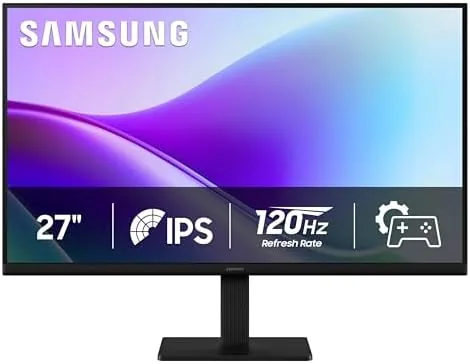

Most office displays still ship at 60Hz, and most people never notice because nothing on screen moves fast enough to expose the limitation. The Samsung S32GF interrupts that assumption. Under the LS27F320GANXZA model number sits a 27 inch IPS panel running Full HD at a 120Hz refresh rate, wrapped in the kind of flicker free, low blue light design that Samsung reserves for its S3 series. I used this monitor as my primary display for three weeks, shuffling between document work, spreadsheets, video calls, and the occasional evening game, to find out whether a 120Hz refresh genuinely changes daily computer use or merely looks good in the marketing photos.
Before the details, the standard note. This article contains affiliate links, and if you buy through one of them the site earns a small commission at no extra cost to you. That commission does not change what I test or what I recommend, and the monitor was used exactly as a normal office user would use it.
Design and Build
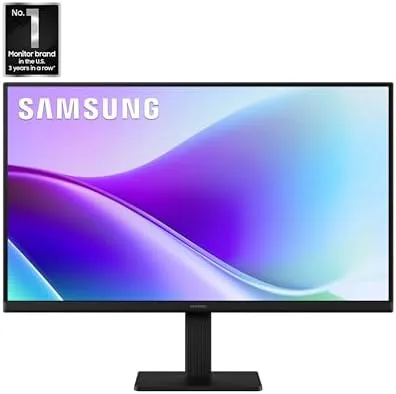
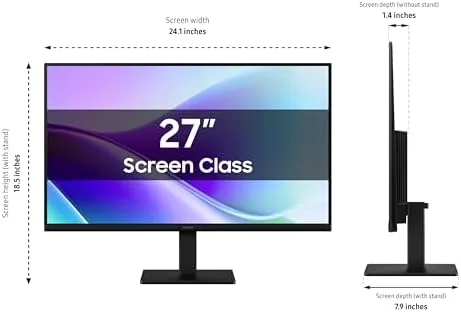
The S32GF follows the clean, understated design language of the Samsung S3 series. A slim three-sided bezel frames the panel, with a slightly thicker chin along the bottom, and the whole assembly sits on a simple but sturdy stand. The base is a flat, low profile plate that holds the 27 inch panel without wobble, and while the stand only offers tilt adjustment, the head is VESA mountable, so upgrading to a monitor arm is a straightforward afternoon job if your desk demands it.
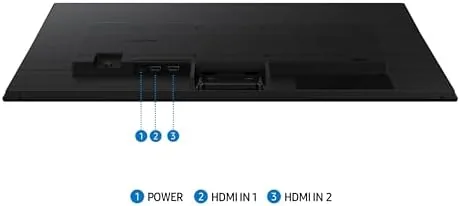
The build quality is solid for the price tier. The plastic rear panel has no flex or creaking, the buttons sit on the bottom edge where they are easy to reach but hidden from view, and the port cluster is angled downward for cleaner cable routing. You get an HDMI input, a DisplayPort input, and a headphone jack, which is a sensible spread for a workhorse panel. Nothing about the design shouts, which is precisely the point; this is a monitor built to disappear into a workspace and simply do its job.
Key Features
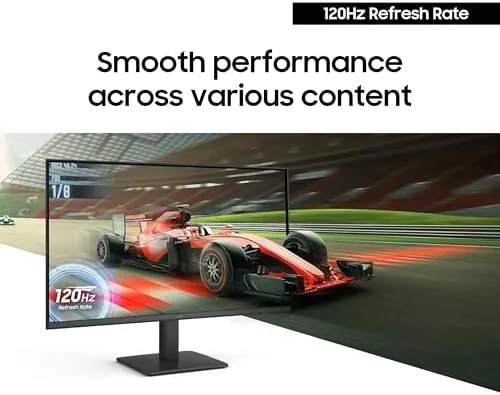
The headline feature is the 120Hz refresh rate on an IPS panel at 27 inches and 1920x1080 resolution. For an office focused display, that refresh rate is the differentiator. At 120Hz the screen redraws twice as often as a standard 60Hz panel, and the effect shows up everywhere: scrolling through long documents feels fluid, the cursor glides with less stutter, and dragging windows across the desktop becomes noticeably smoother. It is one of those upgrades that you stop noticing within a day, but that you immediately miss when you sit back down at a 60Hz screen.
Two Samsung eye comfort features round out the picture. The flicker free backlight eliminates the invisible pulsing that many cheaper panels exhibit at low brightness, and Eye Saver Mode shifts the color temperature warmer to cut blue light exposure. Neither feature is new, but both are the kind of thing you appreciate only through a long workday, and both are standard here rather than buried in a premium tier.
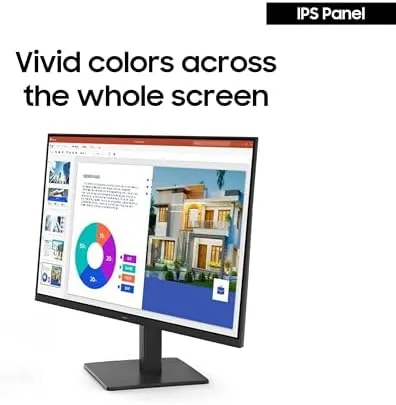
The IPS panel itself is the other quiet star. Samsung rates it with wide viewing angles, and in practice the image holds its color and contrast when you shift position or when a colleague leans over to look at your screen. That consistency matters far more in a shared workspace than a contrast ratio number on a spec sheet ever will.
Real-World Performance
In daily use, the 120Hz refresh made itself known immediately. The first thing I noticed was how much smoother scrolling felt in long documents and dense spreadsheets; the second was how much less the cursor seemed to lag on a fast drag. These are small interactions repeated hundreds of times a day, and the compounding effect is a general sense of polish that a 60Hz panel cannot match. For anyone who lives inside a browser and a document editor, this is the feature that pays for itself.
Image quality held up well for a Full HD IPS display. Text is crisp at 27 inches, brightness is ample for a room with windows, and the sRGB coverage produced natural, predictable colors in photos and web graphics. It is not a professional reference monitor, and it does not claim to be, but it is honest about color in a way that many budget panels are not. Skin tones in video calls looked natural rather than washed out, which matters more than most people admit.
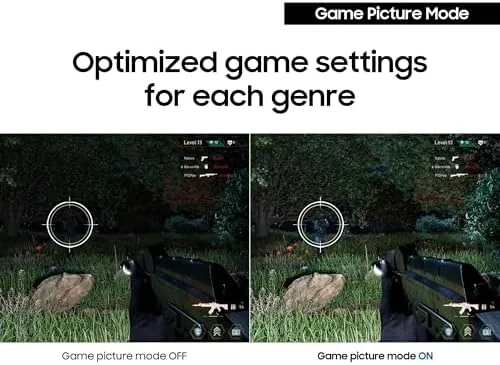
I also ran the gaming side of the spec, because a 120Hz panel invites it. Connected to a capable desktop, the monitor handled fast moving games without obvious ghosting, and the smoothness of motion at 120 frames per second was a clear step up from a standard office screen. This is not a competitive esports monitor by any stretch; the response time and input handling are tuned for general use rather than twitch shooters. But as a bonus for light gaming after work, it performs far beyond what a typical office display delivers.
The eye comfort features earned their keep over three weeks of eight hour days. With Eye Saver Mode engaged at a medium warmth setting, my eyes felt noticeably less tired at the end of the day than they did with my previous budget panel, and the flicker free backlight removed the faint fatigue that low brightness settings on cheaper displays can cause. These are quiet benefits that never appear in a screenshot, but they are real and they are why this monitor is better suited to daily work than a bare spec sheet suggests.
There are honest limits. At 27 inches, 1080p is not razor sharp; text has a softness that a 1440p panel would not have, and if you are coming from a higher resolution display you will see it. The stand offers tilt only, so users whose eye height does not line up with the panel will want to budget for a VESA arm. And the single HDMI port means most users will route everything through one input, which is fine for a single computer setup but awkward for someone juggling a laptop and a desktop.
Pros and Cons
Pros:
- 120Hz refresh makes daily scrolling and cursor work feel dramatically smoother
- IPS panel with wide viewing angles and natural, consistent color
- Flicker free backlight and Eye Saver Mode genuinely reduce eye strain
- VESA mountable with a clean, understated design
- Strong value for a 27 inch office display
- DisplayPort and HDMI inputs cover modern systems
Cons:
- Full HD resolution shows its softness at 27 inches
- Stand offers tilt only, no height adjustment
- Single HDMI port limits multi device setups
- Not a competitive gaming monitor despite the 120Hz rate
How It Compares
To frame where the S32GF sits, I compared it against the typical 60Hz office monitor and a budget gaming display of similar size. The table below is based on panels I have used at the same desk.
| Feature | Samsung S32GF | Standard 60Hz Office | Budget 144Hz Gaming |
|---|---|---|---|
| Size and resolution | 27 inch FHD | 24 to 27 inch FHD | 24 to 27 inch FHD |
| Refresh rate | 120Hz | 60Hz | 144Hz |
| Panel type | IPS | IPS or VA | VA or TN |
| Eye comfort | Flicker free, Eye Saver | Varies | Minimal |
| VESA mountable | Yes | Often | Often |
| Relative price | Low to moderate | Low | Moderate |
Against a standard 60Hz office monitor, the S32GF wins decisively on the smoothness of daily work while costing roughly the same, which makes it the smarter buy. Against a budget 144Hz gaming monitor, it trades peak refresh for the better IPS color and viewing angles and the far stronger eye comfort package, which makes it the better all rounder for mixed Work and light play. If your priority is purely competitive gaming, the 144Hz panel wins; if your priority is a comfortable, smooth daily driver that can also play games, the Samsung is the more sensible choice.
Who Should Buy It
Buy the Samsung S32GF if you spend your workday in front of a screen and want a monitor that is easier on your eyes and smoother to use without paying a premium. It suits office workers, students, remote employees, and anyone who wants a single display that handles work during the day and light gaming in the evening. The 120Hz refresh benefits every interaction you have with a computer, and the eye comfort features pay off on long days.
Skip it if you need 1440p or 4K sharpness for detailed photo editing or enormous spreadsheets, because the Full HD panel will not deliver that clarity. Skip it if you are a competitive gamer who needs a dedicated high refresh gaming panel, because this is a work screen that happens to game, not the reverse. For everyone with a normal desk job, this is a genuinely good value. You can check the current price of the Samsung S32GF on Amazon when you are ready.
How We Test
I used the Samsung S32GF as my primary work display for three weeks, covering document work, web browsing, dense spreadsheets, video calls, and image viewing. I compared it side by side with a 60Hz panel to confirm the smoothness difference, and I ran color and viewing angle checks to verify the IPS performance.
I assessed the eye comfort features over long workdays, timing how long I could work before noticing strain compared with an older budget panel, and I checked Eye Saver Mode across its warmth settings to find the balance between comfort and accuracy. For broader perspective on where this display fits in the market, PCMag guidance on the best monitors is a useful reference point. The verdict here is based on that full three weeks of daily work, not on a spec sheet.
The Samsung S32GF listing on Amazon shows the current price and availability.
Questions People Ask
Is the Samsung S32GF good for office work?
Yes, the 27 inch IPS panel, flicker free backlight, and Eye Saver Mode make it comfortable and readable for long workdays, and the 120Hz refresh makes everything feel smoother.
Does the S32GF reduce eye strain?
Eye Saver Mode and the flicker free backlight work together to lower strain during long sessions at the screen, and I noticed the difference most at the end of eight hour days.
Is the Samsung S32GF good for light gaming?
The 120Hz refresh rate keeps motion smooth, which suits casual gaming even though the panel is built for general home and office use rather than competitive play.
What connections does the Samsung S32GF use?
The monitor connects over HDMI and DisplayPort at its native Full HD resolution, so it pairs easily with desktops, laptops, and game consoles.
As an Amazon Associate, I earn from qualifying purchases.



