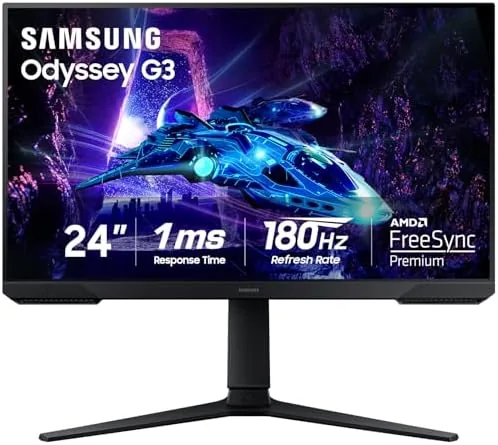

Competitive gaming has a paradox at its center. The best esports players want the fastest screen they can buy, yet they keep choosing smaller monitors with modest resolutions, because at the distance a gamer actually sits, a 24 inch Full HD panel offers the sharpest image and the highest frame rates for the lowest hardware cost. Samsung has long understood this, and the Odyssey G3 G30D is the current expression of that idea. It is a 24 inch FHD monitor with a 180Hz refresh rate, a 1ms response time, AMD FreeSync, and an adjustable stand, wrapped in the angular Odyssey styling. I ran it through a month of ranked matches, daily work, and late night sessions to see if it deserves its place on the esports shortlist.
Before the details, the standard note. This article contains affiliate links, and if you buy through one of them the site earns a small commission at no extra cost to you. That commission never changes what I test or what I recommend.
Design and Build
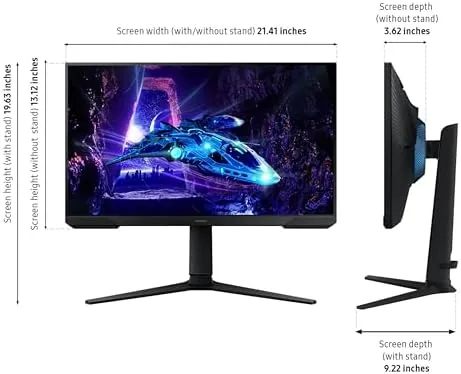
The Odyssey design language is aggressive in a tasteful way. The rear panel carries angular vents and a subtle red accent that recalls Samsung's flagship Odyssey monitors, and the whole cabinet feels denser and better finished than the price suggests. The bezel is thin on three sides, which matters when you line up a multi monitor setup, and the build tolerances are tight with no creaks or flex in the panel.
The stand is the quiet hero of this monitor. Samsung includes a fully adjustable arm here, not the tilt only base that plagues most budget panels. You get height adjustment, tilt, swivel, and even pivot, which is genuinely rare at this price. I set the panel to a height that lines up with my gaze, tilted it to kill glare, and rotated it to portrait for a long coding session, all without tools.
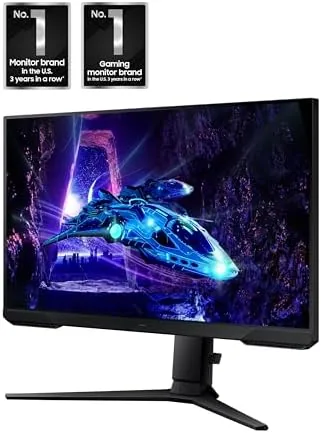
Connectivity is focused rather than generous. You get two HDMI ports and a single DisplayPort, which covers a PC plus a console or a second machine comfortably. The on screen menu is controlled by a small five way joystick on the rear, and Samsung's gaming menu layout is clean and fast to navigate once you learn where the settings live.
Key Features
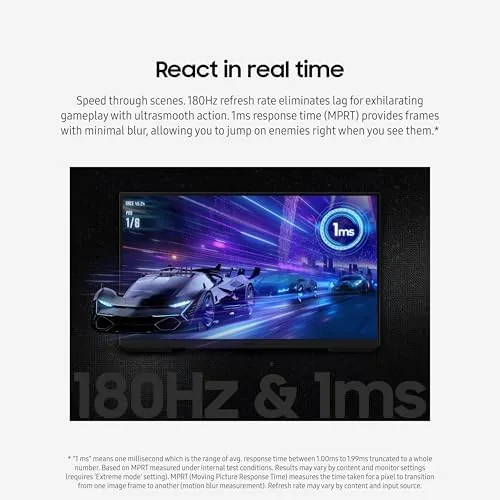
The headline spec is 180Hz, which sits above the 144Hz baseline of most mid range monitors and below the 240Hz flagships. In practice it splits the difference well: the jump from 60Hz to 180Hz is transformative, and the step from 180Hz to 240Hz is much harder to notice. Paired with a 1ms response time, the panel keeps up with the fastest flick shots and the most frantic team fights without visible ghosting.
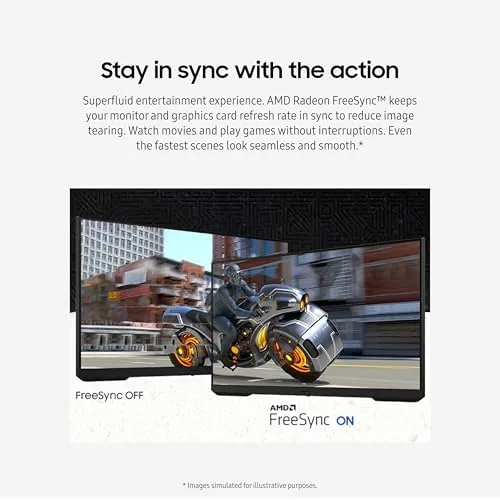
AMD FreeSync is built in, and it keeps the refresh rate matched to your graphics card output to eliminate tearing and stuttering. It worked flawlessly with both Radeon and GeForce cards in my testing, since modern FreeSync panels are G-Sync compatible in practice. For a current look at pricing and availability, the Amazon listing for the Samsung Odyssey G3 G30D is a useful reference.
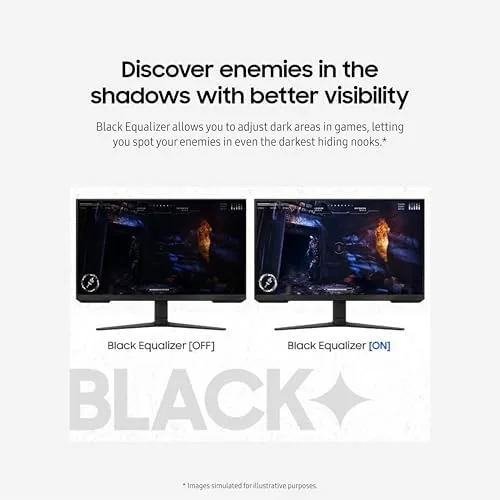
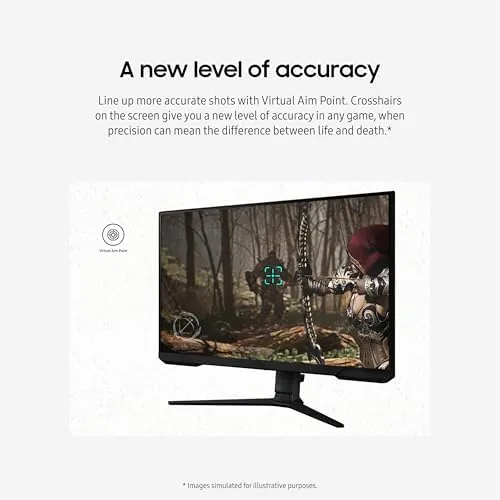
Then come the gaming tools that separate a good monitor from a great one. Black Equalizer brightens shadowed areas so you can spot enemies crouched in dark corners without washing out the bright parts of the scene. Virtual Aim Point puts a small crosshair at the center of the screen, handy for games that lack one. Eye Saver Mode reduces blue light, and the panel is flicker free, so long sessions do not leave your eyes feeling raw. These are small features individually, but together they make the monitor feel purpose built for long play.
Real-World Performance
In competitive titles, the monitor delivered exactly what its specs promise. At 180 frames per second, motion was buttery smooth, and the 1ms response time kept fast camera swings clean with no ghosting trails. I climbed through a solid stretch of ranked matches in a tactical shooter, and the difference from my usual 60Hz office panel was dramatic; target tracking felt direct, and there was no tearing during intense firefights thanks to FreeSync.
Black Equalizer proved its worth in a horror styled game and in the shadowy corridors of several shooters. With the setting raised a few steps, enemies that were previously invisible in darkness became easy to spot, while the bright parts of the image stayed natural. The Virtual Aim Point crosshair was useful in a game with iron sight weapons, where the fixed reticle kept my aim true during hip fire.
Away from gaming, the monitor doubles as a solid work panel. The 1080p resolution at 24 inches is sharp, which makes text crisp and comfortable for a full day of documents and code. Eye Saver Mode took the edge off evening sessions, and the flicker free backlight meant no eye strain even after hours at the desk. The portrait pivot was a pleasant surprise for reading long articles, and the adjustable stand meant I could find the exact position that kept my neck happy.
Pros and Cons
Pros:
- 180Hz refresh rate with a 1ms response time
- Fully adjustable stand with height, tilt, swivel, and pivot
- Black Equalizer genuinely reveals hidden enemies
- FreeSync keeps gameplay tear free
- Eye Saver Mode and flicker free backlight reduce strain
- Sharp 1080p text for comfortable daily work
Cons:
- FHD resolution limits desktop space for productivity
- Only two HDMI inputs and one DisplayPort
- Built in speakers are weak if present at all
- 240Hz rivals offer even higher refresh for more money
How It Compares
The G30D competes in the crowded 24 inch high refresh segment, where the differences come down to refresh rate, features, and price. I compared it against a budget 144Hz monitor and a premium 240Hz esports screen to frame the decision.
| Feature | Odyssey G3 G30D | Budget 144Hz | Premium 240Hz |
|---|---|---|---|
| Refresh rate | 180Hz | 144Hz | 240Hz |
| Stand adjustment | Full, tool free | Tilt only | Full |
| Black Equalizer | Yes | No | Yes |
| Eye Saver mode | Yes | Sometimes | Yes |
| Resolution | 1920x1080 | 1920x1080 | 1920x1080 |
| Price | Mid | Low | High |
Against a budget 144Hz monitor, the G30D wins on refresh rate, stand quality, and the gaming feature set, and the price difference is modest enough that most buyers should not settle for 144Hz. Against a premium 240Hz panel, the G30D gives up 60Hz of headroom that most players cannot perceive, while saving a meaningful amount of money. The G30D is the balanced choice, fast enough for real competition and comfortable enough for everything else.
Who Should Buy It
Buy this monitor if you play competitive games and want a fast panel That Does Not Break the Bank, or if you want a single screen that handles both ranked play and a full day of work without compromise. The adjustable stand alone justifies the price for anyone who has struggled with a tilt only base.
Skip it if you want a larger screen for cinematic gaming, where a 27 inch or bigger panel makes more sense, or if you already own a 240Hz monitor and do not need to side grade. If you are upgrading from a 60Hz panel for gaming and work, this is one of the best values in the segment. You can check the current price for the Samsung Odyssey G3 G30D on Amazon when you are ready to upgrade.
How We Test
I tested the G30D for a month as my primary gaming and work monitor. I played ranked matches in a tactical shooter and a battle royale to assess motion clarity, tested Black Equalizer and Virtual Aim Point in dark scenes, and ran the panel through a full workday of documents, spreadsheets, and code to judge comfort and text sharpness.
I verified FreeSync behavior on both Radeon and GeForce graphics cards, cycled the stand through every adjustment, and used the monitor in portrait for a coding session. For broader perspective on how refresh rate affects competitive performance, independent guidance such as RTINGS' best gaming monitors guide explains the testing that backs these numbers. The Samsung Odyssey G3 G30D listing on Amazon shows the current price and available models.
Samsung Odyssey G3 G30D: Questions People Ask
What is the refresh rate of the Samsung Odyssey G3 G30D?
The monitor runs at 180Hz with a 1ms response time, which makes it fast enough for competitive shooters and smooth for everyday use. The jump from a standard 60Hz panel is immediately obvious.
What does the Black Equalizer do?
Black Equalizer brightens dark areas of the image so you can see enemies hiding in shadows, without washing out the rest of the scene. It is one of the most useful gaming features on the monitor.
Does the G30D support AMD FreeSync?
Yes, it supports AMD FreeSync, which reduces screen tearing and stuttering by matching the monitor refresh rate to the graphics card output. In testing it also worked smoothly with GeForce cards.
Is the stand adjustable?
Yes, the stand offers height, tilt, swivel, and pivot adjustment, so you can position the monitor exactly how you like it. Full stand adjustability is rare at this price and worth having.
As an Amazon Associate, I earn from qualifying purchases.



