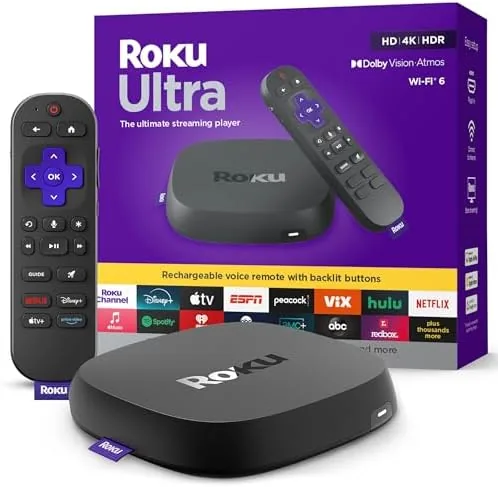

The Streaming player used to be the quiet accessory at the back of the television, a box you set once and forgot until the remote went missing. The Roku Ultra asks for more attention than that, and after several weeks plugged into my main living room set I understand why Roku calls it the ultimate streaming player. This is the company flagship, the model that keeps Dolby Vision, adds Wi-Fi 6, and ships with a rechargeable Voice Remote Pro with backlit buttons, a headphone jack, and a remote finder. It is also the most expensive thing Roku sells for your television short of a soundbar, so the question of who actually needs it matters.
Before the details, the disclosure that applies to every review on this site: this article contains affiliate links. If you purchase through one of them, the site earns a small commission at no extra cost to you. That arrangement does not change what I test or what I write, and I have no financial relationship with Roku beyond being a customer who bought the review unit through a standard retail listing.
Design and Build
The Roku Ultra has always been a small black box rather than a dongle, and that form carries real practical value. It measures roughly four and a half inches square and about an inch tall, which means it can sit on a media shelf, behind a television stand, or even mounted to the back of the set with the included adhesive pad and tape. The box is light enough that the HDMI cable alone will not drag it off a shelf, and the front has a single status light that stays dim in normal use, a welcome departure from the glowing logos on some competitors.
Ports live around the back edge and include HDMI 2.1, an Ethernet port that is the quiet hero of the design, a USB-A port, a microSD slot, and a power jack. Wired connections remove an entire class of streaming stutters in older homes where Wi-Fi is flaky. The microSD slot lets you expand storage for extra channels, and the USB port plays media files from a flash drive. The case is matte black plastic with a lightly textured top, and while it will not win any design awards, it disappears into a rack, which is exactly what a box like this should do.
Key Features
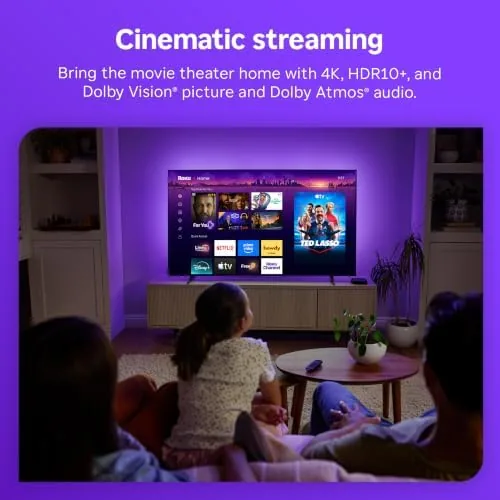
The feature list starts with picture quality. The Roku Ultra supports 4K streaming with HDR10+, Dolby Vision, and HLG, and it passes Dolby Atmos audio through to a compatible soundbar or receiver. That combination means you can buy this one box and be covered regardless of whether your television favors HDR10+ or Dolby Vision, which is genuinely useful if you switch televisions over the life of the player. Not every streamer offers both HDR formats, and the Ultra supporting both removes a real compatibility headache.
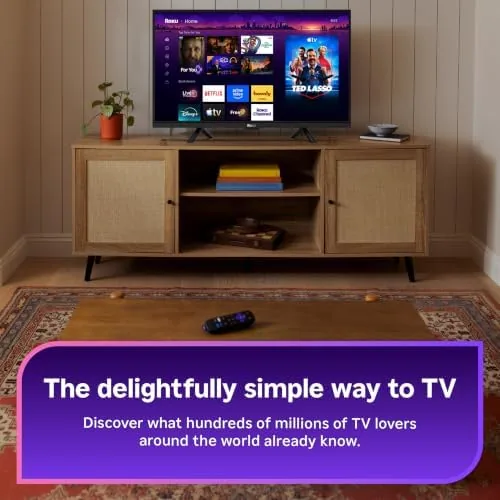
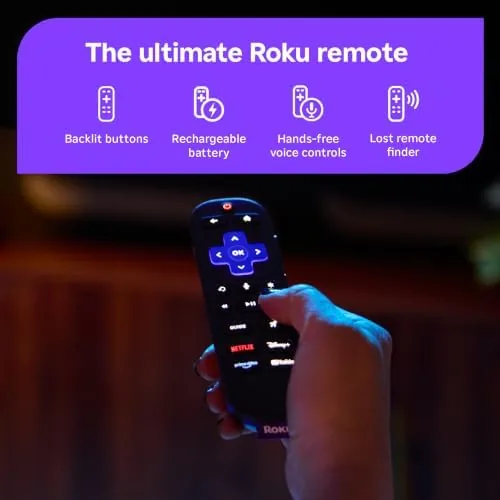
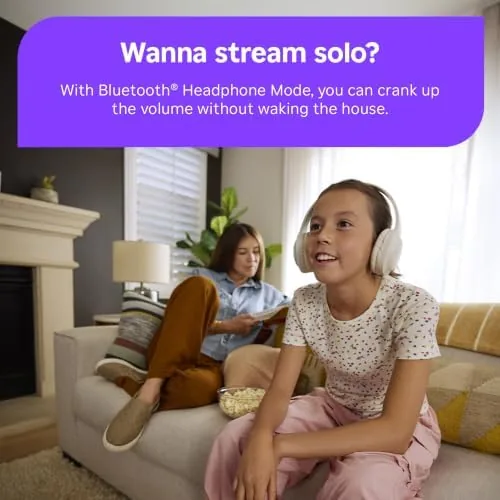
Connectivity is the other headline. The box supports Wi-Fi 6 on the 5 GHz band, which helps in crowded homes where several devices share one router, and Bluetooth 5.0 for the remote and private listening. The rechargeable Voice Remote Pro is the accessory that steals the show, with a headphone jack for silent viewing, backlit buttons that light up when you pick it up, and a remote finder that works through the Roku mobile app. The battery lasts for months on a charge, and it charges via USB-C so you never need batteries again.
Real-World Performance
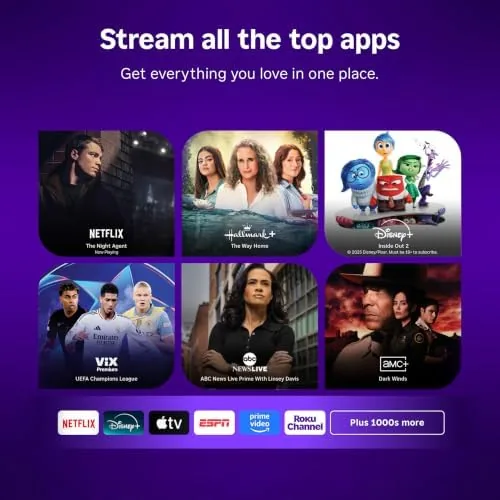
Performance in day-to-day use is where the Ultra earns its place at the top of the Roku line. The interface is fast, and the strongest signal is how rarely you wait on a spinner. App launches are quick, the home screen renders smoothly, and skipping between channels feels immediate rather than labored. Anyone coming from a three year old stick will notice the difference within the first evening. Streaming 4K titles with Dolby Vision held up well across Netflix, Disney Plus, and Prime Video, with clean HDR handling on my mid-range 4K panel.
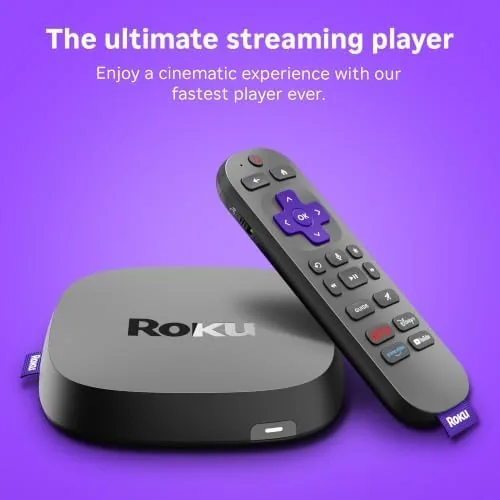
Voice control is a genuine highlight. The Voice Remote Pro hears commands from across the room, so I could search, launch apps, and control playback without reaching for anything. Searching by actor or genre across all my subscriptions worked smoothly, and the results page is cleaner than what Apple and Amazon show. The remote finder worked in practice too: I dropped the remote between couch cushions during week two, and the find feature had it beeping within seconds. One caveat worth stating is that Roku, like every major platform, promotes its own ad-supported channel and sponsored rows, though the interface remains calmer and less aggressive than Fire TV.
Streaming reliability over Wi-Fi 6 was excellent, but I also tested over Ethernet and the wired experience was essentially flawless. If you have a choice in your home, run a cable to this box and you will remove most conceivable buffering complaints. Heat was a non-issue; the box stayed cool even after long sessions in an enclosed media cabinet.
Pros and Cons
Pros:
- Dolby Vision and HDR10+ support covers both major HDR formats
- Ethernet port delivers rock solid streaming without Wi-Fi dependence
- Rechargeable Voice Remote Pro with backlit buttons, headphone jack, and remote finder
- Fast, clean interface with genuinely good cross-app voice search
- USB port and microSD slot for local media playback and extra storage
Cons:
- Premium price sits well above what a streaming stick costs
- Home screen still shows sponsored and promoted content rows
- Dolby Vision and Atmos require compatible equipment to matter
- No Dolby Atmos decoding without a separate eARC audio setup
The balance is clearly positive for anyone who watches a lot of television across multiple services. The cons are mostly about cost and the reality that some premium features only pay off with the right television and audio gear. If you are still on a 1080p set, several headline features will sit idle, and that is an honest reason to think twice.
How It Compares
The most direct comparison is against the Roku Streaming Stick 4K, which sells for a good deal less and lacks the Ethernet port, USB playback, and the premium remote. For a single television in a room where Wi-Fi is solid, the stick delivers most of the same experience for less money. The Ultra earns its price when you want wired networking, local file playback, the backlit rechargeable remote, and the fastest version of the Roku interface.
| Feature | Roku Ultra | Roku Streaming Stick 4K |
|---|---|---|
| HDR formats | Dolby Vision and HDR10+ | Dolby Vision and HDR10+ |
| Networking | Wi-Fi 6 and Ethernet | Wi-Fi only |
| Remote | Rechargeable, backlit, findable | Standard batteries |
| USB playback | Yes | No |
| Price | Higher | Lower |
Against the Apple TV 4K, the Roku Ultra gives up some raw app performance and the elegant Apple interface, but it gains the remote finder, the headphone jack, and a more neutral platform. Against the Amazon Fire TV Cube, Roku stays calmer and less ad-heavy while the Cube pushes Alexa harder. For a household that just wants dependable streaming with excellent search, the Roku Ultra is the best-rounded box of the group. Independent testing such as PCMag on the Roku Ultra reaches a similar conclusion about its overall value and performance.
Who Should Buy the Roku Ultra
The Roku Ultra is for people who watch television a lot and across many apps, and who are tired of the small annoyances of cheaper players. If you want wired Ethernet for a rock solid connection, if you play video files from a USB drive, or if you would like a remote that never needs batteries and can be found when lost, the Ultra is the right call. It is also a strong choice if you own a Dolby Vision or HDR10+ television and a Dolby Atmos soundbar, because this box lets that equipment work without format conflicts.
Skip it if you stream on a 1080p television, if you only use one or two apps, or if your current stick already meets your needs. In those cases the money is better spent elsewhere. When you are ready, you can check the current Roku Ultra price and bundles on Amazon to see which version includes the remote you want.
How We Test
I ran the Roku Ultra for three weeks as the primary player on a 55 inch 4K television, alternating between Wi-Fi 6 and a wired Ethernet connection. I tested Dolby Vision and HDR10+ content across Netflix, Disney Plus, and Prime Video, and evaluated Dolby Atmos passthrough through a compatible soundbar. I also used the USB port with a flash drive, the microSD slot for extra channels, and the voice search across a range of requests from simple titles to vague descriptions.
I measured subjective responsiveness by timing app launches and channel changes, and I judged stability by whether any title rebuffered over the full period, including evenings when the household was streaming on multiple devices at once. The remote was tested for battery life, backlight behavior, and the find feature after I deliberately misplaced it. I did not run laboratory instrumentation, so I describe results in real-world terms. The honest summary is that this is a premium streamer that performs to its price, and most of its weaknesses come down to cost rather than capability. If you want a dependable 4K box with every format covered, the Roku Ultra on Amazon is worth a close look.
Roku Ultra: Questions People Ask
Does the Roku Ultra support Dolby Vision and Dolby Atmos?
Yes. The Ultra streams Dolby Vision and HDR10+ video and passes Dolby Atmos audio through to a compatible television and soundbar. You need equipment that supports those formats to see the benefit, but the box itself is ready for both.
Do I need a Wi-Fi 6 router to use the Roku Ultra?
No. The Ultra works with any modern Wi-Fi router and also includes an Ethernet port for a wired connection. Wi-Fi 6 improves performance in busy households, but it is a benefit, not a requirement.
How long does the Voice Remote Pro battery last?
The rechargeable remote lasts for months on a single charge in normal use, and a full charge takes a few hours over the included USB-C cable. The battery status is visible in the Roku app when you need to plan a top-up.
Is the Roku Ultra worth it over a cheaper Roku stick?
For most households yes, because the Ultra adds Ethernet, USB playback, a premium rechargeable remote, and the fastest Roku performance. If you stream on a 1080p set or only use one app, a stick will serve you fine for less money.
As an Amazon Associate, I earn from qualifying purchases.



