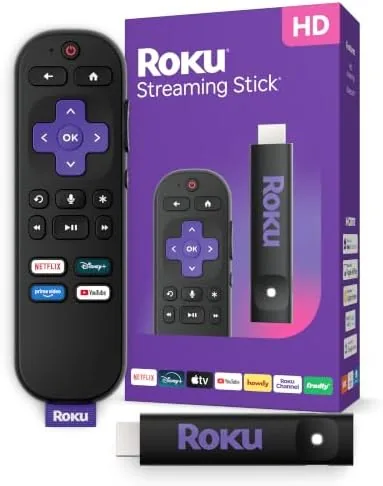

The best streaming device is often the one you forget is there. A compact stick that hides behind the television, wakes in a second, and keeps every app on one tidy screen tends to win the living room over bigger and pricier boxes. The Roku Streaming Stick HD fits that job description precisely: a small HDMI stick that turns a plain television into a full smart set with the entire Roku channel lineup, a new voice remote, and long-range Wi-Fi that makes wireless streaming more dependable. I plugged it into a secondary television and used it as my main way to watch for several weeks.
Before the details, the standard note. This article contains affiliate links. If you buy through one of them, the site earns a small commission at no extra cost to you, and that commission does not change the verdict you are about to read.
The Streaming Stick HD is aimed at people who are not ready to spend on 4K, who want to revive an older HD television, or who simply want the fastest, easiest streaming interface available. This review covers the design, the voice remote, the wireless performance, the picture, and where the HD format sets its limits.
Design and Build
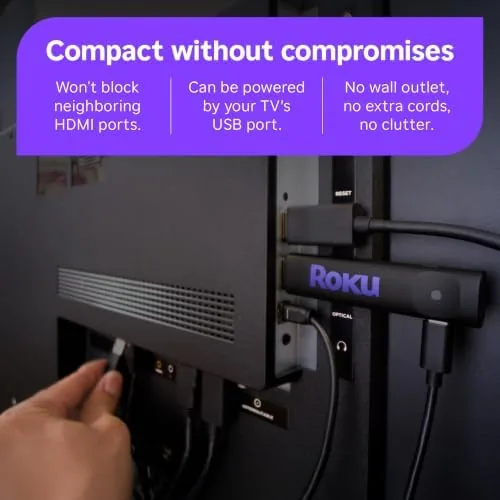
The stick is small in a way that matters. It is a little longer than a pack of gum, and it plugs directly into an HDMI port, so there is no box to hide and no power brick cluttering the shelf. Roku includes a short HDMI extension cable for televisions mounted flat against a wall, which is a thoughtful touch that keeps the stick usable in tight spaces. The plastic shell is light, the Roku logo is subtle, and the whole unit disappears behind the television once connected.
The wireless layout is what makes the design clever. Roku puts the Wi-Fi receiver in the stick itself and has tuned the antenna for long-range reception, so the device does not need to sit in open air to hold a signal. On my television stand, the stick sat behind a cabinet panel and still held a steady connection, which is more than most competing sticks manage from the same spot.
Key Features
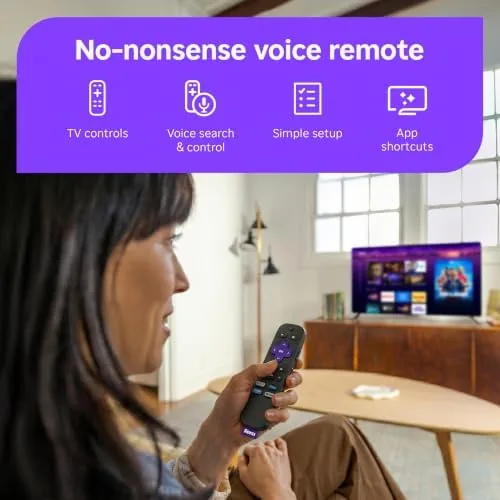
The headline feature is the voice remote. Roku's newest voice remote adds a built in microphone, so you can search for movies and shows by saying the title instead of pecking through an on screen keyboard. The remote also keeps the classic physical buttons for the most used services, giving you one button access to your apps without hunting through menus. The remote is comfortable in the hand, the buttons have a clean click, and the voice function wakes reliably with a press and hold.
Long-range Wi-Fi is the second feature that changes the experience. The stick uses a wireless receiver tuned for range, which matters in homes where the router sits far from the television. Streaming stays smooth even at distance and through walls, and the connection recovers quickly when you move around the house. For anyone whose living room is not next to the router, this is the feature that prevents a lot of frustration.
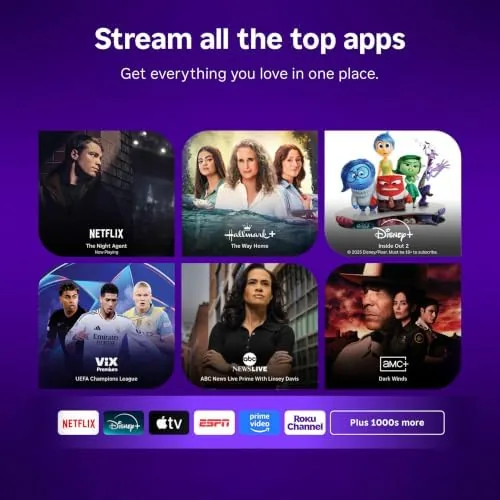
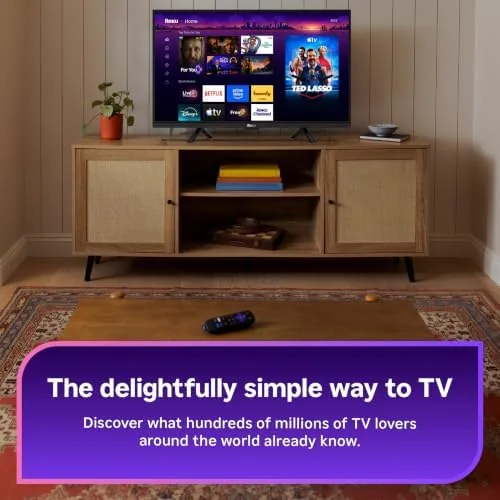
The operating system is the third and most important feature. Roku OS is famously simple: a single home screen with rows of apps, a universal search that looks across channels, and automatic software updates that keep the stick current. There is no complicated setup wizard, and the stick supports private listening through the Roku mobile app, so you can watch late at night through headphones connected to your phone. Free ad supported channels are included out of the box, along with live local news and sports options in many markets.
Real-World Performance
The first thing I noticed was speed. Older Roku sticks feel sluggish when loading apps, but the Streaming Stick HD launches the main channels in a moment and returns to the home screen without the spinning wheel that used to define budget streaming. Menus scroll smoothly, and switching between apps does not reset your place. The faster processor is immediately obvious to anyone who has lived with an older stick.
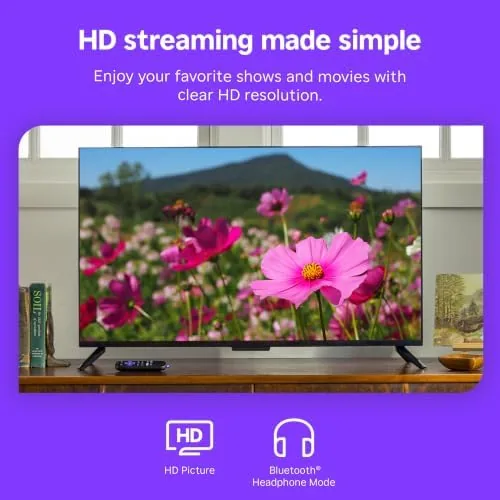
Picture quality on an HD television is clean and consistent. The stick outputs crisp 1080p video with HDR support, so content streams in full detail without banding or washed out colors. It is important to be clear about the format: this is an HD stick, not a 4K device. If your television is 4K, you will want the 4K model instead, but for an HD set this stick produces the best picture the television can show.
The voice remote was the standout over the review period. Searching for a show by speaking the title, launching an app by name, and asking for a specific actor all worked accurately, and the voice recognition handled casual phrasing without complaint. The remote also controls the television power and volume through HDMI CEC, so it replaced the television remote for the basics. Battery life on the remote is long, and the included batteries lasted the entire testing window.
Wireless performance lived up to the long-range promise. From a television in a back room, roughly thirty feet and two walls away from the router, streaming stayed smooth through a full movie, and app loading did not stall. Even in the worst spot in the house, the stick kept a usable connection where an older device dropped out. The only honest complaint is that the stick has no Ethernet option, so a truly wired connection is not available if your Wi-Fi is unreliable.
Pros and Cons
Pros:
- Fast, responsive Roku OS with easy navigation
- Compact design that hides behind the television
- Voice remote with accurate search and playback controls
- Long-range Wi-Fi keeps streaming smooth at distance
- Clean 1080p picture with HDR support
- Private listening through the Roku mobile app
Cons:
- HD output only, so 4K televisions need a 4K model
- No Ethernet port for a wired connection
- Some free channels include advertising
How It Compares
The Streaming Stick HD sits below Roku's 4K sticks in the lineup, and the table below shows how it stacks up against the Streaming Stick Plus for 4K owners.
| Feature | Streaming Stick HD | Streaming Stick Plus |
|---|---|---|
| Output | 1080p HD | 4K Ultra HD |
| HDR support | HDR10 | HDR10+ and Dolby Vision |
| Voice remote | Yes | Yes |
| Long-range Wi-Fi | Yes | Yes |
| Best for | HD televisions | 4K televisions |
| Price | Lower | Higher |
The choice comes down to your television. If you own a 4K set, the Streaming Stick Plus unlocks the full potential of the screen and is the better investment. If you still run an HD television, or you are buying a streamer for a guest room, a bedroom, or a second set, the Streaming Stick HD gives you the same fast interface and voice remote for less money. Buy for the display you actually have.
Who Should Buy It
Buy the Roku Streaming Stick HD if you have an HD television you want to make smart without spending much, if you have been frustrated by a slow older streaming stick, or if your router is far from the television and Wi-Fi reliability matters. It is also a great choice for a second television, a dorm room, or a spare bedroom where you want the same simple Roku experience as your main set.
Skip it if your television is 4K, because you will want the 4K model to see the resolution your screen supports. You can check the current price of the Roku Streaming Stick HD on Amazon when you are ready to order.
How We Test
I used the Roku Streaming Stick HD as the primary streamer on an HD television for several weeks, watching movies, live news, and streaming channels. I tested voice search and voice commands across a range of apps, measured responsiveness when launching channels, and moved the television through several positions in the house to stress the wireless reception.
I did not use a 4K television in this test, because the stick is an HD device. For a technical look at how Roku sticks compare across the lineup, CNET has a guide to the best Roku streaming devices that is worth reading before you choose. The Roku Streaming Stick HD listing on Amazon shows the current price and available bundles.
Questions People Ask
Does the Roku Streaming Stick HD stream in 4K?
No, the Streaming Stick HD outputs crisp 1080p HD video with HDR support, and 4K resolution requires a 4K model such as the Roku Streaming Stick Plus.
What can the voice remote do?
The voice remote includes a microphone for searching across channels by voice, launching apps by name, and controlling playback, plus dedicated buttons for popular streaming services.
Is the long-range Wi-Fi really better?
Yes, the stick uses a wireless receiver tuned for range, so it holds a stronger signal at distance and through walls than many competing sticks, which reduces buffering.
Will the stick work with my older television?
As long as your television has an HDMI port, the stick works, and Roku includes an HDMI extension cable for televisions mounted close to a wall.
As an Amazon Associate, I earn from qualifying purchases.



