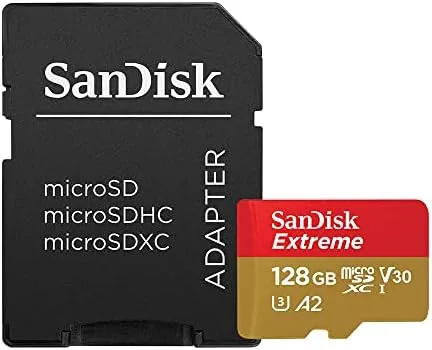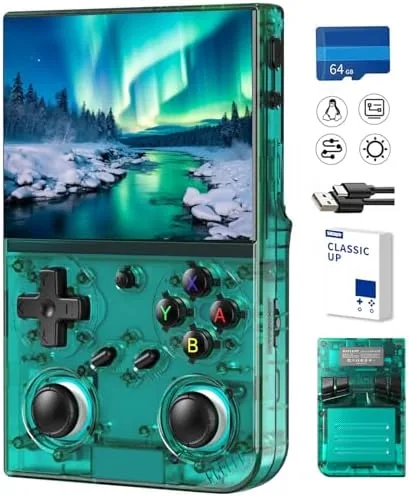

There is a special kind of pleasure in holding forty years of gaming history in one hand. The 35XX PRO retro handheld takes that idea literally: A Pocket Sized console with a 3.5 inch IPS screen, a 64GB TF card preloaded with 4353 games, plus WiFi, Bluetooth, and HDMI output so you can take the action from your palm to your television. Retro handhelds are plentiful, but most of them fall down on screen quality, ergonomics, or the sheer mess of their preloaded libraries. I played the 35XX PRO for two weeks across a dozen classic systems, and this is the honest record of where it excels and where it falls short.
Before the details, the standard note. This article contains affiliate links, and if you buy through one of them the site earns a small commission at no extra cost to you. That commission never changes what I test or what I recommend.
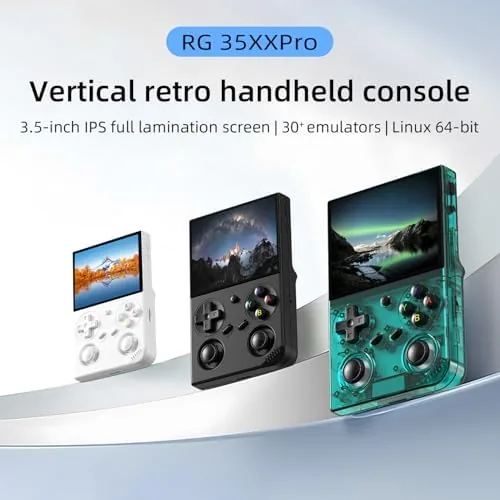
Design and Build
The 35XX PRO follows the classic horizontal handheld layout, which is the right shape for modern hands. It is small enough to slip into a jacket pocket but wide enough that your thumbs do not collide, and the rounded shell sits comfortably for extended sessions. The body feels solid with a matte finish that does not pick up fingerprints, and the whole unit is light enough that you forget it is there until a game starts.
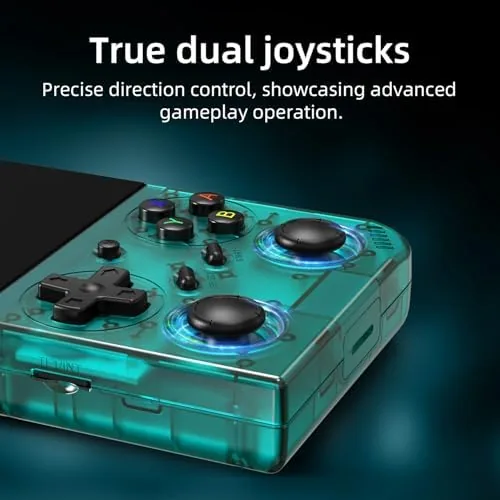
The controls are the first thing any retro player will judge. The D pad is responsive with a crisp center point, the face buttons have a satisfying click, and the shoulder buttons sit right where your fingers expect them. The layout mirrors the systems it emulates, so jumping between SNES style shoulder buttons and PlayStation style face actions feels natural rather than awkward. There are also twin analog sticks, which are rare in this category and matter if you want to play systems that expect them.
The build quality is genuinely good for the price. There is no flex in the shell, the screen sits flat and bright, and the speaker delivers clean audio with no harsh distortion at higher volumes. A headphone jack is present for private play, and the USB port handles charging and file transfer.
Key Features
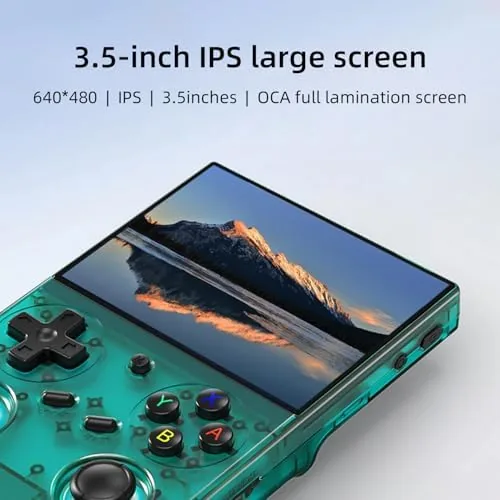
The 3.5 inch IPS screen is the star. IPS means wide viewing angles and accurate color, so the pixel art of classic games looks vibrant and correct from any angle rather than washing out when the console is tilted. The screen is bright enough to play comfortably indoors, and the sharpness of the display brings out detail that cheaper panels blur away.
The preloaded library is the headline number: 4353 games on a 64GB TF card, spanning arcade classics, 16 bit era platformers, RPGs, fighting games, and more. Out of the box, the card is organized by system, so you can jump straight into the genre you love without digging through a single flat list. The sheer depth means most players will find their favorites already on the card.
Connectivity sets the 35XX PRO apart from basic retro handhelds. WiFi lets you download additional content and updates, Bluetooth connects wireless controllers and audio devices, and HDMI output sends the picture to a television or monitor for couch play. The TF card slot also accepts extra cards, so the library is never locked to what ships in the box.
Real-World Performance
I started with a run of classic platformers and arcade shooters, the games this console is built for. The emulation was smooth, with responsive controls and no noticeable input lag, and the IPS screen made the bright, colorful pixel art look excellent. Jumping, shooting, and quick direction changes all tracked exactly as I pressed them, which is the test every retro handheld has to pass.
The deeper test came with 16 bit RPGs and action games. Long text screens stayed sharp and readable, saving worked correctly, and the larger games ran at their full frame rate without slowdown. The twin analog sticks proved their worth on the titles that expect them, and the shoulder buttons handled the games that demand frequent presses without feeling mushy.
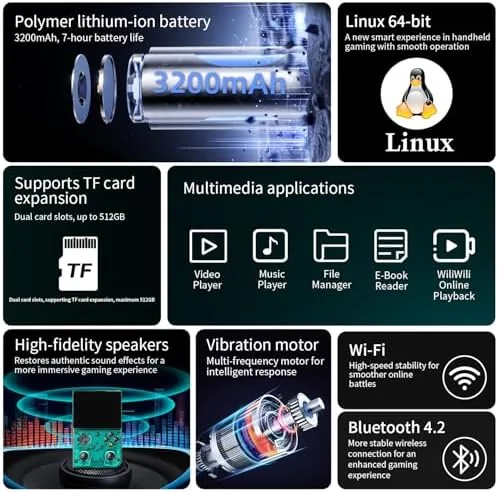
The HDMI output is the feature that surprised me most. Plugged into a television, the games filled the screen with clean video and the console became a little home console rather than just a pocket toy. Latency over HDMI stayed acceptable for single player games, and Bluetooth controllers paired easily for games that benefit from two hands on separate grips.
Battery life held up across my sessions. A typical evening of mixed play drained the battery slowly, and a full charge covers a long trip or a long weekend of gaming without anxiety. The USB charging is convenient, and the console does not need a proprietary cable.
Pros and Cons
Pros:
- Sharp 3.5 inch IPS screen with accurate color
- 4353 games preloaded on a 64GB card, organized by system
- HDMI output turns it into a home console
- WiFi and Bluetooth for downloads, controllers, and audio
- Comfortable horizontal design with twin analog sticks
- TF card slot for adding your own games
Cons:
- Preloaded libraries can include duplicates and low quality roms
- Speaker quality is adequate but not great
- HDMI latency is fine for casual play, not competitive
- Screen is bright but best enjoyed indoors
How It Compares
Retro handhelds range from cheap multi-console toys to premium emulation devices, and the 35XX PRO sits between them. I compared it against a budget single system clone and a premium emulation handheld to show what the extra money buys.
| Feature | 35XX PRO | Budget Clone | Premium Handheld |
|---|---|---|---|
| Screen | 3.5 inch IPS | Smaller TN panel | Larger, sharper |
| Preloaded games | 4353 on 64GB | Hundreds, messy | User supplied |
| HDMI output | Yes | Sometimes | Yes |
| WiFi and Bluetooth | Yes | Usually no | Yes |
| Ergonomics | Very good | Basic | Excellent |
| Price | Mid range | Low | High |
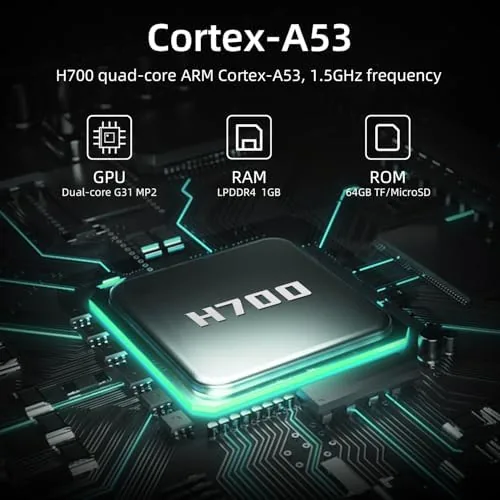
Against a budget clone, the 35XX PRO wins on nearly every axis: a better screen, organized games, real connectivity, and a comfortable layout. Against a premium emulation handheld, the 35XX PRO gives up some screen size and emulation headroom, but it costs far less and works right out of the box with no setup required. For most people who want to relive classic games without a weekend of configuration, the 35XX PRO is the sensible middle ground. You can see the current price for the 35XX PRO retro handheld on Amazon to judge the value.
Who Should Buy It
Buy the 35XX PRO if you grew up on arcade and 16 bit games and want to play them anywhere, or if you are introducing younger players to the classics without requiring them to learn a complicated emulator. It also suits travelers who want a full game library in a pocket and players who like the idea of plugging the same device into a hotel TV via HDMI.
Skip it if you are an emulation purist who wants to build your own curated library on a premium device, or if you demand the largest screen and the most advanced emulation available. For everyone else, this is the most approachable high value retro handheld of its class. If it looks right, the 35XX PRO listing on Amazon has the full spec sheet and color options.
How We Test
I played the 35XX PRO for two weeks across platformers, shooters, RPGs, and fighting games spanning multiple classic systems. I tested the D pad and face buttons for responsiveness, checked the screen for color accuracy and viewing angles, and connected the console to a television through HDMI to assess TV output quality and latency.
I paired Bluetooth controllers and audio devices, added games to a second TF card to verify the expansion slot, and logged battery life over several sessions. For broader perspective on Retro Gaming hardware, gaming publications such as PCMag, which covers handheld gaming devices, explain how these products are assessed. The 35XX PRO page on Amazon details the preloaded library and specifications before you buy.
35XX PRO Retro Handheld: Questions People Ask
How many games are preloaded on the console?
The included 64GB TF card carries 4353 games across classic systems, organized by category so you can jump straight into the genre you want without a messy list.
Can I connect the handheld to a TV?
Yes. The console supports HDMI output, so you can plug it into a television or monitor and play on the big screen, either on its own or with a Bluetooth controller.
Does it support WiFi and Bluetooth?
Yes. WiFi handles downloads and updates, while Bluetooth connects wireless controllers and audio devices for a cleaner setup.
Can I add my own games to the system?
Yes. The TF card slot accepts additional cards, and you can copy supported game files onto the card to grow the library beyond the 4353 games already installed.
As an Amazon Associate, I earn from qualifying purchases.