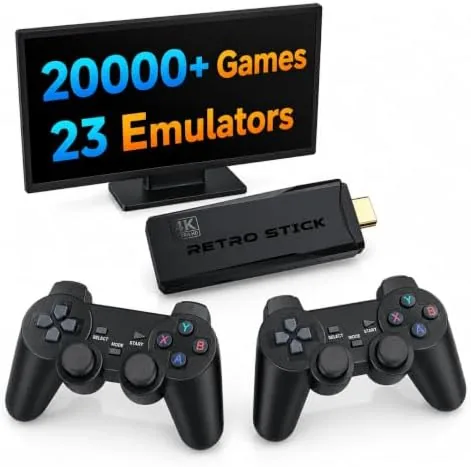

Every generation has its classics, and the consoles that defined them are getting harder to find, more expensive to buy, and harder to connect to a modern television. The Retro Gaming Console 4K HDMI sidesteps all of that with a small stick that plugs straight into an HDMI port and brings thousands of classic games to the screen. It claims a library of around 20,000 titles across 23 Emulators, ships with two wireless controllers, and promises a plug and Play setup that needs no accounts, no downloads, and no cables beyond the stick itself. I set one up on a living room TV and spent two weeks exploring the catalog to see how the promise holds up in practice.
Before the details, the standard note. This article contains affiliate links, and if you buy through one of them the site earns a small commission at no extra cost to you. That commission never changes what I test or what I recommend.
Design and Build
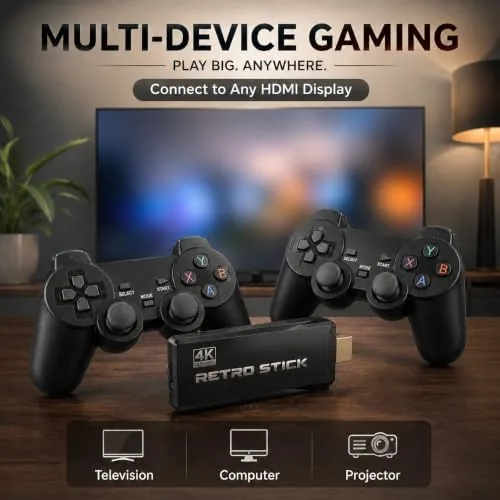
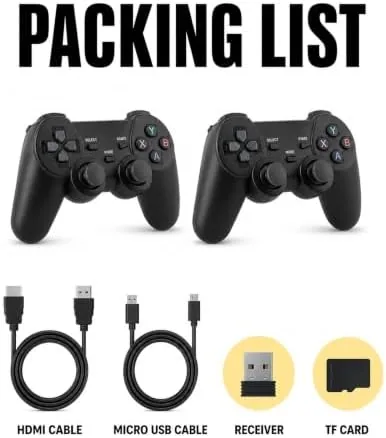
The console is a compact HDMI stick, roughly the size of a thumb drive with an attached housing, that slips directly into an open HDMI port on the back or side of a television. Power comes from a USB cable that plugs into a spare port on the TV or a wall adapter, so the whole setup is two cables and no box to hide. The stick is light and stays in place without sagging, and the aluminum style housing keeps it cool during long play sessions.
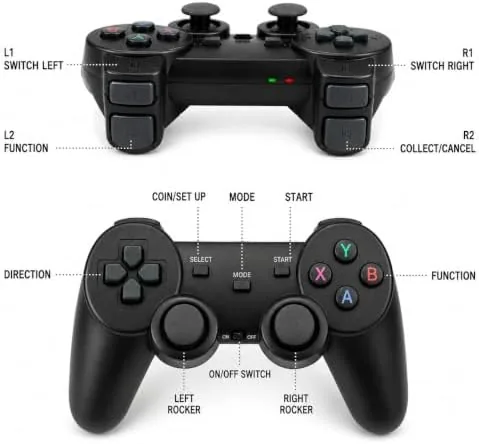
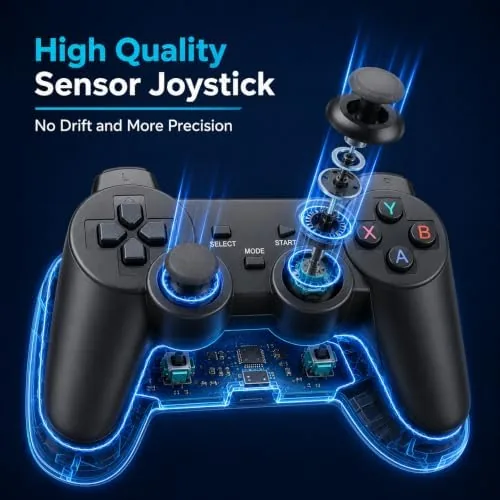
The two wireless controllers are modeled on the classic two button pad layout, with a modern grip and a set of shoulder buttons and start and select controls. They pair with the stick through a simple wireless connection, and the pairing is handled from the on screen menu rather than with complicated button holds. The controllers feel light in the hand and comfortable for the kind of pick up and play sessions these games encourage.
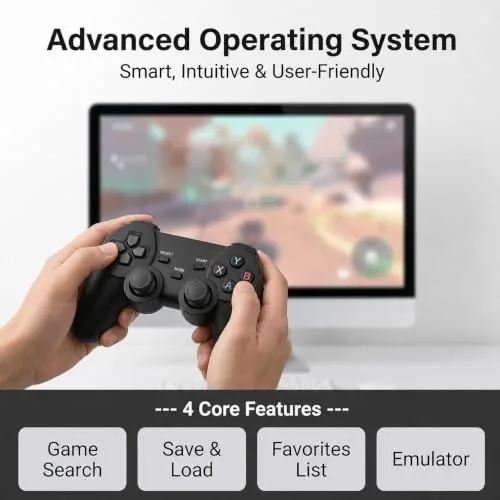
The menu system is deliberately simple. It opens to a grid of systems, each representing an emulated platform, and inside each system the games appear as a scrollable list with names and box art where available. There is no account sign in, no store, and no update nag, which is a welcome contrast to modern consoles that demand a login before you can play anything.
Key Features
The headline feature is the library itself. The stick carries around 20,000 titles spread across 23 emulators, covering several generations of home and handheld consoles. The catalog leans heavily on the arcade and 8 bit and 16 bit eras, which is exactly where the nostalgia market lives, and it includes the platformers, beat em ups, shooters, and puzzles that defined those machines.
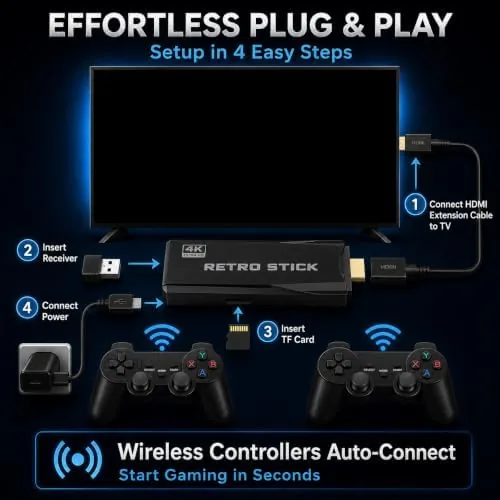
The plug and play setup is the practical feature that sells the product. Because the entire system lives on the stick, there is nothing to install on the TV and no software to configure. Plugging it in and pairing the controllers takes about two minutes, and the games are ready before the credits on a modern boot sequence would finish. The wireless controllers remove the only tether a retro stick usually has, so two players can sit on the couch with the same freedom a modern console offers.
The 4K HDMI output means the image scales cleanly to a modern television. The emulation upscales the classic resolutions onto a 4K panel, and while the games do not gain modern detail, they look sharp and stable rather than blurry and stretched. Save states are built in, so you can pause a game and resume later from the exact point you left off, which is a genuine quality of life feature that the original hardware never had. For the current price and the exact catalog of this stick, the Amazon listing for the retro gaming console stick is a useful reference.
Real-World Performance
Setup was exactly as advertised. I plugged the stick into the TV, connected the USB power cable, and the menu appeared on the screen within seconds. The controllers paired from the menu without any frustration, and within a few minutes I was playing a classic platformer with the kind of immediate gratification modern consoles rarely deliver. No account, no update, no waiting, just games.
The games themselves played well on the whole. The platformers and beat em ups ran smoothly with responsive controls, and the two player sessions with a friend on the couch were the highlight of the testing week. The arcade shooters delivered the expected chaos, and the puzzle games worked perfectly with the simple pad layout. The save state feature proved its worth during a long RPG session, letting me stop mid dungeon and resume the next night without losing progress.
The honest caveat is the catalog quality. A library of 20,000 titles sounds enormous, and it is, but the collection includes a share of filler, region variants, and lesser known titles alongside the genuine classics. The emulation quality also varies by system, with the 8 bit and 16 bit titles running best and some of the more complex 32 bit era games showing frame drops and audio stutter. For the bulk of the retro experience, which is the classic arcade and console era, the stick is solid and enjoyable.
Pros and Cons
Pros:
- Plug and play setup with no accounts or software
- Huge catalog of around 20,000 games across 23 emulators
- Two wireless controllers included for couch co op
- Save states let you pause and resume any game
- Clean 4K HDMI output on a modern television
- Compact stick design with no console box to hide
Cons:
- Catalog includes filler and region variants among the classics
- Emulation quality varies on the 32 bit era systems
- Controller build feels light and budget oriented
- No way to install or update the built in library on all versions
How It Compares
Retro gaming options come in a few forms, and I compared this HDMI stick against a classic mini console and a handheld emulator device to see where each earns its place.
| Feature | HDMI Retro Stick | Classic Mini Console | Handheld Emulator |
|---|---|---|---|
| Game library | Around 20,000 titles | Fixed 20 to 40 titles | Depends on storage |
| Setup | Plug into HDMI | Box plus cables | Portable device |
| Controllers | Two wireless | One or two wired | Built in |
| TV output | 4K HDMI | HDMI | None or dock |
| Save states | Yes | Varies | Yes |
| Price | Mid range | High for library | Mid to high |
Against a classic mini console, the HDMI stick wins on library size and price per game, because the mini console ships with only a couple of dozen titles while the stick carries thousands. Against a handheld emulator, the stick wins on the couch and TV experience with two proper controllers, while the handheld wins on portability. The mini console still wins for the authenticity of the original hardware feel, and the handheld wins for gaming away from home. For a night of classic gaming on the living room TV, the HDMI stick is the best value of the three.
Who Should Buy It
Buy this retro console if you want to revisit the games of your childhood without hunting down old hardware, if you want a two player couch setup for guests, or if you want a gift that plugs into any TV and works instantly. It is also a strong pick for a family room or a guest bedroom where a full console would be overkill.
Skip it if you are a serious collector who wants original hardware and cartridges, if you need flawless emulation of the 32 bit era, or if you want a handheld you can play on a bus. For everyone else, this is an easy and affordable route to a nostalgia night. You can check the current price for the retro gaming console on Amazon when you are ready to plug in and play.
How We Test
I tested this retro console over two weeks on a living room television. I set it up from a cold start, timed the setup and controller pairing, and played across the emulated systems, focusing on platformers, beat em ups, shooters, puzzles, and an RPG with the save state feature. I also ran a two player session to confirm the wireless controllers worked together without interference.
I checked the catalog by browsing several systems and sampling games across the different eras to gauge emulation quality, and I tested the save and resume flow over two days. I did not test adding external game files, since that feature varies by firmware version. For broader perspective on retro gaming, independent sources such as The Verge's guide to retro gaming consoles explain how these devices compare to original hardware. The retro gaming console stick listing on Amazon shows the current price and the exact library on offer.
Retro Gaming Console 4K HDMI: Questions People Ask
How do I set up this retro gaming console on my TV?
Plug the HDMI stick into an open port, power it through the included USB cable, and pair the wireless controllers from the menu, with no software install and no account required.
How many games come with the console?
The library lists around 20,000 classic titles across 23 emulators covering several retro systems, though the exact count and lineup can vary between regions and firmware versions.
Can I add my own games to this console?
Some versions allow loading additional game files through a connected storage device, which lets you expand the library beyond the built in catalog if the firmware supports it.
Does the console save my game progress?
Yes. The system supports save states, so you can pause a classic title and resume later from the exact point you left off, which is a real improvement over the original hardware.
As an Amazon Associate, I earn from qualifying purchases.