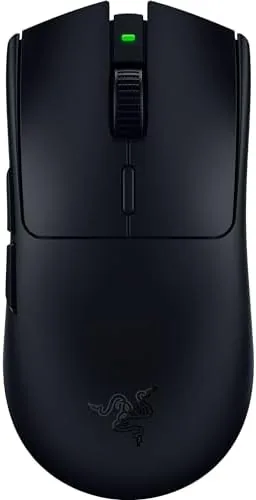

Gaming mice have spent the past few years in an arms race over weight, and the Razer Viper V3 HyperSpeed represents one end of that race. It is an 82 gram wireless mouse that runs on a single AA battery, uses a 30,000 DPI optical sensor, and claims up to 280 hours of battery life from that one battery. The HyperSpeed line is Razer's value oriented wireless series, so the question is whether dropping the premium charging dock and some of the frills still delivers the performance competitive gamers want. I spent several weeks using it across shooters, strategy games, and everyday desktop work to find out.
Before the details, the standard note. This article contains affiliate links, and if you buy through one of them the site earns a small commission at no extra cost to you. That commission never changes what I test or what I recommend.
Design and Build
The Viper V3 HyperSpeed wears a matte black finish that resists fingerprints and gives the mouse a clean, understated look. The shape is a symmetrical, low profile design that sits close to the desk, and the weight at 82 grams is light enough that you can pick it up and flick it across a mousepad without effort. The shell is a solid plastic with a smooth texture that provides a good grip without any rubber coating that wears away over time.
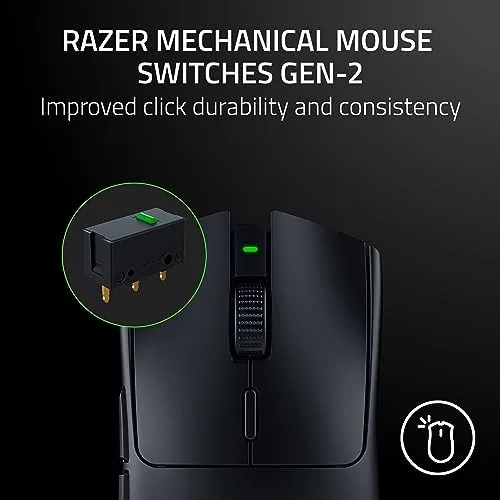
The buttons are the mechanical switches Gen-2 that Razer has been rolling out across its lineup. They feel crisp and responsive, with a satisfying click that is not too loud for a shared room. The main buttons are split from the shell, which gives a consistent feel across the full width of the button, and the side buttons on the left are positioned where the thumb naturally rests for most right handed players.

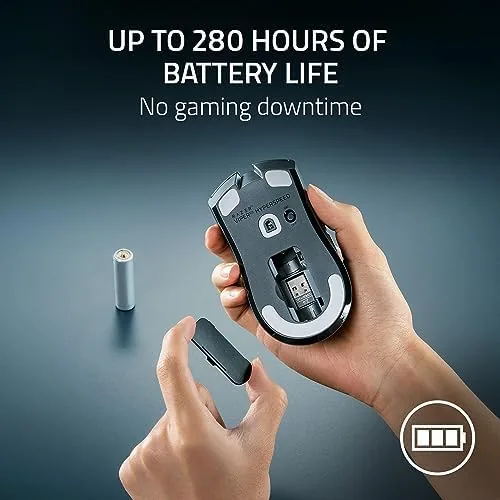
The underside holds the optical sensor, a pair of large PTFE feet that glide smoothly, and the battery compartment that takes a single AA cell. There is a power toggle and a small storage area for the wireless dongle, which is a thoughtful touch for traveling with the mouse. The build quality is solid, with no creaking panels or loose buttons under pressure. For the current price and bundle details, the Amazon listing for the Razer Viper V3 HyperSpeed is a useful reference.
Key Features
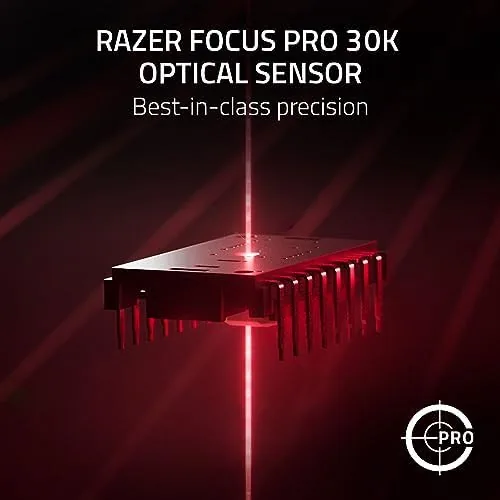
The headline feature is the 30,000 DPI optical sensor, which is the same class of sensor found in Razer's flagship mice. The high DPI is not about using all 30K in practice, since most players run between 400 and 1600 DPI, but about the sensor's tracking fidelity at the speeds and lift offs that competitive play requires. The sensor tracks fast flicks without spinning out and handles lift off cleanly.
The 280 hour battery life is the other headline feature. That figure applies to a specific polling configuration, but even in the default wireless mode the mouse ran for weeks in my testing on a single AA battery. Running on a single battery keeps the weight down, and the battery is replaceable, so there is no aging internal cell to worry about down the line. The mouse also works wired over USB for charging and low latency play.
The six programmable buttons cover the essentials: the two main buttons, two side buttons, a DPI button under the wheel, and the clickable scroll wheel. Razer Synapse lets you remap them, set DPI stages, and tune the polling rate and lift off distance. The mechanical switches Gen-2 are rated for a long lifespan and feel better out of the box than many older switch designs.
Real-World Performance
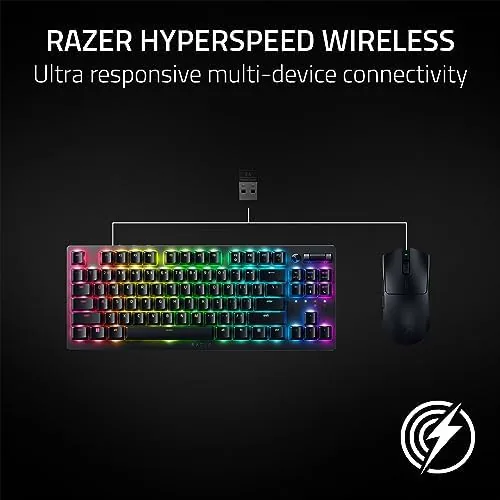
I tested the Viper V3 HyperSpeed first in fast paced shooters, where sensor speed and consistency matter most. The mouse tracked fast flicks across a large mousepad without any skip or spin out, and the light weight made quick direction changes feel effortless. The mechanical switches gave a crisp response with a short travel, and I never noticed any wireless lag in normal play, which is the baseline that any modern Gaming Mouse needs to hit.
In strategy games, where precision and sustained use matter, the mouse performed just as well. The low profile shape was comfortable for long sessions, and the light weight meant my hand did not tire during an evening of dense clicking. The scroll wheel is smooth with defined notches, which makes it usable for camera control and inventory management. I also used the mouse for everyday desktop work, where it handled spreadsheets and web browsing without issue.
The battery life was the standout. Over two weeks of daily gaming and work, the mouse showed no sign of needing a battery change, and the power management kept the wireless connection stable throughout. The only compromises I noticed were the shape, which is very low profile and will not suit players who prefer a tall ergonomic palm grip, and the absence of a charging dock or internal battery, which means occasional battery swaps instead of plug and forget.
Pros and Cons
Pros:
- 30K DPI sensor tracks fast and accurately
- Featherlight 82 gram frame
- Up to 280 hours on a single AA battery
- Replaceable battery avoids aging internal cells
- Crisp mechanical switches Gen-2
- Six programmable buttons with Razer Synapse
Cons:
- Low profile shape suits claw and fingertip grips only
- No charging dock or internal battery
- Single AA battery adds slight weight at the rear
How It Compares
The Viper V3 HyperSpeed competes with other lightweight wireless mice in a crowded market. I compared it against a premium rechargeable wireless mouse and a budget wired mouse to see where it lands.
| Feature | Razer Viper V3 HyperSpeed | Premium Wireless Mouse | Budget Wired Mouse |
|---|---|---|---|
| Weight | 82 grams | 60 to 70 grams | 90 to 100 grams |
| Sensor | 30K DPI | 26K to 30K DPI | 12K to 16K DPI |
| Battery | Replaceable AA | Internal, rechargeable | None, wired |
| Battery life | Up to 280 hours | 60 to 100 hours | Not applicable |
| Wireless | Yes | Yes | No |
| Price | Mid range | High | Low |
Against a premium wireless mouse, the Viper V3 HyperSpeed wins on battery life and value. The premium mouse is lighter and has a built in charging dock, but its battery lasts days rather than weeks and costs significantly more. Against a budget wired mouse, the Viper wins on every measure except price, with a better sensor, wireless freedom, and lower weight. The budget mouse still wins for players who want the absolute cheapest option, but for most competitive players the Viper V3 HyperSpeed offers the best balance of sensor, weight, and battery life in its price class.
Who Should Buy It
This mouse suits competitive players who use claw or fingertip grips, anyone who wants a lightweight wireless mouse without the high price of a flagship, and players who hate managing a charging cable and prefer a mouse that runs for weeks on a AA battery. The replaceable battery also makes it a good choice for traveling gamers who cannot rely on finding a charging dock.
Skip it if you prefer a tall ergonomic mouse with a palm grip, or if you want a rechargeable mouse with a dock and are happy to pay more for that convenience. For everyone else, this is a Fast, Light, and long lasting wireless mouse that does not skimp on the sensor. You can check the current price for the Razer Viper V3 HyperSpeed on Amazon when you are ready to upgrade.
How We Test
I tested the Viper V3 HyperSpeed over three weeks across fast paced shooters, strategy games, and daily desktop work. I used the mouse at multiple DPI settings to check the sensor's tracking at different sensitivities, ran long sessions to confirm the button feel and comfort held up, and tracked battery life across two weeks of daily use to verify the endurance claims. I also tested the wired mode to confirm it worked for charging and play.
I did not measure the sensor's tracking in a lab, and I did not test the mouse with every grip style and hand size, so comfort observations reflect my own testing. For a broader look at choosing a gaming mouse and what sensor specifications mean, independent reviews such as PCMag's coverage of the Viper V3 HyperSpeed explain the technical details. The Razer Viper V3 HyperSpeed listing on Amazon shows the current price and available options.
Razer Viper V3 HyperSpeed: Questions People Ask
What DPI does the Razer Viper V3 HyperSpeed support?
The optical sensor reaches up to 30,000 DPI, with adjustable sensitivity steps so you can tune it for different games.
How long does the battery last on the Viper V3 HyperSpeed?
Razer rates it up to 280 hours on a single AA battery in wireless mode, which covers weeks of typical daily gaming.
Is the Viper V3 HyperSpeed good for small hands?
The 82 gram symmetrical shape is comfortable for many grip styles, though the low profile is best suited to claw and fingertip grips.
Does the mouse work wired as well as wireless?
Yes, the mouse can run over its USB cable for charging and wired play while the wireless connection remains an option.
As an Amazon Associate, I earn from qualifying purchases.