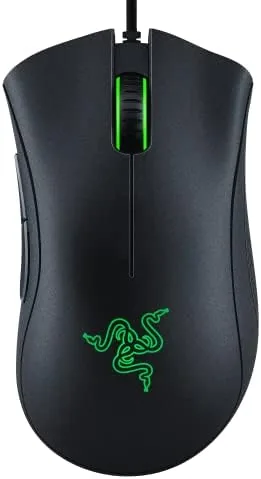

Few peripherals have the staying power of the Razer DeathAdder. The shape first appeared more than a decade ago, and the DeathAdder Essential keeps the same beloved ergonomic curve while trimming the price to something a first-time gamer can afford. It is a wired mouse with a 6400 DPI optical sensor, five programmable buttons, rubber side grips, and mechanical switches, and it remains one of the most recommended budget gaming mice on any storefront. I spent a month with one in black, using it for competitive shooters, long working days, and casual browsing, to see whether the legend still holds up.
Before the details, the usual note. This article contains affiliate links, and if you buy through one of them the site earns a small commission at no extra cost to you. That commission does not change what I test or what I recommend.
Design and Build
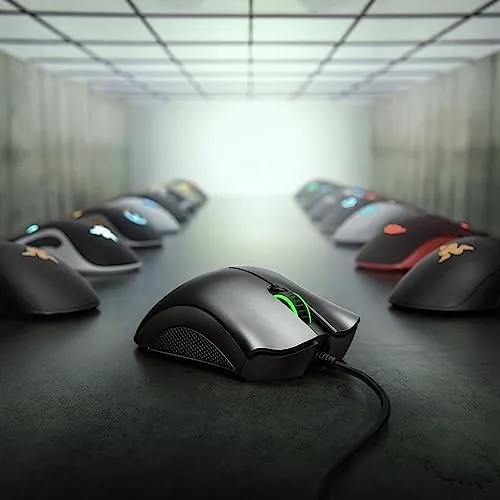
The DeathAdder Essential is unmistakably a DeathAdder. The body rises high at the rear, slopes down through the middle, and ends in a flat, broad front, a shape designed for a palm grip that fills the hand. The matte black finish is smooth to the touch and does not attract fingerprints, and the glossy black band along the front edge adds a subtle accent. The mouse weighs about 96 grams, which feels light enough for quick flicks but solid enough that it never feels hollow.
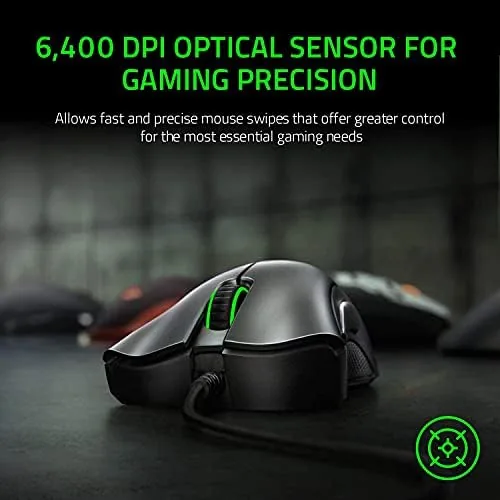
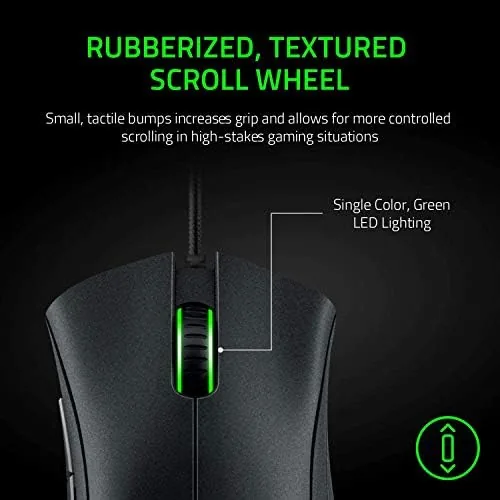
Build quality is exactly what you expect from Razer at this tier. The shell has no flex when you squeeze it, the scroll wheel is rubberized and clicks with a firm detent, and the two thumb buttons on the left side sit exactly where the thumb rests. The rubber side grips are textured panels that keep the mouse planted in the hand even during sweaty matches, and the fixed braided USB cable is flexible enough to route around a desk without dragging. It is a wired mouse, so there is no battery, no wireless dongle, and no latency to worry about, which many competitive players still prefer.
Key Features
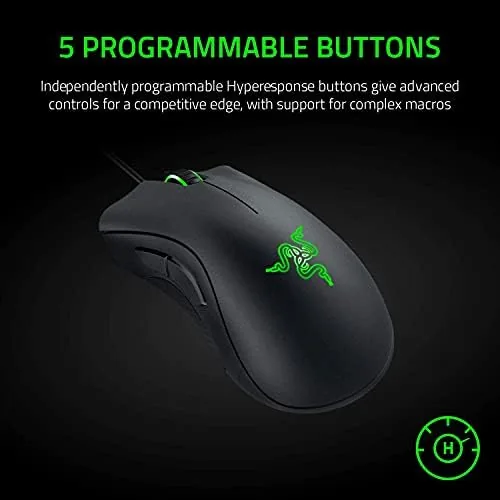
The sensor is the heart of any gaming mouse, and the DeathAdder Essential uses an optical sensor rated for 6400 DPI with 220 inches per second of tracking. In practical terms, that is enough sensitivity for fast flicks and fine aim adjustments, and the sensor does not spin out or skip on a standard cloth mousepad. The five programmable buttons include the two side buttons, the scroll wheel click, and the two main clicks, all remappable through Razer Synapse.
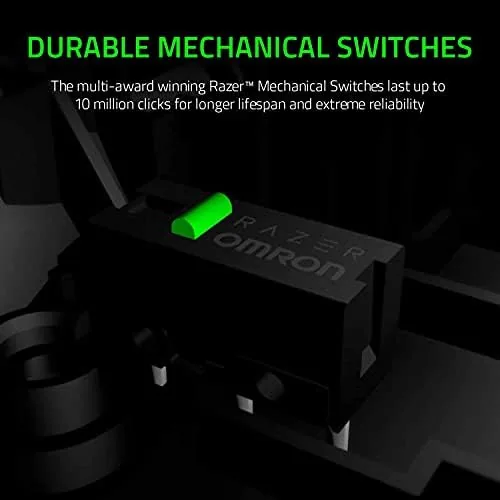
Mechanical mouse switches sit under the main buttons, giving each click a crisp, tactile response with an audible snap. The switches are rated for 10 million clicks, which translates to years of heavy use, and the action feels noticeably more defined than the mushy buttons on cheap office mice. The scroll wheel, meanwhile, is a conventional step wheel rather than a free-spin design, which is the right choice for gaming because it gives you precise weapon and ability selection.
Razer Synapse handles configuration, letting you set DPI steps, remap buttons, and assign macros, and profiles can be stored to the mouse's onboard memory so your settings travel with it. If you want to compare the current price against other budget gaming mice, the Amazon listing for the Razer DeathAdder Essential is a good reference point.
Real-World Performance
I started with competitive shooters, where the DeathAdder Essential earned its reputation. In games like Valorant and Counter-Strike, the sensor tracked fast flicks and micro-adjustments without skipping, and the 1000 Hz polling rate kept input feeling immediate. The right-handed shape locked into my palm grip, and the rubber side grips kept the mouse steady during extended matches, which made a real difference in clutch situations where a slipping hand loses a fight.
Outside of gaming, the mouse proved genuinely comfortable for long work sessions. The tall rear of the shell supports the palm, which reduces wrist strain during eight-hour days of spreadsheets and emails, and the matte finish stays dry even on warm days. The side buttons are useful for back and forward in the browser, and I mapped one to push-to-talk so I never had to stretch for a keyboard key mid-game.
The only real friction came from the DPI range itself. 6400 DPI is plenty for almost everyone, and I settled around 800 DPI for gaming, but enthusiasts who want 16000 or 20000 DPI will find the ceiling low. The mouse also has no onboard profile-switching button of its own, so changing DPI on the fly requires either Synapse or a quick trip to the Windows settings, a minor limitation that most users will not notice.
Pros and Cons
Pros:
- Time-tested ergonomic shape that suits palm and claw grips
- 6400 DPI optical sensor with no spin-outs in testing
- Crisp, tactile mechanical switches rated for 10 million clicks
- Five programmable buttons with onboard profile storage
- Rubber side grips keep the mouse planted in the hand
- Wired connection with no latency or battery anxiety
Cons:
- Right-handed shape leaves left-handed players out
- 6400 DPI ceiling is low for sensor enthusiasts
- No onboard DPI switch button for quick changes
- Requires Razer Synapse for full configuration
How It Compares
Budget gaming mice tend to fall into two camps: proven ergonomic designs like the DeathAdder Essential and newer lightweight designs that chase grams and RGB. I compared the DeathAdder Essential against a lightweight honeycomb gaming mouse and a typical generic office mouse to see where the money goes.
| Feature | DeathAdder Essential | Lightweight FPS Mouse | Office Mouse |
|---|---|---|---|
| Sensor DPI | 6400 optical | 12000 to 16000 optical | 800 to 1600 optical |
| Weight | About 96 grams | About 60 to 70 grams | About 100 grams |
| Buttons | 5 programmable | 6 programmable | 3 basic |
| Shape | Right-handed ergonomic | Ambidextrous or right | Ambidextrous |
| Polling rate | 1000 Hz | 1000 Hz | 125 Hz |
| Software | Razer Synapse | Vendor app | None |
| Price | Budget friendly | Moderate | Low |
Against a lightweight FPS mouse, the DeathAdder loses on raw weight and sensor ceiling but wins on comfort and grip. Many lightweight mice use a honeycomb shell that some hands find uncomfortable, while the DeathAdder's filled palm support is easier to live with all day. Against an office mouse, the DeathAdder is in a different league entirely, with a faster sensor, a higher polling rate, and buttons that actually do something. For the price, the DeathAdder Essential is the most balanced all-rounder of the three, and it is the one I kept on my desk.
Who Should Buy It
Buy the DeathAdder Essential if you are a right-handed gamer who wants a proven ergonomic shape without spending flagship money, if you play shooters and want a sensor and polling rate that keep up, or if you want one mouse that works for both gaming and long work sessions. It is an excellent first gaming mouse, and it is a sensible choice for anyone upgrading from a basic office mouse.
Skip it if you are left-handed, if you play with a fingertip grip That Does Not suit a tall, filled shell, or if you demand an extreme DPI sensor for very high-resolution monitors. For everyone else, this is one of the safest peripheral purchases you can make. You can check the current price for the DeathAdder Essential on Amazon when you are ready to upgrade.
How We Test
I used the DeathAdder Essential for a month across gaming, productivity, and everyday browsing. For gaming, I played competitive shooters for several hours a week to test tracking, flick shots, and sensor reliability at high speeds, and I tested button response under sustained click pressure. For productivity, I logged full workdays to assess comfort and wrist strain, and I tested the mouse on cloth and hard mousepads to confirm tracking consistency.
I deliberately tested the mouse without software for the first week, since many buyers never install Synapse, and I confirmed the default DPI and button layout work out of the box. I did not test it for professional esports at the highest level or with a very high-resolution 4K monitor at extreme DPI, because those use cases exceed the sensor's design. Independent coverage such as Tom's Hardware's guide to gaming mice is a useful companion when weighing budget options. The DeathAdder Essential listing on Amazon shows the current price and available models.
Razer DeathAdder Essential: Questions People Ask
Is the Razer DeathAdder Essential good for competitive gaming?
Yes for most players. The 6400 DPI optical sensor tracks fast flicks cleanly, and the mechanical switches give a crisp, tactile click, though serious esports players who need extreme sensitivity may want a higher-end sensor.
Is the DeathAdder Essential designed for left-handed users?
No. The shape is sculpted for the right hand, and the two side buttons sit on the left side for the thumb, so left-handed players should look at ambidextrous alternatives instead.
Can the buttons on the DeathAdder Essential be programmed?
Yes. Five buttons are programmable through the Razer Synapse software, where you can assign macros, media controls, and key binds and save profiles to the mouse's onboard memory.
Is the DeathAdder Essential wired or wireless?
It is wired. A fixed USB cable provides a steady connection with no latency and no battery charging, which many players prefer for consistent competitive input.
As an Amazon Associate, I earn from qualifying purchases.