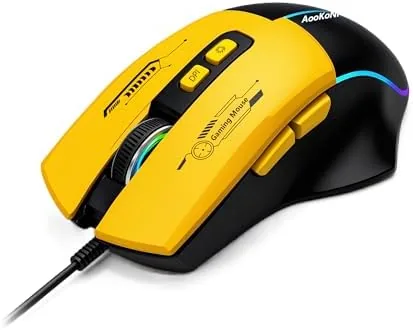

Gaming mice have a habit of arriving with more features than you will ever use and a price tag that assumes you are a professional athlete. The wired gaming mouse I have been using for the last few weeks takes the opposite path. It packs RGB backlighting, an adjustable sensor that reaches 7200 DPI, seven programmable macro buttons, and a comfortable ergonomic shape, all in a wired design that costs a fraction of the premium wireless flagships. I tested it across shooters, strategy games, and a full work week to see whether budget really means compromise here.
Before the details, the standard note. This article contains affiliate links, and if you buy through one of them the site earns a small commission at no extra cost to you. That commission does not change what I test or what I recommend. The mouse reviewed here was purchased retail.
The rest of this review covers the build and shape, the sensor and DPI settings, the programmable buttons, RGB lighting, real gaming and work performance, and the honest limits of a wired budget mouse.
Design and Build
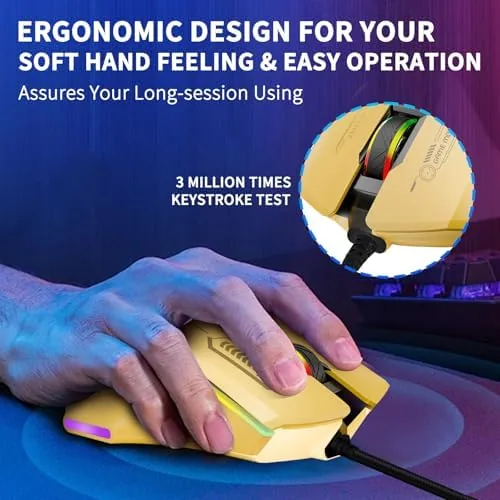
The mouse is a classic right handed ergonomic shape, with a raised rear that fills the palm and a slight contour that keeps the fingers resting naturally. It is not a tiny claw grip mouse and it is not a heavy tank, it sits in a comfortable middle ground that suits palm and claw grips without forcing either. After long sessions my hand did not cramp, which is the first test any gaming mouse has to pass.
The shell is a matte plastic that resists fingerprints and gives a solid, grippy texture. The six side buttons plus the main buttons give a total of seven programmable buttons, and each one is placed where a thumb or finger can reach it without a stretch. The scroll wheel is notched and firm, with a pleasant click for weapon and inventory switching.
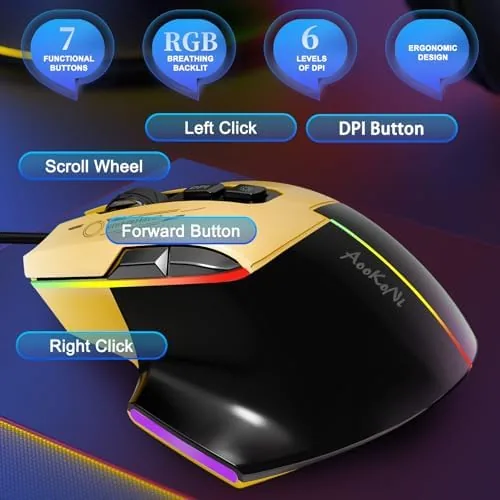
The braided cable is a thoughtful detail at this price. It is flexible enough to avoid drag during fast flicks but sturdy enough to survive being pulled across a desk for months. The mouse feet glide smoothly on a cloth pad, and the whole unit feels heavier and more expensive than its price suggests.
Key Features
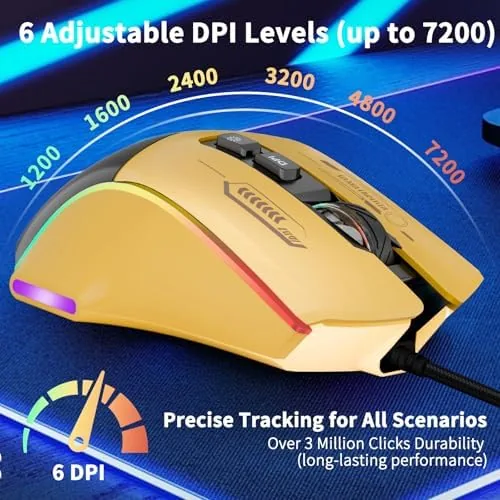
The headline feature is the 7200 DPI sensor. You can cycle through sensitivity levels on the fly with the dedicated DPI button, which is essential for switching between a slow, steady aim and a fast 180 degree turn. The sensor tracks cleanly with no acceleration or jumpy cursor movement, and it handled high speed flicks in shooters without losing the tracking.
The seven programmable macro buttons are the other headline. Through the included software you can assign macros, key combinations, media controls, and single key rebinds to any of the buttons. For games like MMOs and MOBAs, having abilities on the thumb buttons is a real advantage, and for office work the same buttons can become copy, paste, and volume controls.
The RGB backlighting completes the package. The lighting cycles through a spectrum by default, and the software lets you choose colors and effects to match your setup. It is bright and even across the shell, and because the mouse is wired, the lighting never drains a battery or shortens a session.
Real-World Performance
In fast paced shooters the mouse performed well above its price. The sensor kept up with quick flicks and wide swipes, the buttons registered instantly with a satisfying click, and the shape let me keep control during long matches. Dropping the DPI for a sniper scope and raising it for close combat worked exactly as expected through the on the fly button.
In slower strategy games the macro buttons earned their place. I bound build queues and unit commands to the thumb buttons and cut down on the repetitive clicks that wear out both the hand and the wrist. The same buttons handled media controls during a full work week, which is when I realized this is genuinely a dual purpose mouse.
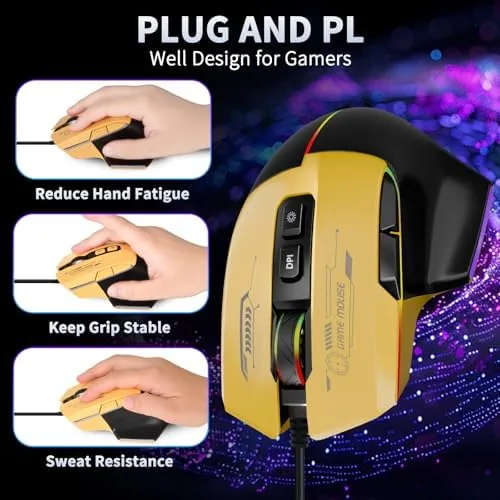
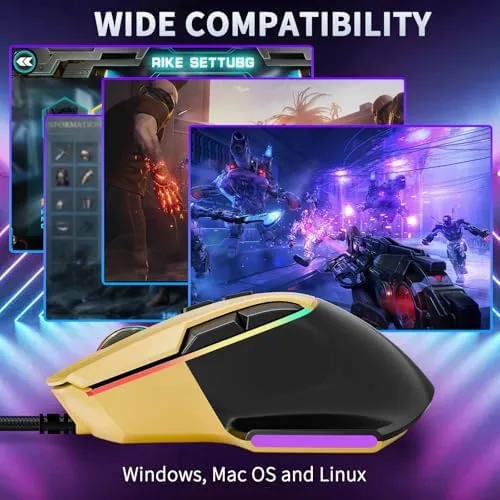
The mouse worked plug and play across a PC and a Mac without installing anything for basic use, and a Chromebook recognized it immediately. The braided cable caused no drag, and the mouse feet kept their smooth glide through the whole test window. I left the mouse running for a full eight hour work day followed by an evening gaming session, and at no point did the sensor skip, the buttons double click, or the cursor drift. Consistent behavior across long stretches is the trait that separates a good budget mouse from a frustrating one.
Button feel also stayed sharp over the test period. The main switches have a crisp, audible click with a short reset, so rapid tapping in shooters registered reliably, and the side buttons are stiff enough to avoid accidental presses while still being easy to hit deliberately. That balance takes real design care, because a side button that fires on its own during a tense moment is worse than no side button at all.
The honest limits are minor but real. The software is functional rather than polished, and it is required for macros, so you will want to install it on your main machine. The DPI steps are set rather than fully custom, which is fine for most players but worth knowing if you need a very specific sensitivity. And the matte shell, while grippy, will show wear in the high contact spots over a long time.
Pros and Cons
Pros:
- 7200 DPI sensor with on the fly sensitivity switching
- Seven programmable buttons with macro support
- Comfortable ergonomic shape for long sessions
- Bright RGB backlighting that never needs charging
- Braided cable and smooth gliding feet
- Works with PC, Mac, laptop, and Chromebook
Cons:
- Software is basic and required for macros
- DPI steps are preset rather than fully custom
- Wired design means a cable on the desk
How It Compares
The main comparison for this mouse is against premium wireless gaming mice that cost several times as much. The table below lines up the two.
| Feature | This Wired Mouse | Premium Wireless Mouse |
|---|---|---|
| Price | Budget friendly | Premium |
| Connection | Wired | Wireless with dongle |
| Sensor | 7200 DPI | Higher DPI, faster |
| Programmable buttons | Seven | Usually more |
| Battery | None needed | Rechargeable |
| Weight | Slightly heavier | Often lighter |
If you are a competitive player chasing the last ounce of performance and low weight, the premium wireless mouse is a legitimate upgrade. If you want a capable, comfortable mouse with macros and RGB at a fraction of the cost, this wired mouse covers almost everything the expensive one does. For most players the difference will not show up in the scoreboard.
Who Should Buy It
Buy this mouse if you are entering PC gaming and want a real gaming mouse without the flagship price, or if you want one device that handles both gaming and a full work day. It is a natural fit for shooter and MMO players, for students setting up a budget battle station, and for anyone who likes the idea of programmable buttons.
Skip it if you need a wireless mouse for travel, or if your competitive standards demand the absolute fastest sensor and lowest weight. If this mouse sounds like the right balance, check the current price of this wired gaming mouse on Amazon before you commit.
How We Test
I used this mouse daily for three weeks, split between shooters, strategy games, and office work. I tested the DPI range from low to maximum, set up macros through the software, used the mouse on a PC and a Mac, and paid close attention to sensor tracking, button feel, and comfort over long sessions.
I did not test the mouse in competitive tournament conditions, and I did not attempt to push the sensor beyond its rated DPI. For a broader look at how budget gaming mice compare to the flagships, Tom's Hardware has a guide to the best gaming mice that is worth reading. You can also view the full mouse listing on Amazon for the latest price and color options.
Wired Gaming Mouse: Questions People Ask
How do I adjust the DPI on this gaming mouse?
You can cycle through sensitivity levels with the on the fly DPI button on the mouse, moving through steps up to a maximum of 7200 DPI.
Can I program the seven buttons on the gaming mouse?
Yes, the included software lets you assign macros, key combinations, and media controls to any of the seven programmable buttons.
Does the wired gaming mouse work on a Mac or Chromebook?
Yes, the mouse is plug and play on PC, Mac, laptop, and Chromebook, with the core buttons working without extra drivers for basic use.
Is the RGB backlighting adjustable?
Yes, the RGB effects can be changed through the software or by cycling the built in modes, so you can match the glow to the rest of your setup.
As an Amazon Associate, I earn from qualifying purchases.