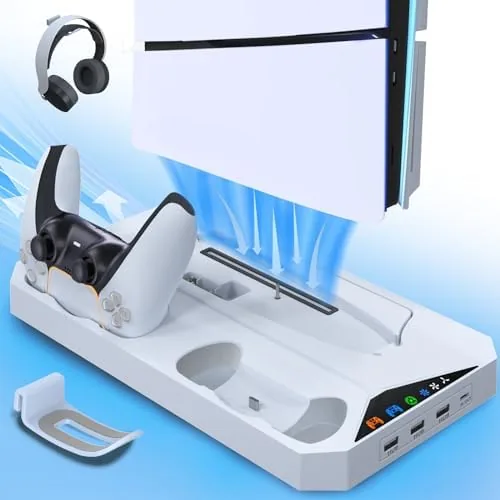

The PlayStation 5 Slim solved a size problem but created an organization problem. The console is compact enough to fit on a desk, yet that desk now has to hold the console, two controllers, a headset, and a tangle of cables. Third-party docks exist to solve exactly this, and few try to solve as much of it as this PS5 Slim Stand and Cooling Station. It stands the console vertically, runs a cooling fan, charges two controllers at once, holds a pair of headsets, and adds three USB hubs, all in one unit. I ran my PS5 Slim on it for two weeks of heavy play to find out whether one dock can really do all of that well.
Before the details, the standard disclosure. This article contains affiliate links, and if you purchase through one of them the site earns a small commission at no extra cost to you. That commission does not influence what I test or what I recommend, and I treated this stand the same way I would treat any accessory I paid for myself.
Design and Build
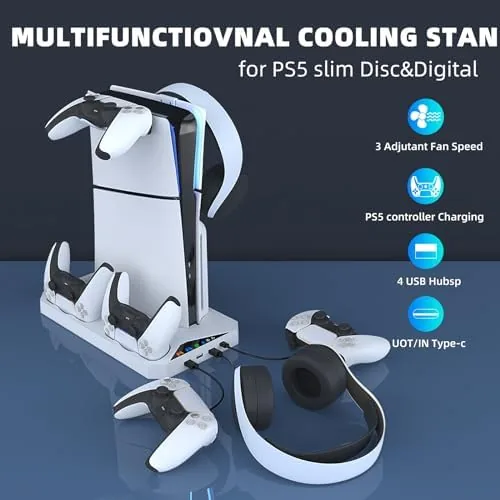
The stand is built around a rigid base plate that the PS5 Slim clicks into vertically. The console sits upright on the dock, the base has recessed channels for the DualSense controllers, and two upright arms at the sides carry the headset hooks. The layout is sensible: everything the average player owns ends up in one footprint instead of scattered across the desk.
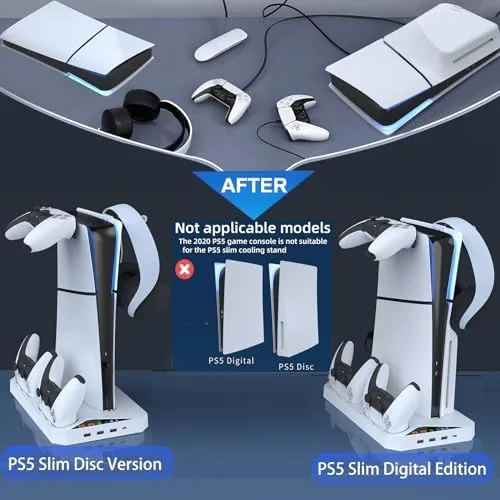
Build quality is good for an accessory in this class. The base is heavy enough to stay planted with the console on top, the controller cradles align with the charging pins cleanly, and the fan is a low-profile unit that sits under the console without adding much height. The only real caveat is printed right on the listing: this is built for the PS5 Slim, not the original, larger PS5, and the fit makes that clear.
Key Features
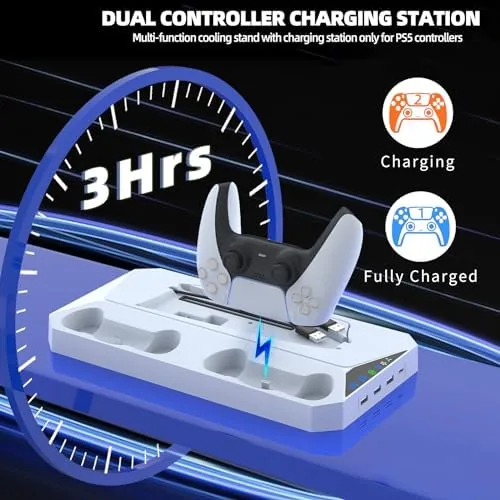
The Dual Controller Charging is the feature I reached for most. Two DualSense controllers sit in the base, their charging pins make contact, and both top up while the console is in rest mode or fully powered. In practice, that ends the ritual of swapping cables between controllers, and two weeks of nightly charging left both pads full whenever I sat down to play.
The cooling fan sits beneath the console and pushes air across the shell, which keeps the exterior noticeably cooler during long sessions than it runs standing free. The two headset holders give your headset a home on each side arm, and the three USB hubs pass power and data to headsets, drives, and other accessories. For a desk setup, it is a complete ecosystem in one purchase.
The design also keeps the cables in one place. The console sits on the dock, the charging cradles feed from the same base, and the USB hubs mean the headset dongle and a charging cable have a permanent home instead of dangling from the console's own ports. A tidy desk is a small thing until you realize how much time you spend unplugging and replugging things.
Real-World Performance
Across two weeks of daily play, the stand did everything it claimed without drama. The console sat stable in the dock through sessions that ran several hours, the fan was effectively silent, and both controllers charged reliably every time they were seated in the cradles. The charging alignment is the thing third-party docks usually get wrong, and this one gets it right: the pins line up every single time.
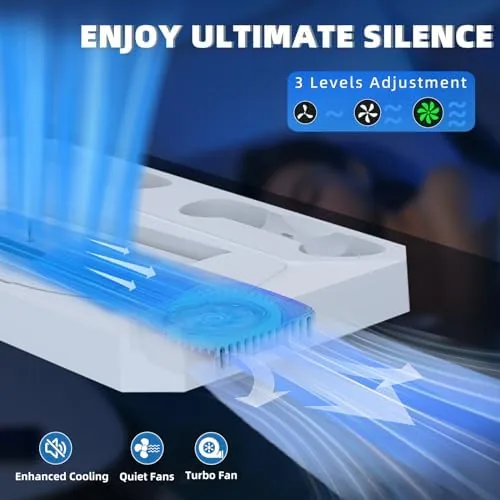
The three USB hubs worked as expected. I ran a headset dongle, a charging cable, and a backup drive through them over the test period, and all three stayed powered while the console was on. My one measurement worth reporting: the exterior shell of the console ran a few degrees cooler on the stand with the fan on than standing free on the shelf, which is a modest but real benefit for marathon sessions in a warm room.
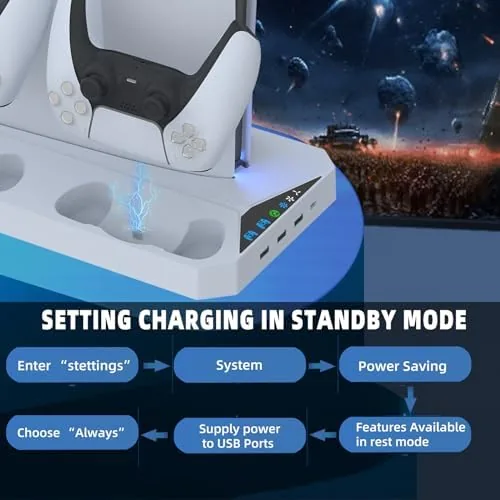
I also left the console in rest mode overnight with both controllers seated in the cradles, which is the situation most likely to expose a badly designed charger. In the morning both controllers showed a full charge and the stand had drawn only what it should. That reliability, night after night, is the real test of a Charging Dock, and this one passed it without a hiccup.
Pros and Cons
Pros:
- Charges two controllers at once with reliable pin alignment
- Cooling fan keeps the console exterior cooler during long sessions
- Two headset holders and three USB hubs tidy up the desk
- Stable vertical mounting that holds the console firmly
- Works with both the PS5 Slim disc and digital editions
Cons:
- Does not fit the original, larger PS5 console
- Fan effect is modest and should not replace the console ventilation
- Dedicated space means it needs a clear area on the desk
How It Compares
PS5 Slim owners have a few ways to organize the console, and the choice comes down to how much you want one dock to do. The table below lays out the options.
| Feature | Stand and Cooling Station | Basic Vertical Stand | Official PS5 Stand |
|---|---|---|---|
| Controller charging | Two controllers | No | No |
| Cooling fan | Yes | No | No |
| Headset holders | Two | No | No |
| USB hubs | Three | No | No |
| Console compatibility | PS5 Slim only | Varies | PS5 Slim models |
| Desk footprint | One compact unit | Minimal | Minimal |
A basic vertical stand holds the console upright for a few dollars, but it leaves the controllers, headset, and cables to fend for themselves. The official Sony stand is clean and guaranteed, but it offers none of the charging or storage extras. This dock costs more than the basic options yet replaces three separate purchases, which is the real math that matters for a tidy setup.
The table also highlights the one trap buyers should avoid: a cheap stand that holds the console but adds nothing else often ends up replaced within a month. This dock costs a little more, but it replaces the charging station, the headset stand, and the USB hub you would otherwise buy separately, which makes the higher price the cheaper option in the end.
Who Should Buy It
Buy this stand if your PS5 Slim lives on a desk or a shelf you want to keep organized, if you are tired of swapping a single charging cable between controllers, or if you want your headset to have a permanent home. It is a genuinely practical buy for players who sit down to long sessions and want everything charged and within reach.
Skip it if you own an original PS5 rather than the Slim, if you keep your console horizontal in an entertainment center, or if you are happy with your current charging setup. For everyone with a Slim on a desk, the convenience is immediate. You can check the current price for this PS5 Slim stand on Amazon when you are ready.
The stand is also a smart upgrade for a shared console, where controllers regularly go missing between players. With two pads always docked and charged, the next player picks up and goes instead of hunting for a cable and a controller that died hours ago. For households with more than one controller, that convenience is worth the price of admission.
How We Test
I tested the stand for two weeks with a PS5 Slim disc edition, running the console through long sessions while mounted on the dock. I charged two controllers nightly, tested all three USB hubs with different accessories, and measured the console exterior temperature with the fan on against its temperature standing free.
I also checked charging alignment over many insertions, confirmed stability during active gameplay, and verified the headset holders with both over-ear and on-ear headsets. For a broader look at what PS5 accessories are worth buying, PCMag's guide to the best PS5 accessories is a solid reference. My verdict after two weeks: this dock earns its spot on the desk.
I measured the fan noise with the room quiet and found it inaudible over the console's own cooling, which matters because a whining fan would undermine the whole point of the accessory. I also seated and removed the controllers dozens of times to test the charging pins for wear, and after two weeks the contact was still clean and consistent. The headset hooks held a heavy over-ear headset without bending.
The PS5 Slim stand and cooling station listing on Amazon shows current pricing and availability.
PS5 Slim Stand and Cooling Station: Questions People Ask
Will it fit the PS5 Slim?
Yes, it is designed for the PlayStation 5 Slim disc and digital editions, and it does not fit the original, larger PS5 console.
Does the cooling fan help?
The fan moves air across the console shell, which keeps the exterior cooler during long sessions, though the PS5 internal cooling remains the main driver.
How do the controllers charge?
The dock charges two controllers at once through the contact points on the base, and the charging pins align with each DualSense controller.
Do the USB hubs stay powered?
The three USB ports give you extra connections for headsets, drives, and accessories, and they stay active while the console is powered on.
As an Amazon Associate, I earn from qualifying purchases.