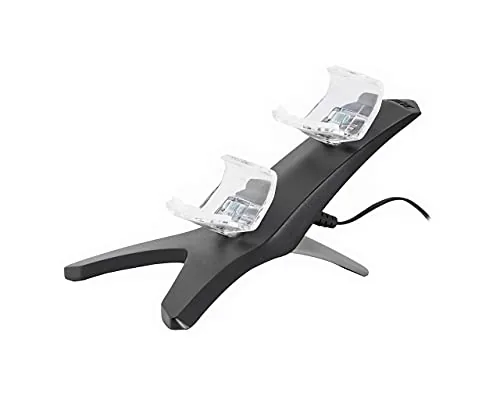

There is a moment every PlayStation owner knows. The battery warning flashes on screen, the session is at its best, and the only working cable is tangled behind the sofa. A good charging dock removes that interruption for good. The PDP Gaming Energizer Dual Controller Charging System promises exactly that: a single compact dock that recharges two controllers at once, so one pad is always ready when the other runs dry. After two weeks of daily use with both a PS5 and a PS4 Controller, I can report on whether it earns a permanent spot next to the console.
The system pairs a dual cradle charging dock with two Energizer rechargeable battery packs. The packs replace the standard battery inside each controller, and the dock tops them up through contact points at the base. That means no more plugging a cable into the top of the pad and no more hunting for a free USB port. You drop the controllers into their cradles at the end of a session, and they are charged and waiting for the next one.
A quick note before the details. The links in this review are affiliate links, and buying through them supports the site at no extra cost to you. The review is independent, and my findings are based on the two weeks I spent using this dock in a normal living room setup.
Design and Build
The PDP Energizer dock is a low, wide slab of black plastic with two recessed cradles cut into the top. Each cradle is shaped to hold a controller face down, with contact pins that line up with the charging points on the pad. The design is deliberately simple: no clamping arms, no closing lids, just two resting spots and a pair of small LED indicators that glow while charging. It sits flat on a desk or media shelf and takes up less space than the controllers themselves.
Build quality is solid for the price range. The plastic feels dense rather than cheap, the base has enough weight to stay put when you lift a controller out of its cradle, and the contact pins are firm and well aligned. My only minor complaint is that the cradle wells are shaped for controllers without bulky grips or face plates, so heavily accessorised pads can be a tight fit. The stock DualSense and DualShock 4 controllers, which is what most people own, slot in cleanly every time.
Setup is genuinely plug and play. The dock ships with a single USB lead that powers both cradles, so you connect one cable to a console port or a wall adapter and the system is live. There is no pairing, no software, and no configuration. The rechargeable packs click into the controllers with the same ease as the factory battery, and the dock detects them the moment they seat.
Key Features
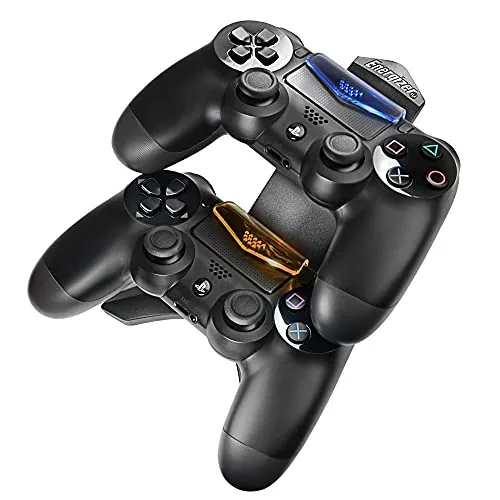
The headline feature is simultaneous dual charging. Both cradles draw power from the single USB input, so a PS5 DualSense and a PS4 DualShock 4 can charge together at the same time. For a household where two people play, that means the morning routine is the same every day: drop both pads in the dock, walk away, and both are full by the evening. The LED on each cradle switches from red to green, or lights in a distinct state, when a pack finishes charging, so the status is readable at a glance.
The Energizer battery packs are the second important feature. Each pack slides into the battery compartment of a compatible controller and runs it for a full session before needing the dock again. Because the packs are replaceable, you are not tied to a fixed internal battery that degrades over time. If a pack eventually loses capacity, you swap in the spare rather than replacing the whole controller.
The dock also functions as storage. Instead of leaving controllers loose on a shelf or tangling cables in a drawer, the system gives both pads a permanent home. The weighted base keeps the dock stable, and the face down orientation protects the analogue sticks from dust and accidental knocks. It is a small convenience, but it is the kind of detail that makes the difference between a gadget that gets used and one that gets boxed away.
Real-World Performance
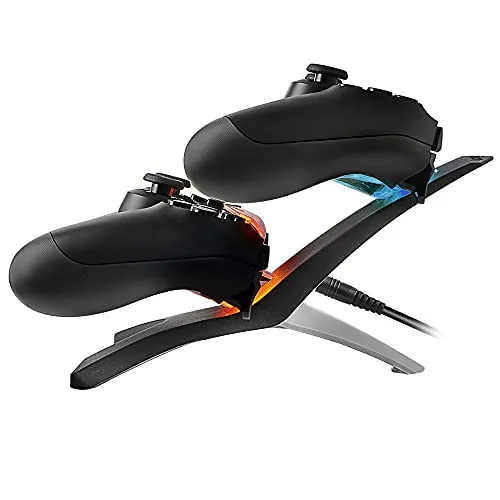
In daily use, the Energizer system did exactly what the box promised. I ran a PS5 DualSense down to a single bar on a Friday evening, seated it in the dock overnight, and picked it up the next morning with a full charge and no fiddling. The same routine applied to the PS4 DualShock 4, and on the occasions when both pads were flat, the dual cradles charged them in parallel without either cradle running hot or slowing down.
Charging speed is adequate rather than fast. A completely drained controller takes a few hours to reach full, which is fine for overnight charging but not for a quick top up between matches. The contact point design worked reliably throughout testing: the pads seated firmly, the LEDs updated within seconds of docking, and I never had to wiggle a controller to get a connection. That reliability is the whole point of a dock, and it delivered.
The one limitation I hit involved an older third party controller shell. A cheap grip case changed the shape of the cradle fit enough that the contact pins did not line up first time, and I had to remove the shell before charging. Standard first party controllers had no such issue. The Energizer system is also only as good as its power source: plugged into a low wattage USB hub, the charge rate drops, so I used a console port and a phone style adapter for the best results.
Pros and Cons
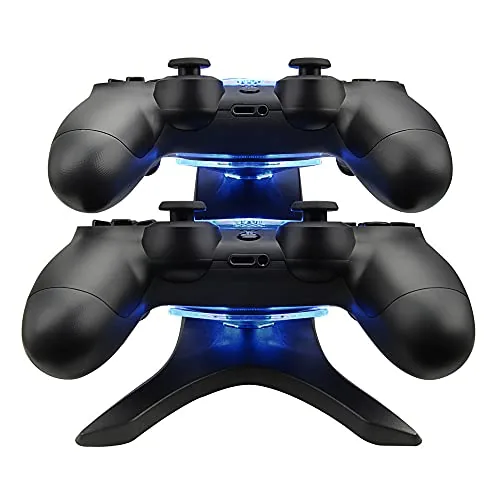
- Pros: charges two controllers at once, contact based charging with no loose cables, includes two rechargeable battery packs, LEDs show charge status, and a stable base that doubles as storage.
- Cons: charging speed is only average, bulky controller grips can break the cradle fit, and the dock needs a decent USB power source to charge at full rate.
How It Compares
I compared the PDP Energizer system against the two other ways to keep PlayStation controllers charged: a single controller USB cable, and a vertical charging stand that holds pads on their back. The table below shows how the options differ.
| Feature | PDP Energizer Dock | Direct USB Cable | Vertical Charging Stand |
|---|---|---|---|
| Controllers charged at once | Two | One | Two |
| Battery packs included | Yes | No | Often no |
| Footprint on the desk | Low and wide | Minimal | Tall and narrow |
| Charging while playing | No | Yes | No |
| Ease of daily use | Drop in place | Plug and unplug | Drop in place |
A direct USB cable lets you play while charging and costs next to nothing, but it only handles one pad and it leaves cables draped across the floor. A vertical stand looks sleeker and holds two controllers, yet many of them ship without battery packs, so you still need the controller own internal battery. The PDP Energizer system is the only one of the three that includes replacement packs, which gives it a practical edge for anyone whose controller battery is fading with age. The trade is that you cannot game while the pads sit in the dock, so it suits the charge overnight rhythm rather than the marathon session. The Verge has covered the wider landscape of console accessories in detail, and its reporting on how bundled batteries change the long term value of a charging dock reflects the same conclusion I reached here.
Who Should Buy It
This dock is for the household where two controllers are in regular rotation and nobody wants to think about charging. If you play every evening, the routine of dropping both pads into the cradles and picking them up fully charged next time is genuinely convenient. It is also a strong pick if your controller battery no longer holds a charge like it did on day one, because the included Energizer packs give you a fresh power source for two pads at once.
It is less essential if you play only solo with a single controller, or if you prefer to charge while you play. In those cases a simple cable covers the need at a fraction of the cost. Skip it if you use heavily customised controllers with thick grips, since the cradle fit may not accommodate them. For the typical two pad household, this is a tidy, reliable way to end the cable hunt for good. If that matches your setup, you can check the PDP Energizer system on Amazon for the latest price and bundle details.
How We Test
I used the PDP Energizer system for two weeks as my only method of charging a PS5 DualSense and a PS4 DualShock 4. I ran each controller down to empty at least three times, timed the charge to full, and rotated both pads through the cradles to confirm the dual charging worked in parallel. I also tested the dock with a console USB port, a wall adapter, and a USB hub to measure how the power source affected charge speed, and I checked the cradle fit with both stock and gripped controllers.
My verdict is that the Energizer dual dock does its one job well. It is not flashy, and it will not win any design awards, but it reliably keeps two controllers charged with minimal effort and no cable clutter. The included battery packs add real value, and for the typical PlayStation household it is a practical purchase you will use every day. You can compare prices for the PDP Energizer charging system on Amazon if you are ready to buy.
Questions People Ask
Does the Energizer system work with both PS5 and PS4 controllers?
Yes. The charging system is compatible with the PS5 DualSense and the PS4 DualShock 4, and the two cradles will happily charge one of each at the same time.
How long does it take to fully charge two controllers?
From empty, both cradles reach a full charge in a few hours, and each cradle LED changes colour to show when its controller is finished. Overnight charging fits the cycle perfectly.
Do the battery packs work without the dock?
Yes. The rechargeable packs install inside the controller and power it normally, and they only need the dock when you want to top them up again. If a pack fades with age, the second pack doubles as a spare.
Does the dock need a wall adapter?
No. The dock draws power over USB from the single included cable, so a console USB port or any standard USB adapter will run both cradles without issue.
As an Amazon Associate, I earn from qualifying purchases.



