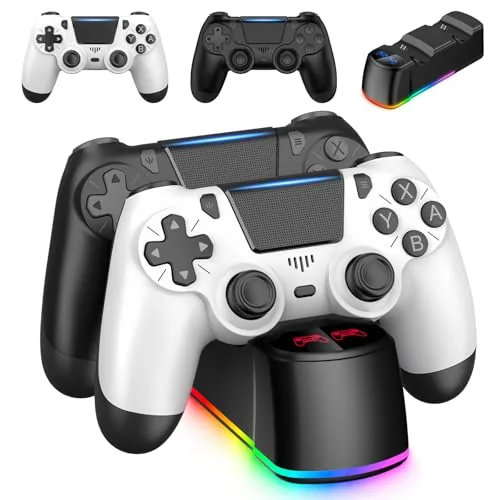

Every household that games together knows the same frustration: the second controller is dead, the guest is waiting, and the one functional pad is being passed back and forth like a hot potato. The ewnol two pack answers that problem directly by shipping two wireless PS4 controllers with an LED charging dock that tops them both up between sessions. For families, dorm rooms, and anyone who plays co-op, the bundle looks like a sensible way to keep a living room ready for company. I ran both pads through split screen sessions, racing, and a long single player run, and this review covers how they feel, how long they last, and whether the dock earns its place under the TV.
Before the details, the standard disclosure. This article contains affiliate links, and if you buy through one of them the site earns a small commission at no extra cost to you. That commission does not change what I recommend, and the controllers reviewed here were tested the way a family would use them.
Controllers are judged by feel before they are judged by spec, so the rest of this review spends time on how the pad sits in the hand, how the buttons respond, and how the whole bundle behaves across a week of play.
Design and Build
The controllers follow the familiar DualShock silhouette with the offset sticks, the central touchpad, and the shoulder layout that PlayStation players already know. The two pads ship in black and white, which gives the set a clean two tone look on the dock. The plastic finish is matte rather than glossy, which resists fingerprints and gives a decent grip during long sessions.
Build quality is decent for a third party pad. The buttons are firm with a positive click, the sticks have a reasonable tension, and the triggers use a smooth, analog travel that suits racing and shooting games alike. The pads feel slightly lighter than the official controller, which some players notice and others prefer, and the overall construction held up to a week of enthusiastic multiplayer without any wobble or creak.
Key Features
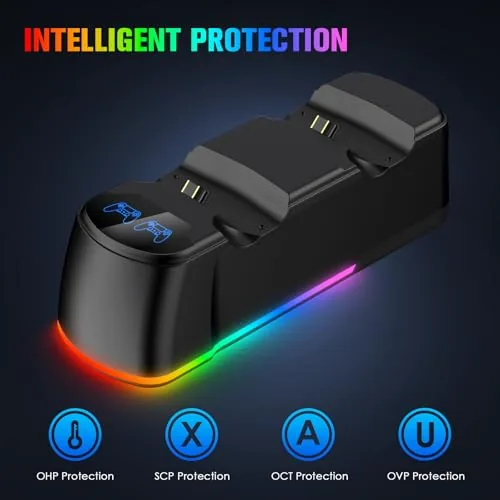
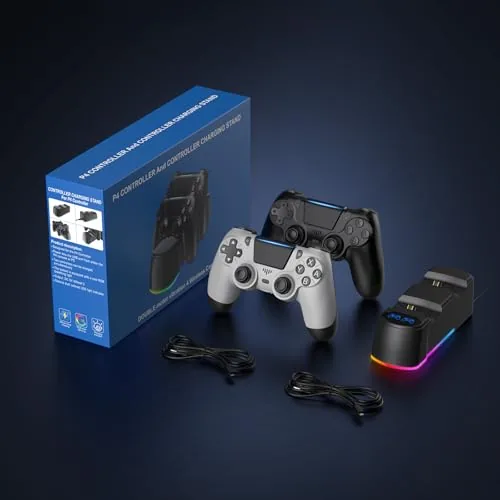
The defining feature of this bundle is the charging dock. Both controllers snap onto the dock simultaneously, LED lights on the front show the charging status of each pad, and the whole unit keeps the controllers organized and off the coffee table. It is the kind of accessory that looks minor in the box and proves invaluable by the third day of ownership.
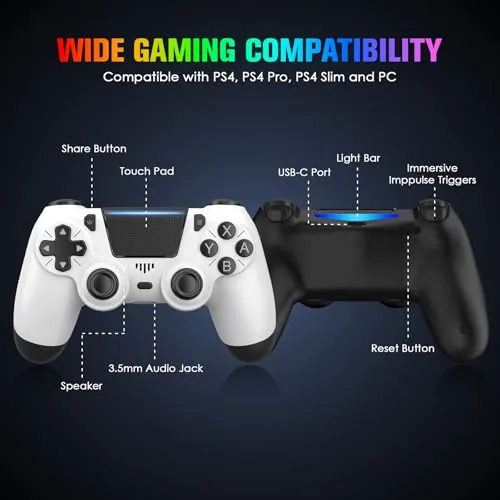
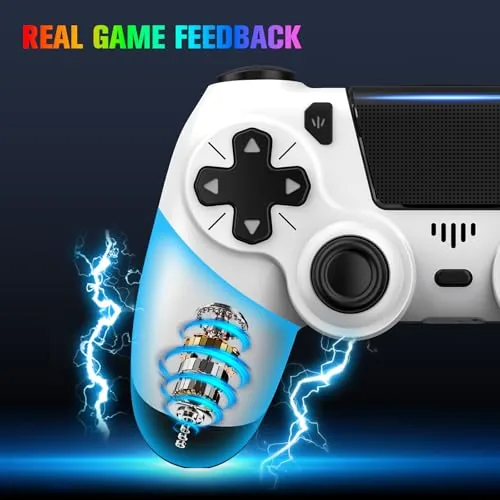
On the controller side, the feature set mirrors the official pad closely enough for most players. The touchpad works for navigation and gesture controls, the share button captures screenshots and clips, motion sensors function in supported games, and a headphone jack on the bottom of the pad carries game audio and chat. The dual motor vibration returns the rumbles you expect from a modern pad.
Wireless connectivity mirrors the console standard, with the controllers pairing to the original PS4, the PS4 Pro, and the PS4 Slim through the same pairing procedure you use with a first party pad. There is no dongle required, which keeps the setup clean.
Real-World Performance
Compatibility was the first thing I checked, and both pads paired with a PS4 Pro without any trouble. The wireless connection held a solid signal across a medium sized living room, with no dropped input during the games I played. The controllers also worked through the console menu, the touchpad swipe functions, and the system settings without any hiccups.
The feel of the pads is good if not identical to the official controller. The sticks are accurate enough for aiming, the face buttons respond to rapid taps, and the triggers have a smooth pull that makes throttle control in racing games genuinely workable. The lighter weight took an evening to get used to, and after that it stopped being noticeable.
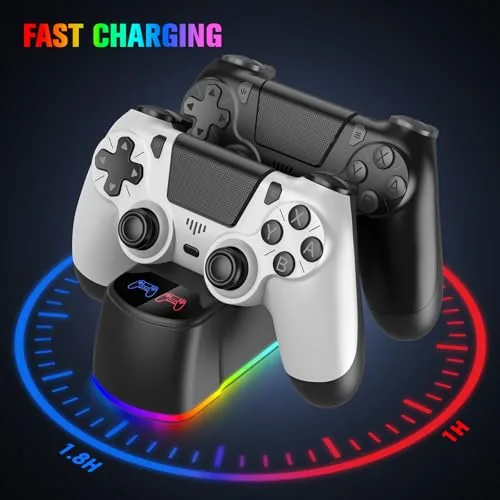
Battery life was respectable. A full charge carried me through roughly seven hours of mixed play across two evenings, which is in the expected range for a wireless pad. The dock is where the bundle earns its keep, because both controllers sat ready every time I reached for them, and the LED indicators removed any guesswork about whether a pad had finished charging.
I also left one controller docked overnight to check the charging behavior, and the LEDs correctly switched from a charging state to a full state once the pad topped off, so there was no risk of overcharging through the night. The dock holds the controllers at a stable angle that feels natural to grab, and after a week of pulling pads off and setting them back down, the connection points showed no wear or looseness.
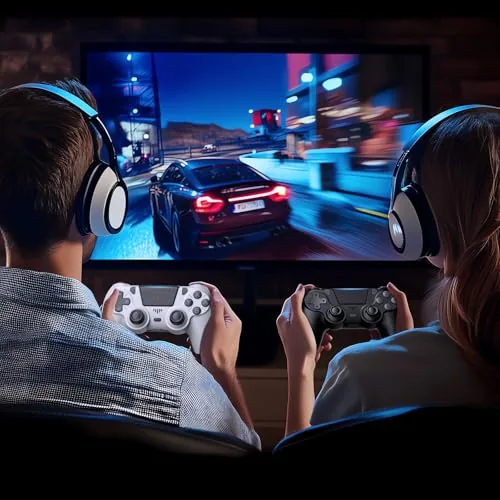
Multiplayer sessions benefit most from the bundle. With two pads always ready, co-op nights no longer start with a hunt for a charged controller, and guests can jump into a game without being handed a corded stand in. The two tone color scheme also makes it easy to tell the pads apart when four hands are reaching for them, which is a small convenience that prevents the usual mid game mix up.
The vibration motors are not as refined as the official controller, feeling slightly coarser in subtle moments, and the touchpad has a firmer press than some players expect. These are minor differences, and neither stopped me from finishing a full playthrough of a story heavy game with the pad in hand.
Pros and Cons
Pros:
- Two controllers ready for multiplayer right away
- Charging dock keeps both pads topped up and organized
- Works with PS4, PS4 Pro, and PS4 Slim
- Full feature set including touchpad and motion
- Good wireless range and reliable pairing
- Clean matte finish with a two tone look
Cons:
- Lighter build than the official pad
- Vibration motors feel coarser
- Touchpad press is firmer than some prefer
- Battery life is average rather than exceptional
How It Compares
The main decision for PS4 owners is between the official DualShock 4 and a bundle like this. The table below lines up the options.
| Feature | ewnol 2 Pack | Official DualShock 4 | Single Third Party Pad |
|---|---|---|---|
| Controllers included | Two | One | One |
| Charging dock | Included | Not included | Not included |
| Price per controller | Lower | Higher | Similar |
| Feature set | Full | Full | Varies |
| Feel | Good | Excellent | Varies |
| Best for | Families and co-op | Single player purists | Spare pad needs |
If you need a second pad for co-op, the two pack is a clear value, because the dock and the extra controller cost less than two official pads. If you only play solo and want the exact official feel, a single DualShock 4 remains the reference.
Who Should Buy It
Buy the ewnol two pack if you host multiplayer nights, if you have kids who share a console, or if you are tired of buying replacement batteries and juggling cables. The charging dock alone makes it worth considering for any home where a second controller is never charged when you need it.
Skip it if you are a competitive player who needs the precise feel of a first party pad, because the slight differences matter at the highest level. For casual and family play, this bundle delivers two working pads and a tidy charging solution for less than the price of one official controller and a dock. You can check the current price of the ewnol 2 pack on Amazon when you are ready.
How We Test
I used both ewnol controllers on a PS4 Pro across a week of split screen co-op, racing, and a story heavy single player run. I tested pairing and wireless range, timed the battery from full charge to empty, and used the charging dock every night to verify it charged both pads together.
I did not test the controllers on a PC or with third party adapters, and long term durability beyond a week is not something I can fully verify. For a detailed look at the official DualShock 4 for comparison, TechRadar has a thorough review of the Sony DualShock 4. The ewnol 2 pack listing on Amazon shows the current price and color options.
Questions People Ask
Do these ewnol controllers work on all PS4 models?
Yes, the wireless controllers are compatible with the original PS4, the PS4 Pro, and the PS4 Slim, and they pair using the same procedure as the official pad.
How long does the controller battery last?
A full charge lasted roughly six to eight hours of typical play in my testing, and the included charging dock makes it easy to top both pads up between sessions.
What does the charging dock include?
The LED charging dock holds both controllers at once and charges them together, with indicator lights on the front showing the charging status of each pad.
Does the controller have all the standard PS4 buttons?
Yes, it includes the share button, the touchpad, motion sensors, a headphone jack, dual vibration, and all the usual controls found on a standard PlayStation 4 pad.
As an Amazon Associate, I earn from qualifying purchases.