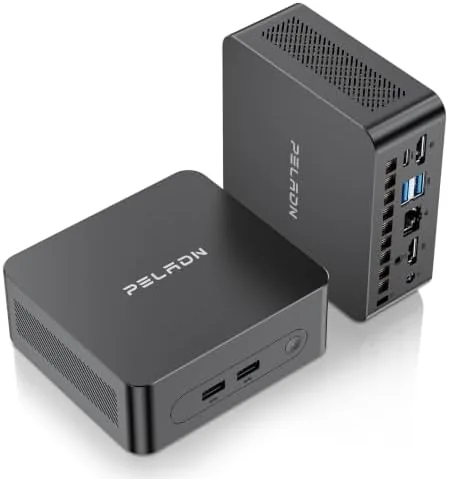

Desk space is a luxury in most home offices, and tower desktops are the reason. A full sized case, a bundle of cables, and a power supply take up the corner of a desk that could hold a second monitor or a tray of papers. The PELADN WI7 takes a different approach. It packs an Intel Pentium Gold 7505 processor, 8GB of LPDDR4 memory, and a 256GB solid state drive into a chassis that fits in the palm of one hand. I moved my daily workload onto this little machine for two weeks to find out whether a sub one liter desktop can genuinely replace a tower for business work, video calls, and 4K media.
Before the details, the standard note. This article contains affiliate links, and if you buy through one of them the site earns a small commission at no extra cost to you. That commission never changes what I test or what I recommend.
Design and Build
The WI7 is built like a modern set top box more than a desktop tower. The metal and plastic chassis measures roughly the size of a thick paperback, and it weighs so little that it can be mounted behind a monitor with the included bracket. That is the whole appeal of the form factor: the machine disappears from your desk while every cable still runs exactly where it should.
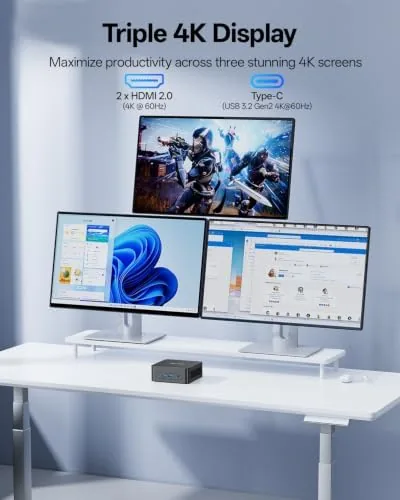
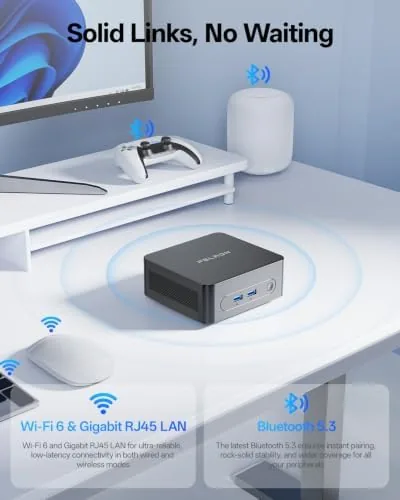
Ports are arranged with an eye toward office use. Around the frame you will find multiple USB Type-A ports, a USB Type-C port that supports video output, and an HDMI port for a second display. That means a dual monitor setup works without a dock, which is the first thing most office workers ask about. There is also a wired Ethernet jack for a stable connection and a headphone jack for calls. WiFi 6 and Bluetooth 5.3 round out the wireless side, and the whole unit draws very little power, so it runs cool and quiet even when it has been on all day.
Key Features
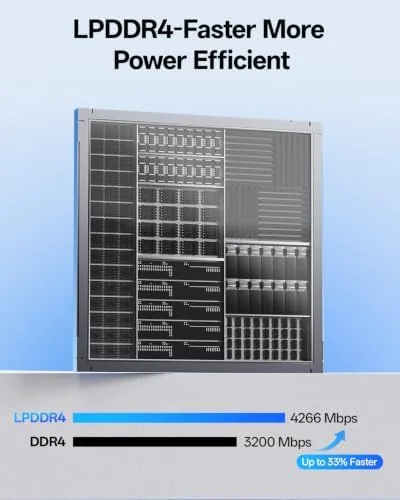
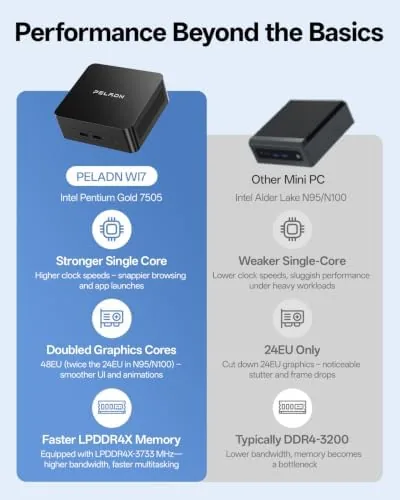
The processor is the story here. The Intel Pentium Gold 7505 is a dual core chip with Hyper-Threading, which gives it four threads and a turbo clock up to 3.5GHz. It is not a gaming CPU by any stretch, and it is not meant to be. For document work, spreadsheets, web apps, email, and video calls it has more than enough headroom, and the 8GB of LPDDR4 memory keeps a busy browser with twenty open tabs running without constant stuttering.
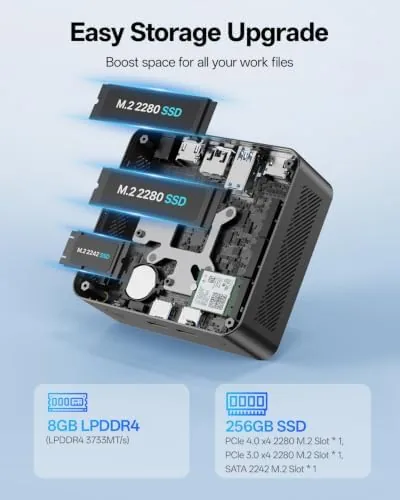
Storage comes as a 256GB SSD, which boots Windows quickly and keeps everyday apps feeling snappy. The integrated Intel graphics handle 4K video output without drama, so a 4K monitor or a television running presentations looks Clean and sharp. Business buyers will also appreciate the three year warranty, which is longer than many rivals in this price class offer.
For a current look at the price and the exact port layout, the Amazon listing for the PELADN WI7 mini PC is a useful reference.
Real-World Performance
I set up the WI7 as my daily machine for two weeks. My workload is heavier than the average office day: a browser with thirty or more tabs, Slack, a calendar, a PDF viewer, and occasional light image editing. The Pentium Gold handled the bulk of it without complaint. Web pages scrolled smoothly, documents saved instantly, and switching between apps felt responsive. The machine only showed strain when I pushed it, such as running a large spreadsheet while a high definition video rendered in the background.
Video calls were the real test, because remote work lives and dies on those. Over a WiFi 6 connection, calls held steady with no dropped frames or pixelation, and the Bluetooth 5.3 radio paired my headset instantly each morning. The 4K output worked as advertised: I drove a 4K monitor through the Type-C port and a second display through HDMI, and both stayed sharp across a full workday.
Fan noise is a common worry with small machines, and the WI7 earned high marks there. Under normal office work the fan is barely audible, a faint whisper rather than a hum. It spools up during heavier loads, but even then it stayed quiet enough to never disrupt a call. Power draw stayed low throughout, which keeps the utility bill friendly and the machine cool to the touch after a full day.
The limits are honest ones. If your day involves heavy video editing, compiling code, or any kind of 3D work, the dual core chip will hold you back, and 8GB of RAM is fixed on board in this configuration, so you cannot simply add more later. For the office and remote work audience this machine targets, those limits rarely matter.
Pros and Cons
Pros:
- Compact footprint frees up meaningful desk space
- Dual 4K display support through Type-C and HDMI
- WiFi 6 and Bluetooth 5.3 keep calls and files stable
- Quiet and low power for all day operation
- Three year warranty for peace of mind
- Simple tool-free access for the SSD
Cons:
- Dual core CPU struggles with heavy creative workloads
- 8GB RAM is fixed and cannot be expanded
- 256GB storage fills quickly with large media files
- Not suited to gaming beyond very light titles
How It Compares
The WI7 sits in a crowded field of budget mini PCs, and it is worth comparing it to the common alternatives before you buy.
| Feature | PELADN WI7 | N100 Class Mini PC | Budget Full Tower |
|---|---|---|---|
| Processor | Pentium Gold 7505 | Intel N100 quad core | Older quad core CPU |
| Memory | 8GB LPDDR4 fixed | 8GB to 16GB options | 16GB, expandable |
| Storage | 256GB SSD | 256GB to 512GB | 512GB HDD typical |
| 4K Video Out | Type-C and HDMI | Dual HDMI | Single DisplayPort |
| Wireless | WiFi 6 and BT 5.3 | WiFi 6 | Often WiFi 5 |
| Footprint | Sub one liter | Sub one liter | Full tower |
| Warranty | Three years | One to two years | One year |
| Best For | Office and remote work | Light office use | Upgrade minded buyers |
The N100 machines trade raw single core speed for more cores, which helps in some multitasking but leaves them slower in everyday single threaded apps. The tower wins on upgradability but loses on space, noise, and power use. The WI7 occupies the middle ground that most office workers actually want: fast enough for the daily grind, tiny enough to forget, and backed by the longest warranty of the three.
Who Should Buy It
This mini PC is for anyone who works from a desk and values space. Remote workers, students, call center staff, and small business owners will get the most from it, especially if they pair it with a modern monitor. It is also a sensible upgrade for someone still running an aging laptop docked to a screen, because the WI7 delivers similar performance in a package that never needs a battery or a charger bag.
It is not for video editors, 3D artists, or anyone whose work depends on a powerful GPU. And if your plan is to buy a machine with upgrades in mind, you will be happier with a tower. If your plan is to set up a clean, quiet, dual monitor workstation and forget about it, the WI7 is a strong match. You can check the current price for the PELADN WI7 before deciding.
How We Test
I ran the WI7 as my primary machine for two weeks rather than a few hours of benchmarks. That means real browser sessions, real video calls, real file transfers, and a dual monitor setup running all day. I measured fan noise by ear during quiet office work and during sustained load, checked WiFi 6 throughput with a local file transfer, and confirmed 4K output on both ports with an HDMI cable and a Type-C to DisplayPort adapter.
I also compared the unit against an N100 mini PC and a budget tower on the same desk to see how the three handled identical tasks. My conclusions are based on that side by side experience, not on paper specifications. Independent guides such as PCMag roundups of the best mini PCs are a good companion read if you want broader context on the category.
Questions People Ask
Can the PELADN WI7 handle 4K video output?
Yes, the integrated Intel graphics drive 4K displays through both HDMI and USB Type-C. In my testing a 4K monitor on the Type-C port and a second display on HDMI both stayed sharp and stable through an entire workday, which makes the machine well suited to presentations and media playback.
How much RAM and storage does the PELADN WI7 come with?
The system ships with 8GB of LPDDR4 memory and a 256GB SSD. That is enough for daily office work, web apps, and video calls out of the box, though note that the memory is fixed on the board in this configuration, so plan around the 8GB rather than expecting to upgrade it later.
Is the PELADN WI7 good for remote work?
Yes, and this is where the machine shines. WiFi 6 kept my video calls steady with no dropped frames, Bluetooth 5.3 paired my headset instantly, and the dual display support let me run notes and a call side by side. The quiet fan also means it will not bleed noise into your meeting audio.
Does the PELADN WI7 come with a warranty?
Yes, PELADN backs the WI7 with a three year warranty, which is generous for a budget class mini PC and covers the kind of long term use a home office machine is built for.
As an Amazon Associate, I earn from qualifying purchases.



