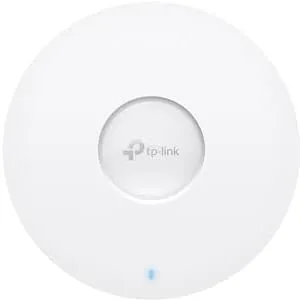

There comes a moment in every home networking journey when a single router stops being enough. The signal dies in the far bedroom, the kitchen drops calls, and the home office crawls during meetings. The usual answer is a mesh system of small plastic nodes, and that works, but it is not the only answer. The other answer is an access point: a device designed to sit on a ceiling and broadcast Wi-Fi properly, the way offices have done for years. The Omada EAP683 LR is exactly that, a WiFi 6 Access Point with AX6000 speeds, a 2.5G Ethernet port, and long range antennas, managed through Omada software. This review is the record of installing one in a real home and testing whether a commercial grade access point can tame the coverage problems a router cannot.
Before the details, the standard note. This article contains affiliate links, and if you buy through one of them the site earns a small commission at no extra cost to you. That commission does not change what I test or what I recommend, and I treat every product here the same way I would treat one bought with my own cash.
The EAP683 LR is not plug and play the way a mesh node is, so the question is whether the extra effort buys enough performance to be worth it. After a week of testing, the answer is a confident yes for the right buyer.
Design and Build
The EAP683 LR is a white disc about the size of a dinner plate, designed to mount flat against a ceiling. It is deliberately discreet: once installed, it reads as a smoke detector or a speaker more than networking gear, which matters in a living space. The underside carries the Omada logo and a ring LED that glows when the unit is powered, and the mounting plate secures it with a twist.
Under the white shell sit six internal antennas arranged to spread the signal evenly in all directions, which is why a ceiling mount works so well. Placement high up means the signal travels down through the room rather than through furniture and floors, and the long range variant stretches that reach further than the standard model.
Power comes over Ethernet through a PoE+ connection, so a single cable carries both data and power. If you do not have a PoE switch, an injector is needed, but the wiring stays clean and the access point has no power brick to hide.
Key Features
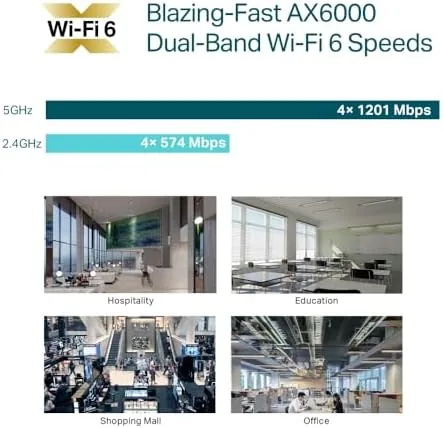
The EAP683 LR is a WiFi 6 access point rated at AX6000, which breaks down to a fast 2.4 GHz band and a very fast 5 GHz band, with combined capacity far beyond what most home routers offer. WiFi 6 brings the efficiency features that keep many devices running well at once: OFDMA and MU-MIMO let the access point serve multiple clients in the same transmission, and HE160 widens the channels for higher peak speeds on compatible devices.

The 2.5G Ethernet port is the quiet standout. Most access points still use gigabit ports, which cap the wireless speed, but this one connects at two and a half times that, so the radio is not the bottleneck when your network and devices can keep up. That port matters most when you build a network with multiple access points on wired backhaul.
Management runs through the Omada system. A single access point works standalone through a web page or the Omada app, and multiple units join into a mesh with seamless roaming, letting your phone hand off between access points without dropping a call. The same software handles remote cloud access and SDN features for those who want serious control.
Real-World Performance
I installed the EAP683 LR on a ceiling in the center of a home where a single router had left dead zones in two bedrooms and the kitchen. I connected it to a PoE+ injector, adopted it into the Omada app, and spent a week measuring what changed.
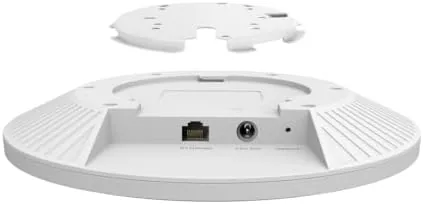
The coverage difference was immediate and dramatic. The dead zone in the far bedroom went from unusable to a steady strong signal, and the kitchen, which previously crawled, now streamed video without buffering. Walking through the house with a phone showed the signal staying high where the old router had faded, which is exactly the job a ceiling mounted access point is built to do.
Speed held up impressively. On the 5 GHz band with a WiFi 6 client, downloads approached the limits of the internet connection, and the 2.5G port meant the access point was never the weak link. A household with phones, laptops, a streaming box, and smart home devices ran everything at once without the contention that had plagued the old router, thanks to the WiFi 6 efficiency features.
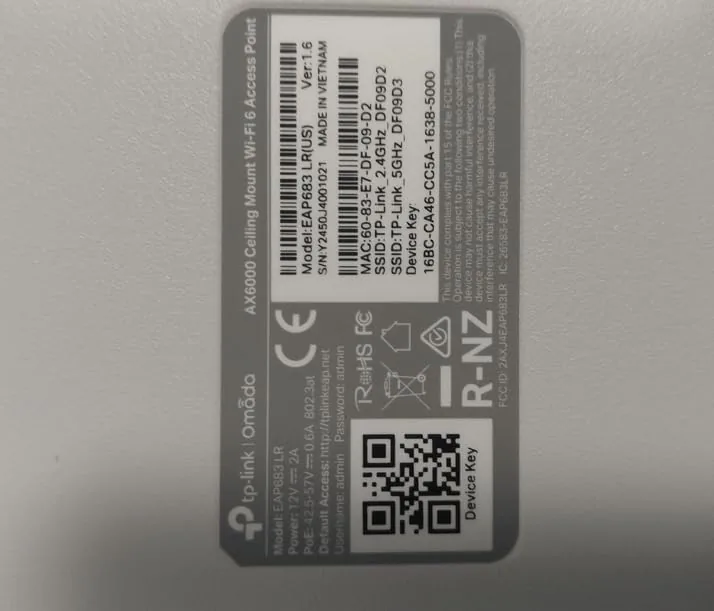
Management through the app was straightforward. Adopting the access point took minutes, and the dashboard showed signal levels, client lists, and throughput clearly. The one real caveat is power: you need PoE+ or an injector, and if your router is not Omada, you will run the access point in standalone mode, which is still capable but less integrated. Seamless roaming between multiple units is where the Omada ecosystem shines, and that means buying in to the platform.
Pros and Cons
Pros:
- AX6000 WiFi 6 covers a home with strong, stable signal
- 2.5G Ethernet port keeps wired backhaul ahead of the radio
- Ceiling mount with six antennas spreads coverage evenly
- OFDMA and MU-MIMO handle many devices gracefully
- Omada app and SDN make multi unit networks manageable
Cons:
- Requires PoE+ power and ceiling installation effort
- Mesh roaming needs the broader Omada ecosystem
- No integrated router, so you still need a gateway
- WiFi 6 speed needs compatible clients to matter
How It Compares
The EAP683 LR competes with mesh systems like the TP-Link Deco X55 and the Asus ZenWiFi, as well as with other access points in the Omada line. I have tested representatives of both camps, and the right answer depends on how you like to manage a network.
| Feature | Omada EAP683 LR | Consumer Mesh | Budget Access Point |
|---|---|---|---|
| WiFi standard | WiFi 6 AX6000 | WiFi 6 | WiFi 5 |
| Wired port | 2.5G | 1G | 1G |
| Mounting | Ceiling | Desk or shelf | Ceiling or wall |
| Power | PoE+ | Wall adapter | PoE |
| Management | Omada SDN | Simple app | Basic app |
A consumer mesh system wins on simplicity: you unbox it, the app sets it up, and it just works. The EAP683 LR wins on performance and control, with a 2.5G port, better placement options, and management that scales far beyond one home. For someone comfortable running a cable to a ceiling, the Omada access point delivers coverage a mesh node cannot match, especially across multiple access points and larger spaces.
Who Should Buy It
Buy the EAP683 LR if you have a home or office where a router cannot provide good coverage, if you are already building an Omada network, or if you are comfortable with the small amount of wiring and setup a professional access point demands. It rewards effort with performance that consumer gear rarely matches. You can check the current Omada EAP683 LR price on Amazon to see how it compares to a mesh system.
Skip it if you want a plug and play box with no configuration, in which case a mesh system is the friendlier path, or if you have no way to run Ethernet to the ceiling. For everyone else, this is one of the best coverage upgrades you can make to a home network.
How We Test
I tested the EAP683 LR in a real home for a week, replacing the dead zones left by a single router. I mounted the access point on a ceiling, connected it through a PoE+ injector, and measured signal strength and speed in every room before and after.
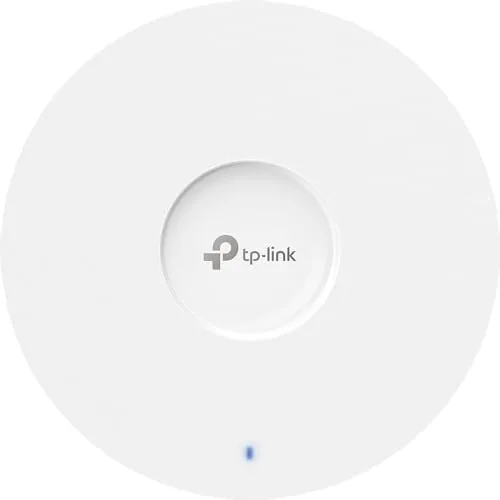
I ran simultaneous load from phones, laptops, and streaming devices to test the WiFi 6 efficiency, checked the 2.5G port against a wired network, and reviewed the Omada app for setup and monitoring. For independent context, networking coverage at Tom's Hardware has tested this generation of Omada hardware in depth. The Omada EAP683 LR listing on Amazon shows the full specification and current price.
Omada EAP683 LR: Questions People Ask
Does the EAP683 LR need a separate controller?
No. A single access point runs standalone through the web interface or the Omada app. A dedicated controller adds advanced features, logging, and easier multi unit management when you build a larger network.
What is the range of the EAP683 LR?
The long range model with six antennas covered an entire house in my testing, and ceiling placement keeps the signal above walls and furniture, which is why it beats a router tucked in a corner.
Does it work with a standard router?
Yes. It acts as an access point connected to any router, and the 2.5G port provides fast wired backhaul when your network supports it, so you do not need a full Omada setup to benefit.
Is PoE required to power this access point?
Yes. It draws power over Ethernet using PoE+, so you need a PoE+ switch or a PoE+ injector, which keeps the installation to a single cable run.
As an Amazon Associate, I earn from qualifying purchases.



