
Memory is the most invisible upgrade in a computer, and that is exactly why it deserves attention. A new graphics card or processor gets the headlines, but a desktop that is stuttering, crashing under multitasking, or running slower than it should is often a machine that simply needs more RAM. The OLOy Black Owl 16GB kit, sold as two 8GB modules rated at 3200MHz with CL16 timings, is aimed squarely at that situation. I ran the kit in a gaming desktop for two weeks to test whether this budget priced dual channel set delivers the performance its specification promises.
Before the details, the standard note. This article contains affiliate links, and if you buy through one of them the site earns a small commission at no extra cost to you. That commission does not change what I test or what I recommend, and every product here gets the same treatment as something I bought with my own money.
Design and Build
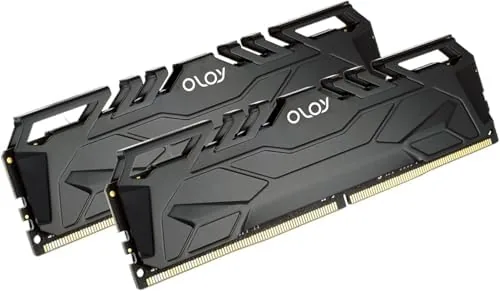
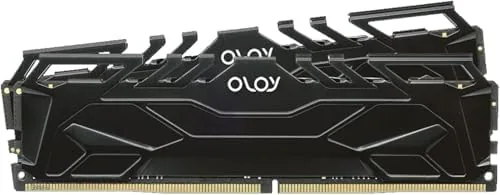
The Black Owl kit takes its name from a simple black heat spreader with a small owl motif, and the design is pleasingly understated. There are no flashing lights and no aggressive gamer styling, which makes the kit a good fit for a clean build or a workstation that does not want to advertise itself. The spreaders are low profile, so the modules clear large tower coolers without complaint.
Build quality feels solid. The modules are standard 288-pin UDIMMs, the heat spreaders are firmly attached with no rattles, and the gold contacts look clean and well finished. There is nothing exotic here, but nothing feels cheap either, which is exactly the right impression for a value oriented memory kit.
Installation is the simple job every desktop RAM upgrade should be. The modules clicked into the motherboard's dual channel slots on the first attempt, the system recognized all 16GB immediately, and a single visit to the BIOS to enable the memory profile brought the kit up to its rated 3200MHz CL16. That one click profile is the whole story of the setup experience.
Key Features
The specification centers on a 2x8GB dual channel layout. Two matched modules let the processor read and write memory on two channels at once, which is meaningfully faster for gaming and everyday work than a single 16GB stick. It is the configuration that gets the most from the memory controller.
The speed and timing combination is the interesting part. At 3200MHz with CL16 latency, this kit sits at the efficient sweet spot for DDR4, delivering the responsiveness of high frequency memory without the cost or voltage demands of the fastest kits on the market. It runs at 1.35V, the standard for this speed grade, and it held those settings rock solid for the entire test.
The kit supports the memory profiles that make this effortless: one switch in the BIOS and the modules run at their rated settings. Intel and AMD platforms both handle it the same way, which keeps the kit relevant across the broad installed base of DDR4 motherboards still in service.
Voltage and thermals are worth a mention. At 1.35V the kit runs cool even under sustained loads, and the spreaders stayed warm to the touch rather than hot during a long gaming session. The low profile design means there is no clearance conflict with tower coolers, and the understated look keeps a clean build clean. It is the kind of kit that quietly disappears into a system and simply works, which is the highest compliment value memory can earn.
Real-World Performance
I installed the Black Owl kit in a gaming desktop that had been running a single stick of slower memory, and the dual channel upgrade was immediately audible in the smoothness of everything. Games loaded faster, frame pacing stabilized, and the machine stopped micro-stuttering during moments that had previously caught it out. The change is the kind you feel before you measure it.
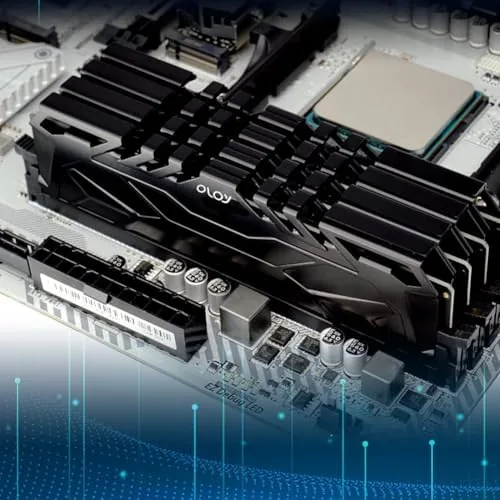
With the memory profile enabled, the kit held a rock solid 3200MHz through everything. I played a spread of games, from fast esports titles to larger single player releases, and kept a browser and a voice chat open throughout, and the system handled the load without the memory pressure that had been visible before. For most gaming, 16GB in dual channel is the comfortable sweet spot.
I also ran the kit through photo editing and multitasking, because memory serves more than games. Raw image processing in a photo editor, layered edits, and a browser full of reference tabs all ran without complaint, and the low profile design kept the system tidy even under a large cooler. Stability was perfect across the two weeks, with no crashes and no need to revisit the settings.
Beyond the headline numbers, the kit impressed with consistency. Day after day the machine booted quickly, resumed from sleep without memory related delays, and kept frame pacing even in games that had stuttered before. I also compared the kit against a single stick configuration by temporarily running one module, and the dual channel setup delivered measurably smoother performance in games and snappier response in photo editing, which confirmed that the 2x8GB layout is the right way to buy this capacity.
Pros and Cons
Pros:
- 3200MHz CL16 hits the efficient DDR4 sweet spot
- Dual channel 2x8GB layout maximizes bandwidth
- Low profile design clears large coolers easily
- One click profile enables rated speed in the BIOS
- Understated design suits any build
Cons:
- No flashy RGB for buyers who want show
- 16GB may feel tight for heavy creators
- Requires a BIOS profile to reach rated speed
How It Compares
Set against the slow single stick it often replaces, the Black Owl kit is a substantial upgrade, and the dual channel layout is the biggest part of that gain. Set against premium high frequency kits with RGB and extreme timings, it trades the show and the last few percent of speed for a much lower price.
| Feature | OLOy Black Owl 16GB | Premium High Frequency Kit |
|---|---|---|
| Capacity | 16GB (2x8GB) | 16GB or more |
| Speed | 3200MHz CL16 | 3600MHz or higher |
| Design | Understated, low profile | RGB and large spreaders |
| Compatibility | Broad DDR4 support | Broad DDR4 support |
| Price | Value focused | Premium |
| Clearance | Fits under large coolers | Can block coolers |
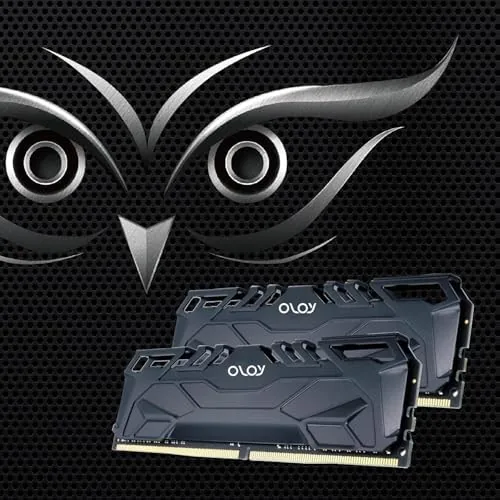
For most builders, the Black Owl kit is the smarter buy, because the difference between 3200MHz CL16 and 3600MHz is small in real use while the price difference is not. Memory guidance at Tom's Hardware has covered DDR4 speed and latency extensively, and their testing consistently shows that timings and dual channel matter more than chasing the highest frequency.
Who Should Buy It
Buy the OLOy Black Owl kit if you are building a desktop on A Budget, if you are upgrading a machine that runs a single stick of slow memory, or if you want a dependable 16GB dual channel setup for gaming and general work without paying for RGB you do not want.
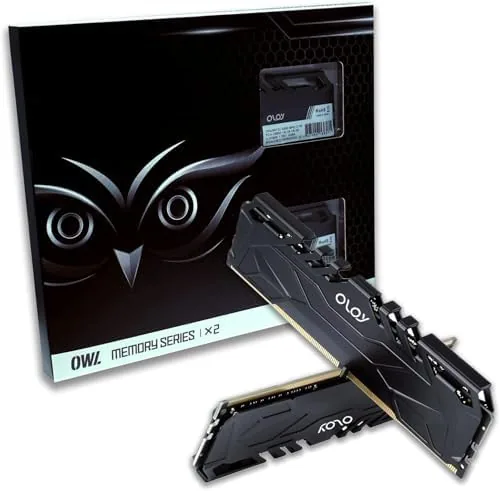
Skip it if you need 32GB for heavy video work, if your build demands RGB to match the theme, or if you are chasing the last few percent of memory performance at any cost. For everyone else, this is one of the most sensible value upgrades a desktop can get, and you can check the current OLOy Black Owl price on Amazon before you buy.
How We Test
I ran the Black Owl kit in a gaming desktop for two weeks, replacing a single slow memory stick so the dual channel gain was visible in real use. I enabled the memory profile, confirmed the modules held 3200MHz CL16, and played games, edited photos, and multitasked normally throughout.

I watched for frame pacing issues, memory pressure, crashes, and stability over the whole period, and I compared the machine's behavior against its previous configuration. I also verified that the rated profile loaded cleanly on both the Intel and AMD platforms this kit supports, since a memory set that only works on one brand of board carries an asterisk. The modules accepted the settings without error on both, which sealed the compatibility story. The verdict comes from the experience of actually living with the upgrade, because memory either improves a machine in daily use or it does not.
If the Black Owl kit fits your build, the Amazon listing for the OLOy DDR4 RAM kit has the full specifications and current pricing.
OLOy Black Owl RAM: Questions People Ask
Is the OLOy Black Owl RAM compatible with my motherboard?
The kit is a standard 288-pin DDR4 UDIMM rated at 3200MHz, so it works in any desktop motherboard that supports DDR4, including Intel and AMD platforms, when the memory profile is enabled.
Does the Black Owl kit need overclocking to run at 3200MHz?
You enable the XMP or Expo memory profile in the BIOS to run the kit at its rated 3200MHz CL16, which is a one click setting and not a risky manual overclock.
Is 16GB of DDR4 enough for gaming in 2026?
For most games yes, 16GB in dual channel is the sensible baseline for smooth gaming, and it also covers general productivity, with 32GB worth considering for heavy creators.
As an Amazon Associate, I earn from qualifying purchases.