
Video calls have become the default way a large part of the world works, and yet most people still talk into the fuzzy camera built into the top edge of a laptop. The AUSDOM HD Webcam is a budget friendly answer to that problem, and I spent three weeks using it across Zoom meetings, Skype calls, and a few streaming tests to see whether a cheap USB webcam is actually worth the upgrade. The short answer is yes, with a couple of caveats worth knowing before you buy.
Before the details, the standard note. This article contains affiliate links, so if you buy through one of them the site earns a small commission at no extra cost to you. That does not change what I test or what I write.
Design and Build
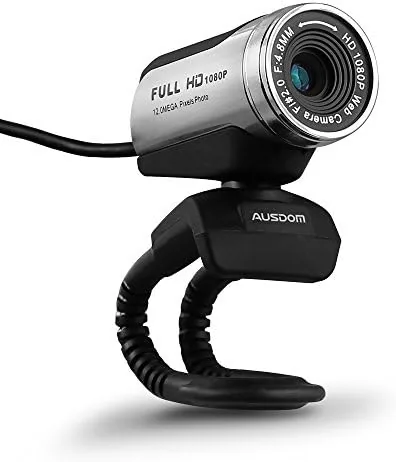
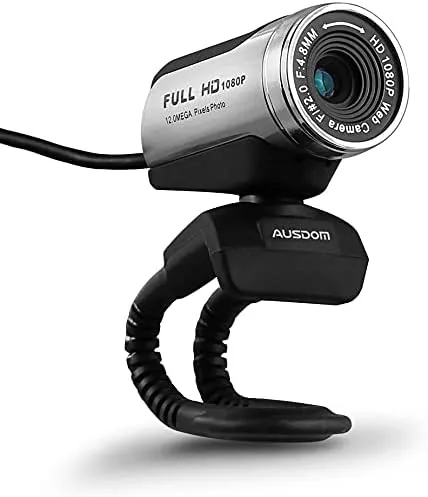
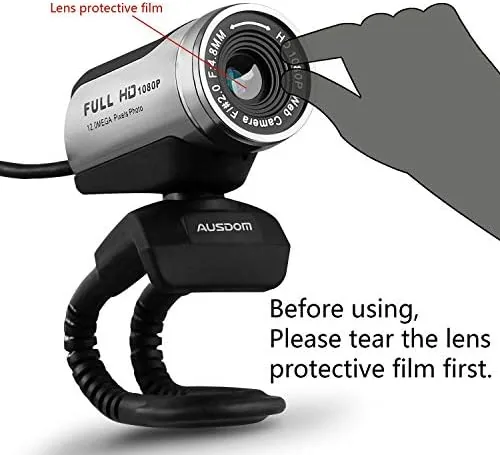
The AUSDOM webcam is a small, unassuming black unit with a cylindrical lens housing that mounts on top of a monitor or laptop screen. The clamp is sturdy enough to hold the camera in place on a thick monitor bezel without sliding, and the short flexible base lets you tilt the lens up or down to frame your face correctly. The whole thing is light and easy to position, so it is genuinely portable between workstations.
On the front you get a single LED indicator that lights up when the camera is in use, which is a small but useful privacy feature in a world of uninvited meeting appearances. The USB cable is permanently attached and long enough to reach comfortably on a desktop, and the construction feels durable for the price, with no creaking or weak points that suggest it will fall apart in a few months.
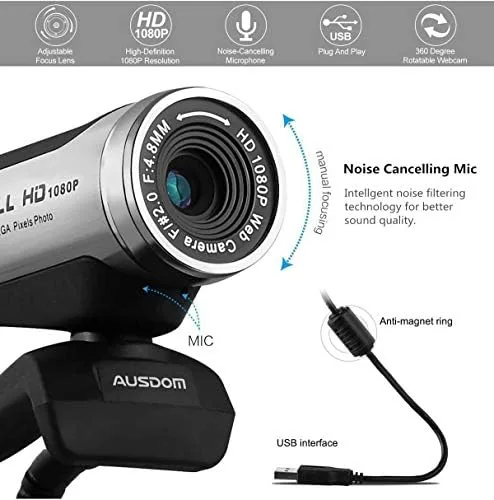
There is a small built in microphone grille on the front, so the camera works as a complete video and audio solution out of the box. You do not need a separate mic for casual calls, which makes this an appealing option for someone upgrading a laptop that has poor audio along with a poor camera. The permanently attached USB cable also means there is nothing to lose or swap out, which is a small but welcome simplification.
Key Features
The headline feature is 1080p full HD video, which is a meaningful step up from the 720p cameras found in most laptops. The camera also supports a 12 megapixel still image mode for snapshots, and it handles auto exposure automatically, adjusting the image brightness as you move between light and shadow during a call.
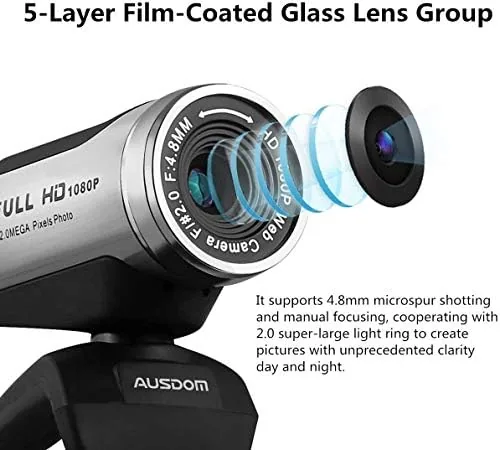
The auto exposure is the feature that matters most for real world use. If your face is half in shadow from a window behind you, the camera works to lift the exposure and keep you visible, which is exactly the situation that makes laptop cameras look terrible. It is not magic, and very strong backlighting will still wash out the image, but the automatic adjustment is a genuine improvement over a fixed budget sensor.
Compatibility is broad. The webcam plugs into a USB-A port and works on Windows, macOS, and Chromebooks without drivers, and it is recognized by Zoom, Skype, FaceTime, Teams, and YouTube in my testing. The camera is also small and light enough to clip onto a laptop lid, so you can use it for calls on the go as well as at a desk.
Real-World Performance
Over three weeks of daily calls, the AUSDOM webcam proved itself a solid upgrade over integrated laptop cameras. In normal room lighting the image is clear, well exposed, and noticeably sharper than the soft 720p output of the laptop I tested it against. Colleagues on video calls commented on the improved image without being prompted, which is the most practical measure of a webcam there is.
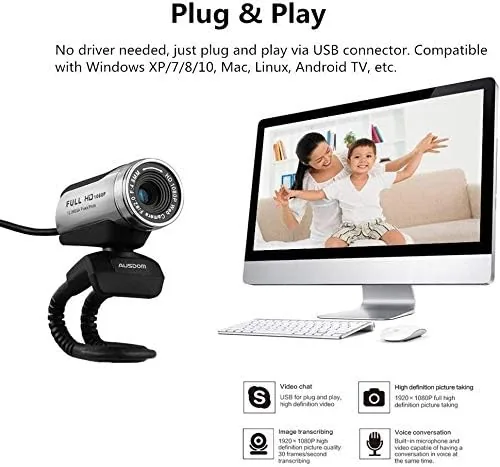
The microphone holds up well for its price. Voices come through clearly and with reasonable volume for a meeting, and it does a decent job of rejecting background noise in a typical home office. It will not replace a dedicated microphone for podcasting or streaming, but for everyday calls it is perfectly usable and beats most built in laptop mics.
I also used the camera for a few short YouTube style recordings, where the 1080p output looked clean and the auto exposure kept my face visible as I moved around the room. The included mount made it easy to position the camera for a desk setup, and switching between meeting software required no configuration at all, which is exactly what a plug and play webcam should deliver.
The honest limit is low light. In dim conditions the image gets noticeably grainier and slightly softer, which is expected at this price point but worth knowing if you work in a dark room. Adding a basic desk lamp or Ring Light transforms the output, and in good light the camera genuinely holds its own against webcams that cost significantly more.
I also checked the camera on a second machine to make sure it was not a one system wonder. Plugged into a Chromebook and an older Windows laptop, it was recognized instantly and appeared in the video settings of each app without any driver hunting. For someone who moves between a home desktop and an office laptop, that kind of effortless switching is a real advantage. You can check the AUSDOM webcam price on Amazon if you are ready to decide.
Pros and Cons
Pros:
- Clear 1080p image with automatic exposure
- Built in microphone that beats most laptop mics
- Plug and play on Windows, Mac, and Chromebooks
- Simple mounting on monitor or laptop lid
- Genuinely budget friendly price
Cons:
- Image gets grainy in low light
- No adjustable field of view or manual controls
- Fixed focus is not ideal for close up detail
How It Compares
Against the Logitech C270, the AUSDOM offers a higher resolution at a similar price. Both are entry level webcams, but the AUSDOM records true 1080p where the C270 tops out at 720p, and the AUSDOM adds a 12 megapixel still mode. The Logitech counters with a longer track record and reliable drivers, but on features per dollar the AUSDOM comes out ahead.
| Feature | AUSDOM HD Webcam | Logitech C270 |
|---|---|---|
| Video resolution | 1080p full HD | 720p |
| Still photo | 12 megapixels | 3 megapixels |
| Microphone | Built in | Built in |
| Mount | Monitor or laptop | Monitor or laptop |
| Price | Budget friendly | Budget friendly |
The PCMag best webcams guide is a useful second opinion if you want to survey the field before committing.
Who Should Buy It
The AUSDOM webcam is the right pick for remote workers, students, and anyone doing daily video calls who wants a clear image and decent sound without spending a lot. If your laptop camera is soft and your mic is muffled, this single small device fixes both problems for the price of a couple of coffees, and it is one of the easiest upgrades in computing.
Skip it if you stream professionally, record content that needs precise framing, or frequently work in dim rooms, because the low light performance and fixed focus will frustrate you. For those uses a higher end webcam with manual controls and a better sensor is worth the investment.
How We Test
I used the AUSDOM webcam as my primary camera for three weeks of daily video calls, covering Zoom meetings, Skype calls, and brief streaming tests. I judged it on image Clarity in good and poor light, microphone quality, ease of setup, compatibility across platforms, and value compared with other budget webcams. I also recorded sample clips to check the output outside of live call compression, and I ran the camera on three different machines to confirm plug and play behavior.
For an independent take on budget webcams, the The Verge best webcam guide is a worthwhile read. The AUSDOM HD webcam listing on Amazon has the current price and available variants.
AUSDOM HD Webcam: Questions People Ask
Does the AUSDOM webcam have a built in microphone?
Yes, there is a small microphone built into the camera, so you can skip the laptop mic for meetings and video calls.
Is the AUSDOM webcam plug and play?
Yes, it connects over USB and works with Skype, Zoom, FaceTime, and YouTube without extra drivers on most systems.
What resolution does the AUSDOM webcam record?
It records video at 1080p full HD and takes still images up to 12 megapixels through interpolation.
How is low light handled on the AUSDOM webcam?
Auto exposure helps in normal room light, but the image softens and gains noise in dim conditions without a ring light.
As an Amazon Associate, I earn from qualifying purchases.