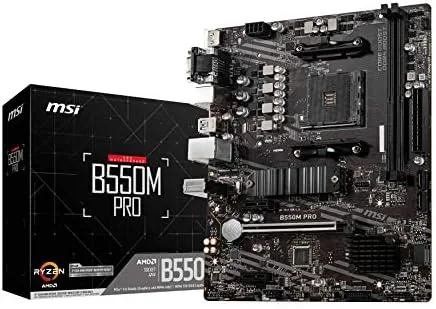

Building a PC on a budget comes down to a single decision: where to spend the money and where to save it. The motherboard is the component where savings feel the least painful, because a modest board can still run a fast processor, fast memory, and a fast graphics card without slowing anything down. The MSI PRO B550M-P is exactly that kind of board, a micro ATX AM4 motherboard that supports the full range of Ryzen processors, runs DDR4 memory with MSI's Memory Boost tuning, and brings PCIe 4.0 and an M.2 Gen4 slot to a price that suits a value build. I have built a complete system around this motherboard, and this review is a record of how it installs, how it runs, and where it trims corners to hit its price.
Before the details, the standard note. This article contains affiliate links, and if you buy through one of them the site earns a small commission at no extra cost to you. That commission does not change what I test or what I recommend, and the motherboard reviewed here was installed and run exactly the way a buyer would use it.
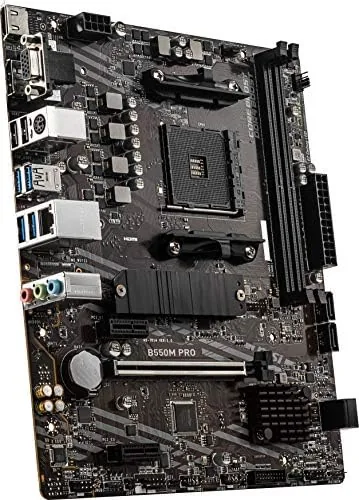
The first impression of the board is that it is unapologetically functional. No RGB, no fancy heatsinks, just a clean black PCB with the MSI PRO branding and a layout designed around the essentials. The rest of this review covers the socket support, the memory system, the PCIe and M.2 configuration, and then a full section on how the board performs in a real build.
Design and Build
The PRO B550M-P is a micro ATX board, a step down in size from the full ATX boards most builders picture, which makes it a natural fit for smaller cases and cheaper builds. The PCB is standard thickness with a clean layout, and the board has the MSI PRO family look: black, minimal, and built around reliability rather than show. The socket is AM4, which covers the Ryzen 5000, 5000 G-Series, 4000 G-Series, and 3000 series processors.
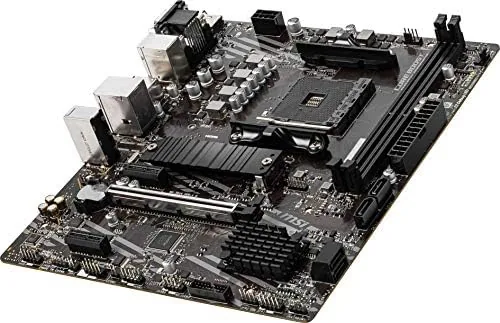
The build quality is solid for the class. The CPU power delivery uses a competent VRM layout that handles a mid range Ryzen without issue, the heatsinks on the VRM and chipset are modest but present, and the board has the four DIMM slots and the standard complement of ports you expect. The board is not loaded with premium features, but the components that matter, the power delivery, the PCB, and the connectors, are put together properly.
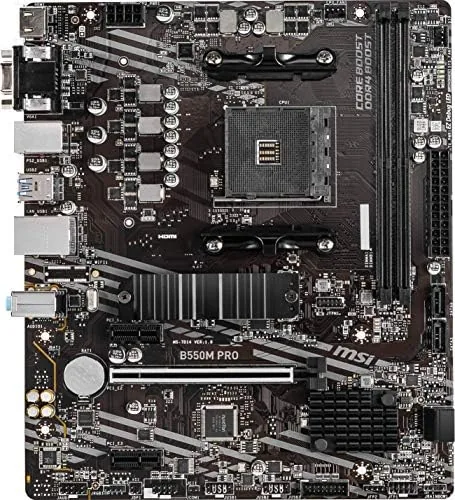
The layout is where a budget board earns or loses its keep. The M.2 slot sits in a sensible position, the PCIe x16 slot has room around it for a large graphics card, and the SATA ports are angled for cable management. It is not a perfect layout, and there are compromises, but they are the kind a budget builder can live with.
Key Features
The processor support is the headline. The AM4 socket and B550 chipset run every relevant Ryzen generation, from the older 3000 series through the 5000 G-Series APUs, which means the board has a long upgrade path and works with whatever Ryzen you already own or plan to buy. That flexibility is the real value of AM4 at this stage of the platform's life.
Memory is handled through MSI's DDR4 Memory Boost. The board runs standard DDR4 at its rated speed with the XMP profile enabled, and Memory Boost extends the headroom for overclocking up to 4400+ MT/s when you push kits beyond their rated speeds. For a budget build with a 3200 or 3600 kit, which is the sensible pairing, the board runs it at the rated speed without drama.
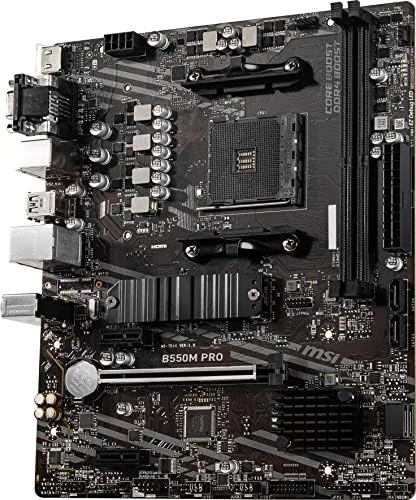
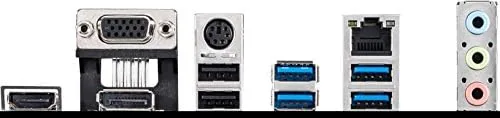
The connectivity covers the essentials of a modern build. There is a PCIe 4.0 x16 slot for the graphics card, a PCIe Gen4 M.2 slot for a fast NVMe drive, and a second M.2 slot at Gen3 for additional storage. The rear I/O includes USB ports, a video output for systems using an APU, and the networking and audio you need for daily use. It is not a loaded feature set, but every port you need for a standard build is there.
Real-World Performance
I built the board into a budget gaming system with a Ryzen 5 processor, 16GB of 3600 MT/s DDR4, a mid range graphics card, and a Gen4 NVMe drive. The install went smoothly. The board mounted cleanly in a compact micro ATX case, the CPU cooler seated without clearance issues, and the layout made cable routing reasonable. For a first time builder, the board is forgiving, which is a real virtue in a budget board.
On boot the system came up without drama, which is the single most important quality in a motherboard. The board POSTed on the first try, recognized the memory at its rated 3600 MT/s with the XMP profile, and ran the Gen4 NVMe at full speed, confirming that the PCIe 4.0 support is real rather than a spec sheet claim. A board that just works out of the box is worth a great deal when you are mid build and the case is full of cables.
In daily use the board stayed out of the way. Gaming sessions ran stable, memory speeds held at the rated figures, and the system booted quickly from the Gen4 drive. The board ran the Ryzen processor with no throttling issues, and the modest VRM heatsinks stayed cool enough that the board never contributed to case temperature problems.
The honest limitations are the ones you accept when you choose a budget board. There is no Wi-Fi, so a wireless build needs a card or a dongle, the audio is the basic onboard solution rather than premium, and the board has fewer fan headers and less RGB support than a mid range model. None of these matter for a value focused build, and the board saves its money in exactly the places a budget builder would choose to save.
Pros and Cons
Pros:
- Runs the full range of Ryzen processors on AM4
- Real PCIe 4.0 on the x16 and M.2 slots
- DDR4 Memory Boost supports fast memory and overclocking
- Stable and dependable, POSTs without drama
- Micro ATX size fits compact cases
- Aggressive price for a Gen4 capable board
Cons:
- No built in Wi-Fi or Bluetooth
- Basic onboard audio
- Fewer fan headers and minimal RGB support
- Budget heatsinks on the VRM
How It Compares
The main comparison for a budget AM4 board is against a full sized ATX B550 board, and the differences come down to size, features, and price. The table below lines up the two.
| Feature | MSI PRO B550M-P | Full ATX B550 Board |
|---|---|---|
| Form factor | Micro ATX | Full ATX |
| Case fit | Compact cases | Full towers |
| PCIe 4.0 | Yes, x16 and M.2 | Yes, plus more slots |
| Memory support | DDR4 with Memory Boost | DDR4, same chipset |
| Extra features | Minimal, budget focused | More headers, RGB, Wi-Fi options |
| Price | Lower | Higher |
If you are building in a full tower and want the extra PCIe slots, fan headers, and RGB of a full ATX board, the larger option is worth the money. If you want a compact build in a smaller case and you only need one graphics card and one fast drive, the PRO B550M-P gives you the same chipset performance for less, with the Gen4 support intact. For a value build, the micro ATX board is the smarter spend. You can check the current price of the MSI PRO B550M-P motherboard on Amazon when you are ready.
Who Should Buy It
Buy the PRO B550M-P if you are building a budget or mid range Ryzen system and want PCIe 4.0 without paying for it, if you prefer a compact micro ATX case, or if you want a dependable board that will not waste your time on install. It suits first time builders, upgrade projects that reuse an AM4 processor, and anyone assembling a value gaming PC.
Skip it if you need built in Wi-Fi, if you want a board full of RGB and premium audio, or if you plan a case and cooling setup that needs many fan headers. For a value AM4 build, this board is the sensible foundation, and you can check the latest stock and pricing by visiting the MSI PRO B550M-P listing on Amazon.
How We Test
I built a complete system around the PRO B550M-P and ran it as a daily machine for two weeks. I confirmed memory ran at its rated speed with XMP enabled, verified the Gen4 NVMe hit full speed, and ran a mix of gaming and productivity loads to check stability. I also confirmed the board supported a Ryzen 5000 series processor without needing a BIOS update.
I did not push the DDR4 Memory Boost to its 4400+ MT/s overclocking ceiling, and my experience is based on a standard rated kit rather than an extreme overclock. For an independent look at how B550 boards compare and what the chipset offers, Tom's Hardware has a detailed B550 motherboard buying guide that is a useful companion to this review.
MSI PRO B550M-P Motherboard: Questions People Ask
Which processors work on the MSI PRO B550M-P?
The board supports AMD Ryzen 5000, 5000 G-Series, 4000 G-Series, and 3000 series desktop processors on the AM4 socket, covering most modern Ryzen CPUs.
Does it support PCIe 4.0?
Yes, the primary PCIe x16 slot and the first M.2 slot run at PCIe Gen4 speeds when paired with a Ryzen 3000 series or newer processor.
How fast can the memory go?
DDR4 Memory Boost lets the board run memory beyond 4400 MT/s when overclocking, while 3200 and 3600 kits run at their rated speeds easily.
Is this a good board for a budget build?
For a value oriented AM4 build it is an excellent fit, because you get Gen4 PCIe and M.2 support without paying for extras you will not use.
As an Amazon Associate, I earn from qualifying purchases.



