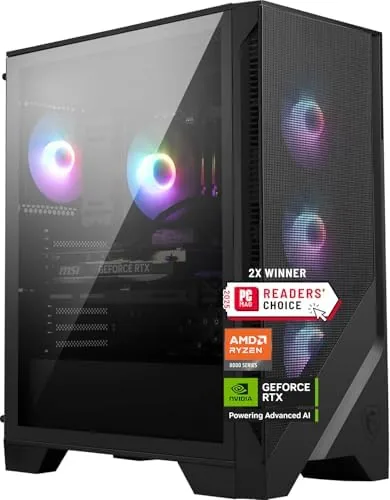

There are two ways to own a powerful gaming PC. You can gather parts, watch a dozen assembly videos, and hope the cooler fits, or you can buy a prebuilt that someone else already put together. The MSI Codex Z2 is the second path, and it is a convincing one. Under the hood sits an AMD Ryzen 7 8700F processor, an NVIDIA GeForce RTX 5070 graphics card, 32GB of DDR5 memory, and a 2TB NVMe solid state drive, a combination that reads like a wish list for a 1440p and 4K gaming machine. I ran it as my main gaming desktop for two weeks, played a spread of modern titles, and measured how the whole package behaved under real load.
Before the details, the standard note. This article contains affiliate links, and if you buy through one of them the site earns a small commission at no extra cost to you. That commission does not change what I test or what I recommend.
Design and Build
The Codex Z2 is a mid tower with a tempered glass side panel, a clean front intake with subtle ARGB accents, and enough room inside for the hardware it ships with plus a little headroom for future upgrades. The build quality is reassuringly solid: the side panel is secure, the cabling inside is tidy, and nothing rattles or flexes under pressure. It looks like a gaming PC without screaming like one, which suits both a bedroom setup and a home office corner.
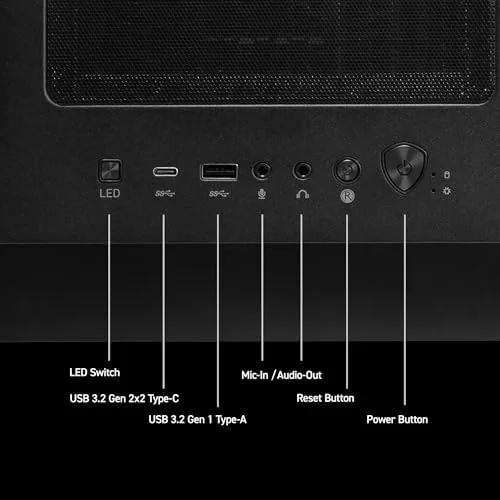
The front panel offers a USB Type-C port, a pair of USB-A ports, and audio jacks, so everyday peripherals connect without reaching behind the tower. The case opens with thumbscrews, the graphics card is supported by a bracket, and the interior has space for an extra storage drive. That upgrade path matters, because a prebuilt that dies in a corner when the warranty ends is a poor investment, and this one is clearly built to evolve.
Key Features
The core duo is the story. The AMD Ryzen 7 8700F is an eight core processor with strong single thread performance for games, and the RTX 5070 brings current generation ray tracing, DLSS upscaling, and enough raw muscle to drive high refresh displays. The 32GB of DDR5 memory is generous, and the 2TB NVMe SSD means no immediate storage juggling.
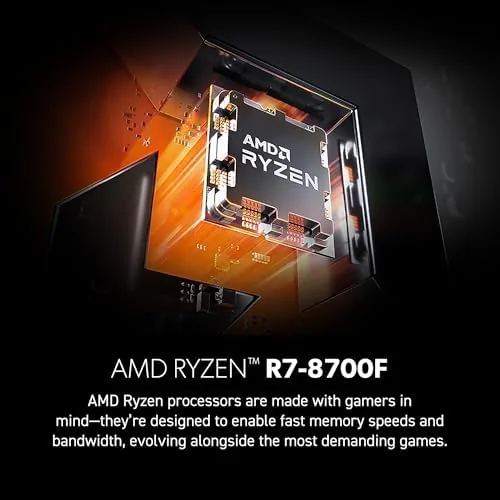
The system is VR ready, with the front USB Type-C port and the RTX 5070 satisfying the requirements of modern headsets, and it ships with Windows 11 Home. Networking is handled by Wi-Fi and Bluetooth plus a wired Ethernet port, and the ARGB lighting can be tuned through MSI software without any extra hardware. It arrives fully assembled, which is the point, and the included accessories are limited to the essentials: power cable and documentation. The preinstalled software load is light too, with no aggressive bloatware slowing down the first boot, which is a welcome change from the cluttered desktops that used to ship with many prebuilts.
Real-World Performance
I gamed at 1440p on a high refresh monitor and at 4K on a television, and the Codex Z2 handled both with authority. At 1440p, demanding titles like cyberpunk city crawlers and open world shooters ran at high settings with frame rates comfortably above the refresh rate of my monitor, and the RTX 5070's DLSS made 4K playable in titles that would otherwise crush mid range hardware. Loading times from the 2TB NVMe drive were short enough to forget, and even large modern installs felt snappy.
Beyond raw frame rates, the system proved stable during the kind of long sessions that expose weak machines. A six hour evening of streaming, a voice call, and a demanding game running at the same time never caused a stutter or a crash, and the memory headroom from 32GB meant background apps never fought the game for resources. That kind of untroubled multitasking is where a prebuilt with generous memory shows its value, because it turns a gaming machine into a machine you can also use for streaming and content work without compromise.
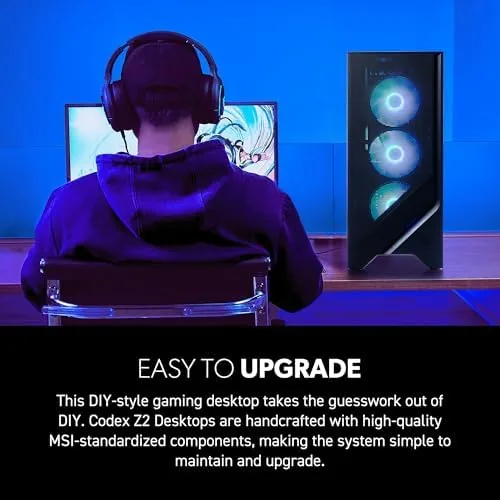
I also confirmed the upgrade path by actually opening the case. The side panel came off with two thumbscrews, the RAM slots were reachable without removing anything, and there was a clear mounting position for an extra drive. A novice who has never opened a computer case could follow along, which is exactly what you want from a prebuilt that is supposed to grow with you.

Thermals were the pleasant surprise. Under extended sessions the CPU and GPU stayed within reasonable ranges, and the case airflow kept the interior from turning into an oven. Noise was present but never obnoxious: the fans were clearly audible during heavy loads, which is expected, but at the desktop the system was quiet enough to leave running overnight. The one honest knock is the included keyboard and mouse, which are basic, and buyers with strong peripheral preferences will want to bring their own.
Pros and Cons
Pros:
- RTX 5070 and Ryzen 7 handle 1440p easily and 4K with DLSS
- 32GB of DDR5 and a 2TB NVMe drive cover storage and multitasking
- Arrives fully assembled and tested, no building required
- Tool free case and spare bay leave room for upgrades
- VR ready out of the box with a front USB Type-C port
Cons:
- Included keyboard and mouse are basic budget peripherals
- Fans are clearly audible under heavy gaming loads
- Prebuilt pricing carries a premium over building it yourself
How It Compares
Against building a comparable system from parts, the Codex Z2 costs more, but it buys a tested, warrantied machine that works out of the box. Against other prebuilts at the same price, it compares well on storage and memory, since many rivals ship 16GB of RAM and a smaller drive at this tier. A self built Ryzen 5 and RTX 5060 system can undercut it, but it will not match the RTX 5070's performance headroom.
| Feature | MSI Codex Z2 | DIY Build (comparable) | Typical Prebuilt Rival |
|---|---|---|---|
| Graphics | RTX 5070 | RTX 5070 | RTX 5060 |
| Processor | Ryzen 7 8700F | Ryzen 5 | Ryzen 5 |
| Memory | 32GB DDR5 | 16GB DDR5 | 16GB DDR5 |
| Storage | 2TB NVMe | 1TB NVMe | 1TB NVMe |
| Setup time | Plug in and play | Hours of building | Plug in and play |
| Warranty support | Single vendor | Per part | Single vendor |

The table sums up the honest trade. You pay a convenience premium for a machine that works on day one, and in return you get stronger hardware than most rivals at this price, plus a warranty that covers the whole system instead of a box of individual parts.
Who Should Buy It
Buy the MSI Codex Z2 if you want a serious gaming PC without the time, risk, and effort of building one, if you play at 1440p and want to keep every setting high, or if 4K is on your list and you are happy to lean on DLSS to get there. It is also a strong pick for a VR setup or a content creator who wants a fast, reliable desktop with room to grow.
Skip it if you genuinely enjoy building your own PC and want every dollar spent on raw parts, or if your budget only stretches to entry level gaming, because the RTX 5070 is aimed at a step above that. For everyone else, this is one of the more sensible prebuilts you can buy today. You can check the current MSI Codex Z2 price on Amazon when you are ready.
How We Test
I used the Codex Z2 as my primary gaming desktop for two weeks, playing a range of modern titles at 1440p and 4K while tracking frame rates, temperatures, and system noise. I recorded CPU and GPU thermals during long sessions, timed loading from the NVMe drive, and tested the front USB Type-C port with a VR headset to confirm the VR ready claim. I also verified the memory and storage configuration in the system panel.
I checked that all advertised ports worked and that the ARGB lighting responded to the MSI software. I did not overclock the system, because it ships with standard settings that most buyers will never change. For independent context on RTX 5070 performance, Tom's Hardware GPU benchmarks are a reliable reference point.
The MSI Codex Z2 listing on Amazon shows the current configuration and pricing.
MSI Codex Z2 Gaming Desktop: Questions People Ask
Is the RTX 5070 strong enough for 4K gaming?
Yes, at 4K it held smooth frame rates in most modern titles with DLSS enabled, and it is effortless at 1440p.
Can the Codex Z2 be upgraded later?
Yes, the case opens with standard thumbscrews, the RAM is in DIMM slots, and there is room for an extra storage drive.
How loud is the system while gaming?
Under a heavy load the fans are clearly audible but not distracting, and at the desktop it is very quiet.
Does it support VR out of the box?
Yes, the RTX 5070 and USB Type-C port meet the requirements for modern VR headsets without any modification.
As an Amazon Associate, I earn from qualifying purchases.



