
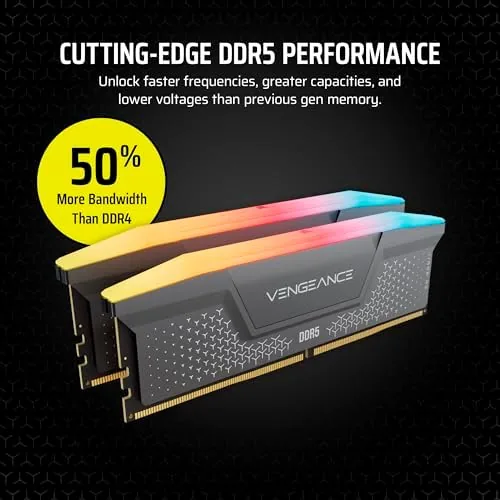
Gaming PCs get judged by their graphics card and their processor, but the memory is the part that quietly decides whether everything else runs smoothly. A fast GPU with too little RAM stutters, and a fast CPU starved of memory waits. DDR5 changed the game by doubling the bandwidth of the old standard, and 32GB has become the amount that stops you ever thinking about the memory again. The CORSAIR VENGEANCE RGB RS kit brings that capacity in a 2 x 16GB pair rated up to 6000MHz, with profiles for both AMD and Intel systems. I built a gaming machine around it and played through a week of modern titles, and this review is the record of that build.
Before the details, the standard note. This article contains affiliate links, and if you buy through one of them the site earns a small commission at no extra cost to you. That commission does not change what I test or what I recommend, and the memory reviewed here was installed the way a builder would install it.
Memory is the rare PC component where the specification sheet matters as much as the build quality, so the rest of this review covers both, plus the one BIOS setting that unlocks everything.
Design and Build
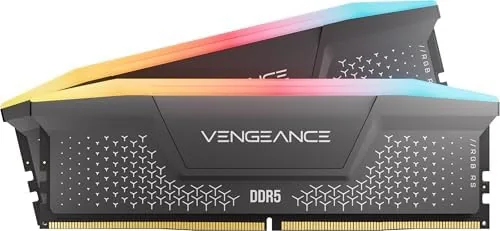
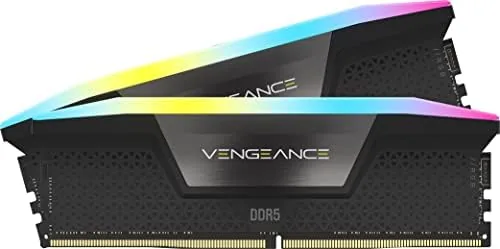
The VENGEANCE RGB RS is a sleek DDR5 kit with a clean grey heatsink and a slim light bar across the top of each module. The finish is understated, a matte grey that looks good in a tempered glass case without screaming for attention, and the two 16GB modules sit at the standard DDR5 height so they clear most tower coolers. The build quality is exactly what CORSAIR owners expect: the heatsinks are attached firmly, the modules are consistent, and nothing feels cheap or rattly.
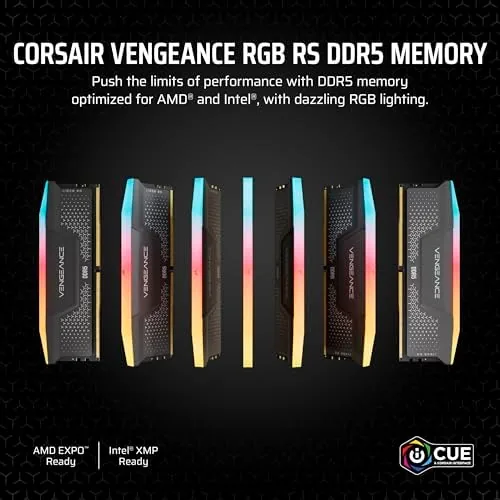
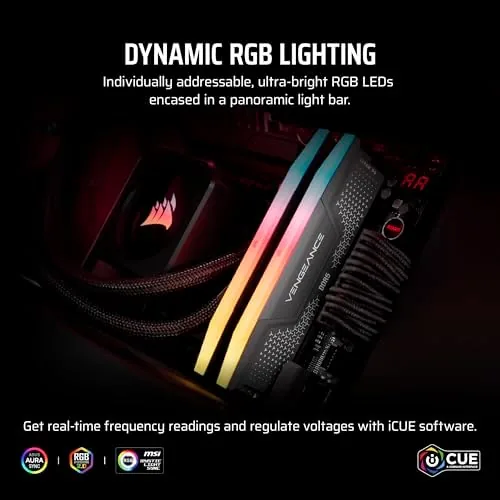
The RGB is tasteful rather than loud. Each module carries a row of individually addressable LEDs along the top that diffuses cleanly through the light bar, and when synced through the iCUE software the glow stays smooth with no visible hotspots. The memory runs cool under its aluminum heatsinks, which matters inside a gaming case that is already full of hot components.
Key Features
The headline feature is the 6000MHz speed in a 32GB capacity. DDR5 at 6000MHz is widely considered the sweet spot for modern gaming CPUs, because it feeds the processor with enough bandwidth that games and applications run at their intended pace. The kit is rated CL36, a standard latency for this speed class, and the combination of capacity, speed, and reasonable latency makes it a balanced choice for a gaming build.
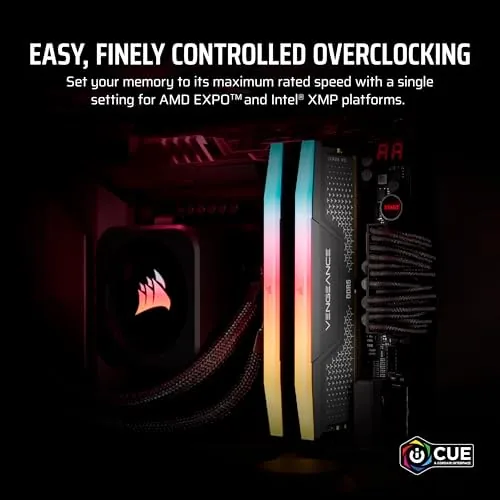
The compatibility story is the feature that matters most to builders. The kit ships with AMD EXPO and Intel XMP 3.0 profiles, so it covers both platforms with one set of modules. On an AMD board you enable EXPO, on an Intel board you enable XMP 3.0, and the memory runs at its rated 6000MHz with a single BIOS setting. No manual timing tuning, no trial and error, just a profile that works.
The 32GB capacity is the practical feature. Two 16GB modules run in dual channel, which is the configuration that gets the most performance from the memory, and 32GB is enough headroom for gaming, streaming, video calls, and a browser full of tabs at the same time. The light bar caps the visual package, controlled entirely through iCUE.
Real-World Performance
The build centered around a modern mid range CPU, and the memory went in as part of a fresh DDR5 platform. The first step was the BIOS profile: one toggle for EXPO, a reboot, and the system reported the memory running at its full 6000MHz. That one click reliability is the whole reason builders pay attention to memory compatibility, and the kit delivered it without drama.
In games, the kit disappeared into the background, which is the highest compliment memory can receive. Modern titles loaded fast, frame pacing stayed smooth through busy scenes, and the system held 32GB of headroom with games, Discord, and a browser all running at once. The difference from the old 16GB system was exactly the difference between checking the memory counter and never thinking about it.
Beyond gaming, the capacity showed up in the mundane tasks that test memory more than benchmarks do. Compiling a project, exporting a video, and running a virtual machine all had room to breathe, and the system never once fell back to disk swapping. The 6000MHz speed showed its value in load times and app launches, which felt instant on a fresh platform.
The honest limits are the limits of the specification. The CL36 latency is standard but not the tightest timings available, so enthusiasts chasing maximum overclocks will look elsewhere, and the 6000MHz rating is the practical ceiling for most systems rather than a world record. The RGB also adds a small power draw, though it is nothing a gaming build will notice.
One detail earned respect over the week. The modules ran cool under load with no instability and no random reboots, even after long gaming sessions and a sustained stress test, and the RGB stayed perfectly synced through iCUE. For a component that needs to be reliable above all else, the kit proved itself without a single hiccup.
Pros and Cons
Pros:
- 32GB dual channel capacity for heavy multitasking
- 6000MHz speed with one click EXPO and XMP 3.0 profiles
- Works on both AMD and Intel DDR5 platforms
- Clean grey design with tasteful RGB lighting
- Cool running heatsinks under sustained load
- Reliable and stable through long gaming sessions
Cons:
- CL36 latency is standard rather than elite
- RGB adds cost over a non RGB kit
- 6000MHz is the practical ceiling for most systems
How It Compares
The kit sits between a budget DDR5 set and premium high speed memory, and the comparison against a 16GB DDR5 kit is the one most buyers face. The table below lines up the two.
| Feature | 32GB VENGEANCE RGB RS | 16GB DDR5 Kit |
|---|---|---|
| Capacity | 32GB across two modules | 16GB across two modules |
| Speed | Up to 6000MHz | Often 5200 to 5600MHz |
| Multitasking | Plays, streams, and works at once | Fills up under heavy loads |
| Profiles | EXPO and XMP 3.0 | Varies by kit |
| Best for | Modern gaming and heavy work | Budget builds |
If the build is for modern gaming with streaming and multitasking, the 32GB kit is the right buy, because the extra capacity stops the memory from ever becoming the bottleneck. If the budget is tight and the workload is light, 16GB saves money, but the upgrade path is short.
Who Should Buy It
Buy the CORSAIR VENGEANCE RGB RS 32GB kit if you are building a new DDR5 gaming PC, upgrading a machine that runs out of memory under a game and a stream, or want a kit that works on both AMD and Intel platforms without guesswork. It is also a natural fit for anyone who wants their RGB to look good without shouting.
Skip it if you are on a strict budget and only play light games, because 16GB will do for that, or if you refuse to install RGB control software. For a serious gaming build, this is a balanced and dependable choice. You can check the current price of the CORSAIR VENGEANCE RGB RS DDR5 on Amazon when you are ready.
How We Test
I installed the kit in a fresh DDR5 gaming build and enabled the EXPO profile in the BIOS, then verified the memory ran at its rated 6000MHz. I played through modern titles, ran a stress test, and pushed the system with games, streaming, and multitasking to test both stability and capacity over a week.
I did not push the memory beyond its rated 6000MHz, because the kit is designed for reliable rated performance rather than extreme overclocking. For a deeper look at how much memory a modern gaming PC needs, PC Gamer has a practical guide to gaming RAM requirements that is worth reading. The CORSAIR VENGEANCE RGB RS DDR5 listing on Amazon shows the current price and the full spec sheet.
CORSAIR VENGEANCE RGB RS DDR5: Questions People Ask
Is 32GB of DDR5 worth it for gaming?
For modern titles and heavy multitasking, 32GB removes any worry about running out of memory while gaming, streaming, and keeping a browser open at once.
Do I need to enable EXPO or XMP 3.0?
Yes, the kit ships at a standard speed, and enabling the EXPO or XMP profile in the BIOS unlocks the full 6000MHz performance with one setting.
Is this RAM compatible with both AMD and Intel systems?
Yes, the kit supports AMD EXPO and Intel XMP 3.0, so it works on modern AMD and Intel DDR5 motherboards with the right profile.
How do I control the RGB lighting on the memory?
CORSAIR iCUE software handles the lighting and effects, letting you sync the RAM with other iCUE devices in the build.
As an Amazon Associate, I earn from qualifying purchases.