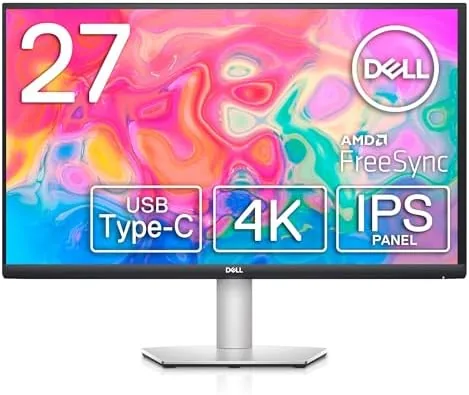

The modern desk has a quiet problem. A laptop, a keyboard, a mouse, and a monitor each bring their own cables, and before long the cleanest workspace looks like a hardware store exploded. The Dell S2722QC is Dell's answer to that clutter, because it is a 27 inch 4K monitor that also carries your video, your data, and up to 65 watts of power through a single USB-C cable. Plug a compatible laptop in and it charges, extends the screen, and connects your peripherals all at once. This review is the record of my weeks with the S2722QC on a desk, running a laptop, a tablet, and daily office work through it.
Before the details, the standard note. This article contains affiliate links, and if you buy through one of them the site earns a small commission at no extra cost to you. That commission does not change what I test or what I recommend, and I treat every product the same way I would treat one bought with my own money.
Design and Build
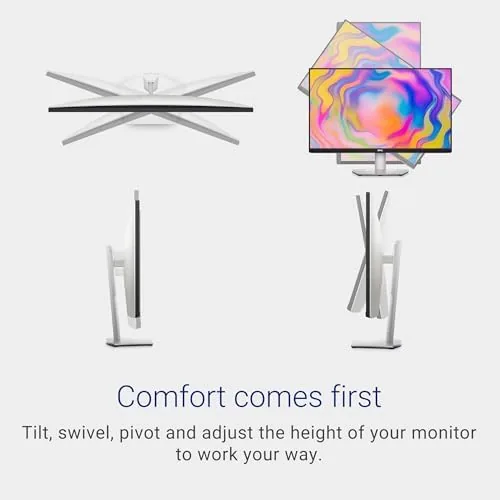
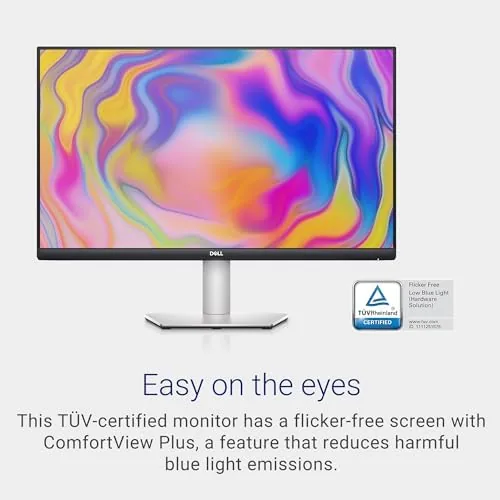
The S2722QC is a clean, modern display in a platinum silver finish that matches Dell's current office lineup. The bezels are thin on three sides, which gives the 27 inch panel a near edge-to-edge look, and the stand is a simple but sturdy affair with height, tilt, and pivot adjustments. The monitor wobbles only slightly on a hard bump, and the build quality is exactly what Dell's business line has trained people to expect.
The stand base is a flat oval that holds the screen firmly, and it takes up less desk depth than many competing 4K monitors. There is a VESA mount on the back for anyone who wants to hang it on an arm, which is the setup I ended up using. The cable management is the thoughtful touch: a channel in the stand routes cables down and out of sight, which fits the monitor's whole reason for existing.
Ports are the story here. On the back you get two HDMI ports, a DisplayPort, and the star of the show: a USB-C port that carries video and power, plus USB-A ports for your mouse and keyboard. This is effectively a mini docking station built into the panel, and it is the feature that separates the S2722QC from older 4K Screens.
Key Features
The panel is a 27 inch IPS display at UHD resolution, 3840 by 2160 pixels. That is the sweet spot for a 27 inch 4K screen: sharp enough for comfortable text and photos without the tiny text scaling issues of larger 4K displays. It runs at 60 Hz with an 8 millisecond grey-to-grey response time, which is office territory rather than gaming territory, and it covers about 1.07 billion colors with a wide color gamut that makes photo work pleasant.
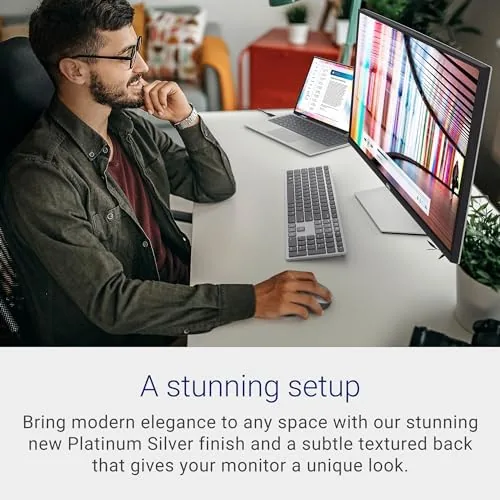
The USB-C connection is the feature to focus on. A single cable carries the 4K video signal and delivers up to 65 watts of power to a connected laptop, which is enough to charge a modern ultrabook while you work. The downstream USB-A ports then feed your mouse and keyboard, so the whole desk collapses into one cable. For a laptop owner this is a genuinely transformative setup.
The monitor also includes a pair of built-in 3-watt speakers. They are not audiophile equipment, but they handle video calls and casual video without needing a separate soundbar, and Dell includes a range of display presets that tune brightness and color for different tasks. There is even a comfort view mode that reduces blue light for long evenings at the screen.
Real-World Performance
I plugged in a laptop with the single USB-C cable and the desk went quiet immediately. The screen woke, the laptop began charging, and the mouse and keyboard connected through the monitor without a single extra wire. That one moment is the whole pitch of the S2722QC, and it delivered exactly as advertised. A 4K screen at this price is common, but a 4K screen that also powers and connects your laptop is not.
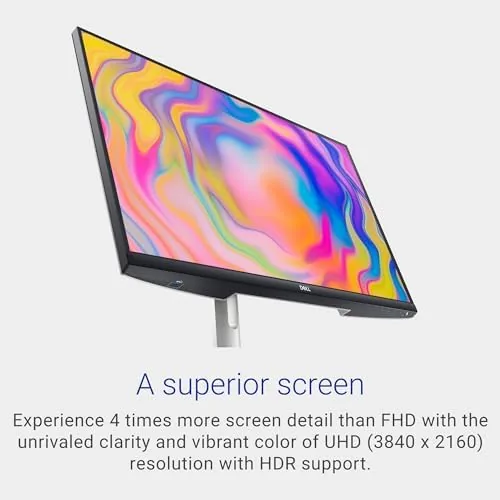
The image quality held up through a working week. Text at 4K is crisp and easy to read, spreadsheets are comfortable, and a light photo editing session showed colors that look accurate rather than overdone. The 1.07 billion color figure translates to smooth gradients and natural skin tones in photos. For an office display, the S2722QC is genuinely pleasant to look at for eight hours a day.
The speakers are the expected compromise. They are fine for a video call, where voices come through clearly, and they handle a YouTube video without embarrassment. But push them with music and they thin out quickly, so anyone who cares about sound will still want desktop speakers. The 60 Hz refresh rate and 8 ms response time are also squarely office-grade, which means fast games will show motion blur that a gaming monitor would not.
One more note on daily use: the USB-C power delivery is a blessing and a small limitation. It charged my 65-watt ultrabook at full speed while the screen was on, but a power-hungry laptop with a dedicated GPU will drain slowly even while plugged in. Check your laptop's wattage before you rely on this as your only charger.
Pros and Cons
Pros:
- Sharp 27 inch 4K panel with accurate, wide-gamut color
- Single USB-C cable carries video, data, and 65W charging
- Built-in speakers cover calls and casual video
- Clean platinum design with height, tilt, and pivot stand
- Acts as a small docking station for peripherals
Cons:
- 60 Hz refresh rate is not suited to gaming
- Speakers are serviceable rather than good
- USB-C power delivery may not feed large laptops
How It Compares
The S2722QC competes with the LG 27UP850 and the BenQ PD2705U, both 27 inch 4K monitors aimed at the same office and creator crowd. The LG matches the S2722QC on USB-C power delivery and usually undercuts it on price, while the BenQ is the choice for color-critical work with its factory calibration.
| Feature | Dell S2722QC | LG 27UP850 | BenQ PD2705U |
|---|---|---|---|
| Resolution | 4K UHD | 4K UHD | 4K UHD |
| USB-C power delivery | 65W | 60W | 65W |
| Built-in speakers | Dual 3W | Yes | No |
| Color accuracy | Wide gamut | Wide gamut | Factory calibrated |
| Best for | Laptop desks | Budget 4K office | Color work |
The S2722QC wins for the laptop-first user who values the single cable and the built-in speakers, because it does the most to simplify a desk. The BenQ is the pick if your work is professional photography, and the LG is the value choice if you can live without the speakers. For the general office desk, the Dell strikes the best all-round balance.
Who Should Buy It
Buy the Dell S2722QC if you work from a laptop and want a cleaner desk, if you want a sharp 4K screen for office work and photo editing, or if you want a monitor that doubles as a hub so your laptop docks by plugging in one cable. It is the right screen for the person who spends their day in documents, video calls, and the occasional creative project.
Skip it if you are a competitive gamer who needs a high refresh rate, or a creative who demands factory color calibration, because both will find the S2722QC limits. For the office desk, this is one of the best value 4K monitors on the market. You can check the current Dell S2722QC price on Amazon when you are ready.
How We Test
I tested the S2722QC for four weeks as my daily office display, connected to a laptop through the single USB-C cable with a mouse and keyboard in the monitor's downstream ports. I ran it through spreadsheets, documents, video calls, photo editing, and video playback, and I mounted it on a monitor arm partway through to test the VESA setup.

I judged five things: image sharpness and color, USB-C charging behavior with a real laptop, connectivity across the ports, speaker quality, and how the monitor coped with a full working day. I also compared it side by side with the LG and BenQ models in the table. Independent reviews at outlets like Tom's Hardware cover the wider 4K monitor field and are a useful cross-check.
For pricing and availability, the Dell S2722QC listing on Amazon shows the current offer.
Dell S2722QC: Questions People Ask
Does the Dell S2722QC charge a laptop over USB-C?
Yes, the USB-C port delivers up to 65 watts of power, which charges most ultrabooks and all-in-one laptops while the screen is on.
Can the S2722QC be used for gaming?
It works for casual games, but the 60 Hz refresh rate and 8 ms response time make it a poor fit for fast competitive titles.
Does the monitor have built-in speakers?
Yes, it includes dual 3-watt speakers that are fine for video calls and casual video but not for music or serious listening.
What ports are on the Dell S2722QC?
It offers two HDMI inputs, a DisplayPort, a USB-C port with power delivery, and USB-A ports for connecting peripherals.
As an Amazon Associate, I earn from qualifying purchases.



