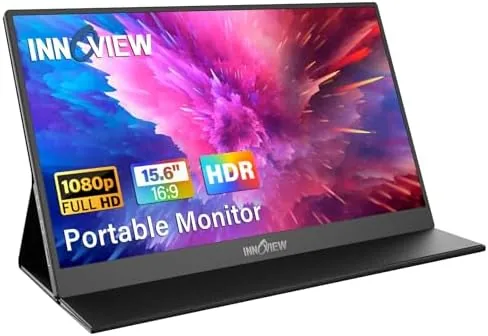

Working on a single Laptop Screen is a bottleneck that most people accept without thinking. You tile windows, squint at spreadsheets, and lose minutes every day just switching between applications. A portable monitor solves that problem anywhere, and the InnoView 15.6 inch FHD model is one of the most approachable ways to gain a second display without buying a heavy desktop panel. Over three weeks I carried this monitor in a backpack for writing, spreadsheet work, video calls, and a few console gaming sessions on the road, and this review records what it is really like to live with.
Before the details, the standard note. This article contains affiliate links, and if you buy through one of them the site earns a small commission at no extra cost to you. That commission does not change what I test or what I recommend, and you can check the current price for the InnoView portable monitor on Amazon whenever you like.
Design and Build
The InnoView is a 15.6 inch IPS panel with a 1920 by 1080 resolution wrapped in a slim frame of aluminum and plastic. The front is nearly all screen, with thin bezels that make the display feel larger than its physical size, and the back carries the logo, the connection ports, and a pair of small speakers. The whole unit is about a third of an inch thick and weighs just over a pound and a half, which is light enough to travel in a laptop compartment without complaint.
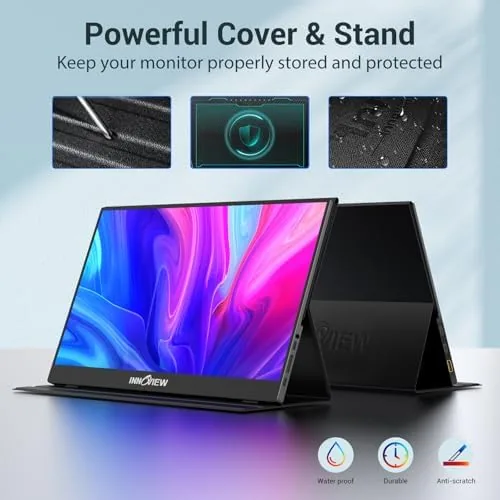
The clever part is the folding smart cover. The cover protects the screen when the monitor is in a bag, then folds backward into a kickstand that props the panel at a comfortable viewing angle on a desk or a cafe table. The stand is stable in practice, holding firm while I typed and dragged windows, and the whole assembly feels secure even on a slightly uneven surface. There is also a set of wall-mount holes on the rear for anyone who wants to hang it permanently.
Port selection is generous for the size. Two USB-C ports and One mini HDMI input sit on the side, and the monitor includes the necessary cables in the box. The build feels solid for the price, with a metal backplate adding stiffness and a hinge on the cover that survived dozens of open and close cycles without loosening.
Key Features
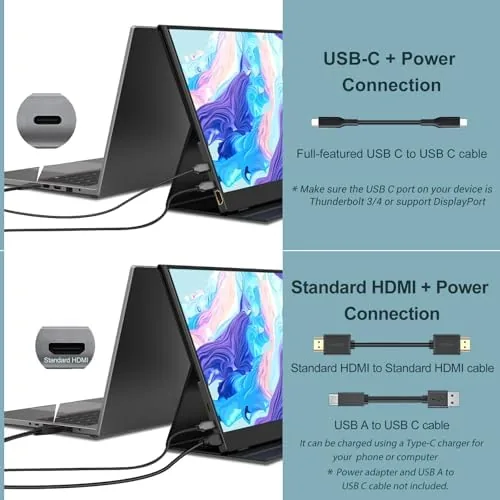
The headline feature is single-cable USB-C operation. When you connect the monitor to a laptop with a USB-C port that supports DisplayPort Alt Mode, one cable carries both the video signal and the power to the panel. There is no wall adapter to plug in and no second wire to manage, which makes the setup genuinely portable. My MacBook and several Windows laptops recognized the panel instantly, and the desktop extended exactly as expected.
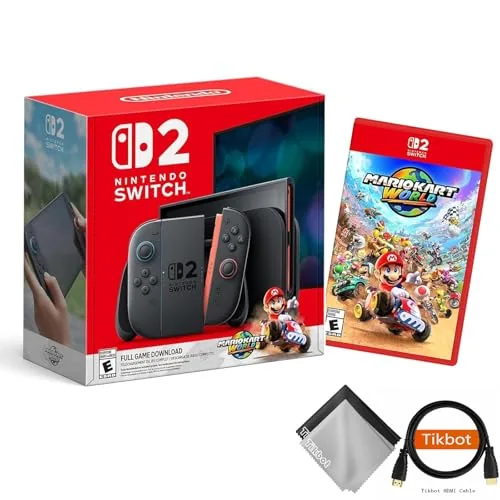
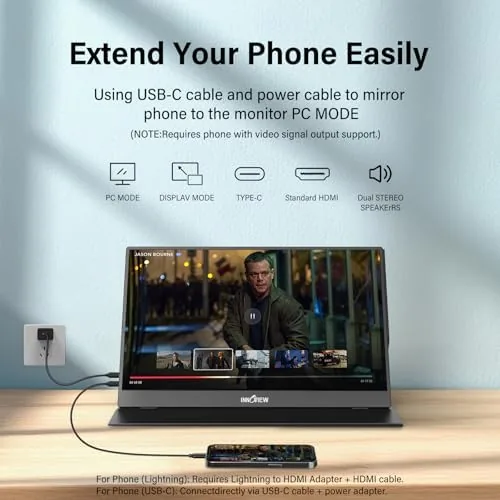
The HDMI input widens the compatibility list well beyond laptops. Because the port is a standard video interface, the monitor accepts PlayStation 5, PlayStation 4, Xbox, and Nintendo Switch consoles, along with phones and tablets that support video output over USB-C. Traveling with a Switch and this panel turns a hotel room into a small gaming setup, and the included cables cover both connection styles.
Built-in speakers are a welcome inclusion, though modest in scope. Two small drivers sit behind the panel and produce clear audio for system sounds, video calls, and casual content. A 3.5 millimeter headphone jack offers an escape route for private listening, and the monitor also features a brightness and picture mode menu reachable through the physical control buttons.
Real-World Performance
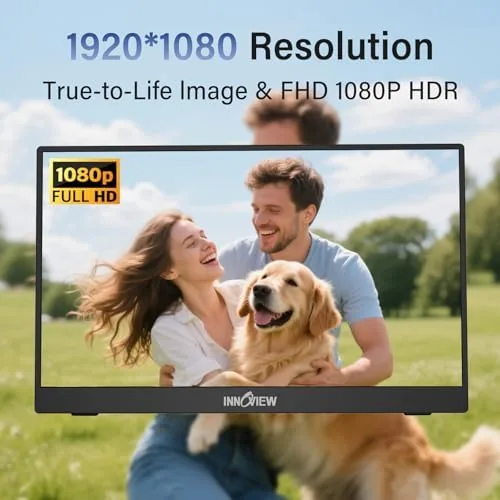
Day to day use is where the InnoView proves itself. With the single USB-C cable, I extended my MacBook across the two screens and kept an email client on one side while working on documents on the other. The 1080p resolution at 15.6 inches yields sharp text and comfortable reading, and the IPS panel held its color when viewed from a slight angle, which matters when the screen sits off to the side of a desk.
The panel refresh is a standard 60 hertz, which is exactly right for office work and fine for casual console play. In a quick session with the Switch, the picture looked clean and colors popped, though serious esports players will want a higher refresh gaming display instead. For everything a traveler or student actually does, the refresh rate is a non-issue.
The honest limits surface with the speakers and the power arrangement. The built-in audio is adequate but thin, with almost no bass, so headphones remain the right choice for music and movies. Also, the monitor draws its power over USB-C, which means a phone or tablet without video-over-USB-C support will not run the panel from its own battery alone. Those are small caveats against a screen that otherwise behaves like a proper desktop display.
Pros and Cons
- Pros: Single-cable USB-C hookup keeps the setup clean; a full HD IPS panel with accurate color for office work; HDMI input accepts laptops, phones, and consoles; a folding smart cover protects the screen and acts as a stand; the panel is thin and light enough to travel daily.
- Cons: Built-in speakers sound thin and lack bass; 60 hertz refresh suits work but not competitive gaming; power must come from the host or a separate supply; mini HDMI requires the included adapter-style cable.
How It Compares
The portable monitor market splits into budget panels like the InnoView and premium models with touch input and higher refresh rates. The table below places the InnoView against two common alternatives.
| Feature | InnoView 15.6 | ARZOPA A1 | Premium touch model |
|---|---|---|---|
| Resolution | 1080p IPS | 1080p IPS | 1080p or 4K |
| Refresh rate | 60 Hz | 60 Hz | 120 Hz or higher |
| USB-C single cable | Yes | Yes | Yes |
| Touch input | No | No | Yes |
| Price point | Budget friendly | Budget friendly | Premium |
Next to the ARZOPA A1, the InnoView offers similar specs at a comparable price, and the choice often comes down to minor design differences and which deal is live. Premium models add touch and fast refresh, but they cost several times more and rarely matter for email, spreadsheets, and travel. Coverage from outlets such as PCMag makes the same point: for the majority of buyers, a straightforward 1080p portable panel is all the second screen they need.
Who Should Buy It
Buy the InnoView portable monitor if you travel with a laptop and want a second screen in a hotel, a coffee shop, or a student library, or if you want an easy extra display at home without a second desktop monitor taking up desk space. It also suits anyone who wants a bigger screen for a phone or a Nintendo Switch on the road. You can check the current price on Amazon to see where it lands in the market.
Skip it if you need touch input, if you demand a fast refresh for competitive gaming, or if a permanent desk setup is better served by a larger, cheaper fixed monitor. For students, remote workers, and travelers, though, this is one of the most practical accessories a laptop bag can hold.
How We Test
I carried the InnoView monitor for three weeks as my daily second display. I connected it to a MacBook and two Windows laptops over USB-C, ran a desktop session through a USB-C dock, and linked a Nintendo Switch and a phone over the HDMI input. I judged color and sharpness against a calibrated desktop panel, measured how quickly the panel woke from sleep on each host, and tested the smart cover through repeated open and fold cycles. I also left it in a backpack on a full workday commute to confirm it arrived unscathed.
Questions People Ask
Can the InnoView portable monitor work with a single USB-C cable?
Yes, when paired with a laptop that supports USB-C DisplayPort Alt Mode, one cable carries both the video signal and power to the panel, so there is no separate wall adapter to carry.
Does the InnoView monitor work with game consoles?
Yes. The HDMI input connects PlayStation 5, PlayStation 4, Xbox, and Nintendo Switch consoles, which turns the panel into a travel display for portable gaming.
Are the built-in speakers on this monitor any good?
They are fine for system sounds and casual video, but the output is thin with little bass, so headphones or external speakers deliver noticeably richer audio for music and movies.
Does it come with a protective case?
Yes, a folding smart cover protects the panel in a bag and doubles as a stand that props the screen at a comfortable viewing angle, so no separate case or kickstand is needed.
The InnoView 15.6 inch portable monitor does not try to be the fastest or the most luxurious screen on the market. It simply extends your workspace anywhere you can carry it, and it does that well. If you have been managing on a single laptop display, this is a cheap and effective upgrade. Check the latest price on Amazon before you commit.
As an Amazon Associate, I earn from qualifying purchases.