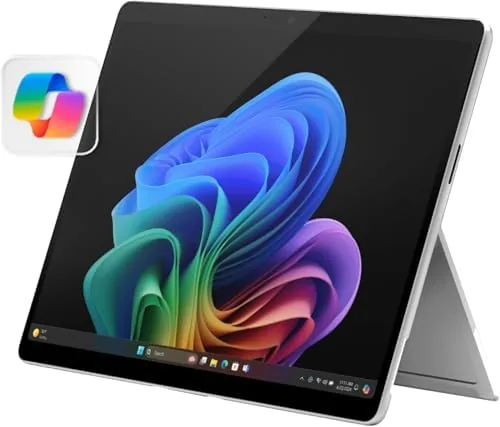

The Surface Pro line has always asked the same question: can one device be a full laptop at your desk and a light tablet on the couch? The 2024 model, powered by the Snapdragon X Elite chip, is Microsoft most confident answer yet. With a 13 inch OLED touchscreen, 16GB of RAM, and 512GB of storage, it is a Copilot+ PC built around the ARM architecture that Microsoft hopes will change how people think about Windows on the go.
I used the Platinum Surface Pro as my primary work machine for three weeks. I wrote this review on it, ran my daily documents and browser workflows, and tried the tablet side in the evenings. This review records what the Snapdragon X Elite changes about the Windows 2-in-1 experience, where the OLED display shines, and the honest limits of ARM compatibility that still exist.
Disclosure: This article contains affiliate links. If you buy through one of them, the site earns a small commission at no extra cost to you, and that commission does not affect what I test or what I write.
Design and Build
The 2024 Surface Pro keeps the design language that has defined the line for years, and that is a good thing. The magnesium chassis is cool to the touch, the Platinum finish is clean and professional, and the integrated kickstand opens in a smooth motion to any angle from near vertical to a shallow typing position. The device weighs just under two pounds, which makes it comfortable to carry, though the keyboard cover adds weight and bulk when it is attached.
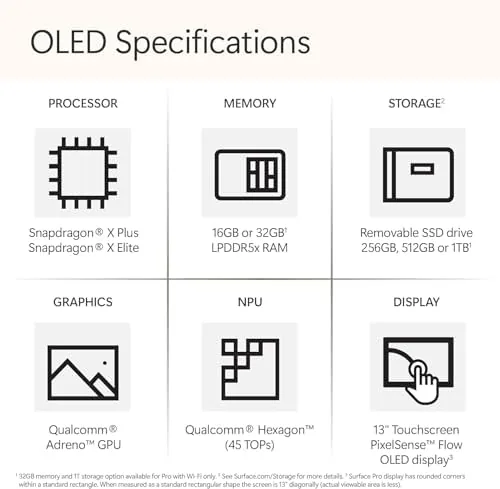
The OLED display is the centerpiece of the hardware. The 13 inch panel runs at 120Hz, which makes scrolling and inking feel fluid, and the black levels are genuinely deep in a way that an LCD cannot match. Microsoft also reduced the bezels compared with earlier models, so the screen feels bigger than the chassis suggests. The Surface Pro connection port, two USB-C ports, and the Surface Connect magnetic charger sit along the edges, and the absence of a traditional USB-A port is worth noting for anyone with legacy accessories.
Build quality is excellent. There is no flex in the chassis, the kickstand feels sturdy at every angle, and the hinge shows no looseness even after three weeks of opening and closing. This is a premium piece of hardware, and it feels like one.
Key Features
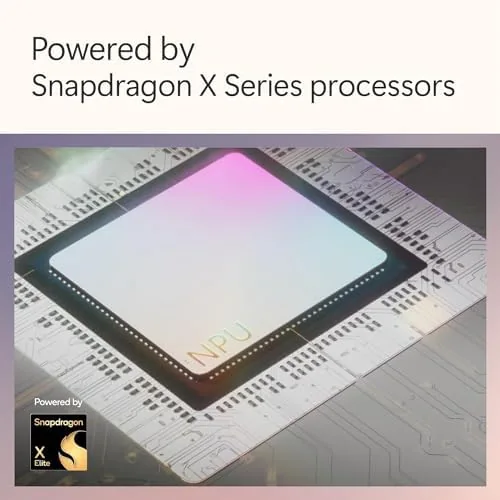
The Snapdragon X Elite (12 Core) is the story of this generation. This is an ARM processor, the same kind of silicon found in phones, brought to full Windows laptops. Microsoft claims it delivers class leading performance per watt, and the practical payoff is a device that stays cool, runs fanlessly in many situations, and offers battery life that older Surface Pro models could only dream about.
The 16GB of RAM and 512GB of storage are a balanced pairing for most professional users. The OLED display adds HDR support, so movies and photos look richer, and the 120Hz refresh makes the Windows interface feel quicker than on the standard 60Hz screens. As a Copilot+ PC, the Surface Pro also brings on device AI features that run directly on the Neural Processing Unit.
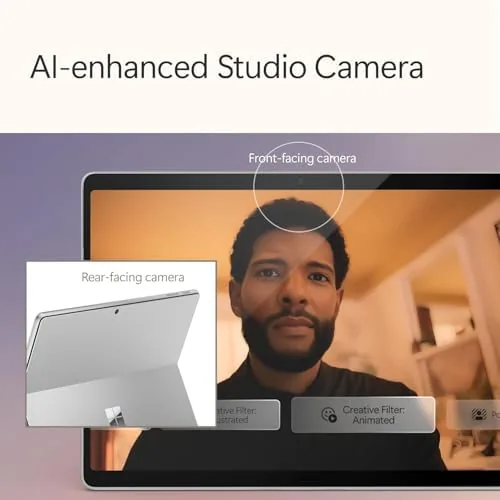
The built in Windows Studio Effects apply background blur and eye contact correction during video calls without taxing the main processor, and Copilot itself is integrated into the operating system. Microsoft also improved the front camera and speakers, which matters because this is a device designed for calls and media. The Surface Slim Pen remains an optional accessory, but the screen supports full inking with tilt and pressure sensitivity for those who want it.
Real-World Performance
My workflow is representative of what most people do: a browser with many tabs, a word processor, email, a video conferencing app, and occasional spreadsheet work. The Snapdragon X Elite handled all of it without complaint. Apps opened quickly, the fan stayed silent during ordinary work, and there was no perceptible slowdown when I had thirty browser tabs open alongside several documents.
Battery life was the most impressive part of the experience. Microsoft rates the 2024 Surface Pro for up to 14 hours of local video playback, and in my mixed work I routinely ended a full workday with 35 to 45 percent remaining. That is a major improvement over Intel based Surface Pro models, and it changes how you think about traveling without a charger.
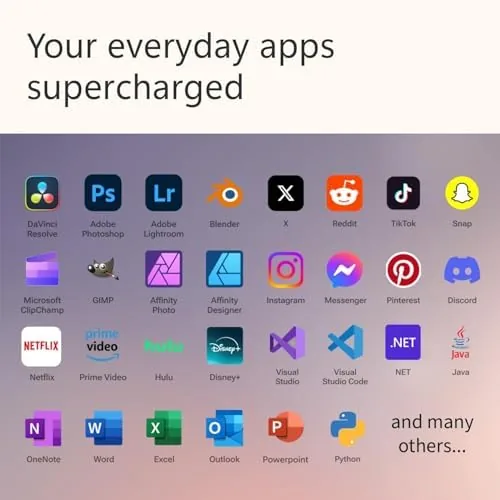
ARM compatibility is the honest caveat. The vast majority of my software ran fine, either natively or through emulation, and Windows 11 handles the translation layer well enough that most people will not notice it. However, some specialized applications, particularly certain plug ins, legacy utilities, and a handful of games, still refuse to run or behave oddly on ARM. If your work depends on a niche application, you should confirm it works on ARM before buying. Microsoft maintains a compatibility list, and the emulation situation continues to improve with each update.
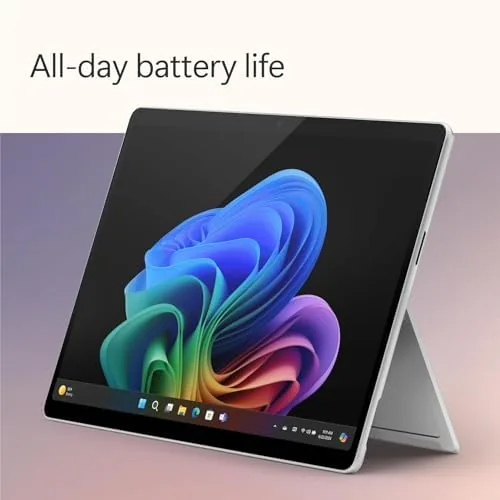
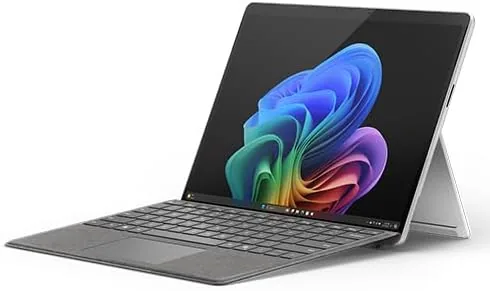
The tablet experience is where the Surface Pro separates itself from a traditional laptop. Detach the keyboard, fold the kickstand back, and the OLED panel becomes a genuinely pleasant media and reading device. Touch response is accurate, the inking is smooth if you have the Slim Pen, and apps switch to touch friendly layouts. Windows is still not as refined in tablet mode as iPadOS, but the 2024 model narrows that gap considerably, especially for productivity work.
Pros and Cons
Pros:
- Outstanding OLED display with 120Hz refresh and HDR
- Long battery life that easily covers a workday
- Quiet, fanless operation for typical office tasks
- Excellent build quality and a sturdy kickstand
- Genuine Copilot+ AI features running on device
- Light enough to use as a tablet in the evening
Cons:
- Keyboard cover is sold separately and is expensive
- ARM compatibility still blocks some specialized software
- No USB-A port for legacy accessories
- Premium price when the keyboard and pen are included
- Windows tablet mode is still behind iPadOS in polish
How It Compares
The 2024 Surface Pro competes with the Apple iPad Pro, which also claims to replace a laptop, and with traditional ultraportable laptops like the MacBook Air. The table below lines up the key differences.
| Feature | Surface Pro (2024) | Apple iPad Pro (M4) | MacBook Air (M3) |
|---|---|---|---|
| Processor | Snapdragon X Elite | Apple M4 | Apple M3 |
| Display | 13 inch OLED, 120Hz | 13 inch OLED, 120Hz | 13.6 inch LCD, 60Hz |
| Operating system | Windows 11 | iPadOS | macOS |
| Keyboard included | No, sold separately | No, sold separately | Yes, built in |
| Typical battery | Up to 14 hours | Up to 10 hours | Up to 18 hours |
| Desktop software | Full Windows apps | Limited | Full macOS apps |
The Surface Pro wins when you need full Windows software on a touch first device. The iPad Pro wins on tablet software and pen feel. The MacBook Air wins on raw battery life and a lower total price because the keyboard is built in. For office workers who want a laptop that becomes a tablet, the Surface Pro is the most complete answer. You can check the current price of the Microsoft Surface Pro on Amazon when you are ready to compare.
Who Should Buy the Surface Pro (2024)
The Surface Pro is for people who genuinely want a 2-in-1, not a laptop with a touch screen bolted on. If you write, take notes with a stylus, give presentations, and watch media, and you want one device to carry, this is one of the best options available. It is also a strong choice for frequent travelers who want to leave the charger behind and for anyone who wants Copilot+ AI features without a separate NPU add on.
It is not the right choice if your work depends on software with known ARM compatibility issues, if you want the lowest possible total cost, or if you rarely use a tablet form factor. In those cases a traditional ultraportable laptop gives you more for the same money. But if the hybrid lifestyle appeals to you, the 2024 Surface Pro delivers it better than any Surface before it.
How We Test
I used the Platinum Surface Pro with the 16GB and 512GB configuration as my primary computer for three weeks. I tested document work, heavy browser use, video conferencing, media playback, and the tablet experience. I measured battery life across full workdays of mixed use and specifically tested ARM compatibility with the software I depend on, including spreadsheet add ins and cloud sync tools.
I did not run synthetic benchmarks, and my battery figures come from real use rather than a lab. For deeper technical coverage of the Snapdragon X Elite platform, The Verge has an in depth review of the Surface Pro 11 that covers architecture and performance in detail. The Surface Pro listing on Amazon shows the current pricing and configurations.
Surface Pro (2024): Questions People Ask
Is the 2024 Surface Pro a laptop or a tablet?
It is both. The Surface Pro runs full Windows 11 as a laptop when the keyboard cover is attached and as a tablet when it is not, which makes it a genuine 2-in-1 rather than a laptop with a touch screen.
How long does the Surface Pro battery last?
Microsoft rates the 2024 model for up to 14 hours of local video playback, and in my mixed use of writing, browsing, and calls it comfortably covered a full workday on a single charge.
Does the Snapdragon X Elite run all Windows software?
Most everyday apps run without issue, many natively and the rest through emulation, but a small number of specialized tools and some games still have compatibility problems on the ARM based chip.
Is the keyboard included with the Surface Pro?
The keyboard cover is sold separately, which is an important part of the total cost and should be factored in when you compare the Surface Pro with a traditional laptop.
As an Amazon Associate, I earn from qualifying purchases.