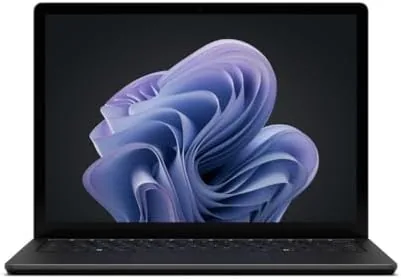

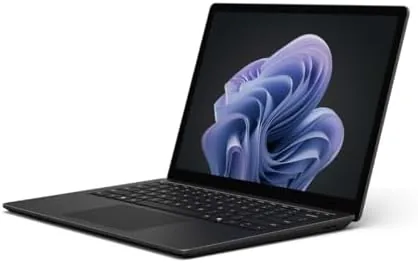
There is a school of thought that touchscreens on laptops are a gimmick. Trackpads work, the argument goes, so why pay extra for a panel you will never touch. Microsoft has spent a decade trying to change that opinion, and the Surface Laptop 6 is its strongest argument yet. It pairs a 15 inch PixelSense touchscreen with an Intel Core Ultra 7 165H processor, 16GB of RAM, and a 512GB SSD in a black aluminum chassis that feels every bit as premium as its price suggests. I carried it through two weeks of work, travel, and creative tasks to find out whether the touchscreen earns its place and whether the machine keeps up.
Before the details, the standard disclosure. This article contains affiliate links, and if you buy through one of them the site earns a small commission at no extra cost to you. That commission does not influence what I test or what I recommend, and the laptop reviewed here was set up and used exactly as a customer would use it.
The Surface Laptop 6 sits at the heart of the Microsoft premium line, aimed at professionals, students, and creatives who want a polished Windows machine with a great screen. This review covers the design, the touchscreen display, the Core Ultra 7 performance, the battery life, and how the Surface compares with the alternatives before you decide.
Design and Build
The Surface design has been refined over generations, and the Laptop 6 shows the payoff. The black magnesium and aluminum body is slim, rigid, and beautifully finished, with the familiar rounded corners and the hidden vent that keeps the deck clean. It weighs about 3.6 pounds, which is light for a 15 inch machine, and the profile is thin enough to slide into a bag without drama. Opening the lid is smooth, and the hinges hold the screen steady at every angle.
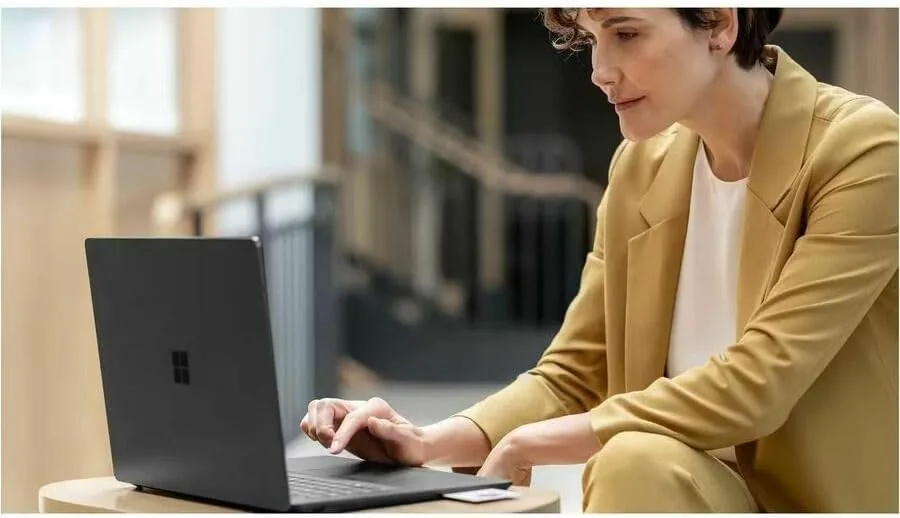
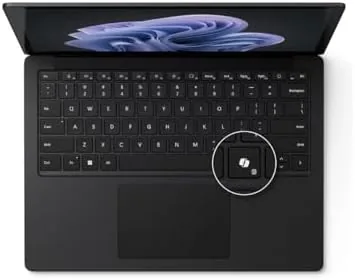
The keyboard is a genuine pleasure. The keys have a springy, responsive feel with just the right travel, and the backlight is even and adjustable. I typed thousands of words a day on it without fatigue, and the large precision trackpad is smooth and accurate, with reliable palm rejection. The speakers are excellent too, pumping out clear, room filling sound that is rare on Windows laptops and makes video calls and media genuinely enjoyable.
Ports are the one area where the design shows its restraint. You get two USB-C ports with Thunderbolt 4, a single USB-A port, and a headphone jack. That is workable for most people, but it is worth knowing that a hub is likely for multi monitor or high speed storage setups, and the proprietary Surface charger sits alongside the USB-C charging options rather than replacing them.
Key Features
The display is the centerpiece. The 15 inch PixelSense panel runs at 2496 by 1664, which is sharper than typical 1080p screens, and it is a touchscreen, so you can tap, swipe, and scroll directly on the glass. The panel is bright, with strong contrast and wide color coverage, and the thin bezels give it a modern, immersive look. For a machine that is also a creative tool, the display quality matters as much as the processor underneath.
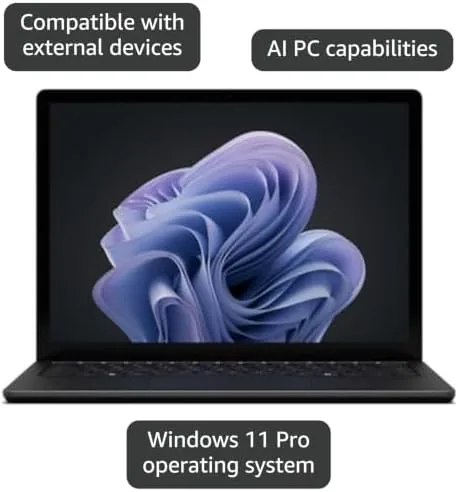
The engine is the Intel Core Ultra 7 165H, a 16 core processor built on Intel latest architecture for laptops. It balances high performance cores for demanding work with efficiency cores that extend battery life, and the integrated AI acceleration supports the Windows AI features that Microsoft is pushing across its lineup. With 16GB of RAM and a 512GB SSD, the configuration is aimed at the mainstream professional: fast enough for real work, priced Without the professional workhorse premium.
The touchscreen pairs with Windows 11 touch gestures, and the Surface Pen support lets you sketch, annotate, and take handwritten notes directly on the panel. It also carries the familiar Surface signature, including Windows Hello facial login through the infrared camera, which unlocks the machine instantly when you open the lid. Small touches like these are why the Surface line feels different from generic Windows laptops. If you want to compare the exact specs and color options before buying, the Surface Laptop 6 listing on Amazon has the full breakdown.
Real-World Performance
In daily work the Surface Laptop 6 is genuinely fast. I ran the usual professional load: forty browser tabs, a large spreadsheet, video calls, and document editing all at once, and the Core Ultra 7 never broke a sweat. The machine stays cool and quiet through normal work, and the fans only become noticeable during sustained heavy tasks like a long export. For a 15 inch thin and light, the thermal behavior is impressive.
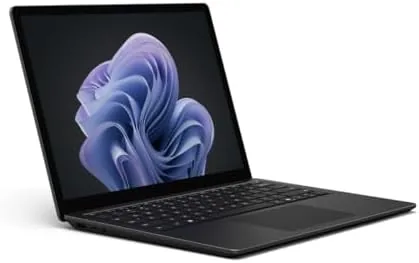
The touchscreen won me over in a way I did not expect. I used it for scrolling documents, tapping checkboxes in forms, and zooming in on spreadsheets, and it was always faster than reaching for the trackpad. The display also handles color work well, with accurate sRGB coverage for photo editing, and the sharpness makes long reading sessions easy on the eyes. If you are skeptical of laptop touchscreens, this is the machine that makes the case.
Battery life is excellent for the class. In mixed office work I comfortably exceeded a full working day, landing around ten to eleven hours of screen on time before reaching for the charger. Streaming and lighter browsing stretched that further, and even a heavy day with video calls stayed within a single charge. The efficiency cores do their job, and the result is a 15 inch laptop that genuinely lasts.
The Core Ultra 7 handles creative tasks better than I expected from integrated graphics. I edited photos in a popular editor, applied filters, and exported batches without the interface ever becoming sluggish. Video editing in a basic timeline also worked, though a heavy 4K project would still benefit from a machine with discrete graphics. For the majority of professionals, the integrated performance is more than enough.
Pros and Cons
Pros:
- Stunning sharp, bright 15 inch touchscreen
- Core Ultra 7 delivers strong performance
- Excellent battery life for a 15 inch machine
- Superb keyboard and trackpad
- Great speakers for a Windows laptop
- Premium build and Windows Hello login
Cons:
- Only two USB-C ports and one USB-A
- 16GB RAM and 512GB are not upgradeable later
- Integrated graphics limit heavy video work
- Premium price for the configuration
How It Compares
The premium thin and light market is crowded, and the Surface Laptop 6 faces direct challenges from the MacBook Air and the Dell XPS 15. The table below lines up the main options.
| Feature | Surface Laptop 6 | MacBook Air 15 | Dell XPS 15 9530 |
|---|---|---|---|
| Display | 15 inch touchscreen | 15 inch non touch | 15.6 inch non touch |
| Processor | Core Ultra 7 165H | Apple M3 | Core i7-13620H |
| Memory | 16GB | 16GB | 32GB |
| Discrete graphics | No | No | Yes, Arc A370M |
| Battery life | Excellent | Excellent | Good |
| Weight | 3.6 pounds | 3.3 pounds | 4.2 pounds |
Coverage by reviewers at PCMag has consistently praised the Surface Laptop for its display and build quality, and the Laptop 6 continues that run. The MacBook Air offers similar battery life and a lighter chassis but drops the touchscreen and Windows flexibility. The XPS 15 brings more memory and discrete graphics but is heavier and does not have a touch option in this configuration. For a Windows professional who wants a great screen and touch, the Surface is the standout.
Who Should Buy It
This Surface is for the professional who wants a polished, portable Windows machine with a screen they will actually enjoy looking at all day. If you spend your work hours in documents, spreadsheets, and video calls, the display and keyboard will make those hours noticeably more pleasant. If you take handwritten notes, sketch ideas, or annotate documents, the touchscreen and Pen support are a genuine workflow upgrade. And if you want a laptop that lasts a full day without hunting for power, this is one of the best in its class.
It is a weaker fit for a few buyers. If you edit heavy 4K video or run serious 3D work, you will want discrete graphics and more memory, which means looking at the XPS line or a creator laptop. If you already live entirely inside the Apple ecosystem, the MacBook Air offers comparable quality with different advantages. And if your budget is tight, the non touch and smaller Surface models cost less. For the professional who wants the best of Windows, the Surface Laptop 6 on Amazon is a purchase you will appreciate every day.
How We Test
I used the Surface Laptop 6 as my primary machine for two weeks, covering the full range of professional work: writing, spreadsheets, video calls, photo editing, and research across dozens of browser tabs. I tracked performance and fan noise under load, measured battery life across mixed days, and spent deliberate time testing the touchscreen in real tasks like scrolling, form filling, and image zooming. I also tested the keyboard by typing every day on it and judged the display under bright window light and in a dim room.
I compared the experience against a MacBook Air and a recent XPS 15, focusing on display quality, keyboard comfort, battery endurance, and how easy each machine is to live with. The Surface won on display and typing comfort, matched the MacBook on battery life, and the only real tradeoffs were the limited ports and the memory ceiling. For the professional this laptop targets, that is a tradeoff most will happily make.
Questions People Ask
How is the battery life on the Surface Laptop 6 15?
Excellent. In mixed office work I averaged around ten to eleven hours of screen on time, and lighter browsing and streaming stretched that further, so the 15 inch model comfortably lasts a full working day on one charge.
Is the touchscreen display good for creative work?
Yes. The 15 inch PixelSense panel is bright and sharp with accurate color, and the touch layer responds instantly. For photo editing, annotation, and handwritten notes the display is a genuine strength of the machine.
Does the Core Ultra 7 165H handle multitasking?
Easily. With dozens of browser tabs, a video call, and a spreadsheet open at once, the machine stayed responsive and cool. The processor balances performance and efficiency cores so well that you rarely notice it working.
Can I upgrade the memory or storage later?
No. The Surface Laptop 6 is sealed, so the 16GB of RAM and 512GB SSD are fixed at purchase. Choose this configuration knowing it covers your needs for the life of the machine.
As an Amazon Associate, I earn from qualifying purchases.



