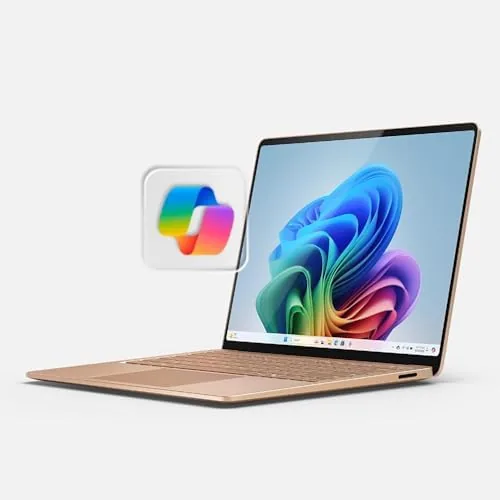

For years the Surface Laptop was a machine you recommended with caveats about the processor. The 2024 model removes most of those caveats, because it is the first Surface Laptop built around Qualcomm Snapdragon X Elite silicon, and this review is the record of weeks spent with the 13.8-inch touchscreen version in the Dune finish. The honest verdict is that Microsoft finally built a laptop where the battery life matches the build quality, and the Snapdragon X Elite handles everyday work with a composure that older Surface models could only promise.
Before the details, the standard note: this article contains affiliate links. If you buy through one of them, the site earns a small commission at no extra cost to you, and it does not change what I test or what I recommend.
Design and Build
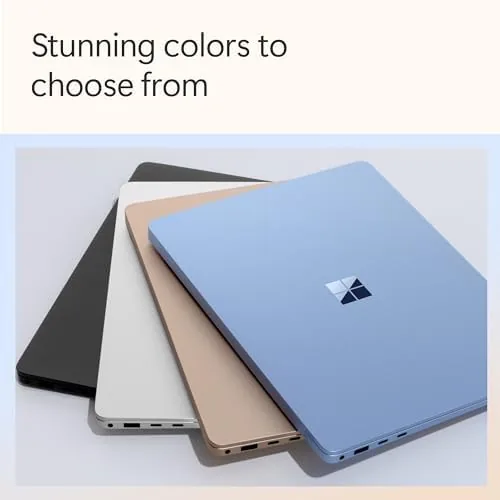
The Surface Laptop has always been one of the best built Windows machines, and the 2024 model keeps that reputation. The chassis is a single slab of precision machined aluminum in the soft Dune color, the keyboard deck feels solid under the palms, and the hinge opens smoothly with one hand. This is a laptop that looks and feels more expensive than its price, which is exactly what the Surface brand promises.
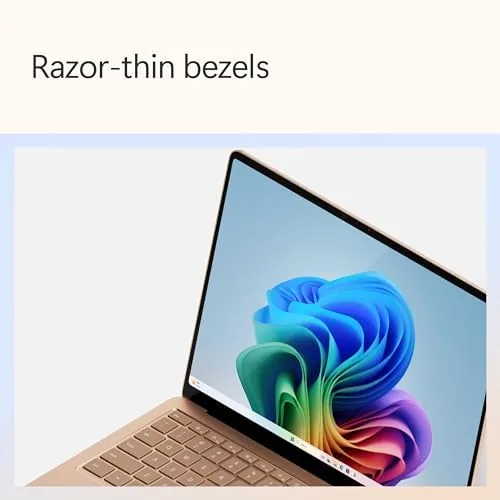
The 13.8-inch touchscreen is one of the best displays in its class. The panel is bright, color accurate, and tuned for HDR content, with a 3:2 aspect ratio that gives documents and web pages noticeably more vertical room than the widescreen panels on competing laptops. The touch layer responds cleanly, and the anti-glare coating keeps reflections down in normal office lighting.
The keyboard is the usual Surface strength. Key travel is comfortable, the spacing is right, and the typing feel is genuinely pleasant for long sessions. The haptic trackpad is large, smooth, and precise, and it handles gestures without the unevenness that plagues Windows trackpads. The port selection covers two USB-C ports, a USB-A port, and a Surface Connect port, which is practical if not generous.
Key Features
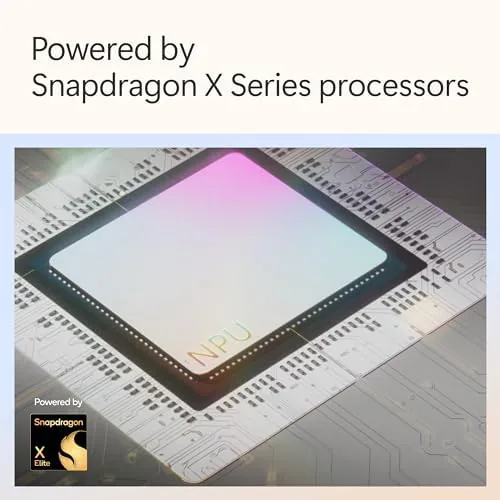
The defining feature is the Snapdragon X Elite processor with 12 cores, and it changes the character of the machine. Where earlier ARM laptops felt like experiments, the X Elite delivers everyday performance that competes comfortably with Intel and AMD contemporaries. The 16GB of RAM and 1TB of SSD storage complete a configuration that will not feel old quickly.
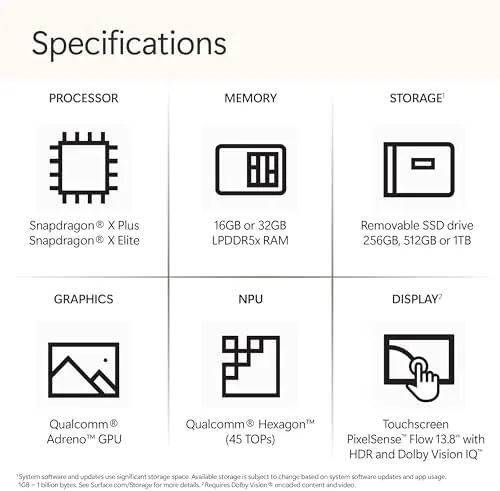
This is a Copilot+ PC, which means it includes a neural processing unit and a set of local AI features. Windows Studio Effects can blur backgrounds and keep the camera framing on you during video calls, and the platform is ready for the AI features that Microsoft continues to roll out. The NPU handles these tasks locally rather than sending them to the cloud.
Battery life is the headline number, and for once the marketing is honest. Microsoft quotes up to twenty hours of local video playback, and in my mixed work use the machine regularly cleared a full day with charge to spare. The efficient Snapdragon silicon and the bright but power conscious display combine into a laptop that simply stops being a worry in your daily routine.
Real-World Performance
My testing covered the daily reality of a working laptop: a browser with many tabs, documents, spreadsheets, video calls, and occasional photo editing. The Snapdragon X Elite handled all of it without the fans making themselves known. The machine runs cool and quiet, which is a genuine pleasure compared with the whine of many Windows laptops under load.
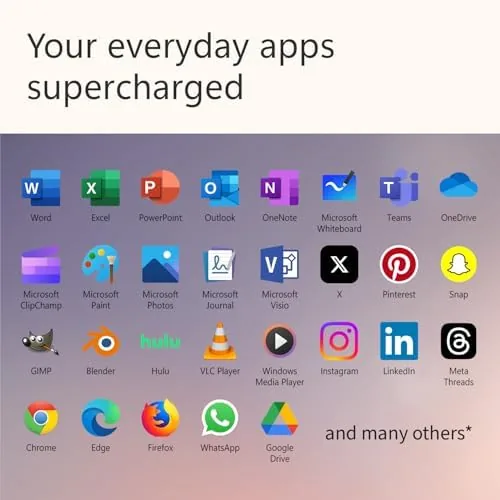
Compatibility is the question every ARM laptop faces, and it deserves an honest answer. Native ARM apps such as the Office suite run excellently, and Windows on ARM translates most x86 software with good performance for everyday use. The heavy creative tools that some professionals need still run, but a few niche plug-ins can lag, so anyone with unusual software requirements should verify those specific programs first.
Battery life in real use matched the promise. A typical day of mixed work drained the battery to about a third by evening, and lighter days finished with well over half remaining. The efficient silicon also means the laptop sips power on standby, so it wakes ready to go after a night closed, with almost no charge lost.
The display is a joy for content. HDR video looks rich, text is razor sharp at the 3:2 resolution, and the touchscreen makes casual interaction natural. The speakers are some of the best in a thin Windows laptop, with clear mids and surprising presence for the size, so the machine works well without external audio.
Pros and Cons
Pros:
- Outstanding battery life that lasts a full day and more
- Superb 13.8-inch touchscreen with a 3:2 aspect ratio
- Excellent build quality in A Light, premium chassis
- Quiet, cool Snapdragon X Elite performance
- Comfortable keyboard and excellent haptic trackpad
Cons:
- Some x86 software still runs only through translation
- Limited port selection compared with rivals
- No OLED display option on this model
- Premium price for the configuration
How It Compares
The Surface Laptop 2024 competes with the MacBook Air and with premium Windows ultrabooks. Against the MacBook Air, the Surface offers a touchscreen, a slightly larger display, and full Windows compatibility for corporate environments, while the Air counters with its own excellent build and battery and a deep app ecosystem. Against Windows rivals, the Surface wins on build quality and display, while some competitors offer more ports and a lower price.
| Feature | Surface Laptop 2024 | MacBook Air |
|---|---|---|
| Processor | Snapdragon X Elite 12 core | Apple silicon |
| Display | 13.8-inch touchscreen 3:2 | 13.6-inch non-touch |
| Battery life | Full day and beyond | Full day and beyond |
| Touchscreen | Yes | No |
| Software | Full Windows 11 | macOS |
The choice comes down to ecosystem and preference. If you live in Windows for work or you value a touchscreen, the Surface Laptop 2024 is the more useful machine. If you prefer macOS or you need the deep native app library of Apple, the Air remains the alternative. Both are excellent; they simply serve different camps.
Who Should Buy the Microsoft Surface Laptop 2024
Buy it if you want a premium Windows laptop with battery life that actually lasts the day, a gorgeous display, and a keyboard you will enjoy using for hours. Students, professionals, and anyone who spends their day in documents and browsers will find the Surface Laptop 2024 the easiest machine to live with in its class.
Skip it if you depend on niche x86 applications that do not translate well, or if you need a wide port selection for docks and peripherals. If a premium all day Windows laptop fits your workflow, you can check the Surface Laptop 2024 on Amazon when you are ready.
How We Test
I used the Surface Laptop 2024 as my primary machine for several weeks, running a daily workload of browsers, documents, spreadsheets, video calls, and occasional photo editing. I tracked battery life across typical days, evaluated the display against reference content, and checked how well translated x86 software performed in real use.
I compared the machine side by side with a MacBook Air and a premium Windows ultrabook to place the performance and battery honestly. Independent reviews such as PCMag laptop recommendations are worth reading as a second opinion.
When you are ready to decide, the Surface Laptop 2024 listing on Amazon shows the current configuration options and pricing.
Surface Laptop 2024: Questions People Ask
How long does the Surface Laptop 2024 battery last?
In my testing the Snapdragon X Elite model easily cleared a full work day and often reached twenty plus hours on lighter mixed use.
Can the Surface Laptop run standard Windows programs?
Mostly yes. Native ARM apps run best, and Windows on ARM translates x86 software with good performance for everyday applications.
What is a Copilot+ PC?
A Copilot+ PC is a Windows 11 machine with a neural processing unit and local AI features such as Windows Studio Effects and Recall-style tools.
Is the display good for photo editing?
The 13.8-inch touchscreen is bright, color accurate, and tuned for HDR content, which makes it a strong display for creative work on the move.
As an Amazon Associate, I earn from qualifying purchases.



