
At some point in the history of video calls, the Logitech C920 became the name for a good webcam. It is the camera people press into the top of a monitor, the one reviewers reach for in every comparison, and the one that has served millions of conversations for well over a decade. That legacy can be a burden, because it raises a fair question: does the C920 still earn the spotlight, or does it simply wear it out of habit? This review answers that question after a full month of daily video calls and a handful of recordings with the C920 as the only lens in the room.
Before the footage, the note of disclosure: this article contains affiliate links. If you buy through the link, the site earns a small commission at no cost to you, and it does not affect what I test or recommend in this Logitech C920 review.
Design and Build
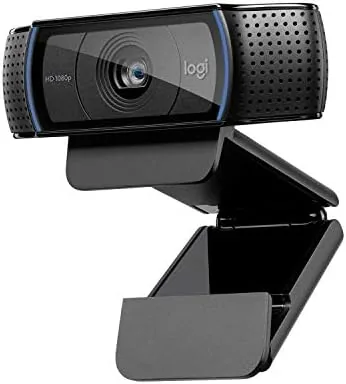
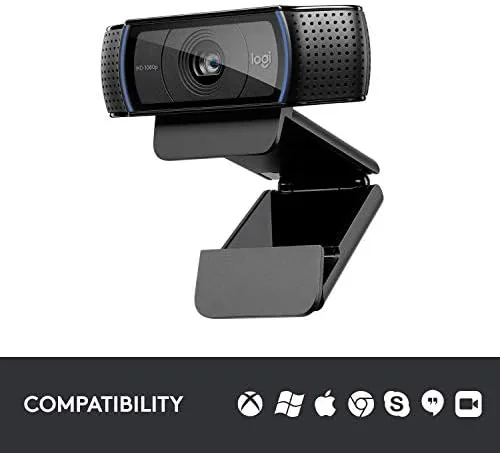
The C920 looks the way it always has: a compact, black, rounded lens with a grill on either side and a clip that flattens out at the base. The clip swivels and bends enough to grip any monitor or laptop screen firmly, and the whole body is light enough to slip into a bag without a second thought. The physical design feels a little dated in a pleasant way, like a tool that has been well used and is all the better for it.
There is a focus ring around the lens, because the C920 offers manual focus adjustment, which is a small but useful detail for anyone who wants to lock the frame. The mounting plate at the base holds onto anything from a thin laptop lid to a thick monitor bezel without loosening over time. It is not flashy, but it is built to hold, and that reliability is a large part of why the camera persists.
The priorities here are clear. There are no decorative lights and no gimmicks; the attention went into the lens, the mount, and the audio sitting right. For a device that lives on top of a screen, that is exactly the correct set of priorities.
Key Features
The headline specification is 1080p Full HD video at 30 frames per second, the standard most video calling and streaming has settled on. At this resolution the C920 produces a clean, well chosen frame with good tonal response, and it presents the user reliably in any call. The widescreen view captures a generous angle, so one person or a small desktop scene fits with room to spare.

Autofocus and light correction expand the picture. The C920 focuses automatically as you shift, and it adjusts the exposure to prevail in dim light, which rescues video calls from the magnetic lottery of a screen light. It renders detail well in a bright room and keeps a person visible in a shadow rather than going to a flat black.
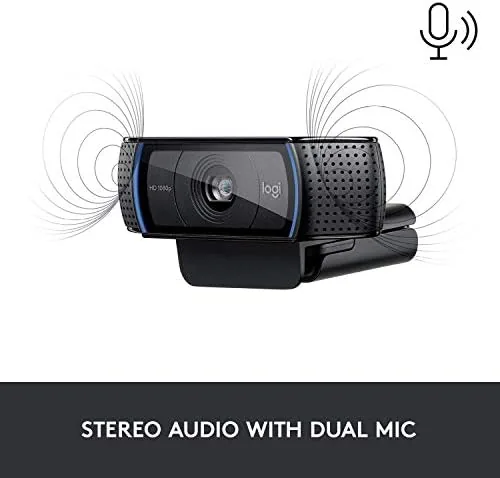
Dual microphones complete the kit. Set on either side of the lens, they capture sound in a clear forward pattern and reduce the noise of a room better than a built in microphone. For calls and small recordings, many people will not need a separate microphone at all.
Real-World Performance
Setup is quick. The C920 connects over a single USB, registers immediately on Windows and Mac, and Logitech provides free software to tune brightness, contrast, autofocus, color, and microphone pickup. Within minutes the image was sorted, and the first calls looked sharp with the exposure held well under the desk lights.
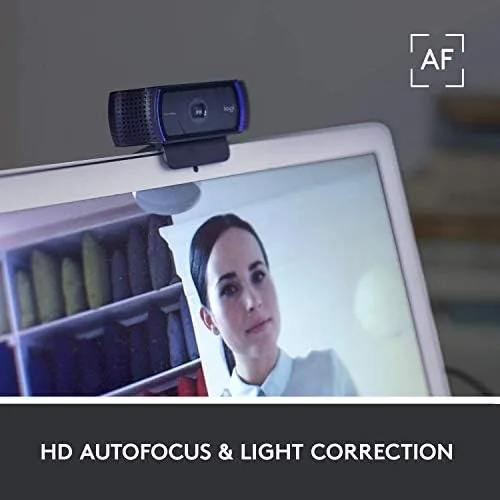
Across a month of calls, the image stayed steady. Faces looked natural in mid range, and the autofocus, which could have made the image roam, settled quickly and stayed calm in the foreground. In weak light the camera raised the exposure and held the face visible instead of losing it to darkness, and it balanced the tone without driving the color too far.
The microphones earned their place. Callers heard me clearly without a separate mic, and background noise from a keyboard or a distant fan was muted well. For short recordings, the built in pair simply did the job, so I never felt the need to reach for a headset.
Streaming at 30 frames per second is a comfortable fit for most creators. If the goal is a crisp, clean picture at 1080p for a meeting or a weekly stream, the C920 delivers on every level. A need for very fast 60 fps motion would push past this model, which points a specific user elsewhere.
Several small details rounded out the month. The mounting clip sat stable on a portrait monitor, the light level was easy to tune from the free app, and the camera stayed simply ready whenever I opened a call, with no handshake delay between the source and the meeting. Even after a full day of use the unit stayed cool, and the whole experience felt more like a steady desk fixture after a hardwired accessory.
Pros and Cons
Pros:
- Sharp, reliable 1080p video for calls and recordings
- Autofocus and low light correction for tricky rooms
- Good dual microphones with clear voice pickup
- Universal clip that holds firmly on any screen
- Free camera control software included
Cons:
- Limited to 30 frames per second for video
- Small plastic build is not a premium finish
- Requires a USB cable for every use
- Not a match for a dedicated mirrorless camera
How It Compares
The C920 sits one step below Logitech's C922 and below the 4K Brio. Against the C922, the C920 lacks the 60 fps output and the background replacement, but it keeps the same 1080p quality for calls and costs less. For most people that difference will not matter.
| Feature | Logitech C920 | Logitech C922 |
|---|---|---|
| Resolution | 1080p | 1080p |
| Maximum frame rate | 30 fps | 60 fps |
| Autofocus | Yes | Yes |
| Background replacement | No | Yes |
| Price | Lower | Higher |
Against a 4K model like the Brio, the C920 matches at 1080p but gives up the extra resolution and the highest motion capture. For the large majority who call, record, and stream at 1080p, the C920 remains the practical middle ground that does not force you to pay for a feature you will not need.
Who Should Buy the Logitech C920
Buy it if you want a dependable, presentable picture for meetings, interviews, and standard recordings without chasing the newest gimmick. It is the reliable default for anyone who works from a home office and wants to look sharp, and it is the classic first webcam for a creator starting out.
If you truly need a 4K stream or the high frame rate features for competitive content, then the C922 or the Brio is the better spend. To verify the price and the current stock, the Logitech C920 listing on Amazon is the clean place to check it.
How We Test
I ran the C920 for a full month as my main camera, covering daily video calls, a variety of lighting, and recorded test clips for this review. I judged focus accuracy and face, setup ease, low light, and how the microphones handled a normal room, across Windows and Mac.
Every webcam obeys the room, so your lighting and layout will shape the results. The guidance at Wirecutter underlines how the C920 has long held the benchmark title, and its research is worth weighing alongside my hands on notes.
The line continues upward in the C922 and the Brio, and the Logitech camera page on Amazon sets out the options and the live price for your decision.

Logitech C920: Questions People Ask
Is the C920 good for streaming?
Yes, for standard 1080p streams at 30 frames per second. It has been a long standing favorite among creators who want a sharp image without buying a dedicated camera.
Does the C920 work with a Mac?
Yes. It works on Windows and Mac out of the box, and Logitech offers free software to tune the image and the microphone for either system.
Does it have autofocus?
Yes. The camera uses autofocus with light correction, keeping the face sharp and the exposure steady as you move in changing light.
How does it compare with the C922?
The C922 adds 60 fps support and background replacement, while the C920 keeps a similar 1080p image at a lower cost. For a standard calls, the C920 is the value pick.
As an Amazon Associate, I earn from qualifying purchases.