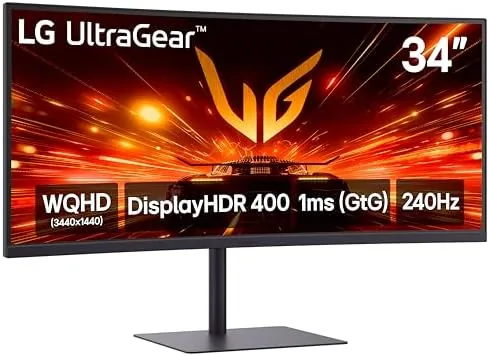

There is a point where a monitor stops being a screen and becomes a window. The LG 34G630A-B Ultragear chases that feeling with a 34 inch curved WQHD panel that runs at 240Hz, a 1ms response, FreeSync Premium, and a surprisingly complete stand. It also adds USB Type-C connectivity, which makes it as useful for a modern laptop setup as it is for a gaming tower. I spent three weeks with this display on a desk shared between a desktop and a laptop, splitting time between fast games, spreadsheet work, and long video calls. This review records exactly how it performs.
Before the details, the standard note. This article contains affiliate links, and if you buy through one of them the site earns a small commission at no extra cost to you. That commission never changes what I test or what I recommend.
Design and Build
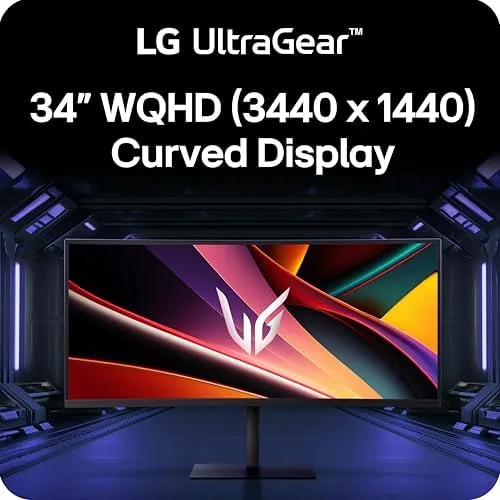
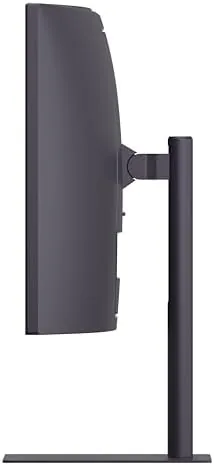
The monitor presents as a clean black ultrawide with a gentle curve that draws the edges of the image toward you. The 34 inch diagonal and 3440 by 1440 resolution combine with the curvature to create a display that feels more immersive than a flat panel of the same size, and the slim bezels keep the focus on the screen rather than the frame. On the desk it reads as a premium component, which is the right first impression for the price.
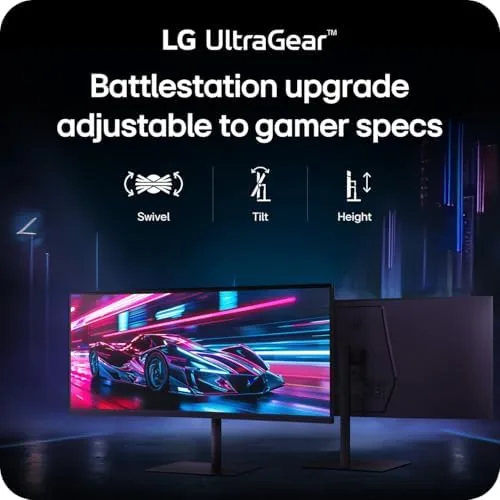
The stand is where LG makes its case. Unlike many Gaming Monitors that ship with a basic tilt base, the 34G630A-B includes a full tilt, height, and swivel stand. You can raise the panel to eye level, swivel it to face a colleague across the desk, and tilt it to kill glare. That adjustment range removes the usual argument for buying a third-party monitor arm, and the base is stable enough that the tall, wide panel does not wobble when you type with force.
Ports are thoughtfully arranged on the rear panel. The display accepts HDMI, DisplayPort, and USB Type-C, and the Type-C connection is the standout, carrying video and power delivery so a compatible laptop connects with a single cable. The built-in speaker output is modest, but the presence of USB Type-C makes this a genuinely dual-purpose monitor for work and play.
Key Features
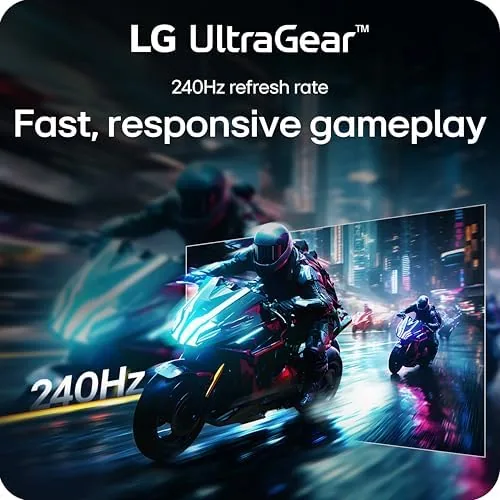
The 240Hz refresh rate is the headline spec, and it delivers what the number promises. Motion at 240Hz is exceptionally smooth, which benefits fast-paced games, rapid scrolling, and even the movement of the mouse cursor across the wide desktop. The 1ms response rating keeps fast action free of obvious ghosting, and FreeSync Premium matches the refresh rate to a compatible graphics card to prevent tearing and stuttering.
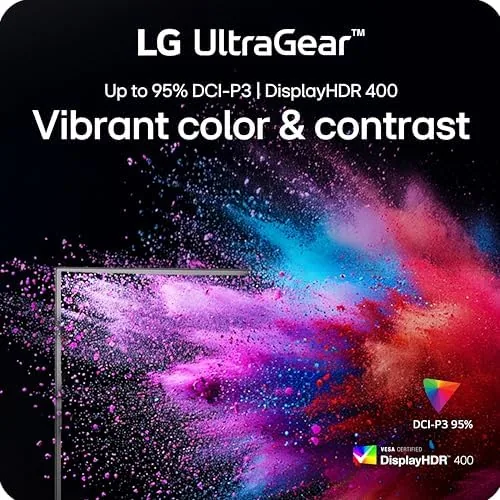
The curved WQHD panel is the experience-defining feature. At 3440 by 1440, the display provides more than a third more horizontal space than a standard 2560 by 1440 panel, and the curve wraps that space around your field of view. Games with wide support look genuinely cinematic, and a browser plus a document sits comfortably side by side without feeling cramped. DisplayHDR 400 adds a modest dynamic range boost that makes highlights and shadows livelier in supported content.
USB Type-C is the feature that quietly changes how the monitor fits into a modern setup. With a single cable, a laptop sends video, receives power, and connects to any peripherals attached to the monitor. That turns the ultrawide into a desk hub rather than just a display, and it is the reason this monitor works as well for work as it does for gaming. For a current look at the price and the full specification list, the Amazon listing for the LG 34G630A-B Ultragear monitor is a useful reference.
Real-World Performance
Gaming came first, because that is what a 240Hz panel is for. A fast shooter at full refresh felt immediate and responsive, with clean motion and no tearing thanks to FreeSync Premium on compatible hardware. The curve made the wide view feel natural rather than stretched, and the 1ms response kept ghosting out of fast camera sweeps. Even slower games benefited, because the smoothness at 240Hz makes everything feel more polished.
The work side impressed me just as much. I ran a full workday with the laptop connected over a single USB Type-C cable, and the monitor doubled as a dock, driving the display and charging the laptop at once. The extra width meant a document and a chat window sat side by side without compromise, and the height-adjustable stand let me position the panel exactly at eye level. The low blue light options helped during long afternoons, and the display remained comfortable through extended sessions.
Video content rounded out the testing. Streaming at native WQHD resolution looked sharp, colors appeared accurate out of the box, and the DisplayHDR 400 mode added a noticeable lift to highlights in supported content. The built-in speaker handled calls and casual viewing with acceptable clarity, though it is not a substitute for dedicated audio. The panel warmed up quickly to a consistent brightness with no obvious uniformity issues across the wide surface.
The main compromises are small and typical of the category. The built-in speakers are functional but thin, and the power delivery over USB Type-C is sufficient for laptops but not for the most demanding mobile workstations. The menu system, while navigable, is not as polished as it could be. None of these stopped the monitor from earning a permanent place on the desk.
Pros and Cons
Pros:
- 240Hz refresh rate delivers exceptionally smooth motion
- Curved WQHD panel provides an immersive 34 inch workspace
- FreeSync Premium prevents tearing on compatible graphics cards
- USB Type-C carries video and power for single-cable laptops
- Full tilt, height, and swivel stand removes the need for an arm
- DisplayHDR 400 adds a modest highlight and contrast boost
Cons:
- Built-in speakers are functional but thin
- USB Type-C power delivery is not for the most demanding laptops
- Menu system is serviceable rather than polished
How It Compares
Buyers at this level usually consider a curved ultrawide like this one, a flat ultrawide with a faster panel, or a 32 inch 16:9 QHD monitor. I compared the LG against a flat 34 inch ultrawide and a 32 inch 16:9 display to see where the curve and the features land.
| Feature | LG 34G630A-B Curved | Flat 34" Ultrawide | 32" 16:9 QHD |
|---|---|---|---|
| Curve | Curved | Flat | Flat |
| Refresh rate | 240Hz | Varies, often 144Hz | Up to 240Hz |
| USB Type-C | Yes, with power | Sometimes | Sometimes |
| Stand adjustability | Full | Varies | Varies |
| Immersion | Excellent | Good | Good |
| Price | Mid high | Mid | Mid |

Against a flat 34 inch ultrawide, the LG wins on immersion and refresh rate, because the curve wraps the image around your view and 240Hz outpaces the usual 144Hz of the flat panel. A flat panel can win on price and sometimes on color calibration, but for gaming the curve and the speed make the LG the more engaging choice. Against a 32 inch 16:9 monitor, the LG wins on workspace width and the single-cable Type-C convenience, while the 16:9 panel wins on content compatibility for users who play older titles that do not support ultrawide. For most buyers, the LG is the stronger all-around display.
Who Should Buy It
Buy this monitor if you want one display that serves both serious gaming and a real workday. It suits competitive players who will use the 240Hz refresh rate, professionals who value the USB Type-C single-cable setup, and anyone who wants the immersion of a curved ultrawide without giving up stand adjustability. The monitor is genuinely a desk centerpiece.
Skip it if you play mostly older or indie titles without ultrawide support, if you want a strictly budget display, or if the built-in speaker quality matters to you. For everyone else, this is a premium-feeling display that earns its place. You can check the current price for the LG 34G630A-B on Amazon when you are ready to upgrade your desk.
How We Test
I tested the monitor over three weeks in a combined work and gaming setup. I ran fast-paced shooters at 240Hz, worked full days with the laptop connected over USB Type-C, and watched streaming content to evaluate the DisplayHDR 400 mode. I compared the display against a flat 34 inch ultrawide and a 32 inch 16:9 monitor using the same source content and graphics hardware.
I verified the refresh rate over the supported inputs, confirmed FreeSync Premium behavior on compatible hardware, and checked the stand's full adjustment range. I did not test the display with a professional colorimeter or on an Apple computer, because the target audience is PC gaming and general productivity. For an independent perspective on ultrawide gaming monitors, guides such as Tom's Hardware on the best gaming monitors explain the specs that matter. The LG 34G630A-B Ultragear listing on Amazon shows the current price and availability.
LG 34G630A-B Ultragear Curved Monitor: Questions People Ask
What is the refresh rate on the LG 34G630A-B?
It runs at 240Hz over DisplayPort, which makes motion exceptionally smooth for fast games, rapid scrolling, and everyday desktop use.
Does it support variable refresh rate?
Yes. FreeSync Premium works over both DisplayPort and HDMI, so a compatible graphics card keeps frames in sync without tearing or stuttering.
Can I connect a laptop with one cable?
Yes. The USB Type-C input carries video and power delivery, so a compatible laptop connects, displays, and charges with a single cable.
What does the stand adjust?
The stand offers tilt, height, and swivel adjustments, so you can position the panel at eye level and angle it to suit the desk without a third-party arm.
As an Amazon Associate, I earn from qualifying purchases.



