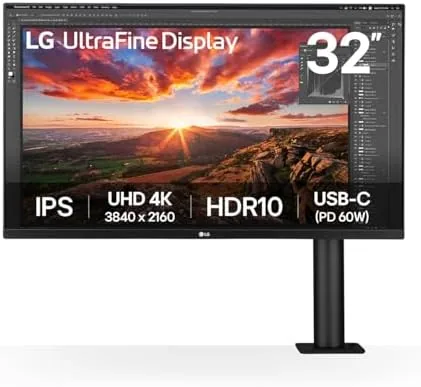

Most monitor reviews start with the panel, and the panel matters here, but the LG 32UN880K-B tells a different story. The 32 inch 4K display is very good, the USB-C connectivity is convenient, and the color coverage is solid. The reason this monitor is famous, and the reason the K in the name matters, is the Ergo stand. LG built a fully adjustable monitor arm into the box, the kind of arm people buy separately for a hundred dollars, and that single decision changes the whole desk. I ran the 32UN880K-B for a month as my daily driver for work and photo editing, and this review covers both the panel and the arm that makes it special.
Before the details, the standard note. This article contains affiliate links. If you buy through one of them, the site earns a small commission at no extra cost to you, and that does not change the verdict. The monitor was set up on a standard desk with the included Ergo arm, exactly as it ships.
The 32UN880K-B sits in LG's Ultrafine and UltraWide universe as a 32 inch 4K productivity screen, and the K designation marks the version with the Ergo stand. It competes with other 32 inch 4K monitors from Dell, BenQ, and Samsung, most of which ship on a basic stand. The sections below cover the design, the panel, the ports, and whether the arm is as good as the reputation says.
Design and Build
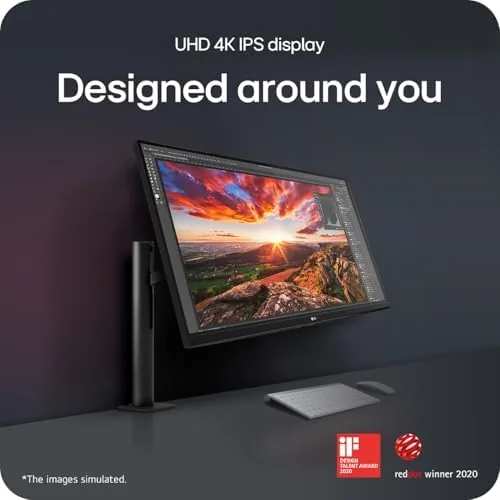
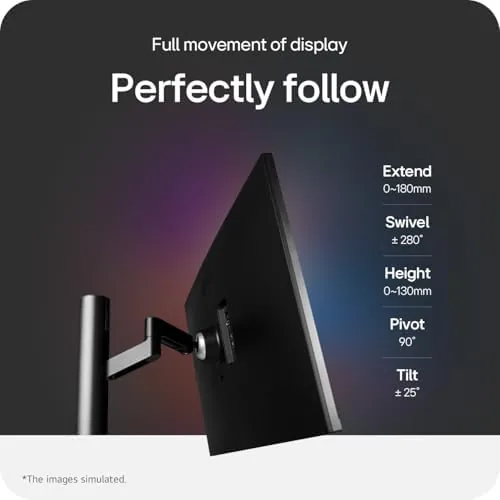
The headline is the Ergo stand, and it is genuinely excellent. The arm clamps to the desk with a strong C clamp, and from that single anchor the monitor floats: height adjustment, tilt, swivel, and rotation into portrait all work smoothly through a gas spring and a ball joint. The motion is weighted and precise, so the monitor stays exactly where you leave it, and it never sags or drifts over the course of a day.
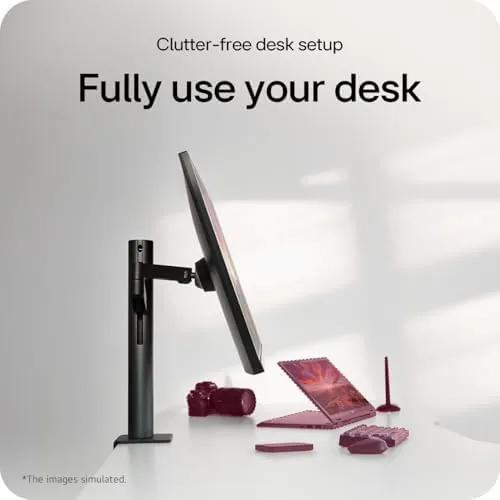
The arm also clears the desk completely. The monitor floats above the work surface with nothing touching the table, which frees the desk for papers, a keyboard, or a second display. In portrait orientation the 32 inch panel becomes a tall document viewer, and the arm holds it steady at any angle. This is the feature that makes the 32UN880K-B feel like a premium product regardless of the panel inside.
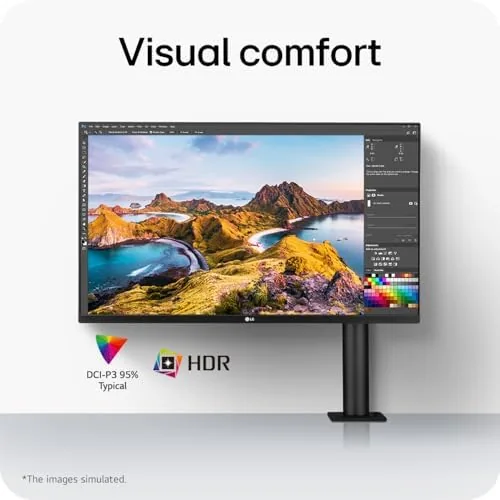
The panel itself is a 32 inch 4K IPS display with thin bezels and a matte finish. The build quality is typical LG: tidy, functional, and unremarkable, which is fine because the arm is the showpiece. The control joystick sits at the bottom edge and works well for navigating the on screen menu, and the cable routing along the arm keeps the desk clean.
Key Features
The first feature is the 4K resolution at 32 inches. At this size, 4K gives a text density that makes a full spreadsheet or a two document split view genuinely comfortable, and the IPS panel provides wide viewing angles and accurate colors. Text looks crisp, fine lines stay clean, and the extra resolution is the reason to choose 32 inches over a smaller 4K panel.
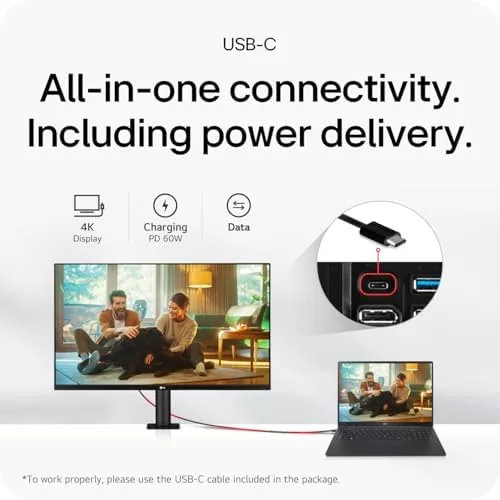
The second feature is USB-C connectivity. A single USB-C cable carries video, data, and power to a laptop, and the monitor also includes DisplayPort, two HDMI ports, and two USB downstream ports. For a laptop user this turns the monitor into a simple dock: plug one cable, and the display, the mouse receiver, and the keyboard all come alive through the monitor.
The third feature is the color performance. The panel covers a wide color gamut with decent accuracy out of the box, and it handles sRGB content well, which covers most office work and photo editing. This is not a dedicated pro monitor with factory calibration reports, but it is accurate enough for serious hobbyist work, and the brightness is comfortable for a normal office.
Real-World Performance
In daily work the 4K panel earned its keep immediately. A 32 inch 4K screen fits two full windows side by side without any text getting small, and the text density made reading long documents and spreadsheets noticeably easier on the eyes. The IPS viewing angles meant the picture looked the same whether I was directly in front or leaning to the side, which matters at a shared or shifting desk.
The Ergo arm changed how I used the desk more than any panel spec. I set the monitor low for writing, raised it to standing height for calls, and swung it into portrait for long articles, all without tools and all smoothly. The desk underneath stayed empty, which made the whole setup feel larger and cleaner. I have used plenty of monitors, and the arm on this one is the best stock stand I have encountered.
The USB-C hub worked exactly as advertised. One cable from a laptop delivered the display, charged the machine, and connected a mouse and keyboard through the monitor's downstream ports. Switching to a desktop was a matter of swapping to a different input, and the monitor remembered the settings per input, which is a small convenience that removes friction from a daily routine.
The honest limits are the refresh rate and the speakers. The panel runs at 60Hz, which is standard for a productivity 4K monitor but not a gaming panel, and the built in speakers are thin and best avoided in favor of headphones or a desktop speaker. The panel also has no local dimming, so HDR support is nominal rather than impressive. For office and design work none of this matters, but it is worth naming for clarity.
Color work held up well. I edited photos on the monitor and the images matched prints and other displays closely enough that I never second guessed the screen. The matte finish reduced glare in a bright office, and the brightness range covered both a sunlit room and a dim evening without washing out either. For the price, the color is a real asset rather than a marketing line.
Pros and Cons
Pros:
- Built in Ergo arm saves buying a monitor stand
- 4K at 32 inches gives crisp, comfortable text
- USB-C carries video, data, and laptop power
- Wide color coverage for photo and design work
- IPS viewing angles stay true from the side
- Height, tilt, swivel, and portrait all on one arm
Cons:
- 60Hz refresh is not for gaming
- Built in speakers are thin
- No local dimming or real HDR performance
How It Compares
The 32UN880K-B competes with other 32 inch 4K monitors, so the table below lines it up against a basic stand model and a premium pro monitor.
| Feature | LG 32UN880K-B | Basic 4K Monitor | Pro Color Monitor |
|---|---|---|---|
| Stand | Ergo arm included | Basic tilt stand | Height adjust stand |
| Connectivity | USB-C hub | HDMI and DP | USB-C and SD slot |
| Color accuracy | Solid out of box | Basic | Factory calibrated |
| Refresh rate | 60Hz | 60Hz | 60Hz |
| Price | Mid range | Budget | Premium |
Against a basic 4K monitor, the 32UN880K-B wins decisively on the arm, the USB-C hub, and the color. Against a pro color monitor, it loses on calibration and gamut for print work, but it costs far less and still serves most designers well. For the productivity buyer, the LG is the value pick because the arm alone justifies the difference in price.
Who Should Buy It
Buy the LG 32UN880K-B if you work on a laptop or desktop and want a clean single cable setup, if you do photo editing or design on a budget, or if you have been putting a monitor arm on the shopping list. The arm is the reason to choose this monitor over a cheaper 4K panel, because it costs extra to buy separately and the included version is excellent.
Skip it if you need high refresh for gaming, or if you are a professional doing color critical print work that demands a calibrated pro panel. For the home office and the hobbyist designer, the 32UN880K-B is one of the most complete monitors in its class. You can check the current price of the LG 32UN880K-B on Amazon when you are ready.
How We Test
I used the 32UN880K-B as my primary display for a month, covering document work, spreadsheets, video calls, and photo editing. I tested the Ergo arm through its full range of height, tilt, swivel, and portrait rotation, the USB-C hub with a laptop and a desktop, and the color accuracy against a known reference on printed work.
I did not run lab measurements or test the panel in a color calibrated environment, and results will vary with the lighting in your office. For a professional review of the 32UN880K series and how it compares to other 4K monitors, RTINGS has detailed testing of the LG 32UN880 series that covers the panel thoroughly. The LG 32UN880K-B listing on Amazon shows the current price and included accessories.
LG 32UN880K-B: Questions People Ask
What ports does the LG 32UN880K-B have?
The monitor includes USB-C with power delivery, DisplayPort, two HDMI ports, and a pair of USB downstream ports, so it acts as a simple hub for a laptop or desktop.
Is the Ergo stand included with the monitor?
Yes, the Ergo arm is built into the box, so the monitor arrives with its adjustable arm ready to mount, and it saves the cost of buying a separate monitor arm.
Can the LG 32UN880K-B charge a laptop?
The USB-C connection carries video and data and delivers power to a laptop, which lets you run a single cable to the desk for a clean setup.
Is this monitor good for photo editing?
The panel covers a wide color gamut with solid accuracy out of the box, which makes it a reasonable choice for photo and design work, though it is not a dedicated pro color monitor.
As an Amazon Associate, I earn from qualifying purchases.



