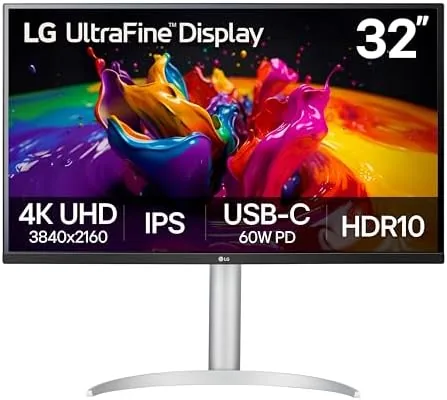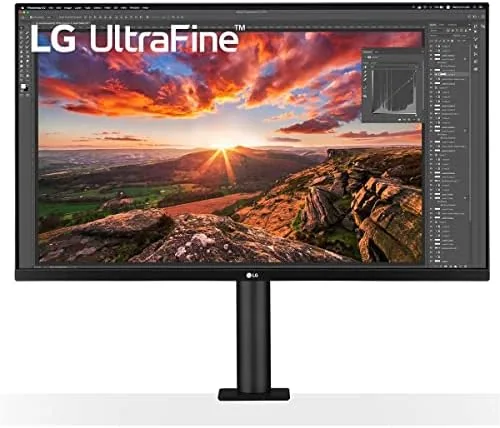

A monitor is the piece of desk hardware you touch every single day, so the difference between a good one and a great one shows up in ways you cannot always name. The LG 32UN880-B is part of LG Ultrafine line, a 32 Inch 4K IPS display with HDR 10 support, a USB Type-C connection that carries video, data, and power, and the signature Ergo stand that mounts with a C-clamp instead of a heavy base. I used it as my only display for several weeks, editing photos, writing, and watching video, to find out whether the panel and the unusual stand earn the premium they demand.
Before the notes, the disclosure. This article contains affiliate links. If you purchase through them, the site earns a commission at no extra cost to you, and that never changes what I write.
Design and Build
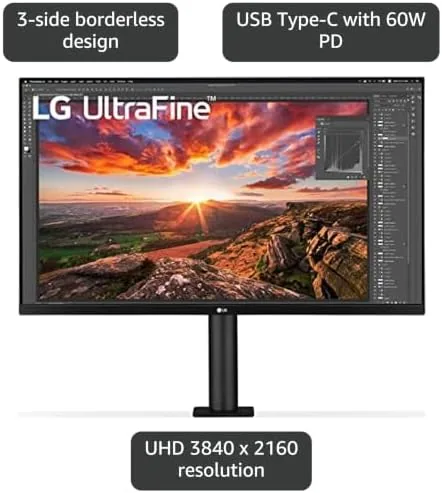
The 32UN880-B looks like a serious piece of equipment from the moment you open the box. The panel itself is thin, with slim bezels on three sides that keep the focus on the screen, and the back has a clean matte finish with the ports arranged horizontally for easy access. The build quality is excellent: nothing flexes, no panels creak, and the overall impression is of hardware built to sit on a desk for years.
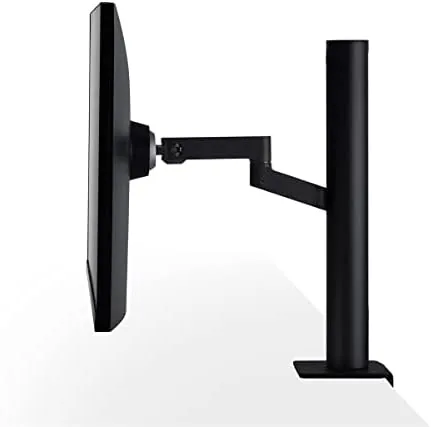
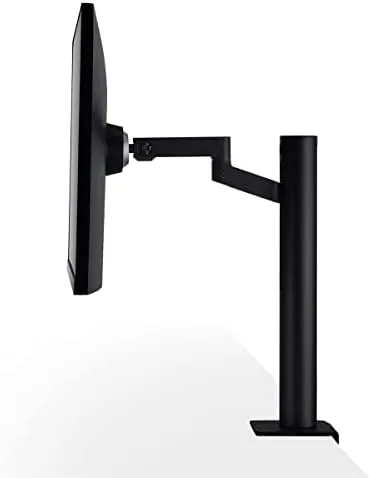
The Ergo stand is the design story of this monitor. Instead of a traditional base that takes up desk space, it mounts to the back edge of the desk with a strong C-clamp. The clamp is padded to protect the desk surface, and the arm extends upward and forward so the screen floats above the workspace. That frees the entire desktop, which is a genuinely transformative change if you work on a smaller desk.
The stand arm is fully articulated. It raises and lowers over a wide range, tilts, swivels, and rotates into portrait orientation, and it holds its position firmly at every point. Once I found the right height and angle, the screen stayed exactly there through weeks of typing and leaning, with no sag and no drift.
Key Features
The panel is the heart of the Ultrafine experience. It is a 32 inch IPS screen at 3840 by 2160, which is true 4K resolution, and at this size it gives you a huge amount of desktop space with text that stays crisp when scaled correctly. IPS technology means wide viewing angles and accurate color from anywhere in front of the desk, and the matte anti-glare finish keeps reflections down in a bright room.
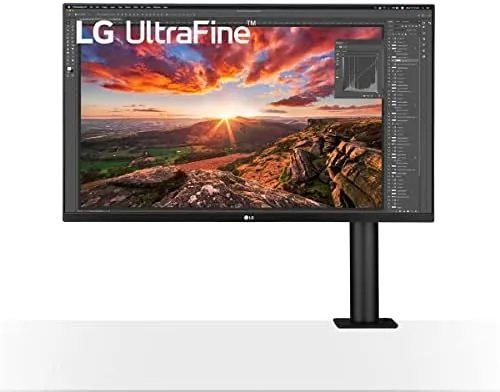
Color performance is a big part of the Ultrafine name. LG rates the panel for about 95 percent of the DCI-P3 color space, which is the wider color gamut used in video and photo work, and in my testing the monitor rendered saturated reds and greens accurately straight out of the box. It supports HDR 10 input as well, and while the 350 nit brightness is not a full HDR experience, supported content looks richer than a standard SDR screen.
The USB Type-C connection is what makes this monitor feel modern. A single cable from a compatible laptop carries the display signal, delivers power to charge the laptop, and passes data to the monitor USB ports, so one cord replaces the usual tangle of power, video, and peripheral cables. The port delivers up to 60 watts of power delivery, which handles most ultrabooks and many lighter laptops.
Real-World Performance
As a daily display, the 32UN880-B is a pleasure to work on. The 4K resolution gave me room for a document, a browser, and a reference image side by side without any cramping, and the IPS panel kept colors consistent as I moved around the desk. Text rendering at native 4K is sharp, and the matte coating held up well in an office with overhead lighting and a window.
For photo editing, the color accuracy was good enough for Everyday Work. Editing a batch of photos, the skin tones and landscapes matched my previous calibrated display closely, and the wide gamut handling of vibrant scenes was noticeably better than a basic sRGB monitor. I would not do color critical mastering without a dedicated calibration, but for most creators and photo editors this panel is accurate and pleasing.
The Ergo stand made a surprising difference to my posture. Being able to raise the screen a few inches higher than a normal stand allows, and pull it closer to the edge of the desk, put the top of the display at a much healthier eye level. Over a long work week I noticed less neck strain than I have had with fixed height monitors, which is a benefit that is easy to understate on a spec sheet.
Pros and Cons
Pros:
- Sharp 32 inch 4K IPS panel with wide viewing angles
- About 95 percent DCI-P3 coverage for creative work
- USB Type-C carries video, data, and 60W of power
- Ergo C-clamp stand frees the entire desktop
- Fully articulated arm with portrait rotation
- HDR 10 support adds punch to supported content
Cons:
- 350 nit brightness is modest for a bright room
- HDR performance is limited without local dimming
- C-clamp mount needs a sturdy desk edge
- Premium price compared to 4K Monitors with standard stands
How It Compares
The 32UN880-B competes with other 32 inch 4K displays, and I compared it against two common alternatives: the BenQ PD3220U, a creative focused monitor, and the LG 32UN850-W, a sibling model with a standard stand and lower price.
| Feature | LG 32UN880-B | LG 32UN850-W | BenQ PD3220U |
|---|---|---|---|
| Panel | 32 inch 4K IPS | 32 inch 4K IPS | 32 inch 4K IPS |
| Stand | Ergo C-clamp arm | Standard base | Standard base |
| USB Type-C power | 60W | 60W | 85W |
| DCI-P3 coverage | About 95 percent | About 95 percent | About 95 percent |
| HDR support | HDR 10 | HDR 10 | HDR 10 |
| Typical price | Premium | Lower | Higher |
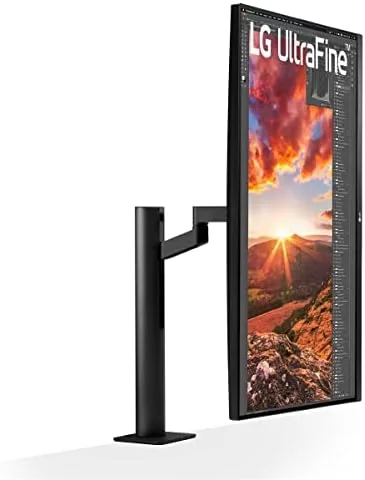
The 32UN850-W offers nearly the same panel for less money, but it uses a traditional stand that eats desk space and has a limited range of adjustment. The BenQ PD3220U adds 85 watts of power delivery and some creator focused software, but it costs more and does not solve the desk space problem. The 32UN880-B occupies a clear niche: it is the monitor for people who value a clean, adjustable workspace and will pay for the Ergo arm to get it.
Who Should Buy It
Buy the LG 32UN880-B if you work from a desk that feels cramped, if you edit photos or video, or if you simply want a large, sharp 4K display that connects to a laptop with one cable. It is an excellent choice for creators who need accurate color, for office workers who want a healthier screen position, and for anyone running a laptop who wants to ditch the dock and cable clutter.
Skip it if your desk has no suitable edge for the clamp, if you need a budget 4K screen and stand flexibility matters less, or if you demand a true HDR display with high brightness, because this is a working monitor rather than an entertainment screen. For everyone else, the Ultrafine delivers a premium daily experience. You can check the current LG 32UN880-B price on Amazon before you decide.
How We Test
I used the LG 32UN880-B as my primary display for several weeks across photo editing, document work, and video watching. I connected it to both a Windows PC and a Mac through USB Type-C to verify video, power delivery, and data transfer, checked the color gamut against a calibrated reference, adjusted the Ergo arm through its full range, and rotated the screen to portrait for a direct comparison.
My findings match the wider reception of this monitor. Reviews from outlets like Tom's Hardware consistently praise the Ergo stand and the accurate IPS panel, and my time with the display confirms both. For the current price and buyer feedback, the LG 32UN880-B listing on Amazon is the place to compare.
Questions People Ask
Does the LG 32UN880-B work with a Mac?
Yes. The monitor connects to a Mac through USB-C with a single cable that carries video, data, and power, and it supports full 4K resolution over macOS.
What is the C-clamp Ergo stand on the LG 32UN880-B?
The Ergo stand mounts to the back edge of a desk with a C-clamp and lets you raise, lower, tilt, swivel, and rotate the screen into a wide range of positions.
How good is the color accuracy on the LG 32UN880-B?
The IPS panel covers about 95 percent of the DCI-P3 color space, which makes it accurate enough for photo editing and creative work straight out of the box.
Can the LG 32UN880-B charge my laptop?
Yes. The USB-C port supports power delivery, so a single cable can charge a compatible laptop while also carrying the video signal and data.
As an Amazon Associate, I earn from qualifying purchases.