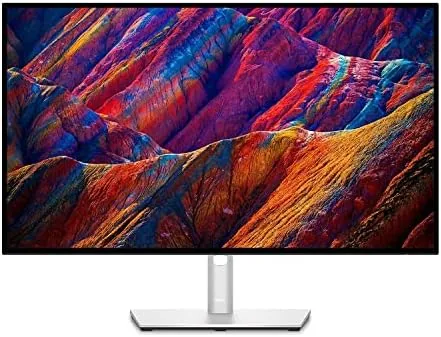
 4K Monitor on a clean desk with a single USB-C cable" width="1200" height="800" loading="lazy" style="height:auto">
Most office monitors are passive. They show you the image, and everything else about your desk stays the same: the docking station, the wall brick, the tangle of cables behind the screen. The Dell UltraSharp U2723QE tries to change that by folding a USB-C hub into a 27 inch 4K panel, so a single cable carries the video signal, connects your peripherals, adds wired networking, and charges your laptop all at once. As someone who has spent years managing a crowded desk, I wanted to know whether the hub is a genuine convenience or just another premium feature on an expensive monitor. I ran it as my only display for two weeks of office work and photo editing to find out.
Before the details, the standard note. This article contains affiliate links, and if you buy through one of them the site earns a small commission at no extra cost to you. That commission does not change what I test or what I recommend, and the monitor here was used the way an office worker would use it.
The rest of this review walks through the design, the hub features, the panel performance, and the honest trade-offs.
Design and Build
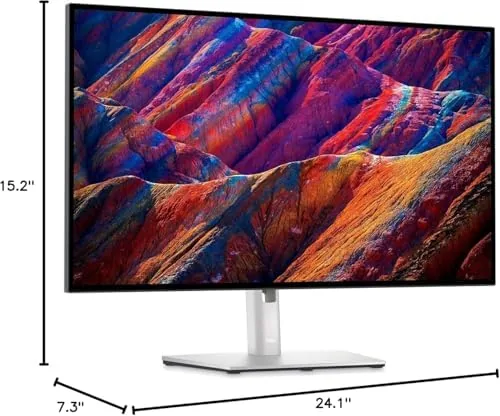
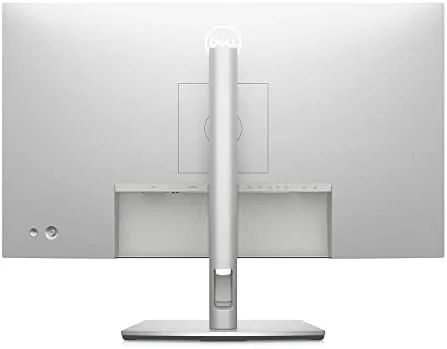
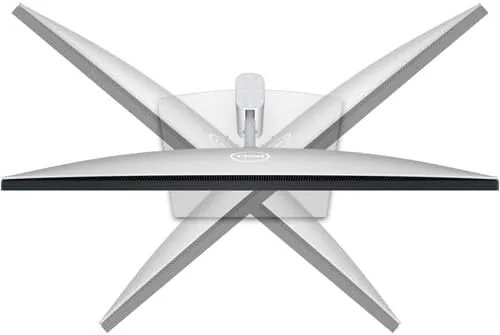
The UltraSharp family has a calm, professional look, and the U2723QE follows the formula faithfully. The bezels are thin on all four sides, giving the panel a nearly frameless appearance that looks sharp on a tidy desk. The stand is a substantial piece of aluminum and plastic with a full range of ergonomic movement: height adjustment over a generous range, tilt, swivel, and a pivot to portrait orientation. It is the complete set of adjustments a serious workspace needs, and it is stable enough that the panel does not wobble while you type.
The build quality matches the premium price. The panel is stiff, the seams are clean, and the cable management channel on the rear column keeps the hub wiring out of sight. On the back sits the full port array: a USB-C upstream port, DisplayPort in and out, two HDMI ports, a row of USB-A ports, and an Ethernet jack. The DisplayPort output is a thoughtful addition, because it lets you daisy chain a second monitor.
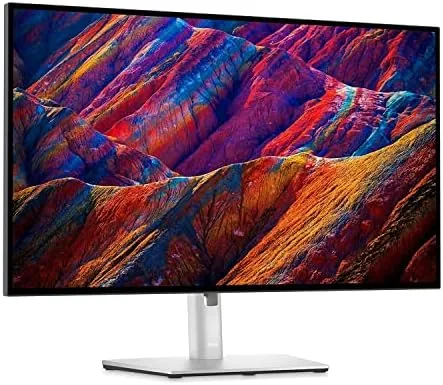
The on-screen menu is controlled by a small joystick on the bottom edge, and it is easy to navigate by feel, with quick access to input selection and brightness. The overall impression is a monitor designed for years of daily work, and the construction backs that up.
Key Features
The USB-C hub is the feature that changes your desk. Connect a compatible laptop with a single USB-C cable and you get the 4K image, a set of USB-A ports for keyboard, mouse, and drives, wired Ethernet, and up to 90 watts of charging power for the laptop itself. For most laptop owners this replaces a separate docking station and its power brick, collapsing a pile of cables into one.
The IPS Black panel is the other headline feature. Standard IPS screens are famous for wide viewing angles but weak on black levels, which makes dark content look gray. IPS Black deepens those blacks and roughly doubles the contrast ratio, so dark scenes and dark user interfaces look noticeably richer while keeping the wide viewing angles IPS is known for.
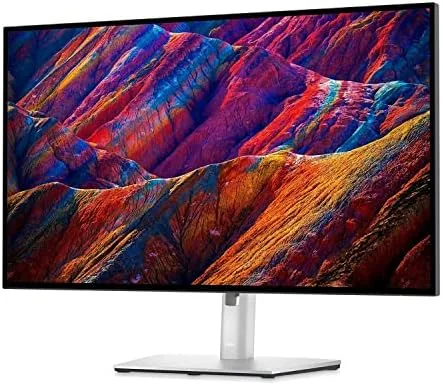
Color accuracy rounds out the package. The monitor ships factory calibrated to cover sRGB, Rec. 709, and DCI-P3 color spaces, and Dell includes the calibration report in the box. For office work that accuracy is a quiet bonus, but for photographers and video editors it removes the guesswork of a screen that needs manual tuning.
Real-World Performance
For everyday office work, the U2723QE is close to ideal. The 3840 x 2160 resolution at 27 inches produces crisp text and a large canvas, so two documents or a document and a browser fit side by side without zooming. At 60Hz it is not built for esports, but scrolling and general motion are smooth enough that the refresh rate never feels like a limitation in daily use.
The hub was the feature I relied on most. I connected my laptop with one USB-C cable and plugged a keyboard, mouse, and USB headset into the monitor, and the whole setup worked on the first try. The laptop charged through the cable, wired Ethernet gave stable video calls, and the desk stayed visually calm in a way it never did with a dock and a separate adapter. That single-cable experience is the real selling point, and it held up under a full week of daily stress.
For photo work, the panel behaved like a professional display. I edited a batch of images and colors matched my expectations across the session, shadows held their depth thanks to the IPS Black panel, and the high resolution made fine detail easy to inspect. Motion content also looked better than on typical office panels, because the deeper blacks give films proper range instead of a washed-out look.
The honest weaknesses are minor but real. The 60Hz refresh rate means this is not the monitor for competitive gaming. Brightness is good rather than stunning, so a very bright window behind the desk can wash out the image. And the hub features only work fully over USB-C, so a laptop without the port misses the point of the monitor.
Pros and Cons
Pros:
- IPS Black panel delivers deep blacks with wide viewing angles
- Single USB-C cable carries video, data, Ethernet, and 90 watts of power
- Factory calibrated color covers sRGB and DCI-P3
- Fully adjustable stand with height, tilt, swivel, and pivot
- DisplayPort output allows daisy chaining a second monitor
- Quiet, stable, and comfortable for all day office work
Cons:
- 60Hz refresh rate is not suited to competitive gaming
- Premium price compared to 4K monitors without a hub
- Ethernet and hub features require the USB-C connection
- Brightness is good but not exceptional
How It Compares
The U2723QE sits at the top of the 27 inch 4K office monitor market, and the table below shows where it lands against the main alternatives.
| Feature | Dell U2723QE | Basic 4K Monitor | Premium Gaming 4K |
|---|---|---|---|
| Panel type | IPS Black | IPS or VA | IPS or OLED |
| Refresh rate | 60Hz | 60Hz | 120Hz or higher |
| USB-C hub | Yes, with 90W charging | Often none | Sometimes |
| Ethernet port | Yes | No | Rarely |
| Factory calibration | Yes | No | Sometimes |
| Ergonomic stand | Full adjustment | Basic tilt | Varies |
Against a basic 4K monitor, the U2723QE costs more but replaces your docking station and offers better color. Against a gaming panel, you lose the high refresh rate but gain the hub, calibration, and office polish. If you want a broader view of the 4K monitor market, Wirecutter best 4K monitors guide is a reliable reference.
Who Should Buy It
Buy the Dell UltraSharp U2723QE if you work at a desk with a USB-C laptop and want to replace a separate docking station with something that also gives you a beautiful 4K image. It is an excellent fit for office workers, remote employees, and anyone who lives in documents and browsers, and it is a strong choice for photographers and editors who want accurate color without a dedicated professional display.

Skip it if you game competitively and need a high refresh rate, or if your laptop lacks USB-C and you will not benefit from the hub. For a clean, capable, and color accurate 4K work monitor, this is one of the best options available. You can check the current price of the Dell UltraSharp U2723QE on Amazon.
How We Test
I used the U2723QE as my only display for two weeks, running it through office work, document editing, video calls, and photo editing sessions. I connected it to a USB-C laptop to validate the hub, charging, and Ethernet, and I checked the portrait mode and the full range of stand adjustment.
I assessed color accuracy by comparing edited photos against the on-screen result, and I evaluated black levels and viewing angles with dark content and off-axis viewing. Panel performance can vary with your laptop and lighting, but the monitor held its calibrated quality throughout the test. The Dell UltraSharp U2723QE listing on Amazon shows the current price and availability.
Dell UltraSharp U2723QE: Questions People Ask
Is the Dell U2723QE good for photo and video work?
Yes, the factory calibrated IPS Black panel covers sRGB and DCI-P3 color spaces and holds consistent color, so it suits editing without manual tuning.
Does the U2723QE charge a laptop through USB-C?
Yes, the USB-C port delivers up to 90 watts of power, so a compatible laptop charges over a single cable while receiving the 4K signal.
What is IPS Black technology?
IPS Black is a panel enhancement that deepens black levels and roughly doubles the contrast ratio compared to standard IPS, while keeping wide viewing angles.
How many devices can connect to the U2723QE?
The monitor works as a hub with multiple USB-A ports, DisplayPort, HDMI, a USB-C upstream connection, and Ethernet, so several peripherals share one laptop cable.
As an Amazon Associate, I earn from qualifying purchases.



